crwdns2933423:0crwdne2933423:0
crwdns2947577:0crwdnd2947577:0crwdne2947577:0

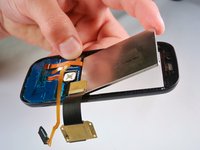
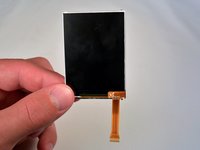
Samsung Gravity TXT Screen Replacement

crwdns2942213:0crwdne2942213:0

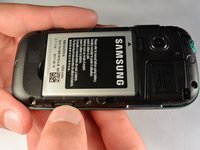
  1. Samsung Gravity TXT Screen Replacement, Battery: crwdns2935265:01crwdnd2935265:01crwdnd2935265:02crwdne2935265:0 Samsung Gravity TXT Screen Replacement, Battery: crwdns2935265:01crwdnd2935265:02crwdnd2935265:02crwdne2935265:0
    • Pry the back cover off with a plastic opening tool, or your fingernail, in the indentation on the bottom of the device.

    crwdns2952109:0crwdne2952109:0

    crwdns2917038:0crwdne2917038:0

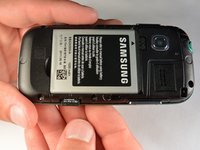
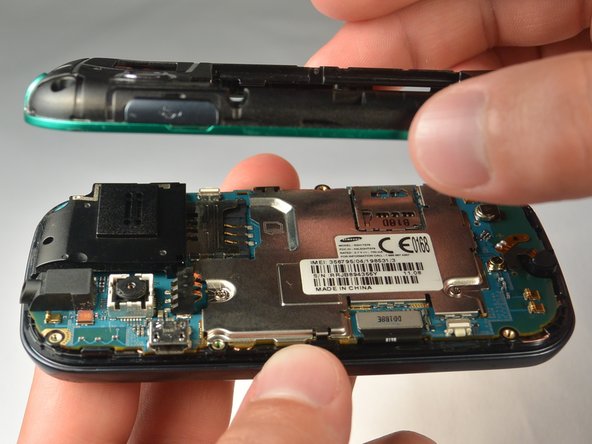
  2. Samsung Gravity TXT Screen Replacement: crwdns2935265:02crwdnd2935265:01crwdnd2935265:01crwdne2935265:0
    • Lift the back cover away from the main body of the phone.

    crwdns2952109:0crwdne2952109:0

    crwdns2917038:0crwdne2917038:0

  3. Samsung Gravity TXT Screen Replacement: crwdns2935265:03crwdnd2935265:01crwdnd2935265:01crwdne2935265:0
    • Insert your finger in the groove below the battery.

    • Press the battery toward the audio jack while lifting upward and away from the phone.

    • Remember to place the battery back with the copper contacts on the battery lined up with those on the phone.

    crwdns2952109:0crwdne2952109:0

    crwdns2917038:0crwdne2917038:0

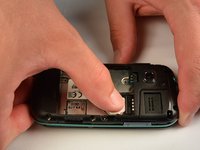
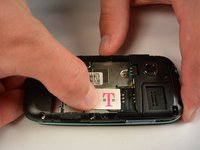
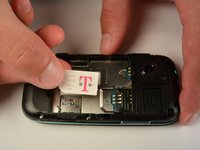
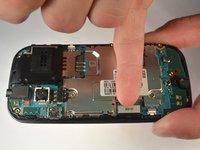
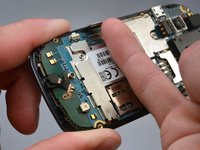
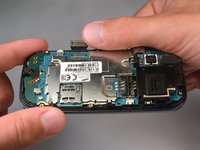
  4. Samsung Gravity TXT Screen Replacement, SIM Card: crwdns2935265:04crwdnd2935265:01crwdnd2935265:03crwdne2935265:0 Samsung Gravity TXT Screen Replacement, SIM Card: crwdns2935265:04crwdnd2935265:02crwdnd2935265:03crwdne2935265:0 Samsung Gravity TXT Screen Replacement, SIM Card: crwdns2935265:04crwdnd2935265:03crwdnd2935265:03crwdne2935265:0
    • Using your finger, push the SIM Card down and slide out of the slot.

    • Slide the SIM card out enough to grab it firmly.

    • Remove the SIM card away from the phone.

    • Follow the visual on the bottom of the SIM card slot to put the SIM card back in the correct orientation.

    • When sliding the SIM Card back in the slot, make sure the card goes all the way in the slot until it hits the stopper.

    crwdns2952109:0crwdne2952109:0

    crwdns2917038:0crwdne2917038:0

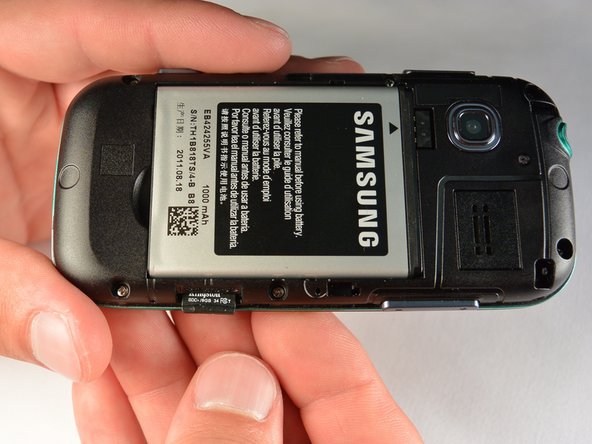
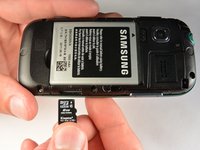
  5. Samsung Gravity TXT Screen Replacement, microSD Card: crwdns2935265:05crwdnd2935265:01crwdnd2935265:03crwdne2935265:0 Samsung Gravity TXT Screen Replacement, microSD Card: crwdns2935265:05crwdnd2935265:02crwdnd2935265:03crwdne2935265:0 Samsung Gravity TXT Screen Replacement, microSD Card: crwdns2935265:05crwdnd2935265:03crwdnd2935265:03crwdne2935265:0
    • Using your fingernail, push the microSD card slightly deeper into the slot, until you hear a click.

    • The removal of the battery is not required for this operation; therefore, step 3 can be skipped if just replacing the microSD card.

    • After the click, release the microSD card to allow it to pop out.

    • Remove the microSD card from its slot

    • When placing the microSD card back in the phone, make sure the card clicks in place.

    crwdns2952109:0crwdne2952109:0

    crwdns2917038:0crwdne2917038:0

  6. Samsung Gravity TXT Screen Replacement, Plastic Back Frame: crwdns2935265:06crwdnd2935265:01crwdnd2935265:01crwdne2935265:0
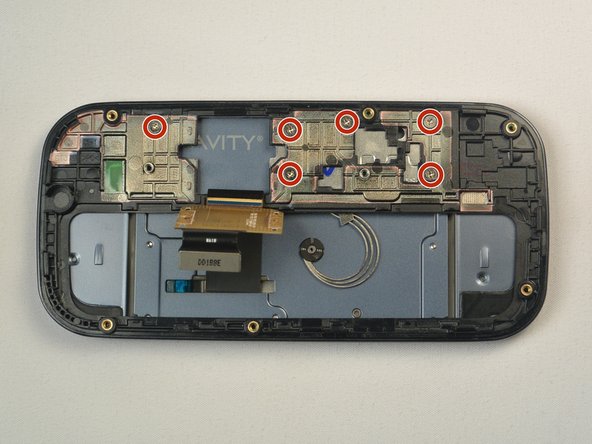
    • Remove the six 3 mm #00 Phillips screws in the plastic back frame.

    crwdns2952109:0crwdne2952109:0

    crwdns2917038:0crwdne2917038:0

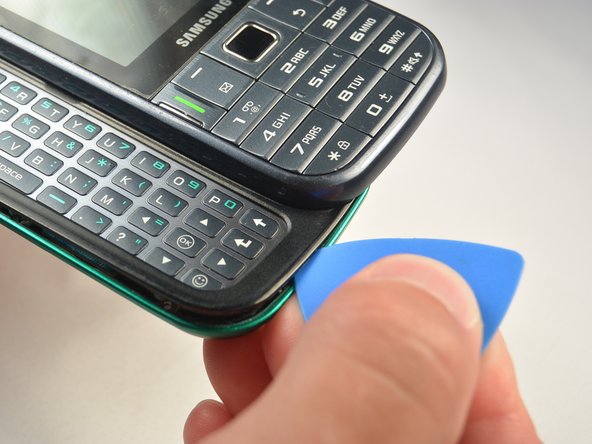
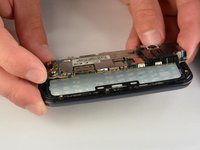
  7. Samsung Gravity TXT Screen Replacement: crwdns2935265:07crwdnd2935265:01crwdnd2935265:03crwdne2935265:0 Samsung Gravity TXT Screen Replacement: crwdns2935265:07crwdnd2935265:02crwdnd2935265:03crwdne2935265:0 Samsung Gravity TXT Screen Replacement: crwdns2935265:07crwdnd2935265:03crwdnd2935265:03crwdne2935265:0
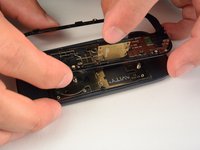
    • Slide the keyboard out.

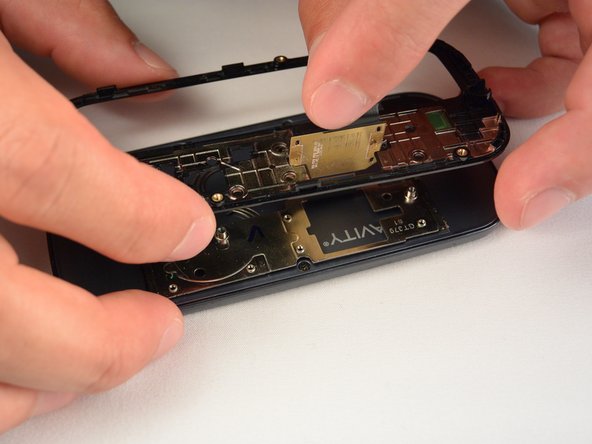
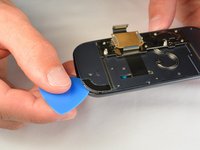
    • Use a Jimmy to separate a small segment of the plastic back frame from rest of the phone.

    • Starting at the bottom of the keyboard is recommended.

    • Slide an opening pick around the rest of the seam, starting at the gap just created with the Jimmy.

    • You will have to slide the keyboard back in to separate the back frame from the top have of the keyboard slider.

    • Lift the plastic back frame away.

    crwdns2952109:0crwdne2952109:0

    crwdns2917038:0crwdne2917038:0

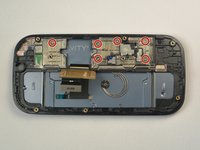
  8. Samsung Gravity TXT Screen Replacement, Motherboard: crwdns2935265:08crwdnd2935265:01crwdnd2935265:01crwdne2935265:0
    • Remove the two 3 mm Phillips #00 screws securing the motherboard to the front panel.

    • Do not try to pull the motherboad out just yet. The display data cable needs to be disconnected from the motherboad first.

    crwdns2952109:0crwdne2952109:0

    crwdns2917038:0crwdne2917038:0

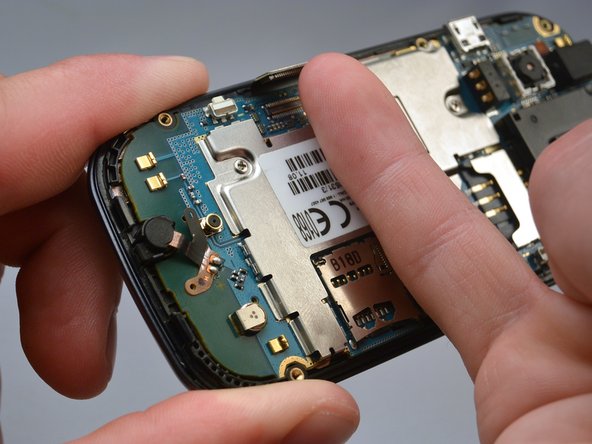
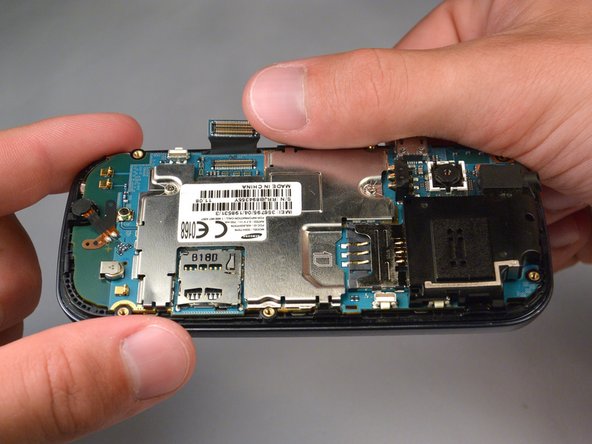
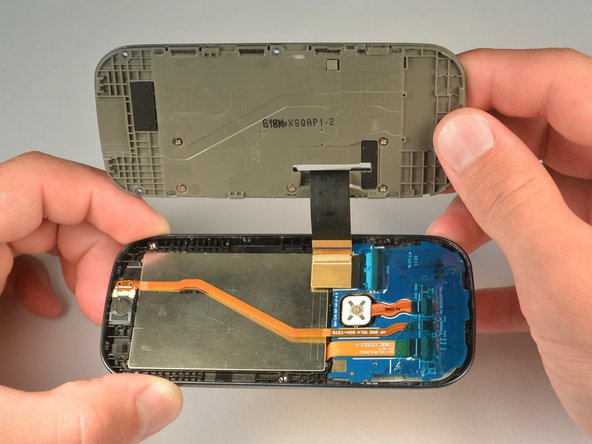
  9. Samsung Gravity TXT Screen Replacement: crwdns2935265:09crwdnd2935265:01crwdnd2935265:03crwdne2935265:0 Samsung Gravity TXT Screen Replacement: crwdns2935265:09crwdnd2935265:02crwdnd2935265:03crwdne2935265:0 Samsung Gravity TXT Screen Replacement: crwdns2935265:09crwdnd2935265:03crwdnd2935265:03crwdne2935265:0
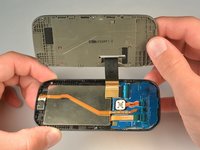
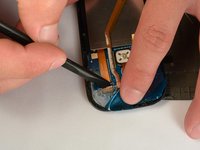
    • Use your finger nail to disconnect the display data cable from the motherboard.

    crwdns2952109:0crwdne2952109:0

    crwdns2917038:0crwdne2917038:0

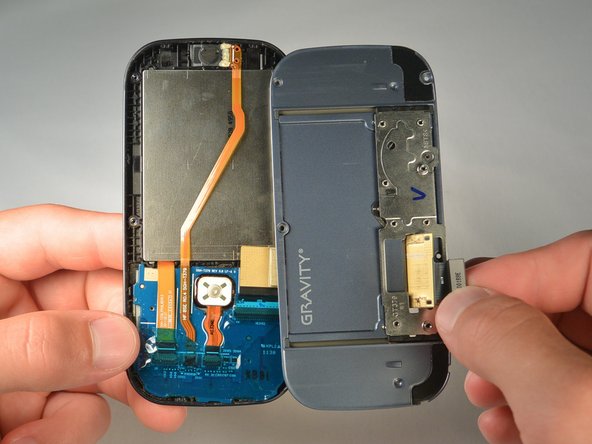
  10. Samsung Gravity TXT Screen Replacement: crwdns2935265:010crwdnd2935265:01crwdnd2935265:02crwdne2935265:0 Samsung Gravity TXT Screen Replacement: crwdns2935265:010crwdnd2935265:02crwdnd2935265:02crwdne2935265:0
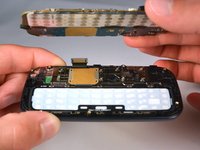
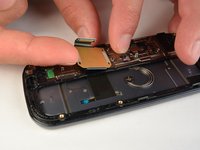
    • Carefully lift the main motherboard assembly away from the front panel.

    crwdns2952109:0crwdne2952109:0

    crwdns2917038:0crwdne2917038:0

  11. Samsung Gravity TXT Screen Replacement, Keyboard: crwdns2935265:011crwdnd2935265:01crwdnd2935265:01crwdne2935265:0
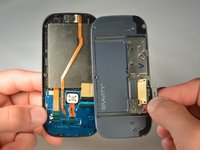
    • Take the keyboard off of the phone.

    crwdns2952109:0crwdne2952109:0

    crwdns2917038:0crwdne2917038:0

  12. Samsung Gravity TXT Screen Replacement, Screen: crwdns2935265:012crwdnd2935265:01crwdnd2935265:03crwdne2935265:0 Samsung Gravity TXT Screen Replacement, Screen: crwdns2935265:012crwdnd2935265:02crwdnd2935265:03crwdne2935265:0 Samsung Gravity TXT Screen Replacement, Screen: crwdns2935265:012crwdnd2935265:03crwdnd2935265:03crwdne2935265:0
    • Lift the ribbon off the plastic inner frame.

    • You may have to warm the adhesive using an iOpener to avoid damaging the ribbon.

    • Remove the six 1.2 mm #00 screws from the inner plastic frame.

    • Slide the ribbon through the slot on the inner frame while pulling the frame away.

    crwdns2952109:0crwdne2952109:0

    crwdns2917038:0crwdne2917038:0

  13. Samsung Gravity TXT Screen Replacement: crwdns2935265:013crwdnd2935265:01crwdnd2935265:01crwdne2935265:0
    • Remove the four 2.4 mm #00 Phillips screws.

    crwdns2952109:0crwdne2952109:0

    crwdns2917038:0crwdne2917038:0

  14. Samsung Gravity TXT Screen Replacement: crwdns2935265:014crwdnd2935265:01crwdnd2935265:03crwdne2935265:0 Samsung Gravity TXT Screen Replacement: crwdns2935265:014crwdnd2935265:02crwdnd2935265:03crwdne2935265:0 Samsung Gravity TXT Screen Replacement: crwdns2935265:014crwdnd2935265:03crwdnd2935265:03crwdne2935265:0
    • Use a opening pick to separate the plastic back casing from the front of the phone by running it along the seam between the two.

    • Lift casing slightly away while sliding the ribbon through the slot in the casing.

    crwdns2952109:0crwdne2952109:0

    crwdns2917038:0crwdne2917038:0

  15. Samsung Gravity TXT Screen Replacement: crwdns2935265:015crwdnd2935265:01crwdnd2935265:02crwdne2935265:0 Samsung Gravity TXT Screen Replacement: crwdns2935265:015crwdnd2935265:02crwdnd2935265:02crwdne2935265:0
    • Use a spudger to get underneath and remove the call speaker.

    crwdns2952109:0crwdne2952109:0

    crwdns2917038:0crwdne2917038:0

  16. Samsung Gravity TXT Screen Replacement: crwdns2935265:016crwdnd2935265:01crwdnd2935265:02crwdne2935265:0 Samsung Gravity TXT Screen Replacement: crwdns2935265:016crwdnd2935265:02crwdnd2935265:02crwdne2935265:0
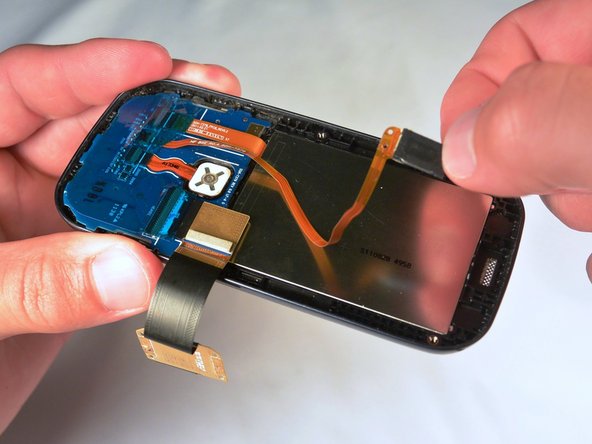
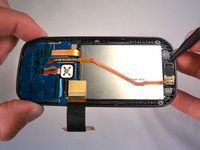
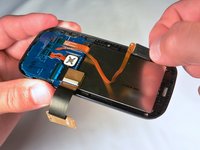
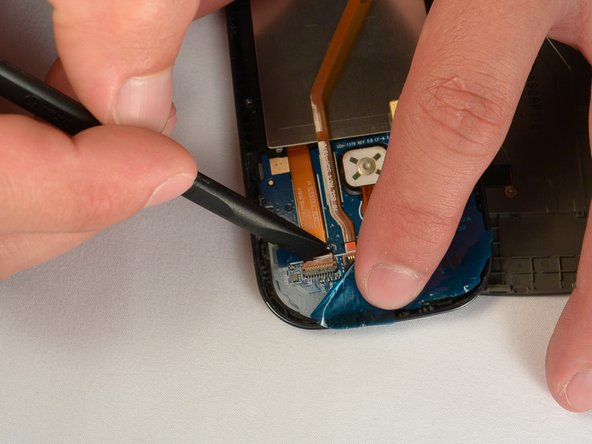
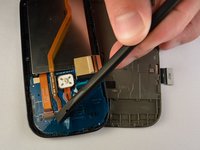
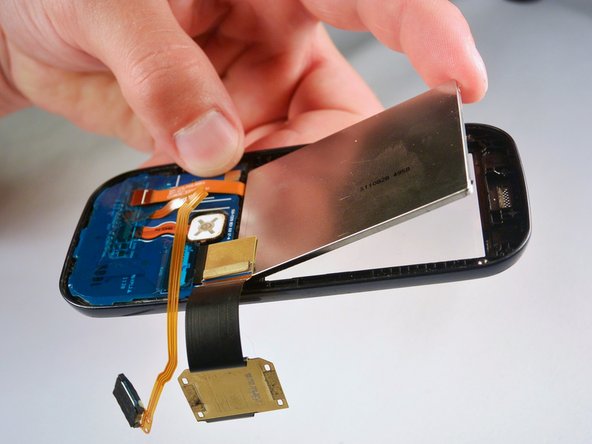
    • Remove the plastic adhesive sheet to expose the ribbon cables

    • The use of an iOpener may be needed to soften the eadhesive

    • Use your finger or a spudger to pull the screen ribbon out of the connector

    crwdns2952109:0crwdne2952109:0

    crwdns2917038:0crwdne2917038:0

  17. Samsung Gravity TXT Screen Replacement: crwdns2935265:017crwdnd2935265:01crwdnd2935265:03crwdne2935265:0 Samsung Gravity TXT Screen Replacement: crwdns2935265:017crwdnd2935265:02crwdnd2935265:03crwdne2935265:0 Samsung Gravity TXT Screen Replacement: crwdns2935265:017crwdnd2935265:03crwdnd2935265:03crwdne2935265:0
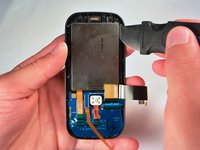
    • Use a Jimmy to separate the screen from the rest of the phone

    • You may need to heat the perimeter of the screen with an iOpener to soften the adhesive.

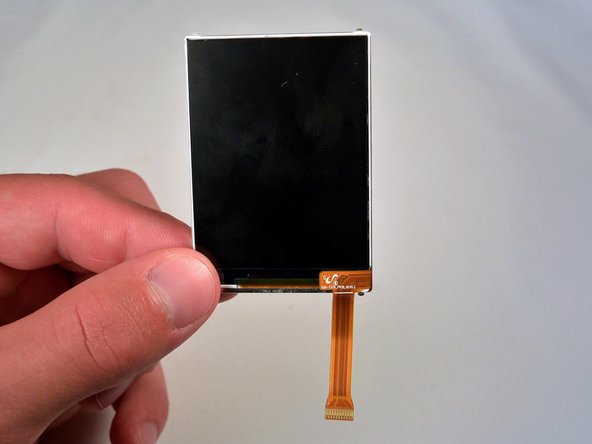
    • Lift the screen away

    crwdns2952109:0crwdne2952109:0

    crwdns2917038:0crwdne2917038:0

crwdns2915888:0crwdne2915888:0

To reassemble your device, follow these instructions in reverse order.

crwdns2935221:0crwdne2935221:0

crwdns2935227:0crwdne2935227:0

Andrew Sieverding

crwdns2935283:007/07/15crwdne2935283:0

186 crwdns2915208:0crwdne2915208:0

crwdns2935295:0crwdne2935295:0

crwdns2935287:0crwdne2935287:0

IUPUI, Team 1-1, Renguette SU 2015 crwdns2935289:0IUPUI, Team 1-1, Renguette SU 2015crwdne2935289:0

IUPUI-RENGUETTE-SU15S1G1

crwdns2931471:05crwdne2931471:0

crwdns2935297:016crwdne2935297:0

crwdns2947412:00crwdne2947412:0

crwdns2917038:0crwdne2917038:0

crwdns2936625:0crwdne2936625:0:

crwdns2936751:024crwdne2936751:0 0

crwdns2936753:07crwdne2936753:0 7

crwdns2936753:030crwdne2936753:0 31

crwdns2942667:0crwdne2942667:0 1,195