crwdns2933423:0crwdne2933423:0
crwdns2947577:0crwdnd2947577:0crwdne2947577:0

Samsung Gravity TXT Keyboard Replacement

crwdns2942213:0crwdne2942213:0

    1. Samsung Gravity TXT Keyboard Replacement, Battery: crwdns2935265:01crwdnd2935265:01crwdnd2935265:02crwdne2935265:0 Samsung Gravity TXT Keyboard Replacement, Battery: crwdns2935265:01crwdnd2935265:02crwdnd2935265:02crwdne2935265:0
      • Pry the back cover off with a plastic opening tool, or your fingernail, in the indentation on the bottom of the device.

      crwdns2952109:0crwdne2952109:0

      crwdns2917038:0crwdne2917038:0

    2. Samsung Gravity TXT Keyboard Replacement: crwdns2935265:02crwdnd2935265:01crwdnd2935265:01crwdne2935265:0
      • Lift the back cover away from the main body of the phone.

      crwdns2952109:0crwdne2952109:0

      crwdns2917038:0crwdne2917038:0

    3. Samsung Gravity TXT Keyboard Replacement: crwdns2935265:03crwdnd2935265:01crwdnd2935265:01crwdne2935265:0
      • Insert your finger in the groove below the battery.

      • Press the battery toward the audio jack while lifting upward and away from the phone.

      • Remember to place the battery back with the copper contacts on the battery lined up with those on the phone.

      crwdns2952109:0crwdne2952109:0

      crwdns2917038:0crwdne2917038:0

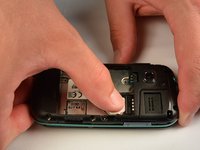
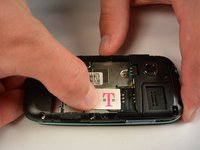
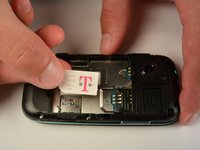
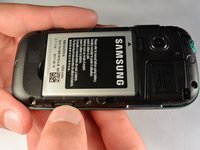
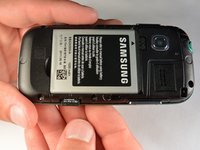
    1. Samsung Gravity TXT Keyboard Replacement, SIM Card: crwdns2935265:04crwdnd2935265:01crwdnd2935265:03crwdne2935265:0 Samsung Gravity TXT Keyboard Replacement, SIM Card: crwdns2935265:04crwdnd2935265:02crwdnd2935265:03crwdne2935265:0 Samsung Gravity TXT Keyboard Replacement, SIM Card: crwdns2935265:04crwdnd2935265:03crwdnd2935265:03crwdne2935265:0
      • Using your finger, push the SIM Card down and slide out of the slot.

      • Slide the SIM card out enough to grab it firmly.

      • Remove the SIM card away from the phone.

      • Follow the visual on the bottom of the SIM card slot to put the SIM card back in the correct orientation.

      • When sliding the SIM Card back in the slot, make sure the card goes all the way in the slot until it hits the stopper.

      crwdns2952109:0crwdne2952109:0

      crwdns2917038:0crwdne2917038:0

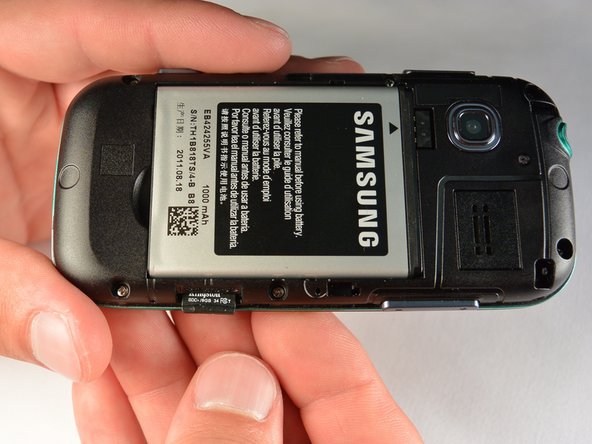
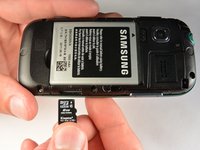
    1. Samsung Gravity TXT Keyboard Replacement, microSD Card: crwdns2935265:05crwdnd2935265:01crwdnd2935265:03crwdne2935265:0 Samsung Gravity TXT Keyboard Replacement, microSD Card: crwdns2935265:05crwdnd2935265:02crwdnd2935265:03crwdne2935265:0 Samsung Gravity TXT Keyboard Replacement, microSD Card: crwdns2935265:05crwdnd2935265:03crwdnd2935265:03crwdne2935265:0
      • Using your fingernail, push the microSD card slightly deeper into the slot, until you hear a click.

      • The removal of the battery is not required for this operation; therefore, step 3 can be skipped if just replacing the microSD card.

      • After the click, release the microSD card to allow it to pop out.

      • Remove the microSD card from its slot

      • When placing the microSD card back in the phone, make sure the card clicks in place.

      crwdns2952109:0crwdne2952109:0

      crwdns2917038:0crwdne2917038:0

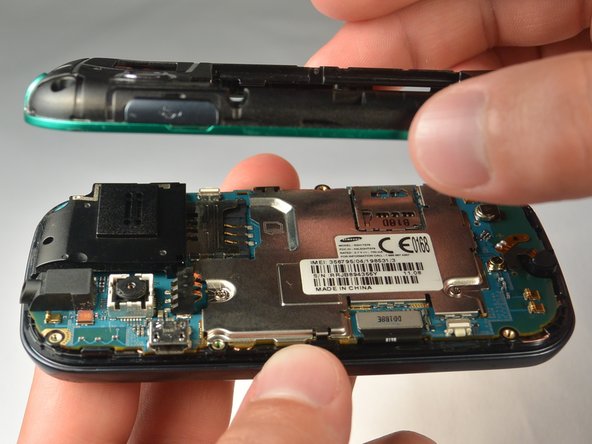
    1. Samsung Gravity TXT Keyboard Replacement, Plastic Back Frame: crwdns2935265:06crwdnd2935265:01crwdnd2935265:01crwdne2935265:0
      • Remove the six 3 mm #00 Phillips screws in the plastic back frame.

      crwdns2952109:0crwdne2952109:0

      crwdns2917038:0crwdne2917038:0

    2. Samsung Gravity TXT Keyboard Replacement: crwdns2935265:07crwdnd2935265:01crwdnd2935265:03crwdne2935265:0 Samsung Gravity TXT Keyboard Replacement: crwdns2935265:07crwdnd2935265:02crwdnd2935265:03crwdne2935265:0 Samsung Gravity TXT Keyboard Replacement: crwdns2935265:07crwdnd2935265:03crwdnd2935265:03crwdne2935265:0
      • Slide the keyboard out.

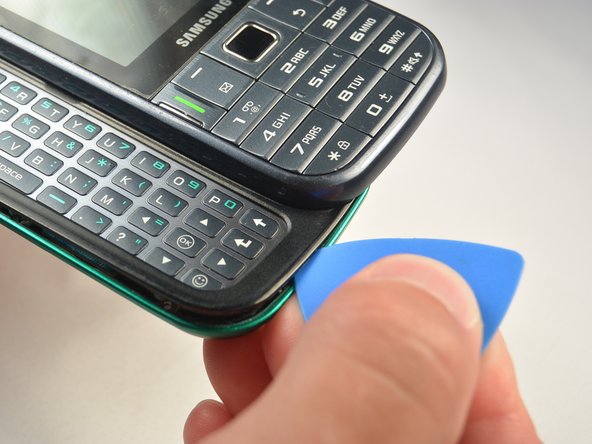
      • Use a Jimmy to separate a small segment of the plastic back frame from rest of the phone.

      • Starting at the bottom of the keyboard is recommended.

      • Slide an opening pick around the rest of the seam, starting at the gap just created with the Jimmy.

      • You will have to slide the keyboard back in to separate the back frame from the top have of the keyboard slider.

      • Lift the plastic back frame away.

      crwdns2952109:0crwdne2952109:0

      crwdns2917038:0crwdne2917038:0

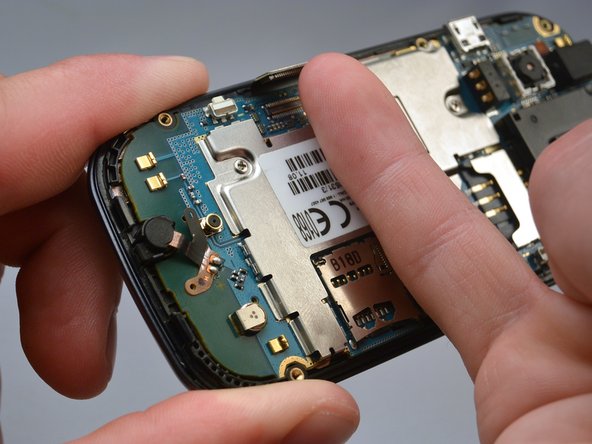
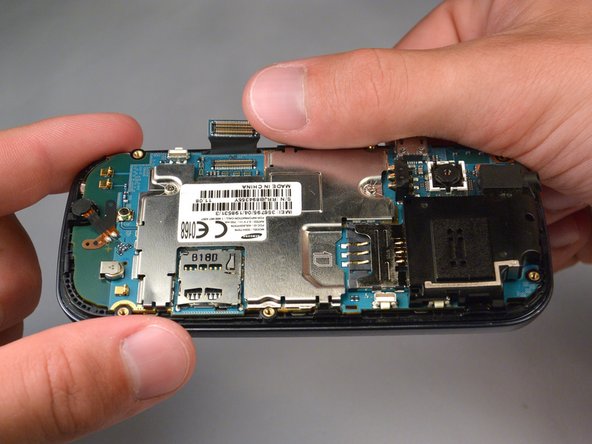
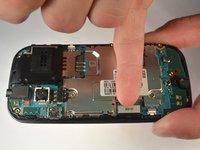
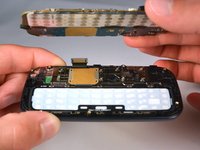
    1. Samsung Gravity TXT Keyboard Replacement, Motherboard: crwdns2935265:08crwdnd2935265:01crwdnd2935265:01crwdne2935265:0
      • Remove the two 3 mm Phillips #00 screws securing the motherboard to the front panel.

      • Do not try to pull the motherboad out just yet. The display data cable needs to be disconnected from the motherboad first.

      crwdns2952109:0crwdne2952109:0

      crwdns2917038:0crwdne2917038:0

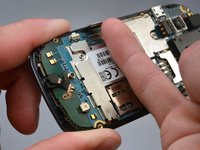
    2. Samsung Gravity TXT Keyboard Replacement: crwdns2935265:09crwdnd2935265:01crwdnd2935265:03crwdne2935265:0 Samsung Gravity TXT Keyboard Replacement: crwdns2935265:09crwdnd2935265:02crwdnd2935265:03crwdne2935265:0 Samsung Gravity TXT Keyboard Replacement: crwdns2935265:09crwdnd2935265:03crwdnd2935265:03crwdne2935265:0
      • Use your finger nail to disconnect the display data cable from the motherboard.

      crwdns2952109:0crwdne2952109:0

      crwdns2917038:0crwdne2917038:0

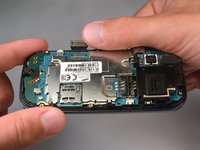
    3. Samsung Gravity TXT Keyboard Replacement: crwdns2935265:010crwdnd2935265:01crwdnd2935265:02crwdne2935265:0 Samsung Gravity TXT Keyboard Replacement: crwdns2935265:010crwdnd2935265:02crwdnd2935265:02crwdne2935265:0
      • Carefully lift the main motherboard assembly away from the front panel.

      crwdns2952109:0crwdne2952109:0

      crwdns2917038:0crwdne2917038:0

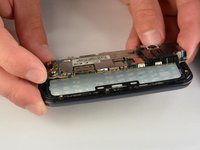
    1. Samsung Gravity TXT Keyboard Replacement, Keyboard: crwdns2935265:011crwdnd2935265:01crwdnd2935265:01crwdne2935265:0
      • Take the keyboard off of the phone.

      crwdns2952109:0crwdne2952109:0

      crwdns2917038:0crwdne2917038:0

crwdns2915888:0crwdne2915888:0

To reassemble your device, follow these instructions in reverse order.

crwdns2935221:0crwdne2935221:0

Hussain

crwdns2935283:007/07/15crwdne2935283:0

147 crwdns2915208:0crwdne2915208:0

crwdns2935295:0crwdne2935295:0

crwdns2935287:0crwdne2935287:0

IUPUI, Team 1-1, Renguette SU 2015 crwdns2935289:0IUPUI, Team 1-1, Renguette SU 2015crwdne2935289:0

IUPUI-RENGUETTE-SU15S1G1

crwdns2931471:05crwdne2931471:0

crwdns2935297:096crwdne2935297:0

crwdns2947412:00crwdne2947412:0

crwdns2917038:0crwdne2917038:0

crwdns2936625:0crwdne2936625:0:

crwdns2936751:024crwdne2936751:0 10

crwdns2936753:07crwdne2936753:0 30

crwdns2936753:030crwdne2936753:0 45

crwdns2942667:0crwdne2942667:0 624