crwdns2933423:0crwdne2933423:0
crwdns2947577:0crwdnd2947577:0crwdne2947577:0

Samsung Gear VR With Controller Lens Replacement

crwdns2942213:0crwdne2942213:0

    1. Samsung Gear VR With Controller Lens Replacement, Inner Mask: crwdns2935265:01crwdnd2935265:01crwdnd2935265:03crwdne2935265:0 Samsung Gear VR With Controller Lens Replacement, Inner Mask: crwdns2935265:01crwdnd2935265:02crwdnd2935265:03crwdne2935265:0 Samsung Gear VR With Controller Lens Replacement, Inner Mask: crwdns2935265:01crwdnd2935265:03crwdnd2935265:03crwdne2935265:0
      • Push the switch on the right-hand side of the device to separate the cover from the main body.

      • Pull the cover away from the main device.

      crwdns2952109:0crwdne2952109:0

      crwdns2917038:0crwdne2917038:0

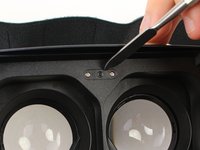
    2. Samsung Gear VR With Controller Lens Replacement: crwdns2935265:02crwdnd2935265:01crwdnd2935265:03crwdne2935265:0 Samsung Gear VR With Controller Lens Replacement: crwdns2935265:02crwdnd2935265:02crwdnd2935265:03crwdne2935265:0 Samsung Gear VR With Controller Lens Replacement: crwdns2935265:02crwdnd2935265:03crwdnd2935265:03crwdne2935265:0
      • Remove the four corner screw covers with a metal spudger.

      • The screw covers fly off when removed, so make sure to keep track of them.

      crwdns2952109:0crwdne2952109:0

      crwdns2917038:0crwdne2917038:0

    3. Samsung Gear VR With Controller Lens Replacement: crwdns2935265:03crwdnd2935265:01crwdnd2935265:03crwdne2935265:0 Samsung Gear VR With Controller Lens Replacement: crwdns2935265:03crwdnd2935265:02crwdnd2935265:03crwdne2935265:0 Samsung Gear VR With Controller Lens Replacement: crwdns2935265:03crwdnd2935265:03crwdnd2935265:03crwdne2935265:0
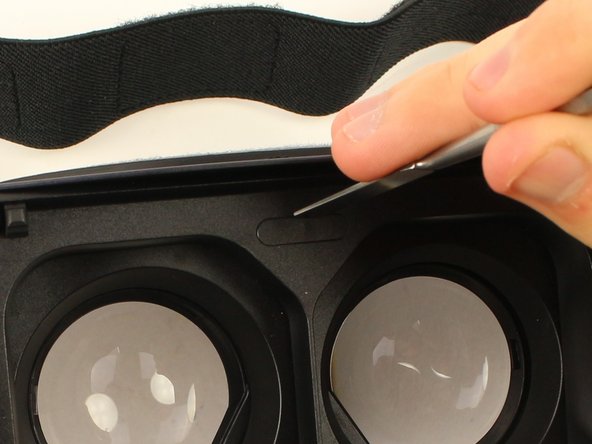
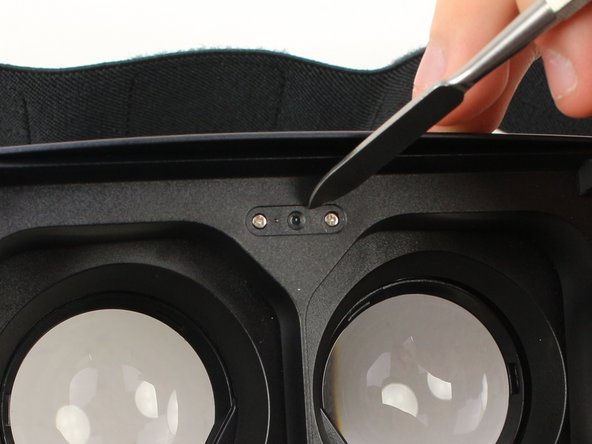
      • Use a metal spudger to remove the screw cover centered at the top.

      crwdns2952109:0crwdne2952109:0

      crwdns2917038:0crwdne2917038:0

    4. Samsung Gear VR With Controller Lens Replacement: crwdns2935265:04crwdnd2935265:01crwdnd2935265:03crwdne2935265:0 Samsung Gear VR With Controller Lens Replacement: crwdns2935265:04crwdnd2935265:02crwdnd2935265:03crwdne2935265:0 Samsung Gear VR With Controller Lens Replacement: crwdns2935265:04crwdnd2935265:03crwdnd2935265:03crwdne2935265:0
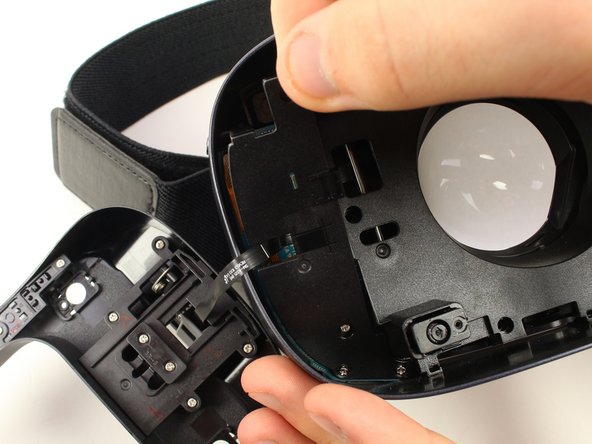
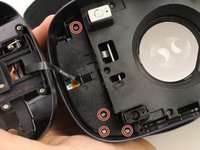
      • Remove the six 5mm Phillips #000 screws to detach the front phone mount.

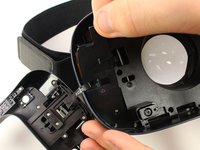
      • Lift the front phone mount up and to the left.

      • Remove the front phone mount carefully because there is a wire harness on the left side of the headset.

      crwdns2952109:0crwdne2952109:0

      crwdns2917038:0crwdne2917038:0

    5. Samsung Gear VR With Controller Lens Replacement: crwdns2935265:05crwdnd2935265:01crwdnd2935265:02crwdne2935265:0 Samsung Gear VR With Controller Lens Replacement: crwdns2935265:05crwdnd2935265:02crwdnd2935265:02crwdne2935265:0
      • Remove the four 5mm Phillips #000 screws that secure the plate on the left side of the headset.

      • Pull the plate away from the motherboard gently.

      crwdns2952109:0crwdne2952109:0

      crwdns2917038:0crwdne2917038:0

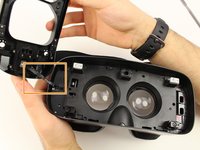
    6. Samsung Gear VR With Controller Lens Replacement: crwdns2935265:06crwdnd2935265:01crwdnd2935265:02crwdne2935265:0 Samsung Gear VR With Controller Lens Replacement: crwdns2935265:06crwdnd2935265:02crwdnd2935265:02crwdne2935265:0
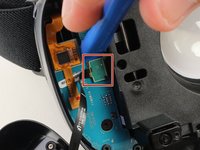
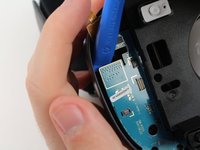
      • Use the iFixit opening tool to remove the pop connector holding the wire harness to the motherboard.

      • You can now completely remove the front phone mount from the headset.

      crwdns2952109:0crwdne2952109:0

      crwdns2917038:0crwdne2917038:0

    7. Samsung Gear VR With Controller Lens Replacement: crwdns2935265:07crwdnd2935265:01crwdnd2935265:03crwdne2935265:0 Samsung Gear VR With Controller Lens Replacement: crwdns2935265:07crwdnd2935265:02crwdnd2935265:03crwdne2935265:0 Samsung Gear VR With Controller Lens Replacement: crwdns2935265:07crwdnd2935265:03crwdnd2935265:03crwdne2935265:0
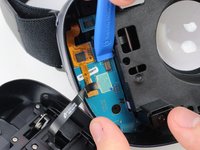
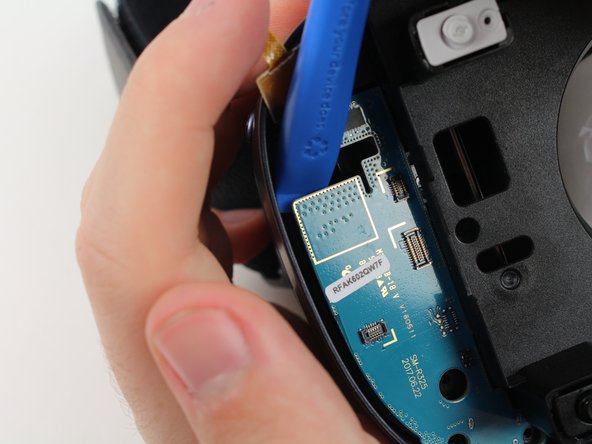
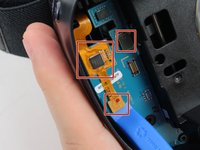
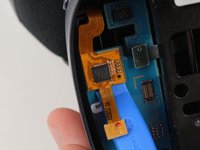
      • Remove the rest of the pop connectors on the motherboard using the iFixit opening tool.

      • Pry at the top of the motherboard with the iFixit opening tool to remove the motherboard.

      • The largest pop connector may require more effort to remove.

      • Make sure that nothing is connected to the motherboard before you pull it out.

      crwdns2952109:0crwdne2952109:0

      crwdns2917038:0crwdne2917038:0

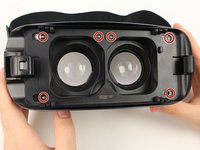
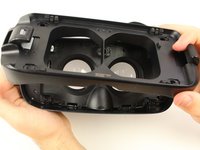
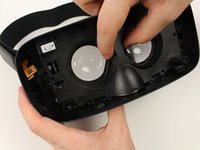
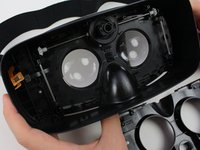
    8. Samsung Gear VR With Controller Lens Replacement: crwdns2935265:08crwdnd2935265:01crwdnd2935265:03crwdne2935265:0 Samsung Gear VR With Controller Lens Replacement: crwdns2935265:08crwdnd2935265:02crwdnd2935265:03crwdne2935265:0 Samsung Gear VR With Controller Lens Replacement: crwdns2935265:08crwdnd2935265:03crwdnd2935265:03crwdne2935265:0
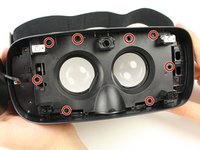
      • Remove the eight 5mm Phillips #000 screws on the inner mask.

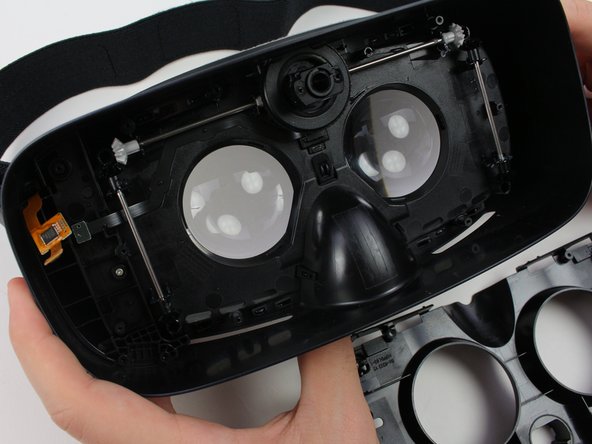
      • Gently separate the inner mask from the headset by pulling the mask from the inner sides of the lens sockets.

      crwdns2952109:0crwdne2952109:0

      crwdns2917038:0crwdne2917038:0

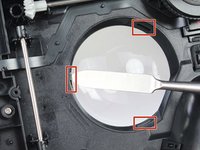
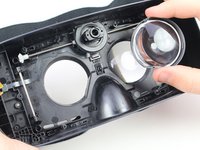
    1. Samsung Gear VR With Controller Lens Replacement, Lens: crwdns2935265:09crwdnd2935265:01crwdnd2935265:02crwdne2935265:0 Samsung Gear VR With Controller Lens Replacement, Lens: crwdns2935265:09crwdnd2935265:02crwdnd2935265:02crwdne2935265:0
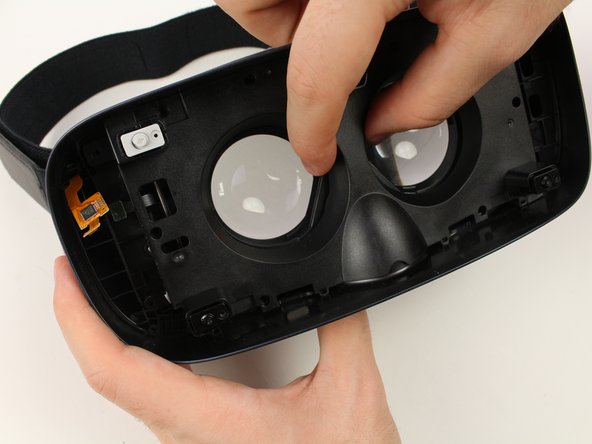
      • Use the metal spudger to press on the three tabs around each of the sockets.

      • Press the tabs gently to prevent damaging them.

      • Pull out the lenses with your fingers to remove them from the mask.

      crwdns2952109:0crwdne2952109:0

      crwdns2917038:0crwdne2917038:0

crwdns2915888:0crwdne2915888:0

To reassemble your device, follow these instructions in reverse order.

crwdns2935221:0crwdne2935221:0

crwdns2935227:0crwdne2935227:0

Jake Criscione

crwdns2935283:001/24/19crwdne2935283:0

587 crwdns2915208:0crwdne2915208:0

crwdns2935297:03crwdne2935297:0

crwdns2935287:0crwdne2935287:0

Cal Poly, Team S18-G3, White Winter 2019 crwdns2935289:0Cal Poly, Team S18-G3, White Winter 2019crwdne2935289:0

CPSU-WHITE-W19S18G3

crwdns2931471:04crwdne2931471:0

crwdns2935297:084crwdne2935297:0

crwdns2947412:00crwdne2947412:0

crwdns2917038:0crwdne2917038:0

crwdns2936625:0crwdne2936625:0:

crwdns2936751:024crwdne2936751:0 1

crwdns2936753:07crwdne2936753:0 8

crwdns2936753:030crwdne2936753:0 26

crwdns2942667:0crwdne2942667:0 1,344