crwdns2933423:0crwdne2933423:0
crwdns2947577:0crwdnd2947577:0crwdne2947577:0

Samsung Galaxy Note Midframe Replacement

crwdns2869540:0crwdne2869540:0: 12 тыс.

crwdns2959988:0crwdne2959988:0

crwdns2959990:0crwdne2959990:0
7
crwdns2959992:0crwdne2959992:0
31
crwdns2959994:0crwdne2959994:0
113
crwdns2959996:0crwdne2959996:0
11 770
crwdns2955950:0crwdne2955950:0: 1

crwdns2960002:01crwdne2960002:0.

crwdns2959984:0crwdne2959984:0: 16

crwdns2959974:016crwdne2959974:0

crwdns2959986:0crwdne2959986:0: 8

crwdns2959982:08crwdne2959982:0

crwdns2955944:0crwdne2955944:0: crwdns2931273:0crwdne2931273:0
crwdns2955970:0crwdne2955970:0: crwdns2937801:0crwdne2937801:0
Samsung Galaxy Note Midframe Replacement

crwdns2915892:0crwdne2915892:0

crwdns2959928:0crwdne2959928:0 ↓

Use this guide to remove or replace your Galaxy Note's midframe.

crwdns2959930:0crwdne2959930:0

crwdns2943215:0crwdne2943215:0

    1. Samsung Galaxy Note Midframe Replacement, Rear Case: crwdns2935265:01crwdnd2935265:01crwdnd2935265:02crwdne2935265:0 Samsung Galaxy Note Midframe Replacement, Rear Case: crwdns2935265:01crwdnd2935265:02crwdnd2935265:02crwdne2935265:0
      • Pry with a plastic opening tool, or your fingernail, in the divot to the right of the rear-facing camera, near the volume rocker.

      crwdns2952109:0crwdne2952109:0

      crwdns2917038:0crwdne2917038:0

    2. Samsung Galaxy Note Midframe Replacement: crwdns2935265:02crwdnd2935265:01crwdnd2935265:02crwdne2935265:0 Samsung Galaxy Note Midframe Replacement: crwdns2935265:02crwdnd2935265:02crwdnd2935265:02crwdne2935265:0
      • Lift and remove the rear case from the phone.

      crwdns2952109:0crwdne2952109:0

      crwdns2917038:0crwdne2917038:0

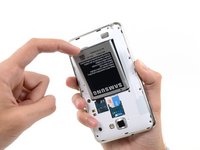
    1. Samsung Galaxy Note Midframe Replacement, Battery: crwdns2935265:03crwdnd2935265:01crwdnd2935265:02crwdne2935265:0 Samsung Galaxy Note Midframe Replacement, Battery: crwdns2935265:03crwdnd2935265:02crwdnd2935265:02crwdne2935265:0
      • Insert your finger in the notch of the battery compartment.

      • Press the battery toward the rear facing camera while pulling outward.

      crwdns2952109:0crwdne2952109:0

      crwdns2917038:0crwdne2917038:0

    1. Samsung Galaxy Note Midframe Replacement, MicroSD Card: crwdns2935265:04crwdnd2935265:01crwdnd2935265:03crwdne2935265:0 Samsung Galaxy Note Midframe Replacement, MicroSD Card: crwdns2935265:04crwdnd2935265:02crwdnd2935265:03crwdne2935265:0 Samsung Galaxy Note Midframe Replacement, MicroSD Card: crwdns2935265:04crwdnd2935265:03crwdnd2935265:03crwdne2935265:0
      • Use the flat end of a spudger, or your fingernail, to press the microSD card slightly deeper into its slot until you hear a click.

      • After the click, release the card and it will pop out of its slot.

      • For reassembly, push the microSD card into the slot until it clicks in place.

      crwdns2952109:0crwdne2952109:0

      crwdns2917038:0crwdne2917038:0

    2. Samsung Galaxy Note Midframe Replacement: crwdns2935265:05crwdnd2935265:01crwdnd2935265:01crwdne2935265:0
      • Remove the microSD card from its slot in the midframe.

      crwdns2952109:0crwdne2952109:0

      crwdns2917038:0crwdne2917038:0

    1. Samsung Galaxy Note Midframe Replacement, SIM Card: crwdns2935265:06crwdnd2935265:01crwdnd2935265:02crwdne2935265:0 Samsung Galaxy Note Midframe Replacement, SIM Card: crwdns2935265:06crwdnd2935265:02crwdnd2935265:02crwdne2935265:0
      • Use a plastic opening tool, or your fingernail, to push the SIM card out of its compartment.

      crwdns2952109:0crwdne2952109:0

      crwdns2917038:0crwdne2917038:0

    2. Samsung Galaxy Note Midframe Replacement: crwdns2935265:07crwdnd2935265:01crwdnd2935265:02crwdne2935265:0 Samsung Galaxy Note Midframe Replacement: crwdns2935265:07crwdnd2935265:02crwdnd2935265:02crwdne2935265:0
      • Slide the SIM card out the rest of the way with your thumb and remove it from the device.

      crwdns2952109:0crwdne2952109:0

      crwdns2917038:0crwdne2917038:0

    1. Samsung Galaxy Note Midframe Replacement, Midframe: crwdns2935265:08crwdnd2935265:01crwdnd2935265:01crwdne2935265:0
      • Remove the nine 3.4 mm Phillips #00 screws securing the midframe to the display assembly.

      crwdns2952109:0crwdne2952109:0

      crwdns2917038:0crwdne2917038:0

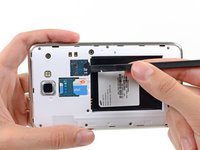
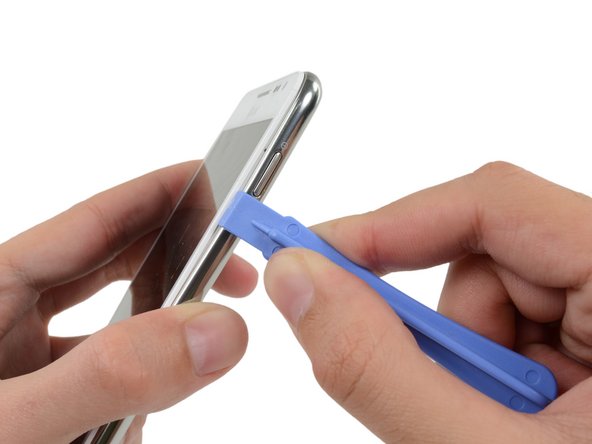
    2. Samsung Galaxy Note Midframe Replacement: crwdns2935265:09crwdnd2935265:01crwdnd2935265:02crwdne2935265:0 Samsung Galaxy Note Midframe Replacement: crwdns2935265:09crwdnd2935265:02crwdnd2935265:02crwdne2935265:0
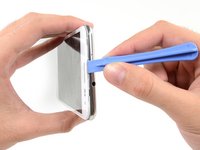
      • Insert your plastic opening tool to the left of the power button between the midframe and the front panel assembly and pry.

      crwdns2952109:0crwdne2952109:0

      crwdns2917038:0crwdne2917038:0

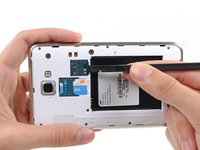
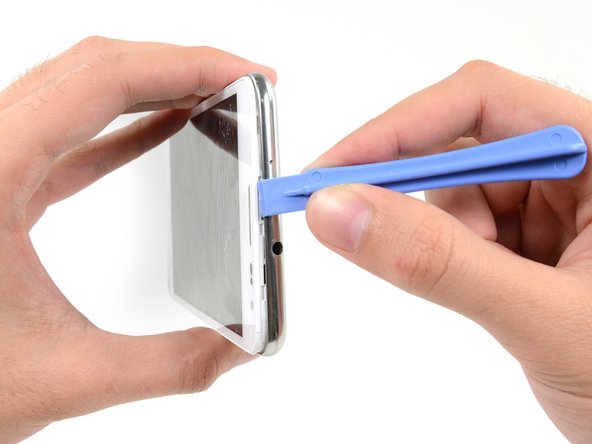
    3. Samsung Galaxy Note Midframe Replacement: crwdns2935265:010crwdnd2935265:01crwdnd2935265:03crwdne2935265:0 Samsung Galaxy Note Midframe Replacement: crwdns2935265:010crwdnd2935265:02crwdnd2935265:03crwdne2935265:0 Samsung Galaxy Note Midframe Replacement: crwdns2935265:010crwdnd2935265:03crwdnd2935265:03crwdne2935265:0
      • Slide the plastic opening tool down the seam.

      crwdns2952109:0crwdne2952109:0

      crwdns2917038:0crwdne2917038:0

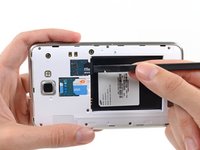
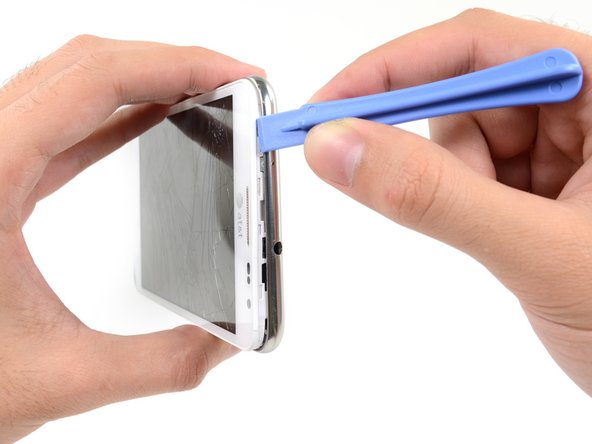
    4. Samsung Galaxy Note Midframe Replacement: crwdns2935265:011crwdnd2935265:01crwdnd2935265:03crwdne2935265:0 Samsung Galaxy Note Midframe Replacement: crwdns2935265:011crwdnd2935265:02crwdnd2935265:03crwdne2935265:0 Samsung Galaxy Note Midframe Replacement: crwdns2935265:011crwdnd2935265:03crwdnd2935265:03crwdne2935265:0
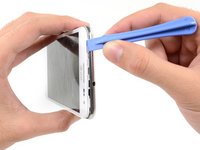
      • Insert your plastic opening tool to the left of the headphone jack between the midframe and the display assembly.

      • Slide the opening tool along the top edge of the phone.

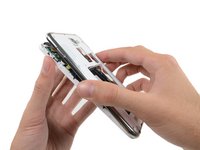
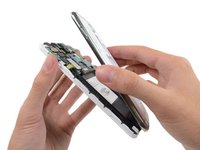
      • Continue to run the plastic opening tool around the perimeter of the phone until the midframe is separated.

      crwdns2952109:0crwdne2952109:0

      crwdns2917038:0crwdne2917038:0

    5. Samsung Galaxy Note Midframe Replacement: crwdns2935265:012crwdnd2935265:01crwdnd2935265:02crwdne2935265:0 Samsung Galaxy Note Midframe Replacement: crwdns2935265:012crwdnd2935265:02crwdnd2935265:02crwdne2935265:0
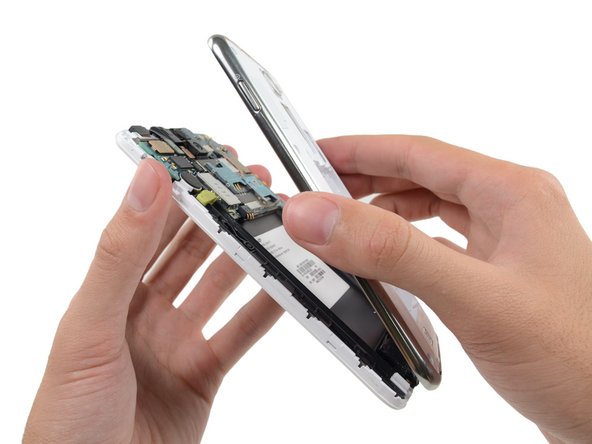
      • Remove the midframe from the display assembly.

      crwdns2952109:0crwdne2952109:0

      crwdns2917038:0crwdne2917038:0

crwdns2915888:0crwdne2915888:0

To reassemble your device, follow these instructions in reverse order.

crwdns2935221:0crwdne2935221:0

crwdns2935229:016crwdne2935229:0

crwdns2862417:0crwdne2862417:0

crwdns2935291:0crwdne2935291:0

Sam Goldheart

crwdns2935283:010/18/12crwdne2935283:0

478 949 crwdns2915208:0crwdne2915208:0

crwdns2935297:0538crwdne2935297:0

crwdns2935287:0crwdne2935287:0

iFixit crwdns2935289:0iFixitcrwdne2935289:0

Staff

crwdns2931471:0119crwdne2931471:0

crwdns2935297:072 954crwdne2935297:0

crwdns2947412:00crwdne2947412:0

crwdns2917038:0crwdne2917038:0

crwdns2936625:0crwdne2936625:0:

crwdns2936751:024crwdne2936751:0 7

crwdns2936753:07crwdne2936753:0 31

crwdns2936753:030crwdne2936753:0 113

crwdns2959996:0crwdne2959996:0 11,770