crwdns2915892:0crwdne2915892:0
Use this guide to replace a Galaxy Note II midframe.
crwdns2942213:0crwdne2942213:0
-
-
-
Grasp the end of the stylus and remove it from its slot in the midframe.
 crwdns2952109:0crwdne2952109:0
-
-
-
-
-
Pry with a plastic opening tool, or your fingernail, in the divot to the left of the rear-facing camera, near the power button.
-
-
-
Lift the rear case by the corner nearest the divot and remove it from the phone.
-
-
-
-
-
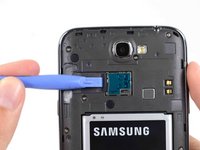
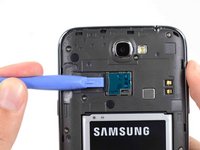
If you have an SD card inserted, use the flat end of a spudger, or your fingernail, to press the microSD card slightly deeper into its slot until you hear a click.
-
After the click, release the card and it will pop out of its slot.
-
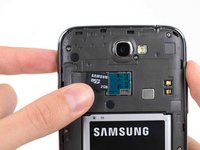
Remove the microSD card.
-
-
-
-
-
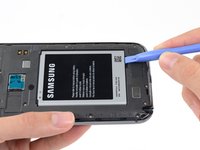
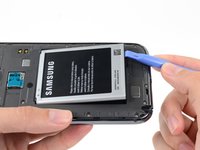
Insert a plastic opening tool, or your finger, into the notch of the battery compartment and lift the battery upward.
-
-
-
-
Remove the battery from the midframe.
-
-
-
-
-
Remove the eleven 4.0 mm Phillips #00 screws securing the midframe to the display assembly.
-
-
-
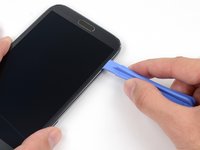
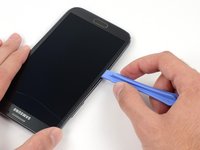
Insert your plastic opening tool between the midframe and front panel assembly on the side of the phone.
-
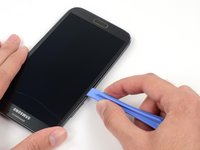
Slide the plastic opening tool down the seam.
-
-
-
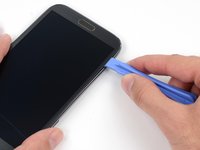
Continue to run the plastic opening tool down the seam.
-
-
-
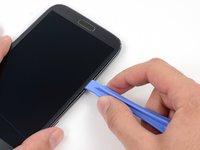
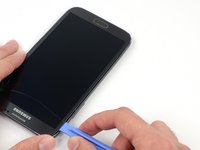
Carefully pry around the corner with a plastic opening tool.
-
-
-
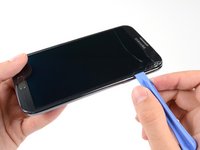
Pry along the top of the phone with a plastic opening tool.
-
-
-
Push the plastic opening tool down to free the corner of the midframe from the display assembly.
-
-
-
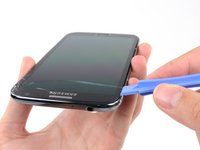
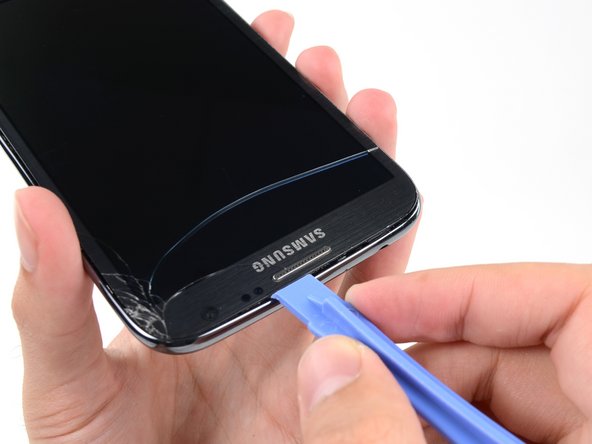
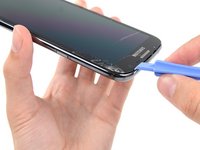
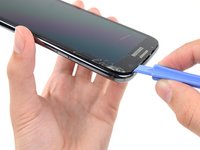
Free the clips along the power button side of the phone.
-
Lastly, free the two clips along the top and bottom edge of battery compartment.
-
-
-
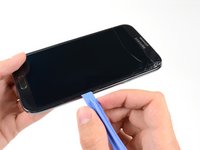
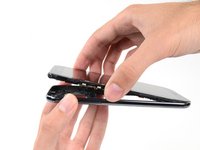
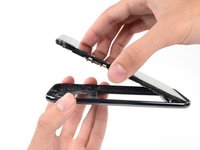
Lift the display assembly out of the midframe.
-
-

















To reassemble your device, follow these instructions in reverse order.
crwdns2935221:0crwdne2935221:0
crwdns2935229:052crwdne2935229:0


crwdns2947412:05crwdne2947412:0
There are two hidden clips near battery housing. One inside in upper part of battery housing and the second below battery near antenna.
milankerslager - crwdns2934203:0crwdne2934203:0 crwdns2950251:0crwdne2950251:0
How do I fix the glass
Nena Summer Perez - crwdns2934203:0crwdne2934203:0 crwdns2950251:0crwdne2950251:0
Very good job you are doing. It is very helpful to us. Thanks for sharing your knowledge to the people my wishes are with you god bless you.
HARDIK PANCHOLI - crwdns2934203:0crwdne2934203:0 crwdns2950251:0crwdne2950251:0
very very very useful brother
Arunkrishna T H - crwdns2934203:0crwdne2934203:0 crwdns2950251:0crwdne2950251:0
Brilliant Thanks.
michaeleggar6 - crwdns2934203:0crwdne2934203:0 crwdns2950251:0crwdne2950251:0
