crwdns2933423:0crwdne2933423:0
crwdns2947577:0crwdnd2947577:0crwdne2947577:0

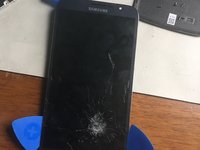
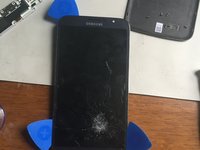
Samsung Galaxy Mega Display Assembly Replacement

crwdns2942213:0crwdne2942213:0

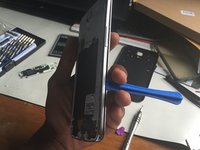
  1. Samsung Galaxy Mega Display Assembly Replacement, Remove Rear Cover: crwdns2935265:01crwdnd2935265:01crwdnd2935265:02crwdne2935265:0 Samsung Galaxy Mega Display Assembly Replacement, Remove Rear Cover: crwdns2935265:01crwdnd2935265:02crwdnd2935265:02crwdne2935265:0
    • Use the opening tool or a fingernail to pry open the rear cover at the top left corner.

    • Once the rear cover is removed, you'll have access to the SIM card, the SD card, and screws.

    crwdns2952109:0crwdne2952109:0
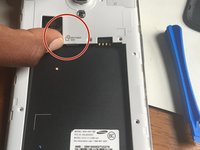
  2. Samsung Galaxy Mega Display Assembly Replacement, SIM, SD, Screw and Battery Removal: crwdns2935265:02crwdnd2935265:01crwdnd2935265:03crwdne2935265:0 Samsung Galaxy Mega Display Assembly Replacement, SIM, SD, Screw and Battery Removal: crwdns2935265:02crwdnd2935265:02crwdnd2935265:03crwdne2935265:0 Samsung Galaxy Mega Display Assembly Replacement, SIM, SD, Screw and Battery Removal: crwdns2935265:02crwdnd2935265:03crwdnd2935265:03crwdne2935265:0
    • After removing the back cover, remove the battery, the SIM card, and SD card (if present).

    • Remove the highlighted PH000 screws from the rear of the phone.

    • Ensure the phone has been powered down via the OS (if possible) before removing the battery.

    crwdns2952109:0crwdne2952109:0
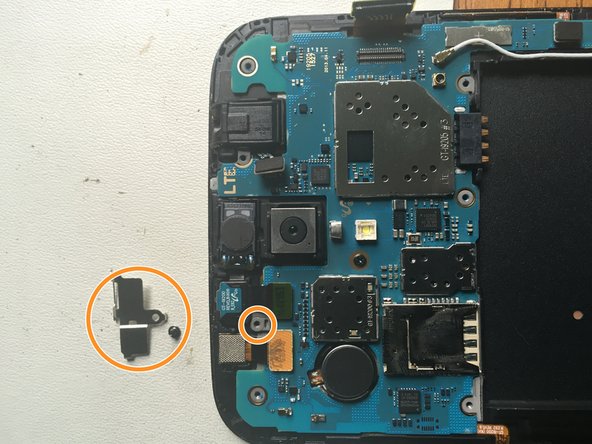
  3. Samsung Galaxy Mega Display Assembly Replacement, Speaker Removal: crwdns2935265:03crwdnd2935265:01crwdnd2935265:01crwdne2935265:0
    • Using the opening tool, gently pry the speaker upwards and remove it.

    • The speaker is fragile; take caution when removing it to prevent damage.

    crwdns2952109:0crwdne2952109:0
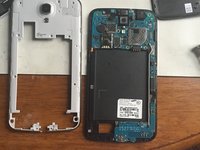
  4. Samsung Galaxy Mega Display Assembly Replacement, Removal of Back Frame: crwdns2935265:04crwdnd2935265:01crwdnd2935265:03crwdne2935265:0 Samsung Galaxy Mega Display Assembly Replacement, Removal of Back Frame: crwdns2935265:04crwdnd2935265:02crwdnd2935265:03crwdne2935265:0 Samsung Galaxy Mega Display Assembly Replacement, Removal of Back Frame: crwdns2935265:04crwdnd2935265:03crwdnd2935265:03crwdne2935265:0
    • Insert the pry tool along the side of the device. Pry gently until you hear clicks.

    • Repeat along all sides of the phone. You will continue hearing a clicking sound as the frame begins to release.

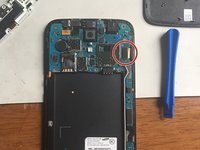
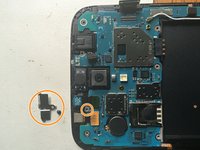
    • Gently pull the battery clip up (shown in photo 2). Then, twist the frame slightly clockwise, as there is a little clip around the camera that needs to be released.

    crwdns2952109:0crwdne2952109:0
  5. Samsung Galaxy Mega Display Assembly Replacement, Removing Ribbons: crwdns2935265:05crwdnd2935265:01crwdnd2935265:02crwdne2935265:0 Samsung Galaxy Mega Display Assembly Replacement, Removing Ribbons: crwdns2935265:05crwdnd2935265:02crwdnd2935265:02crwdne2935265:0
    • Use the opening tool to remove the LCD cable.

    • Once the back frame has been removed, the motherboard and connectors will be exposed.

    • Remove the front camera by unscrewing the panel.

    • Disconnect the front camera cable.

    crwdns2952109:0crwdne2952109:0
  6. Samsung Galaxy Mega Display Assembly Replacement, Adding some heat: crwdns2935265:06crwdnd2935265:01crwdnd2935265:03crwdne2935265:0 Samsung Galaxy Mega Display Assembly Replacement, Adding some heat: crwdns2935265:06crwdnd2935265:02crwdnd2935265:03crwdne2935265:0 Samsung Galaxy Mega Display Assembly Replacement, Adding some heat: crwdns2935265:06crwdnd2935265:03crwdnd2935265:03crwdne2935265:0
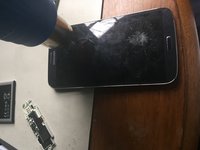
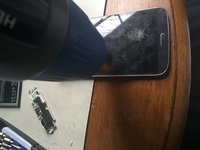
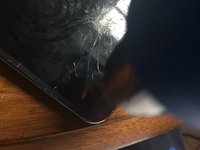
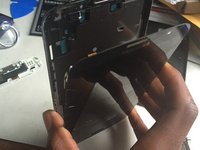
    • Use the heat gun to heat around the edges of the screen.

    • Insert three opening picks between the glass and the silver frame of the phone to pry it open.

    • Do not insert a pick at the bottom of the screen. The back button and the menu button break easily.

    crwdns2952109:0crwdne2952109:0
  7. Samsung Galaxy Mega Display Assembly Replacement, Removing screen: crwdns2935265:07crwdnd2935265:01crwdnd2935265:03crwdne2935265:0 Samsung Galaxy Mega Display Assembly Replacement, Removing screen: crwdns2935265:07crwdnd2935265:02crwdnd2935265:03crwdne2935265:0 Samsung Galaxy Mega Display Assembly Replacement, Removing screen: crwdns2935265:07crwdnd2935265:03crwdnd2935265:03crwdne2935265:0
    • With the opening picks still inside the phone, lift the screen up toward you. Do not pull it off right away, but leave the screen at an angle.

    • Put the screen down along with the opening picks in order to keep it loose. Heat up the bottom to loosen the adhesive from the back and the menu button.

    • Carefully pull the screen towards you. Keep an eye on the bottom to make sure that the buttons are separating from the adhesive.

    • Be very careful when removing the button flex cables from the screen. If these cables are broken, you will need to replace the charging port assembly.

    crwdns2952109:0crwdne2952109:0
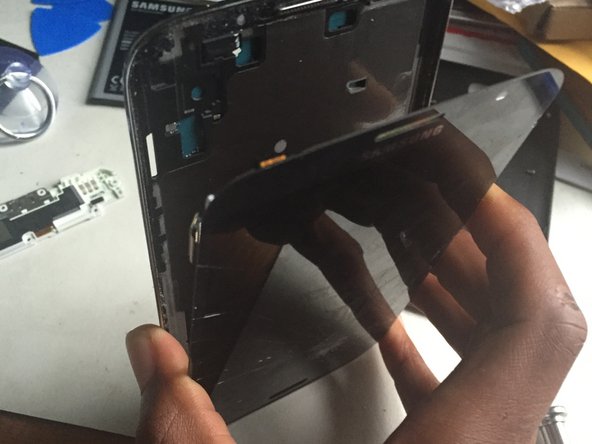
  8. Samsung Galaxy Mega Display Assembly Replacement, Final step screen is off: crwdns2935265:08crwdnd2935265:01crwdnd2935265:03crwdne2935265:0 Samsung Galaxy Mega Display Assembly Replacement, Final step screen is off: crwdns2935265:08crwdnd2935265:02crwdnd2935265:03crwdne2935265:0 Samsung Galaxy Mega Display Assembly Replacement, Final step screen is off: crwdns2935265:08crwdnd2935265:03crwdnd2935265:03crwdne2935265:0
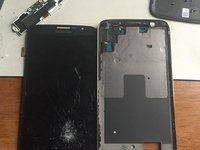
    • Verify that the buttons are completely separated from the adhesive.

    • Separate the screen from the bezel.

    crwdns2952109:0crwdne2952109:0
crwdns2915888:0crwdne2915888:0

To reassemble your device, follow these instructions in reverse order.

crwdns2935229:046crwdne2935229:0

lillarrypimp1993

crwdns2935283:002/26/15crwdne2935283:0

859 crwdns2915208:0crwdne2915208:0

crwdns2935295:0crwdne2935295:0

crwdns2947412:03crwdne2947412:0

replaced screen everything works fine excepe want pickup network .this was a unlocked phone is there any way replacing it would lock it up again

KENNETH P - crwdns2934203:0crwdne2934203:0 crwdns2950251:0crwdne2950251:0
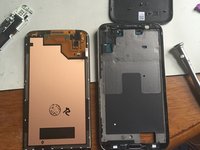
Unless you replaced the board, I can't see how. You might have left something disconnected.

Rongwey - crwdns2934203:0crwdne2934203:0 crwdns2950251:0crwdne2950251:0
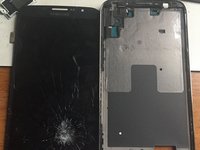
check your antenna cable connection, it will not pick up a signal if not connected

Ron Lindon - crwdns2934203:0crwdne2934203:0 crwdns2950251:0crwdne2950251:0

crwdns2917038:0crwdne2917038:0

crwdns2936625:0crwdne2936625:0:

crwdns2936751:024crwdne2936751:0 2

crwdns2936753:07crwdne2936753:0 13

crwdns2936753:030crwdne2936753:0 81

crwdns2942667:0crwdne2942667:0 19,929