crwdns2933423:0crwdne2933423:0
crwdns2947577:0crwdnd2947577:0crwdne2947577:0

Samsung Galaxy J7 Screen Assembly Replacement

crwdns2942213:0crwdne2942213:0

    1. Samsung Galaxy J7 Screen Assembly Replacement, Back Cover: crwdns2935265:01crwdnd2935265:01crwdnd2935265:02crwdne2935265:0 Samsung Galaxy J7 Screen Assembly Replacement, Back Cover: crwdns2935265:01crwdnd2935265:02crwdnd2935265:02crwdne2935265:0
      • Locate the Tab: Find the tab at the top left corner of the back cover. (highlighted by red square)

      • Insert the tool: Use a fingernail or a plastic opening tool to lift the tab gently

      • Pry open the cover: Carefully work around the edges to remove the back cover completely

      • If the cover is stuck do not force it open use a plastic opening tool to avoid scratching the case.

      crwdns2952109:0crwdne2952109:0

      crwdns2917038:0crwdne2917038:0

    1. Samsung Galaxy J7 Screen Assembly Replacement, Battery: crwdns2935265:02crwdnd2935265:01crwdnd2935265:02crwdne2935265:0 Samsung Galaxy J7 Screen Assembly Replacement, Battery: crwdns2935265:02crwdnd2935265:02crwdnd2935265:02crwdne2935265:0
      • Locate the Battery slot: Find the small slit at the bottom right corner of the battery (highlighted by red square)

      • Remove Battery: Gently pop out the edge and carefully pull out the battery.

      • Tip: Ensure the battery is disconnected from the motherboard before removing it.

      crwdns2952109:0crwdne2952109:0

      crwdns2917038:0crwdne2917038:0

    1. Samsung Galaxy J7 Screen Assembly Replacement, Midframe: crwdns2935265:03crwdnd2935265:01crwdnd2935265:01crwdne2935265:0
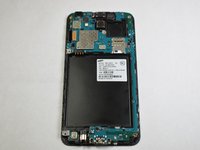
      • Using the Phillips #000 screwdriver, remove the ten 4.2 mm screws around the edge of the midframe.

      crwdns2952109:0crwdne2952109:0

      crwdns2917038:0crwdne2917038:0

    2. Samsung Galaxy J7 Screen Assembly Replacement: crwdns2935265:04crwdnd2935265:01crwdnd2935265:03crwdne2935265:0 Samsung Galaxy J7 Screen Assembly Replacement: crwdns2935265:04crwdnd2935265:02crwdnd2935265:03crwdne2935265:0 Samsung Galaxy J7 Screen Assembly Replacement: crwdns2935265:04crwdnd2935265:03crwdnd2935265:03crwdne2935265:0
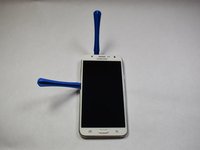
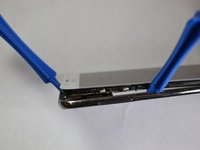
      • Lift up the back of the device with the iFixit opening tool and disconnect it from the front.

      • If the back panel is difficult to remove, gently heat the edges using a hair dryer or heat gun to soften the adhesive.

      crwdns2952109:0crwdne2952109:0

      crwdns2917038:0crwdne2917038:0

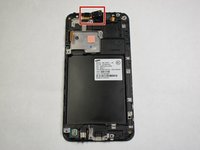
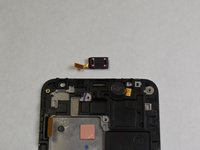
    1. Samsung Galaxy J7 Screen Assembly Replacement, Screen Assembly: crwdns2935265:05crwdnd2935265:01crwdnd2935265:02crwdne2935265:0 Samsung Galaxy J7 Screen Assembly Replacement, Screen Assembly: crwdns2935265:05crwdnd2935265:02crwdnd2935265:02crwdne2935265:0
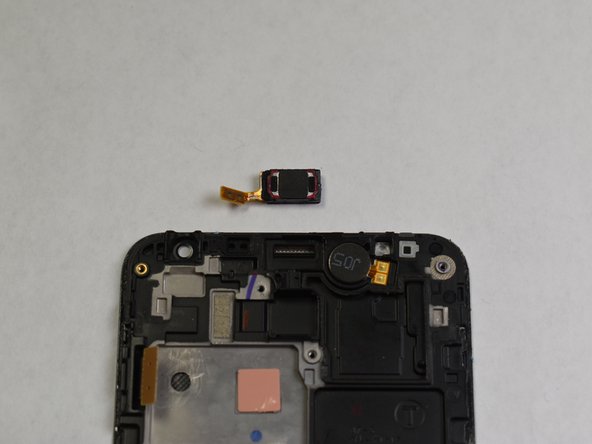
      • The speaker piece is lightly adhered. Use a plastic pry tool to gently lift it up and disconnect the cable.

      crwdns2952109:0crwdne2952109:0

      crwdns2917038:0crwdne2917038:0

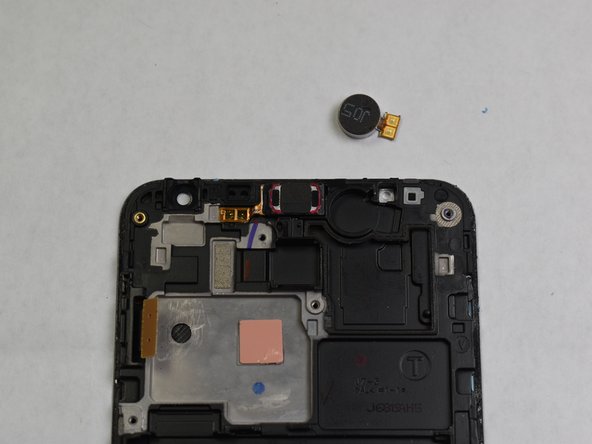
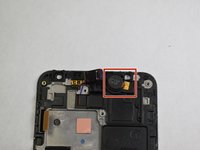
    2. Samsung Galaxy J7 Screen Assembly Replacement: crwdns2935265:06crwdnd2935265:01crwdnd2935265:02crwdne2935265:0 Samsung Galaxy J7 Screen Assembly Replacement: crwdns2935265:06crwdnd2935265:02crwdnd2935265:02crwdne2935265:0
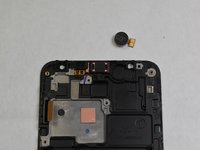
      • Gently lift up the tab of the motor.

      • Remove the motor from the panel completely to disconnect it.

      • Removing the motor allows easier access to the screen assembly for replacement. Handle the motor and its connectors with care.

      crwdns2952109:0crwdne2952109:0

      crwdns2917038:0crwdne2917038:0

    3. Samsung Galaxy J7 Screen Assembly Replacement: crwdns2935265:07crwdnd2935265:01crwdnd2935265:01crwdne2935265:0
      • Reverse these steps with your new phone screen to replace it.

      • After reassembly, test the new screen for touch responsiveness and display quality before fully securing the device

      crwdns2952109:0crwdne2952109:0

      crwdns2917038:0crwdne2917038:0

crwdns2915888:0crwdne2915888:0

To reassemble your device, follow these instructions in reverse order.

crwdns2935221:0crwdne2935221:0

crwdns2935229:016crwdne2935229:0

Gabriel Arellano

crwdns2935283:002/05/19crwdne2935283:0

513 crwdns2915208:0crwdne2915208:0

crwdns2935297:02crwdne2935297:0

crwdns2935287:0crwdne2935287:0

Appalachian State University, Team S2-G5, Menagarishvili Spring 2019 crwdns2935289:0Appalachian State University, Team S2-G5, Menagarishvili Spring 2019crwdne2935289:0

APSU-MENAGARISHVILI-S19S2G5

crwdns2931471:03crwdne2931471:0

crwdns2935297:084crwdne2935297:0

crwdns2947410:01crwdne2947410:0

I replaced the broken screen....before I saw this. Now my phone will not turn on. what should I do? ruth.fnp@gmail.com

Ruth Thomas - crwdns2934203:0crwdne2934203:0 crwdns2950251:0crwdne2950251:0

crwdns2917038:0crwdne2917038:0

crwdns2936625:0crwdne2936625:0:

crwdns2936751:024crwdne2936751:0 8

crwdns2936753:07crwdne2936753:0 35

crwdns2936753:030crwdne2936753:0 103

crwdns2942667:0crwdne2942667:0 13,121