crwdns2915892:0crwdne2915892:0
Follow this guide to remove the MicroSD memory and the SIM card for your Samsung Galaxy J3.
Be sure to power off your phone before following this guide.
crwdns2942213:0crwdne2942213:0
-
-
Insert a fingernail or the flat end of a spudger into the divot to the left of the rear-facing camera.
-
Gently pry the rear cover away from the phone until all the plastic clips holding the cover are released.
-
-
-
-
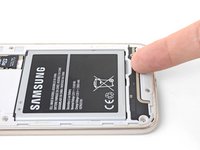
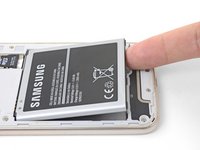
Insert a fingernail or the flat end of a spudger into the divot below the battery pack.
-
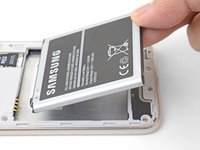
Pry the battery pack out of its recess.
-
Remove the battery pack.
-
-
-
Use a fingertip to slide the MicroSD card out of its slot.
-
Remove the MicroSD card from the phone.
-
Repeat the procedure to remove the SIM card from its slot.
-




To reassemble your device, follow these instructions in reverse order.
Repair didn’t go as planned? Check out our Samsung Galaxy J3 (2016) Answers community for troubleshooting help.
crwdns2935221:0crwdne2935221:0
crwdns2935229:04crwdne2935229:0



