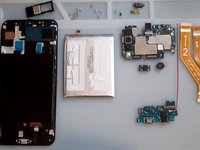
crwdns2933423:0crwdne2933423:0
crwdns2947577:0crwdnd2947577:0crwdne2947577:0

Samsung Galaxy A50 Display Assembly with Frame Replacement

crwdns2942213:0crwdne2942213:0

crwdns2936621:0crwdne2936621:0

    1. Samsung Galaxy A50 Display Assembly with Frame Replacement, LCD Display Assembly replacement: crwdns2935265:01crwdnd2935265:01crwdnd2935265:03crwdne2935265:0 Samsung Galaxy A50 Display Assembly with Frame Replacement, LCD Display Assembly replacement: crwdns2935265:01crwdnd2935265:02crwdnd2935265:03crwdne2935265:0 Samsung Galaxy A50 Display Assembly with Frame Replacement, LCD Display Assembly replacement: crwdns2935265:01crwdnd2935265:03crwdnd2935265:03crwdne2935265:0
      • Display Touch Screen Digitizer Assembly with Frame for Samsung Galaxy A50

      crwdns2952109:0crwdne2952109:0

      crwdns2917038:0crwdne2917038:0

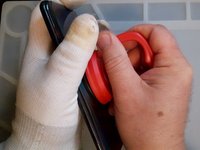
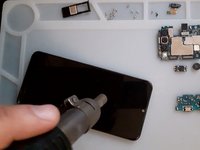
    2. Samsung Galaxy A50 Display Assembly with Frame Replacement, Battery cover removal: crwdns2935265:02crwdnd2935265:01crwdnd2935265:03crwdne2935265:0 Samsung Galaxy A50 Display Assembly with Frame Replacement, Battery cover removal: crwdns2935265:02crwdnd2935265:02crwdnd2935265:03crwdne2935265:0 Samsung Galaxy A50 Display Assembly with Frame Replacement, Battery cover removal: crwdns2935265:02crwdnd2935265:03crwdnd2935265:03crwdne2935265:0
      • Heat up the back cover to loosen the adhesive.

      • To separate the back cover use a Suction Cup and plastic tools.

      crwdns2952109:0crwdne2952109:0

      crwdns2917038:0crwdne2917038:0

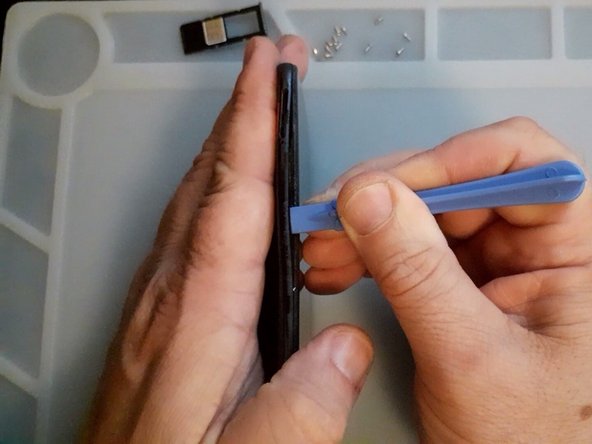
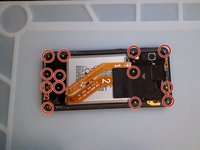
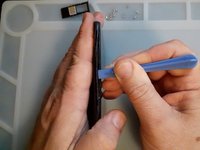
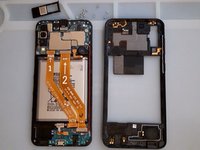
    3. Samsung Galaxy A50 Display Assembly with Frame Replacement, Middle frame removal: crwdns2935265:03crwdnd2935265:01crwdnd2935265:03crwdne2935265:0 Samsung Galaxy A50 Display Assembly with Frame Replacement, Middle frame removal: crwdns2935265:03crwdnd2935265:02crwdnd2935265:03crwdne2935265:0 Samsung Galaxy A50 Display Assembly with Frame Replacement, Middle frame removal: crwdns2935265:03crwdnd2935265:03crwdnd2935265:03crwdne2935265:0
      • Remove the SIM tray.

      • Remove the Philips Screws.

      • Again use plastic tools to separate the middle frame.

      crwdns2952109:0crwdne2952109:0

      crwdns2917038:0crwdne2917038:0

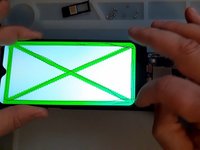
    4. Samsung Galaxy A50 Display Assembly with Frame Replacement, Test the new spare part: crwdns2935265:04crwdnd2935265:01crwdnd2935265:03crwdne2935265:0 Samsung Galaxy A50 Display Assembly with Frame Replacement, Test the new spare part: crwdns2935265:04crwdnd2935265:02crwdnd2935265:03crwdne2935265:0 Samsung Galaxy A50 Display Assembly with Frame Replacement, Test the new spare part: crwdns2935265:04crwdnd2935265:03crwdnd2935265:03crwdne2935265:0
      • First disconnect the Battery.

      • Test the new spare part before the installation.

      crwdns2952109:0crwdne2952109:0

      crwdns2917038:0crwdne2917038:0

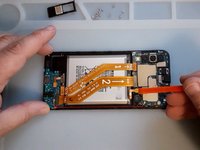
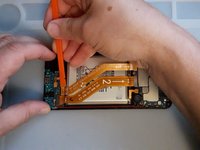
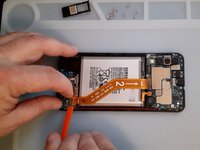
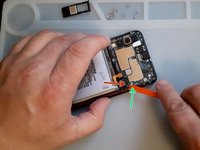
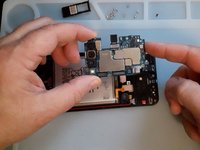
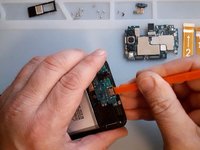
    5. Samsung Galaxy A50 Display Assembly with Frame Replacement, Logic board removal: crwdns2935265:05crwdnd2935265:01crwdnd2935265:03crwdne2935265:0 Samsung Galaxy A50 Display Assembly with Frame Replacement, Logic board removal: crwdns2935265:05crwdnd2935265:02crwdnd2935265:03crwdne2935265:0 Samsung Galaxy A50 Display Assembly with Frame Replacement, Logic board removal: crwdns2935265:05crwdnd2935265:03crwdnd2935265:03crwdne2935265:0
      • Disconnect and remove the Main Flex Cable.

      • Remove the black Philips screw, it's shorter then the middle frame screws.

      • Disconnect the coaxial antenna cable.

      • Now you can remove the logic board.

      crwdns2952109:0crwdne2952109:0

      crwdns2917038:0crwdne2917038:0

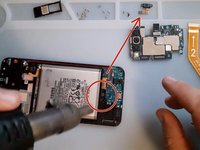
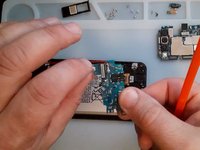
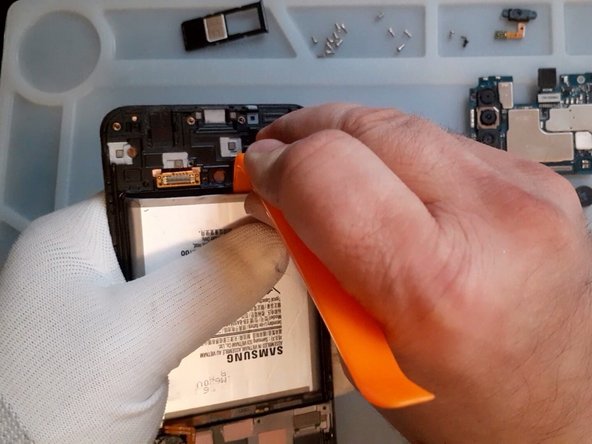
    6. Samsung Galaxy A50 Display Assembly with Frame Replacement, Sub board removal: crwdns2935265:06crwdnd2935265:01crwdnd2935265:03crwdne2935265:0 Samsung Galaxy A50 Display Assembly with Frame Replacement, Sub board removal: crwdns2935265:06crwdnd2935265:02crwdnd2935265:03crwdne2935265:0 Samsung Galaxy A50 Display Assembly with Frame Replacement, Sub board removal: crwdns2935265:06crwdnd2935265:03crwdnd2935265:03crwdne2935265:0
      • First remove the Fingerprint sensor.

      • The screws for the Fingerprint are shorter.

      • It's better to use hot air before to disassemble the sub-board.

      • Reminder - only plastic tools :)
      crwdns2952109:0crwdne2952109:0

      crwdns2917038:0crwdne2917038:0

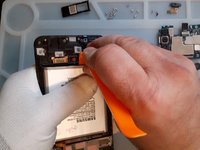
    7. Samsung Galaxy A50 Display Assembly with Frame Replacement, Battery removal: crwdns2935265:07crwdnd2935265:01crwdnd2935265:03crwdne2935265:0 Samsung Galaxy A50 Display Assembly with Frame Replacement, Battery removal: crwdns2935265:07crwdnd2935265:02crwdnd2935265:03crwdne2935265:0 Samsung Galaxy A50 Display Assembly with Frame Replacement, Battery removal: crwdns2935265:07crwdnd2935265:03crwdnd2935265:03crwdne2935265:0
      • Again, hot air, plastic tools and very slowly remove the battery.

      crwdns2952109:0crwdne2952109:0

      crwdns2917038:0crwdne2917038:0

    8. Samsung Galaxy A50 Display Assembly with Frame Replacement: crwdns2935265:08crwdnd2935265:01crwdnd2935265:01crwdne2935265:0
      • All's Well That Ends Well

      crwdns2952109:0crwdne2952109:0

      crwdns2917038:0crwdne2917038:0

crwdns2915888:0crwdne2915888:0

To reassemble your device, follow these instructions in reverse order.

crwdns2935221:0crwdne2935221:0

crwdns2935229:012crwdne2935229:0

ZFix

crwdns2935283:012/09/13crwdne2935283:0

197,675 crwdns2915208:0crwdne2915208:0

crwdns2935297:0330crwdne2935297:0

crwdns2935287:0crwdne2935287:0

Master Techs crwdns2935289:0Master Techscrwdne2935289:0

Community

crwdns2931471:0335crwdne2931471:0

crwdns2935297:08,260crwdne2935297:0

crwdns2947412:02crwdne2947412:0

The frame I bought doesn't have the place for earspeaker surrounded by little "walls", so it's very loose and doesn't have contact with the board. Anyone experienced this?

knezi - crwdns2934203:0crwdne2934203:0 crwdns2950251:0crwdne2950251:0

You can just use small amount of jelly glue to attach it to the frame it'll work fine as long its stay in a right place the logic board will help it keep it in place

Zent - crwdns2934203:0crwdne2934203:0 crwdns2950251:0crwdne2950251:0

crwdns2917038:0crwdne2917038:0

crwdns2936625:0crwdne2936625:0:

crwdns2936751:024crwdne2936751:0 13

crwdns2936753:07crwdne2936753:0 60

crwdns2936753:030crwdne2936753:0 250

crwdns2942667:0crwdne2942667:0 20,576