crwdns2933423:0crwdne2933423:0
crwdns2947577:0crwdnd2947577:0crwdne2947577:0

Samsung Exhibit II 4G Display Assembly Replacement

crwdns2942213:0crwdne2942213:0

    1. Samsung Exhibit II 4G Display Assembly Replacement, Battery: crwdns2935265:01crwdnd2935265:01crwdnd2935265:01crwdne2935265:0
      • Insert plastic opening tool under back cover.

      • Apply pressure on tool while using a downward motion to pop off back cover.

      crwdns2952109:0crwdne2952109:0

      crwdns2917038:0crwdne2917038:0

    2. Samsung Exhibit II 4G Display Assembly Replacement: crwdns2935265:02crwdnd2935265:01crwdnd2935265:01crwdne2935265:0
      • Insert plastic opening tool under battery.

      • Pry battery out.

      crwdns2952109:0crwdne2952109:0

      crwdns2917038:0crwdne2917038:0

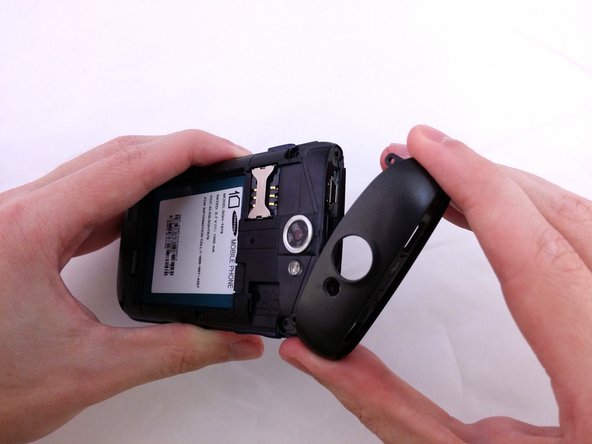
    1. Samsung Exhibit II 4G Display Assembly Replacement, Top Rear Housing Cover: crwdns2935265:03crwdnd2935265:01crwdnd2935265:01crwdne2935265:0
      • Insert plastic opening tool under back cover.

      • Pry the top cover upward to remove it from the phone.

      crwdns2952109:0crwdne2952109:0

      crwdns2917038:0crwdne2917038:0

    2. Samsung Exhibit II 4G Display Assembly Replacement: crwdns2935265:04crwdnd2935265:01crwdnd2935265:01crwdne2935265:0
      • Remove the top cover.

      crwdns2952109:0crwdne2952109:0

      crwdns2917038:0crwdne2917038:0

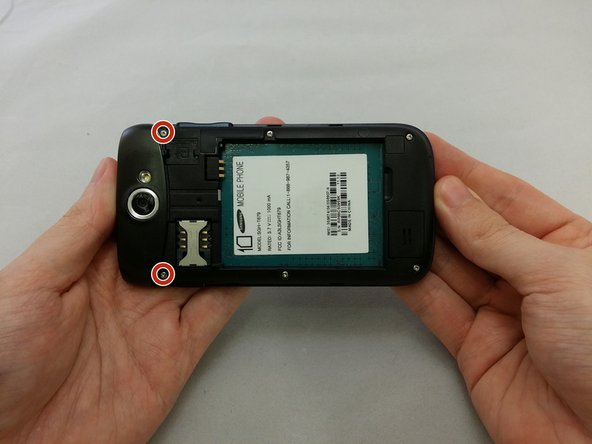
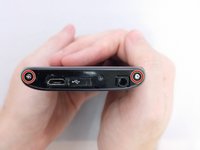
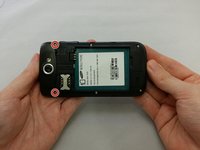
    3. Samsung Exhibit II 4G Display Assembly Replacement: crwdns2935265:05crwdnd2935265:01crwdnd2935265:02crwdne2935265:0 Samsung Exhibit II 4G Display Assembly Replacement: crwdns2935265:05crwdnd2935265:02crwdnd2935265:02crwdne2935265:0
      • Remove the four 3.8mm Phillips #000 screws securing the top cover to the back assembly.

      • Two screws from top and two screws from back.

      crwdns2952109:0crwdne2952109:0

      crwdns2917038:0crwdne2917038:0

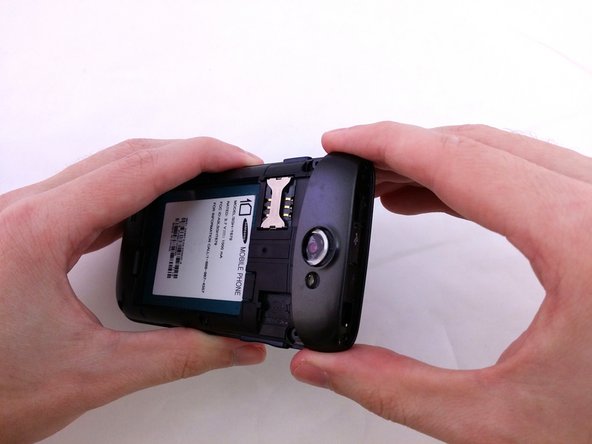
    4. Samsung Exhibit II 4G Display Assembly Replacement: crwdns2935265:06crwdnd2935265:01crwdnd2935265:03crwdne2935265:0 Samsung Exhibit II 4G Display Assembly Replacement: crwdns2935265:06crwdnd2935265:02crwdnd2935265:03crwdne2935265:0 Samsung Exhibit II 4G Display Assembly Replacement: crwdns2935265:06crwdnd2935265:03crwdnd2935265:03crwdne2935265:0
      • Insert plastic opening tool under top cover.

      • Using hand slide top cover away from phone.

      crwdns2952109:0crwdne2952109:0

      crwdns2917038:0crwdne2917038:0

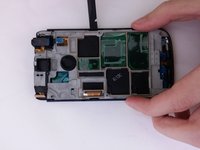
    1. Samsung Exhibit II 4G Display Assembly Replacement, Midframe: crwdns2935265:07crwdnd2935265:01crwdnd2935265:01crwdne2935265:0
      • Remove the four 3.8mm Phillips #000 screws securing the back assembly to the phone.

      crwdns2952109:0crwdne2952109:0

      crwdns2917038:0crwdne2917038:0

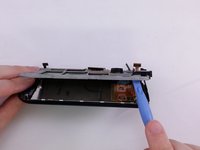
    2. Samsung Exhibit II 4G Display Assembly Replacement: crwdns2935265:08crwdnd2935265:01crwdnd2935265:01crwdne2935265:0
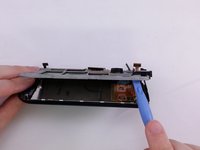
      • Insert plastic opening tool between back assembly and phone.

      • Pry the back assembly away from phone.

      crwdns2952109:0crwdne2952109:0

      crwdns2917038:0crwdne2917038:0

    3. Samsung Exhibit II 4G Display Assembly Replacement: crwdns2935265:09crwdnd2935265:01crwdnd2935265:01crwdne2935265:0
      • With plastic opening tool continue prying around the edge of the back assembly.

      crwdns2952109:0crwdne2952109:0

      crwdns2917038:0crwdne2917038:0

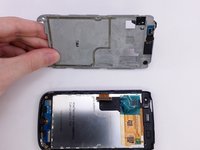
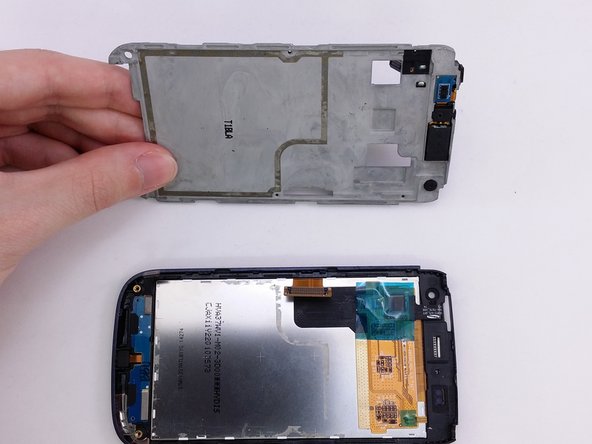
    4. Samsung Exhibit II 4G Display Assembly Replacement: crwdns2935265:010crwdnd2935265:01crwdnd2935265:01crwdne2935265:0
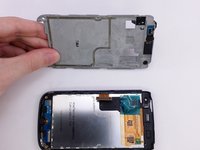
      • Pull back panel assembly away from main body.

      crwdns2952109:0crwdne2952109:0

      crwdns2917038:0crwdne2917038:0

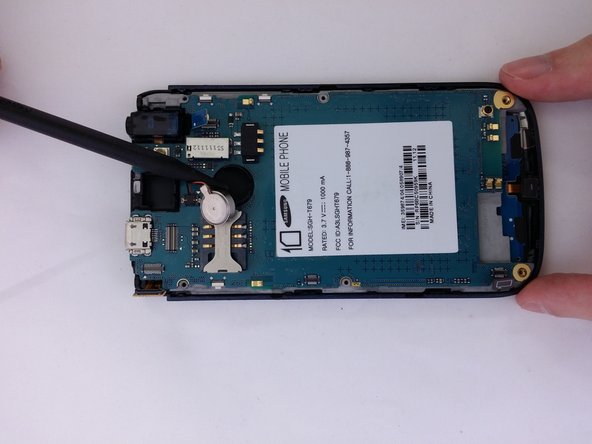
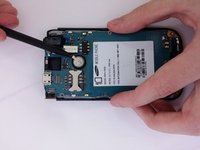
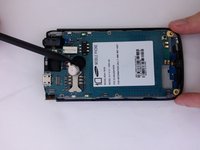
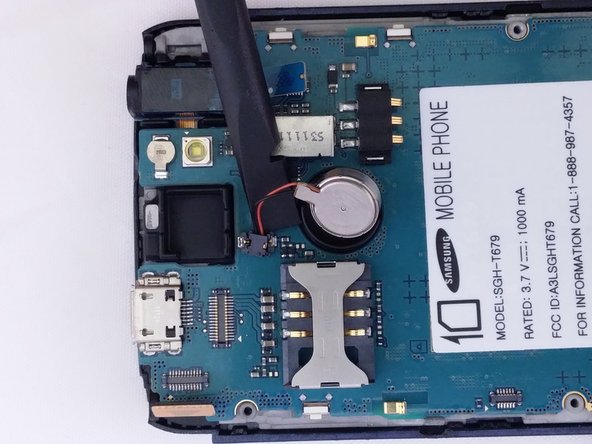
    1. Samsung Exhibit II 4G Display Assembly Replacement, Vibration Motor: crwdns2935265:011crwdnd2935265:01crwdnd2935265:02crwdne2935265:0 Samsung Exhibit II 4G Display Assembly Replacement, Vibration Motor: crwdns2935265:011crwdnd2935265:02crwdnd2935265:02crwdne2935265:0
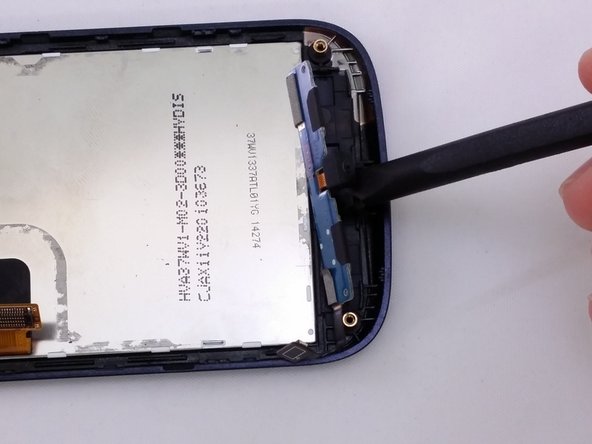
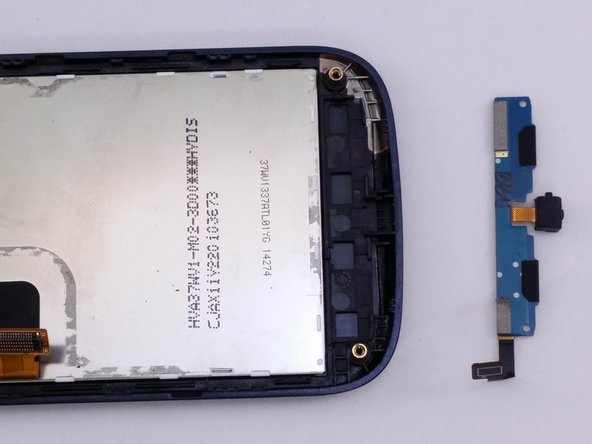
      • Insert the pointed end of a spudger into the gap in the round housing frame.

      • Using spudger to remove vibrator remove from the adhesive.

      crwdns2952109:0crwdne2952109:0

      crwdns2917038:0crwdne2917038:0

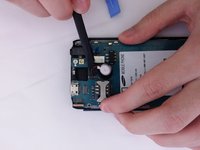
    2. Samsung Exhibit II 4G Display Assembly Replacement: crwdns2935265:012crwdnd2935265:01crwdnd2935265:02crwdne2935265:0 Samsung Exhibit II 4G Display Assembly Replacement: crwdns2935265:012crwdnd2935265:02crwdnd2935265:02crwdne2935265:0
      • Use the flat end of a spudger to remove vibrator cable from motherboard.

      crwdns2952109:0crwdne2952109:0

      crwdns2917038:0crwdne2917038:0

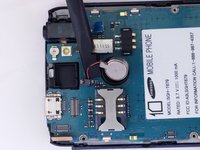
    1. Samsung Exhibit II 4G Display Assembly Replacement, Rear Facing Camera: crwdns2935265:013crwdnd2935265:01crwdnd2935265:01crwdne2935265:0
      • Use the flat end of a spudger to disconnect the camera assembly cable.

      crwdns2952109:0crwdne2952109:0

      crwdns2917038:0crwdne2917038:0

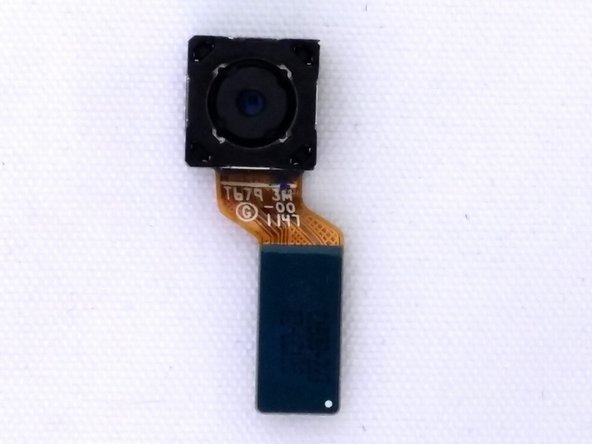
    2. Samsung Exhibit II 4G Display Assembly Replacement: crwdns2935265:014crwdnd2935265:01crwdnd2935265:02crwdne2935265:0 Samsung Exhibit II 4G Display Assembly Replacement: crwdns2935265:014crwdnd2935265:02crwdnd2935265:02crwdne2935265:0
      • Remove camera from square housing.

      crwdns2952109:0crwdne2952109:0

      crwdns2917038:0crwdne2917038:0

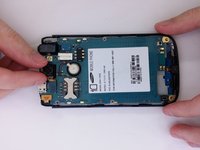
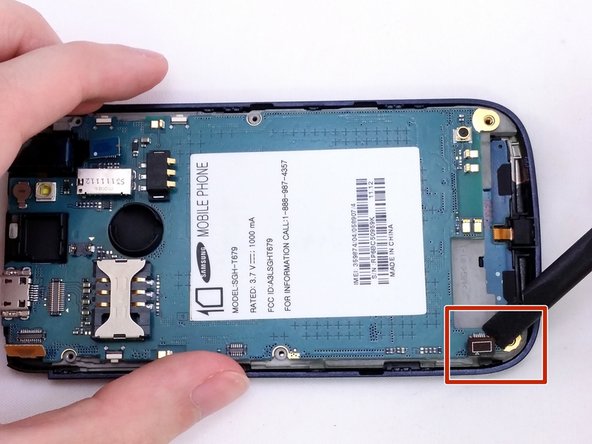
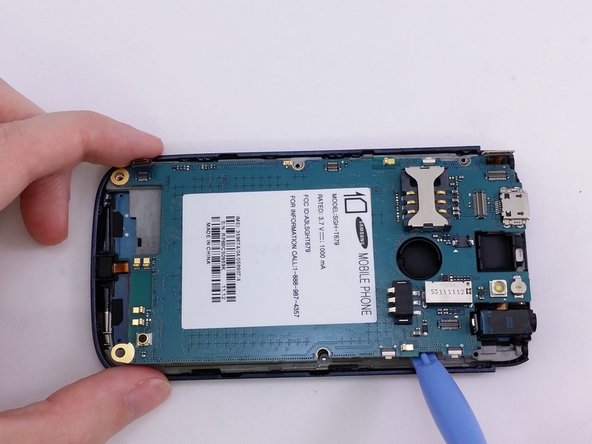
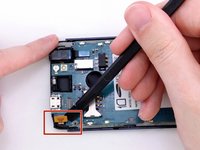
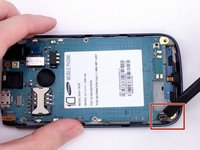
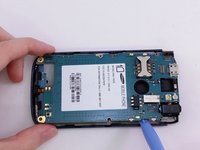
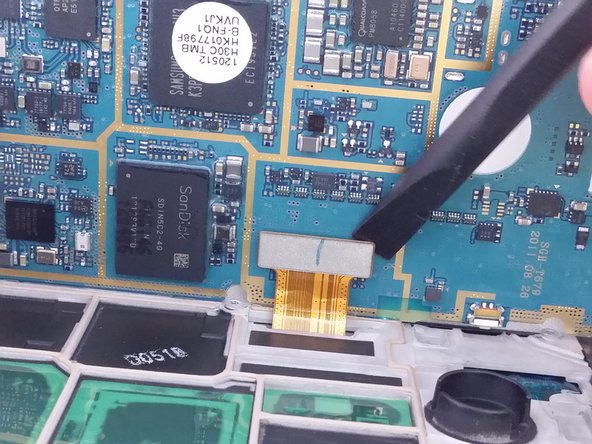
    1. Samsung Exhibit II 4G Display Assembly Replacement, Motherboard: crwdns2935265:015crwdnd2935265:01crwdnd2935265:03crwdne2935265:0 Samsung Exhibit II 4G Display Assembly Replacement, Motherboard: crwdns2935265:015crwdnd2935265:02crwdnd2935265:03crwdne2935265:0 Samsung Exhibit II 4G Display Assembly Replacement, Motherboard: crwdns2935265:015crwdnd2935265:03crwdnd2935265:03crwdne2935265:0
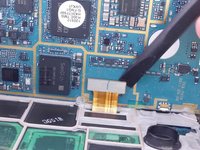
      • Insert the spudger under each corner ribbon cable and lift them out of the way.

      • Use care when lifting the ribbon cables.

      • Insert a plastic pry tool into the gap between motherboard and base of phone

      crwdns2952109:0crwdne2952109:0

      crwdns2917038:0crwdne2917038:0

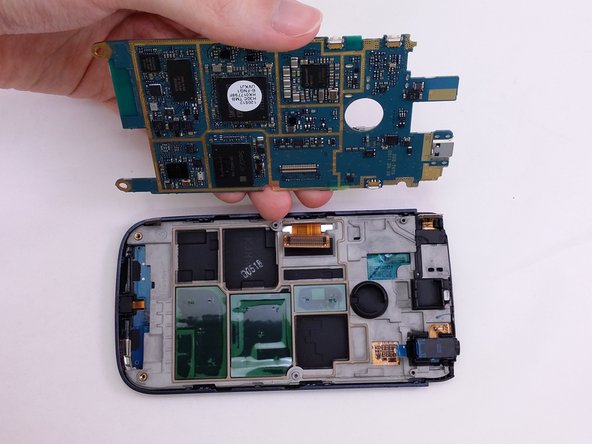
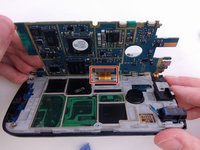
    2. Samsung Exhibit II 4G Display Assembly Replacement: crwdns2935265:016crwdnd2935265:01crwdnd2935265:03crwdne2935265:0 Samsung Exhibit II 4G Display Assembly Replacement: crwdns2935265:016crwdnd2935265:02crwdnd2935265:03crwdne2935265:0 Samsung Exhibit II 4G Display Assembly Replacement: crwdns2935265:016crwdnd2935265:03crwdnd2935265:03crwdne2935265:0
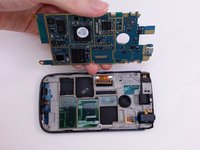
      • Tilt the motherboard up carefully.

      • Be sure not to damage the ribbon cable still connected at the bottom of the motherboard.

      • Use a spudger to pry the connector from the socket on the motherboard.

      • Lift motherboard from frame.

      crwdns2952109:0crwdne2952109:0

      crwdns2917038:0crwdne2917038:0

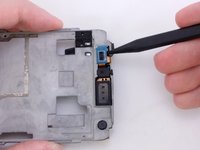
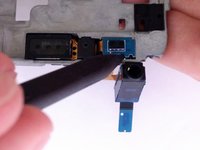
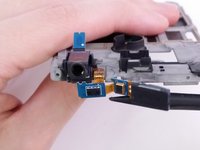
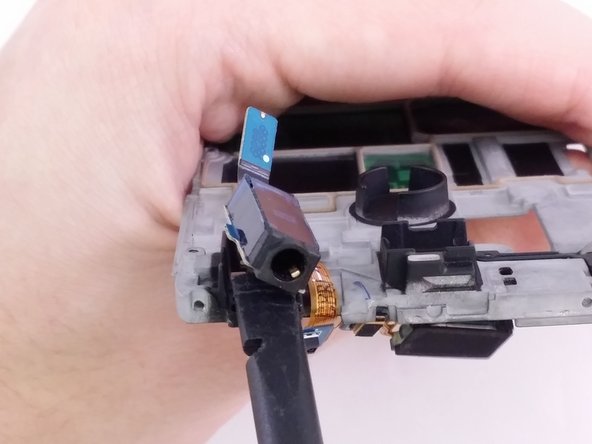
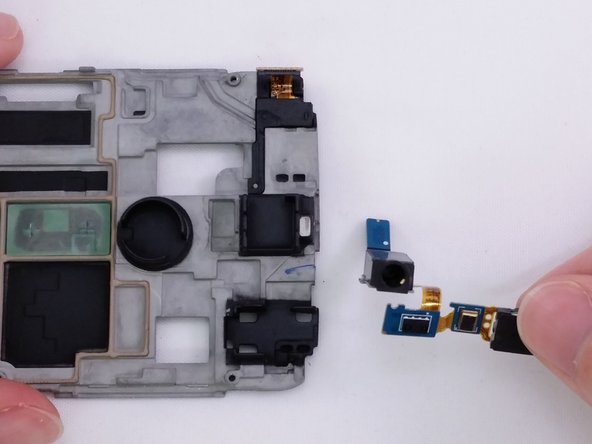
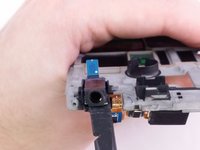
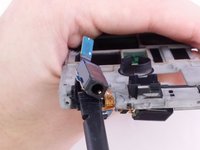
    1. Samsung Exhibit II 4G Display Assembly Replacement, Headphone Jack: crwdns2935265:017crwdnd2935265:01crwdnd2935265:03crwdne2935265:0 Samsung Exhibit II 4G Display Assembly Replacement, Headphone Jack: crwdns2935265:017crwdnd2935265:02crwdnd2935265:03crwdne2935265:0 Samsung Exhibit II 4G Display Assembly Replacement, Headphone Jack: crwdns2935265:017crwdnd2935265:03crwdnd2935265:03crwdne2935265:0
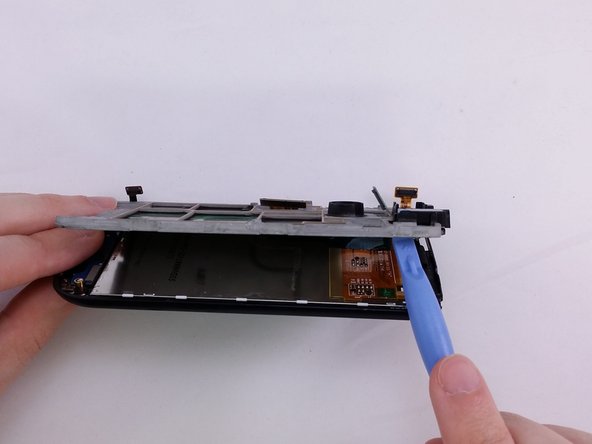
      • Insert flat end of spudger between support panel and front assembly.

      • Using a spudger pry up to create opening to insert plastic opening tool.

      crwdns2952109:0crwdne2952109:0

      crwdns2917038:0crwdne2917038:0

    2. Samsung Exhibit II 4G Display Assembly Replacement: crwdns2935265:018crwdnd2935265:01crwdnd2935265:02crwdne2935265:0 Samsung Exhibit II 4G Display Assembly Replacement: crwdns2935265:018crwdnd2935265:02crwdnd2935265:02crwdne2935265:0
      • Insert a plactic opening tool in opening.

      • Use plastic opening tool to pry around the edge of support panel to free it from front assembly.

      crwdns2952109:0crwdne2952109:0

      crwdns2917038:0crwdne2917038:0

    3. Samsung Exhibit II 4G Display Assembly Replacement: crwdns2935265:019crwdnd2935265:01crwdnd2935265:03crwdne2935265:0 Samsung Exhibit II 4G Display Assembly Replacement: crwdns2935265:019crwdnd2935265:02crwdnd2935265:03crwdne2935265:0 Samsung Exhibit II 4G Display Assembly Replacement: crwdns2935265:019crwdnd2935265:03crwdnd2935265:03crwdne2935265:0
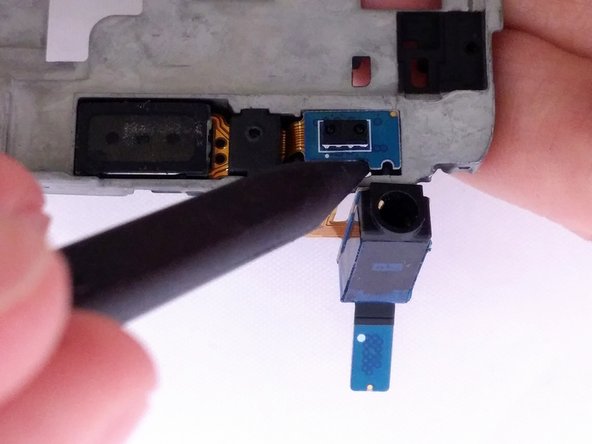
      • Insert the pointed end of a spudger into gap.

      • Lift spudger away from support plate to remove headphone component.

      crwdns2952109:0crwdne2952109:0

      crwdns2917038:0crwdne2917038:0

    4. Samsung Exhibit II 4G Display Assembly Replacement: crwdns2935265:020crwdnd2935265:01crwdnd2935265:03crwdne2935265:0 Samsung Exhibit II 4G Display Assembly Replacement: crwdns2935265:020crwdnd2935265:02crwdnd2935265:03crwdne2935265:0 Samsung Exhibit II 4G Display Assembly Replacement: crwdns2935265:020crwdnd2935265:03crwdnd2935265:03crwdne2935265:0
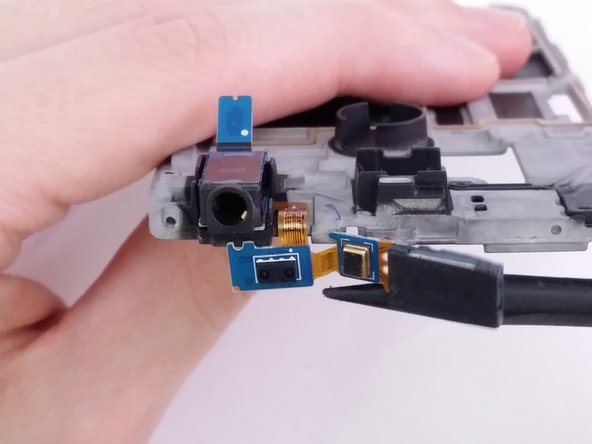
      • Use the flat end of the spudger to remove headphone jack component from rectangular housing.

      crwdns2952109:0crwdne2952109:0

      crwdns2917038:0crwdne2917038:0

    1. Samsung Exhibit II 4G Display Assembly Replacement, Display Assembly: crwdns2935265:021crwdnd2935265:01crwdnd2935265:03crwdne2935265:0 Samsung Exhibit II 4G Display Assembly Replacement, Display Assembly: crwdns2935265:021crwdnd2935265:02crwdnd2935265:03crwdne2935265:0 Samsung Exhibit II 4G Display Assembly Replacement, Display Assembly: crwdns2935265:021crwdnd2935265:03crwdnd2935265:03crwdne2935265:0
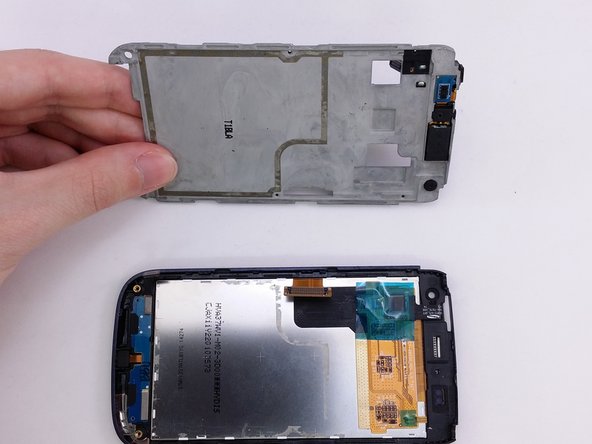
      • The the flat end of a spudger between componet and frame.

      • Use the the spudger to lift the componet from the frame.

      crwdns2952109:0crwdne2952109:0

      crwdns2917038:0crwdne2917038:0

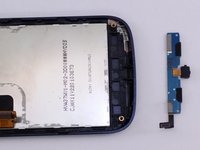
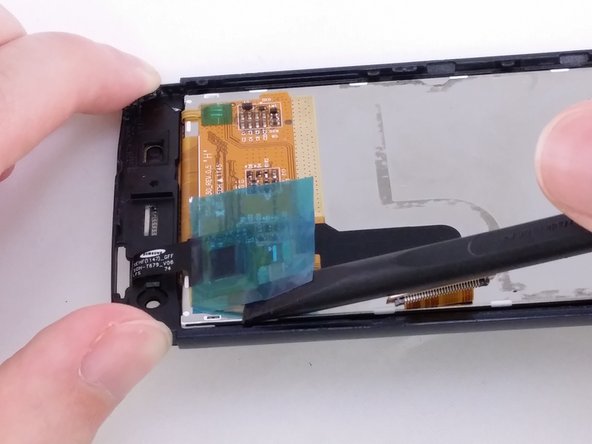
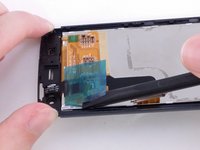
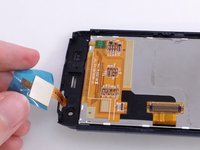
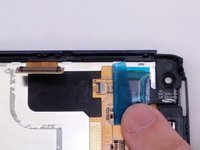
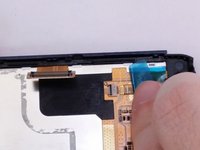
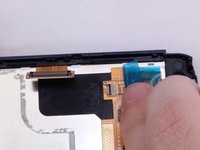
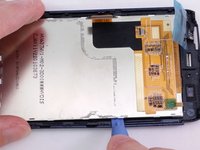
    2. Samsung Exhibit II 4G Display Assembly Replacement: crwdns2935265:022crwdnd2935265:01crwdnd2935265:03crwdne2935265:0 Samsung Exhibit II 4G Display Assembly Replacement: crwdns2935265:022crwdnd2935265:02crwdnd2935265:03crwdne2935265:0 Samsung Exhibit II 4G Display Assembly Replacement: crwdns2935265:022crwdnd2935265:03crwdnd2935265:03crwdne2935265:0
      • Insert the spudger between blue flim and the back of the LCD.

      • Using the spudger lift blue film away from LCD.

      crwdns2952109:0crwdne2952109:0

      crwdns2917038:0crwdne2917038:0

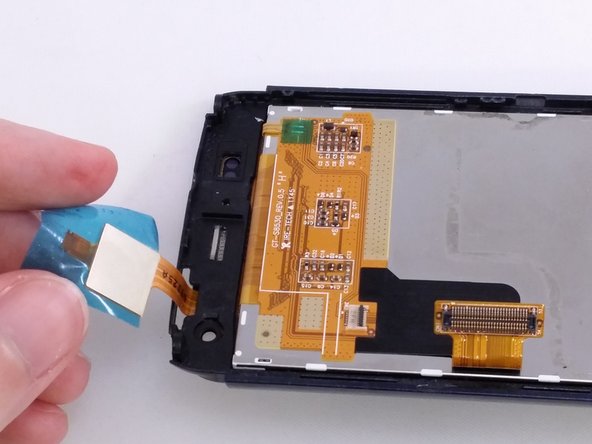
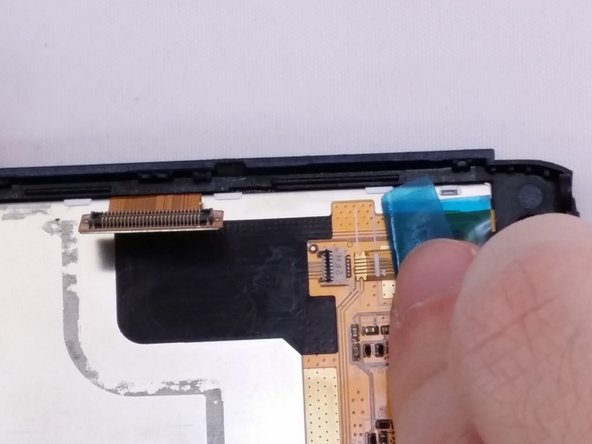
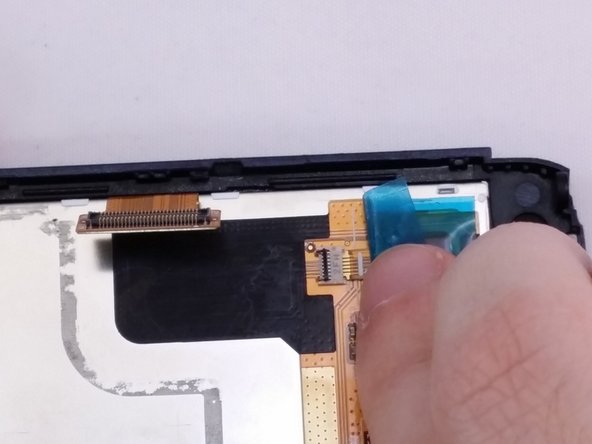
    3. Samsung Exhibit II 4G Display Assembly Replacement: crwdns2935265:023crwdnd2935265:01crwdnd2935265:03crwdne2935265:0 Samsung Exhibit II 4G Display Assembly Replacement: crwdns2935265:023crwdnd2935265:02crwdnd2935265:03crwdne2935265:0 Samsung Exhibit II 4G Display Assembly Replacement: crwdns2935265:023crwdnd2935265:03crwdnd2935265:03crwdne2935265:0
      • Notice ribbon cable slides under the tan square component.

      crwdns2952109:0crwdne2952109:0

      crwdns2917038:0crwdne2917038:0

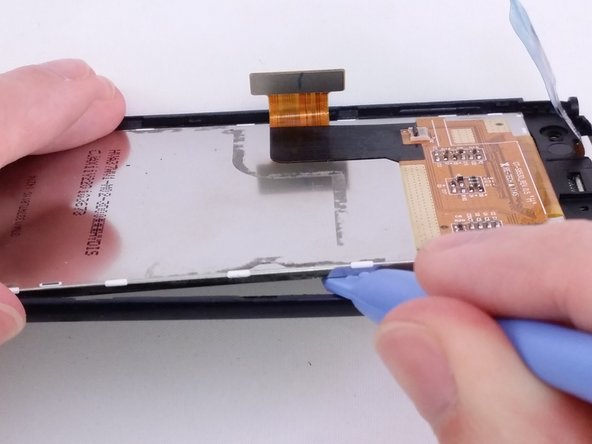
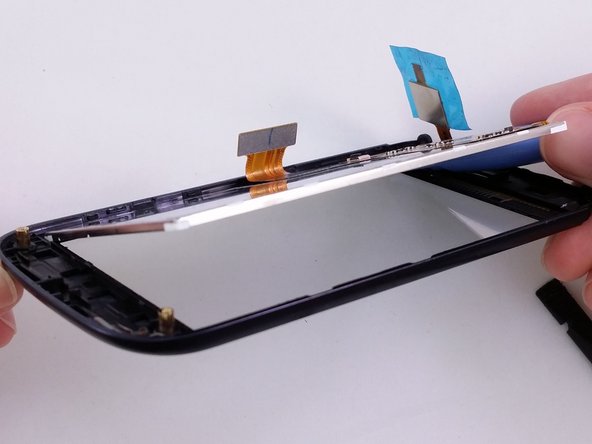
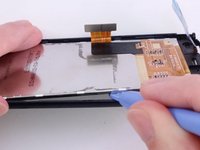
    4. Samsung Exhibit II 4G Display Assembly Replacement: crwdns2935265:024crwdnd2935265:01crwdnd2935265:03crwdne2935265:0 Samsung Exhibit II 4G Display Assembly Replacement: crwdns2935265:024crwdnd2935265:02crwdnd2935265:03crwdne2935265:0 Samsung Exhibit II 4G Display Assembly Replacement: crwdns2935265:024crwdnd2935265:03crwdnd2935265:03crwdne2935265:0
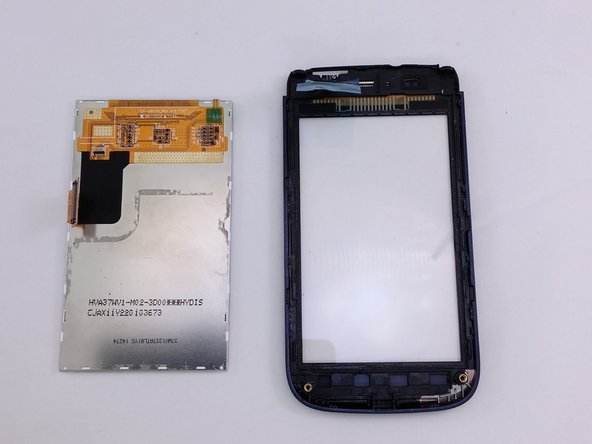
      • Insert a plastic opening tool between LCD and Digitizer screen.

      • Use plastic opening tool to pry and lift the LCD from the glass screen.

      • Adhesive material around edge of LCD.

      crwdns2952109:0crwdne2952109:0

      crwdns2917038:0crwdne2917038:0

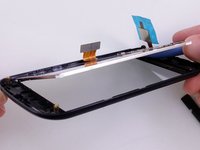
    5. Samsung Exhibit II 4G Display Assembly Replacement: crwdns2935265:025crwdnd2935265:01crwdnd2935265:02crwdne2935265:0 Samsung Exhibit II 4G Display Assembly Replacement: crwdns2935265:025crwdnd2935265:02crwdnd2935265:02crwdne2935265:0
      • Lift LCD away from digitizer screen.

      crwdns2952109:0crwdne2952109:0

      crwdns2917038:0crwdne2917038:0

crwdns2915888:0crwdne2915888:0

To reassemble your device, follow these instructions in reverse order.

crwdns2935221:0crwdne2935221:0

crwdns2935229:03crwdne2935229:0

David R

crwdns2935283:007/20/15crwdne2935283:0

1,152 crwdns2915208:0crwdne2915208:0

crwdns2935297:09crwdne2935297:0

crwdns2935287:0crwdne2935287:0

Eastern Washington University, Team 1-3, Rowley SU 2015 crwdns2935289:0Eastern Washington University, Team 1-3, Rowley SU 2015crwdne2935289:0

EWU-ROWLEY-SU15S1G3

crwdns2931471:04crwdne2931471:0

crwdns2935297:0108crwdne2935297:0

crwdns2947412:00crwdne2947412:0

crwdns2917038:0crwdne2917038:0

crwdns2936625:0crwdne2936625:0:

crwdns2936751:024crwdne2936751:0 2

crwdns2936753:07crwdne2936753:0 9

crwdns2936753:030crwdne2936753:0 25

crwdns2942667:0crwdne2942667:0 1,121