crwdns2933423:0crwdne2933423:0
crwdns2947577:0crwdnd2947577:0crwdne2947577:0

Samsung Blackjack Keypad Replacement

crwdns2942213:0crwdne2942213:0

    1. Samsung Blackjack Keypad Replacement, Battery Cover: crwdns2935265:01crwdnd2935265:01crwdnd2935265:03crwdne2935265:0 Samsung Blackjack Keypad Replacement, Battery Cover: crwdns2935265:01crwdnd2935265:02crwdnd2935265:03crwdne2935265:0 Samsung Blackjack Keypad Replacement, Battery Cover: crwdns2935265:01crwdnd2935265:03crwdnd2935265:03crwdne2935265:0
      • Hold the device with the screen facing away from you and the camera towards you.

      • Place your thumb on the bottom half of the phone and slide the cover off while gently pushing down on the cover.

      crwdns2952109:0crwdne2952109:0

      crwdns2917038:0crwdne2917038:0

    1. Samsung Blackjack Keypad Replacement, Battery: crwdns2935265:02crwdnd2935265:01crwdnd2935265:02crwdne2935265:0 Samsung Blackjack Keypad Replacement, Battery: crwdns2935265:02crwdnd2935265:02crwdnd2935265:02crwdne2935265:0
      • Place your fingers on both sides of the bottom of the battery and lift upwards.

      • Pull the battery away from the phone.

      crwdns2952109:0crwdne2952109:0

      crwdns2917038:0crwdne2917038:0

    1. Samsung Blackjack Keypad Replacement, Back Phone Casing: crwdns2935265:03crwdnd2935265:01crwdnd2935265:02crwdne2935265:0 Samsung Blackjack Keypad Replacement, Back Phone Casing: crwdns2935265:03crwdnd2935265:02crwdnd2935265:02crwdne2935265:0
      • Use the spudger to remove the rubber stoppers from the top of the cover.

      • Use the Phillips 00 screw driver to remove the screws from each of the four corners and the two on sides (six total).

      crwdns2952109:0crwdne2952109:0

      crwdns2917038:0crwdne2917038:0

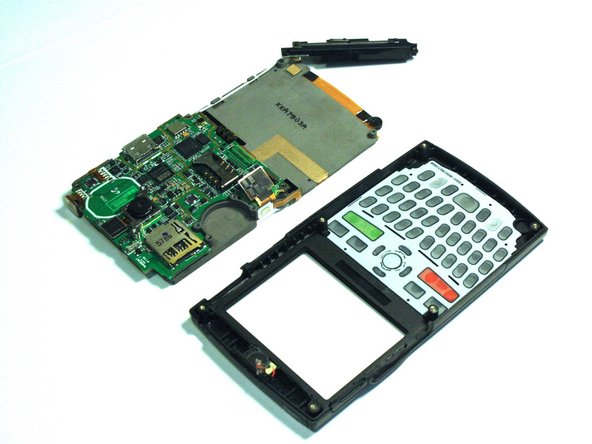
    2. Samsung Blackjack Keypad Replacement: crwdns2935265:04crwdnd2935265:01crwdnd2935265:03crwdne2935265:0 Samsung Blackjack Keypad Replacement: crwdns2935265:04crwdnd2935265:02crwdnd2935265:03crwdne2935265:0 Samsung Blackjack Keypad Replacement: crwdns2935265:04crwdnd2935265:03crwdnd2935265:03crwdne2935265:0
      • Use the spudger to loosen and separate the front and back covers.

      • Pick up the back cover once loosened.

      • The front and back covers will be attached to each other by a gold wire.

      • Remove the gold wire connecting the back cover to the motherboard to completely separate the covers.

      crwdns2952109:0crwdne2952109:0

      crwdns2917038:0crwdne2917038:0

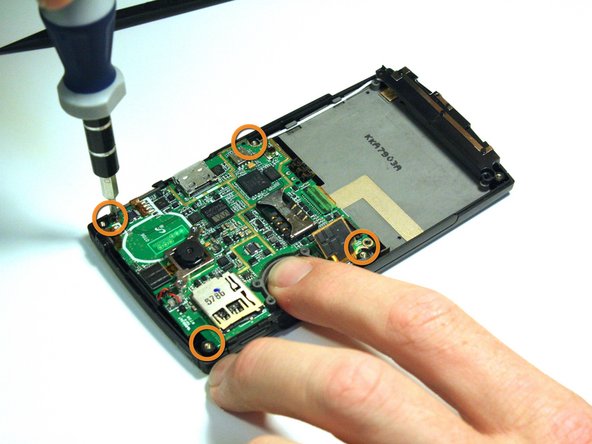
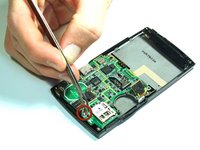
    1. Samsung Blackjack Keypad Replacement, Motherboard: crwdns2935265:05crwdnd2935265:01crwdnd2935265:02crwdne2935265:0 Samsung Blackjack Keypad Replacement, Motherboard: crwdns2935265:05crwdnd2935265:02crwdnd2935265:02crwdne2935265:0
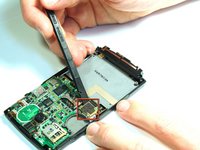
      • Use the spudger to unsnap the black rectangular connection from the motherboard.

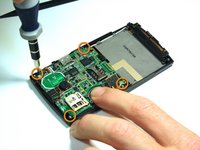
      • Use the Phillips 00 screwdriver to remove all of the screws that hold the motherboard in place.

      crwdns2952109:0crwdne2952109:0

      crwdns2917038:0crwdne2917038:0

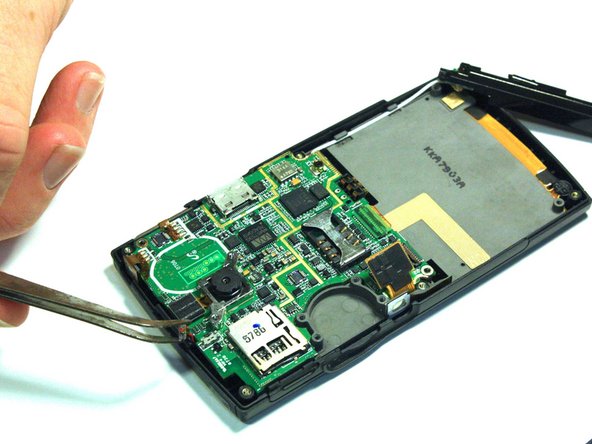
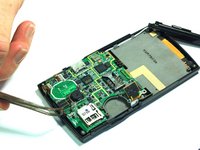
    2. Samsung Blackjack Keypad Replacement: crwdns2935265:06crwdnd2935265:01crwdnd2935265:02crwdne2935265:0 Samsung Blackjack Keypad Replacement: crwdns2935265:06crwdnd2935265:02crwdnd2935265:02crwdne2935265:0
      crwdns2935267:0crwdne2935267:0
      Tweezers
      $4.99
      • Use the tweezers to unsnap the connection between the motherboard and the speaker. The speaker is attached to the front casing.

      crwdns2952109:0crwdne2952109:0

      crwdns2917038:0crwdne2917038:0

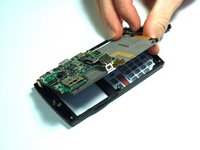
    3. Samsung Blackjack Keypad Replacement: crwdns2935265:07crwdnd2935265:01crwdnd2935265:02crwdne2935265:0 Samsung Blackjack Keypad Replacement: crwdns2935265:07crwdnd2935265:02crwdnd2935265:02crwdne2935265:0
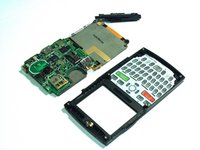
      • Once all of the connections have been snapped off of the motherboard, the motherboard can be removed.

      • Lift up on the motherboard and it will come free of the front casing.

      crwdns2952109:0crwdne2952109:0

      crwdns2917038:0crwdne2917038:0

    1. Samsung Blackjack Keypad Replacement, Keypad: crwdns2935265:08crwdnd2935265:01crwdnd2935265:01crwdne2935265:0
      • Hold the front cover with the keypad facing you.

      • Push down on the keypad to remove it from the case. The keypad will come right out because there is nothing connecting it to the front casing.

      crwdns2952109:0crwdne2952109:0

      crwdns2917038:0crwdne2917038:0

crwdns2915888:0crwdne2915888:0

To reassemble your device, follow these instructions in reverse order.

crwdns2935221:0crwdne2935221:0

Kristin Manna

crwdns2935283:010/22/12crwdne2935283:0

29 crwdns2915208:0crwdne2915208:0

crwdns2935297:010crwdne2935297:0

crwdns2935287:0crwdne2935287:0

Clemson, Team 14-4, Benson Fall 2012 crwdns2935289:0Clemson, Team 14-4, Benson Fall 2012crwdne2935289:0

CLEM-BENSON-F12S14G4

crwdns2931471:03crwdne2931471:0

crwdns2935297:0144crwdne2935297:0

crwdns2947412:00crwdne2947412:0

crwdns2917038:0crwdne2917038:0

crwdns2936625:0crwdne2936625:0:

crwdns2936751:024crwdne2936751:0 1

crwdns2936753:07crwdne2936753:0 4

crwdns2936753:030crwdne2936753:0 26

crwdns2942667:0crwdne2942667:0 823