
Samsung Alias 2 Camera Replacement

crwdns2959932:0crwdnd2959932:0Chriscrwdnd2959932:0crwdnd2959932:0crwdnd2959932:04crwdnd2959932:0crwdne2959932:0
crwdns2959936:0Mud 7, 2024crwdne2959936:0
crwdns2869540:0crwdne2869540:0: 2,9 B
crwdns2959988:0crwdne2959988:0
- crwdns2959990:0crwdne2959990:0
- 2
- crwdns2959992:0crwdne2959992:0
- 19
- crwdns2959994:0crwdne2959994:0
- 76
- crwdns2959996:0crwdne2959996:0
- 2.886
crwdns2955950:0crwdne2955950:0: 0
crwdns2959998:0crwdne2959998:0
crwdns2960000:0crwdne2960000:0crwdns2959984:0crwdne2959984:0: 0 1
crwdns2959956:0crwdne2959956:0
crwdns2959968:01crwdne2959968:0
crwdns2959986:0crwdne2959986:0: 3 4
crwdns2959982:03crwdne2959982:0
crwdns2959978:04crwdne2959978:0
crwdns2862611:0crwdne2862611:0
crwdns2862612:0crwdne2862612:0
crwdns2862629:0crwdne2862629:0
crwdns2862630:0crwdne2862630:0
crwdns2915892:0crwdne2915892:0
crwdns2959928:0crwdne2959928:0 ↓This guide shows you how to remove a broken camera and install a new camera.
crwdns2959930:0crwdne2959930:0
crwdns2943215:0crwdne2943215:0


-
-
-
Press down on the back cover of the phone and remove it.
 crwdns2952109:0crwdne2952109:0
-
-
-
Take out the battery from the device.
-
-
-
-
-
Remove the (2) 4.1 mm screws on screen.
-
-
-
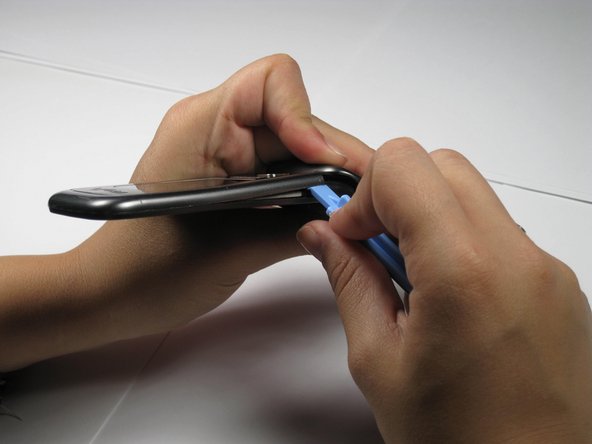
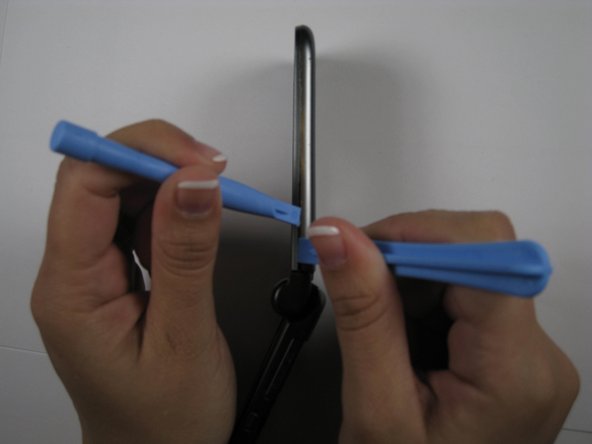
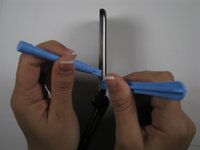
Remove front outside casing with plastic opening tools.
-
-
-
crwdns2935267:0crwdne2935267:0Tweezers$4.99
-
Use tweezers to remove the camera from its holding slot.
-
-
-
Use a plastic opening tool to lift the tab that holds the camera ribbon in place.
-
-
-
Use tweezers to remove the camera.
-
-
-
Slide ribbon of new camera under the same tab.
-
-
-
Close the tab down onto the new camera ribbon.
-
-
-
Use tweezers to put the new camera into the camera slot that previously held the old camera.
-
-




To reassemble your device, follow these instructions in reverse order.

crwdns2935287:0crwdne2935287:0

Cal Poly, Team 12-35, Maness Spring 2011 crwdns2935289:0Cal Poly, Team 12-35, Maness Spring 2011crwdne2935289:0
CPSU-MANESS-S11S12G35
crwdns2931471:04crwdne2931471:0
crwdns2935297:060crwdne2935297:0
