
Ryobi P235 Bit-Holder Replacement

crwdns2959932:0crwdnd2959932:0Paul Sousacrwdnd2959932:0crwdnd2959932:0crwdne2959932:0
crwdns2959936:0N'w 19, 2019crwdne2959936:0
crwdns2869540:0crwdne2869540:0: 1.4K
crwdns2959988:0crwdne2959988:0
- crwdns2959990:0crwdne2959990:0
- 2
- crwdns2959992:0crwdne2959992:0
- 18
- crwdns2959994:0crwdne2959994:0
- 63
- crwdns2959996:0crwdne2959996:0
- 1,440
crwdns2955950:0crwdne2955950:0: 0
crwdns2959998:0crwdne2959998:0
crwdns2960000:0crwdne2960000:0crwdns2959984:0crwdne2959984:0: 0 1
crwdns2959956:0crwdne2959956:0
crwdns2959968:01crwdne2959968:0
crwdns2959986:0crwdne2959986:0: 0 1
crwdns2959958:0crwdne2959958:0
crwdns2959976:01crwdne2959976:0
crwdns2915892:0crwdne2915892:0
crwdns2959928:0crwdne2959928:0 ↓The bit holder makes it easier to keep the bits you need close to your drill. This guide shows how to replace a missing or broken bit holder on your Ryobi P235.
crwdns2959930:0crwdne2959930:0
crwdns2943215:0crwdne2943215:0


-
-
-
Push in both push tabs on the battery at the same time.
 crwdns2952109:0crwdne2952109:0
-
-
-
Pull the battery away from the drill housing while holding in both tabs.
-
-
-
-
-
-
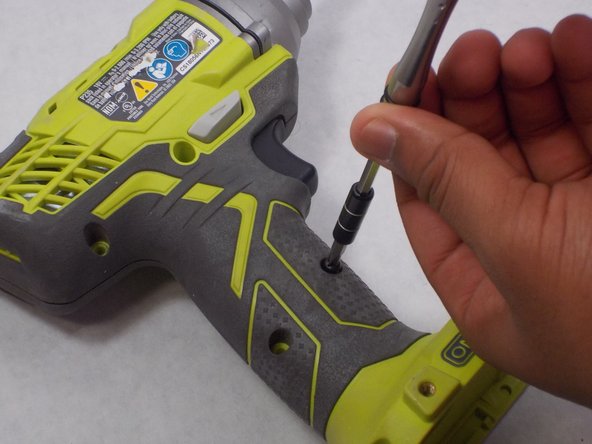
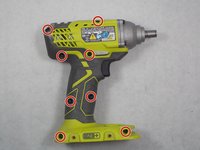
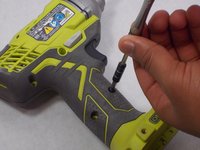
Use a Phillips #2 screwdriver to remove the eight 16 mm screws that secure the housing.
-
-
-
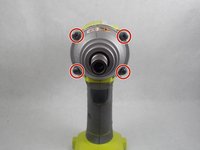
Use a T20 Torx screwdriver to remove the four 25.4 mm screws that secure the front of the housing.
-
-
-
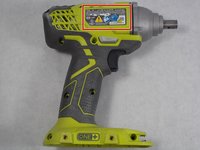
Open the housing with the data label facing up.
-
-
-
Remove the old bit holder.
-
-




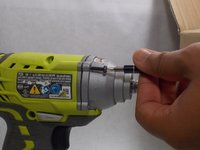

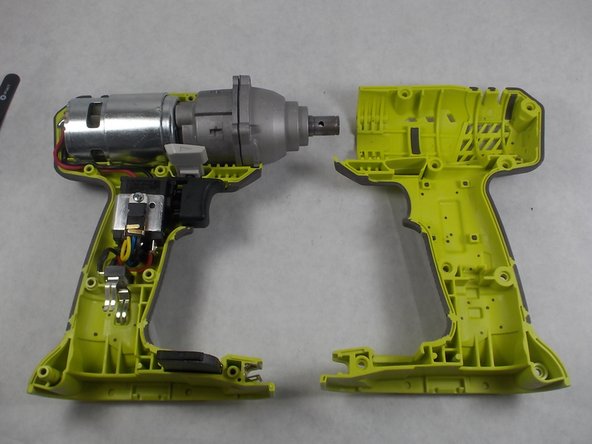

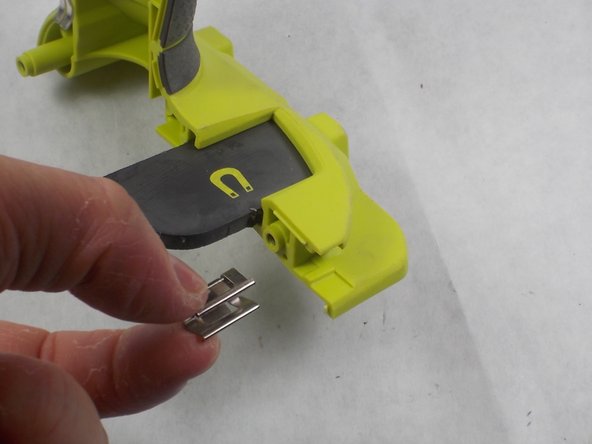
To reassemble your device, follow these instructions in reverse order.

crwdns2935287:0crwdne2935287:0

UMass Dartmouth, Team S4-G2, Saloman Fall 2019 crwdns2935289:0UMass Dartmouth, Team S4-G2, Saloman Fall 2019crwdne2935289:0
UMASSD-SALOMAN-F19S4G2
crwdns2931471:03crwdne2931471:0
crwdns2935297:072crwdne2935297:0
