
Retroid Pocket 3 Trigger Button Replacement

crwdns2959932:0crwdnd2959932:0Max Brisenocrwdnd2959932:0crwdnd2959932:0crwdnd2959932:03crwdnd2959932:0crwdne2959932:0
crwdns2959936:0Mha 4, 2025crwdne2959936:0
crwdns2869540:0crwdne2869540:0: 1,9K
crwdns2959988:0crwdne2959988:0
- crwdns2959990:0crwdne2959990:0
- 3
- crwdns2959992:0crwdne2959992:0
- 18
- crwdns2959994:0crwdne2959994:0
- 101
- crwdns2959996:0crwdne2959996:0
- 1.879
crwdns2955950:0crwdne2955950:0: 0
crwdns2959998:0crwdne2959998:0
crwdns2960000:0crwdne2960000:0crwdns2959984:0crwdne2959984:0: 0 1
crwdns2959956:0crwdne2959956:0
crwdns2959968:01crwdne2959968:0
crwdns2959986:0crwdne2959986:0: 0 1
crwdns2959958:0crwdne2959958:0
crwdns2959976:01crwdne2959976:0
crwdns2915892:0crwdne2915892:0
crwdns2959928:0crwdne2959928:0 ↓If the trigger buttons on your Retroid Pocket 3 handheld are sticking or are not responding, use this guide to access the trigger buttons on the console to remove the faulty buttons and install the replacement buttons. This process will take approximately 10-15 minutes, and the tools needed for the project are listed below.
crwdns2959930:0crwdne2959930:0
crwdns2943215:0crwdne2943215:0
-
Spudger4.9


-
-
-
Unplug any cables connected to the Retroid Pocket 3+.
-
Ensure your device has a charge of 5% or less as a charged battery can be dangerous if punctured.
 crwdns2952109:0crwdne2952109:0
-
-
-
Remove the four 6 mm screws from the backplate of the device with a T5 Torx screwdriver.
-
Use a plastic opening tool or spudger to gently pry apart the backplate from the device.
-
-
-
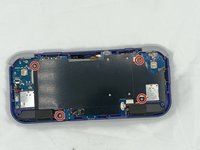
Remove the four 4.5 mm screws with a Phillips #00 screwdriver.
-
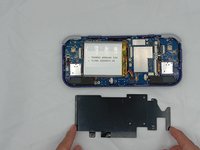
Lift off the metal plate.
-
-
-
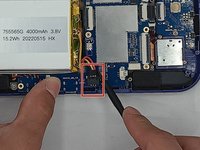
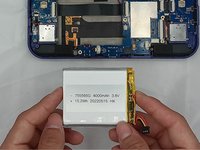
Use a plastic opening tool or spudger to unclip the battery connector.
-
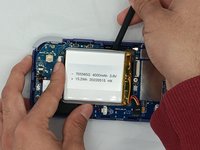
Carefully lift the battery from the case.
-
Lift and remove the battery.
-
-
-
-
-
-
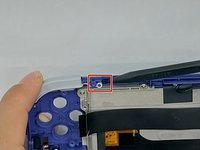
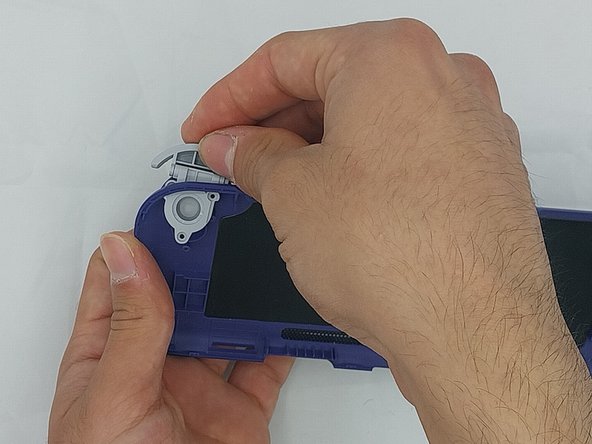
Using the spudger, put the tip under the top round clip at the top.
-
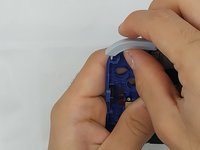
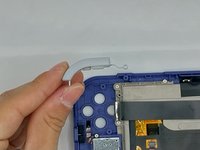
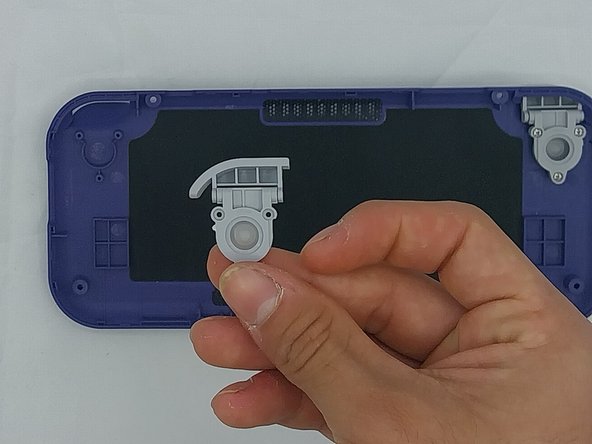
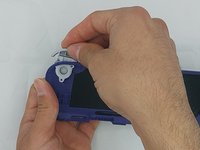
Carefully start lifting the clip to slide it off the plastic pin on the case, tilting the trigger button as you lift it to remove.
-
-
-
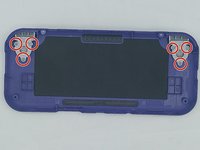
Remove the six 4.4 mm screws on the trigger buttons with a Phillips #00 screwdriver.
-
Gently pull the trigger button through until it has come undone.
-
-







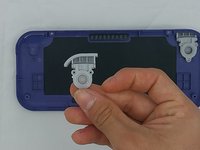
To reassemble your device, follow these instructions in reverse order.

crwdns2935287:0crwdne2935287:0

University of North Texas, Team 4-7, Harold Spring 2024 crwdns2935289:0University of North Texas, Team 4-7, Harold Spring 2024crwdne2935289:0
UNT-HAROLD-S24S4G7
crwdns2931471:04crwdne2931471:0
crwdns2935297:060crwdne2935297:0
