crwdns2933423:0crwdne2933423:0
crwdns2947577:0crwdnd2947577:0crwdne2947577:0

Replacing VTech MobiGo Touch Learning System Speaker

crwdns2869540:0crwdne2869540:0: 2,5K

crwdns2959988:0crwdne2959988:0

crwdns2959990:0crwdne2959990:0
6
crwdns2959992:0crwdne2959992:0
20
crwdns2959994:0crwdne2959994:0
99
crwdns2959996:0crwdne2959996:0
2.467
crwdns2955950:0crwdne2955950:0: 0

crwdns2959998:0crwdne2959998:0

crwdns2960000:0crwdne2960000:0
crwdns2959984:0crwdne2959984:0: 0

crwdns2959956:0crwdne2959956:0

crwdns2959986:0crwdne2959986:0: 1

crwdns2959980:01crwdne2959980:0

crwdns2955944:0crwdne2955944:0: crwdns2931287:020crwdne2931287:0
crwdns2955970:0crwdne2955970:0: crwdns2937801:0crwdne2937801:0
Replacing VTech MobiGo Touch Learning System Speaker

crwdns2915892:0crwdne2915892:0

crwdns2959928:0crwdne2959928:0 ↓

This page is for disassembling the speaker inside the device. Before following these steps, please refer to the Disassembling VTech MobiGo Touch Learning System Case Guide first.

crwdns2959930:0crwdne2959930:0

crwdns2943215:0crwdne2943215:0

    1. Replacing VTech MobiGo Touch Learning System Speaker, Case: crwdns2935265:01crwdnd2935265:01crwdnd2935265:01crwdne2935265:0
      • Remove the battery covers and the four batteries.

      crwdns2952109:0crwdne2952109:0

      crwdns2917038:0crwdne2917038:0

    2. Replacing VTech MobiGo Touch Learning System Speaker: crwdns2935265:02crwdnd2935265:01crwdnd2935265:02crwdne2935265:0 Replacing VTech MobiGo Touch Learning System Speaker: crwdns2935265:02crwdnd2935265:02crwdnd2935265:02crwdne2935265:0
      • Remove the four plastic caps with a metal spudger to expose the 6.0 mm Philips JIS #0 case screws.

      • Remove the eight 6.0 mm JIS #0 case screws.

      crwdns2952109:0crwdne2952109:0

      crwdns2917038:0crwdne2917038:0

    3. Replacing VTech MobiGo Touch Learning System Speaker: crwdns2935265:03crwdnd2935265:01crwdnd2935265:02crwdne2935265:0 Replacing VTech MobiGo Touch Learning System Speaker: crwdns2935265:03crwdnd2935265:02crwdnd2935265:02crwdne2935265:0
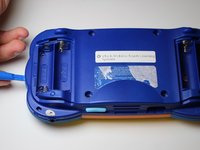
      • Using a plastic opening tool, separate the two pieces of the case carefully.

      crwdns2952109:0crwdne2952109:0

      crwdns2917038:0crwdne2917038:0

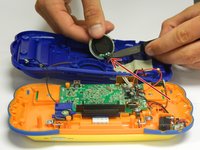
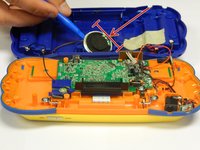
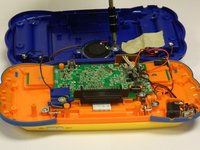
    1. Replacing VTech MobiGo Touch Learning System Speaker, Speaker: crwdns2935265:04crwdnd2935265:01crwdnd2935265:02crwdne2935265:0 Replacing VTech MobiGo Touch Learning System Speaker, Speaker: crwdns2935265:04crwdnd2935265:02crwdnd2935265:02crwdne2935265:0
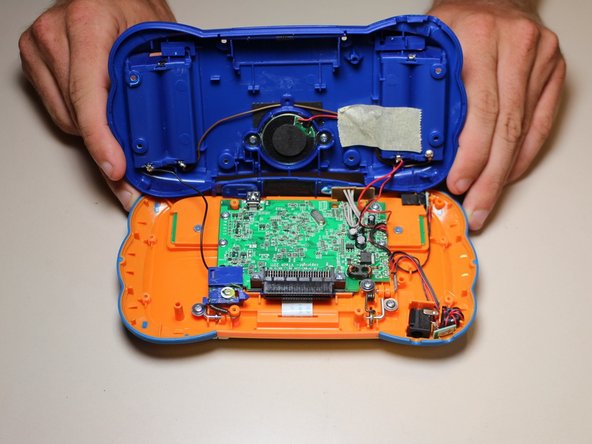
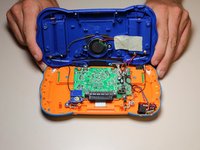
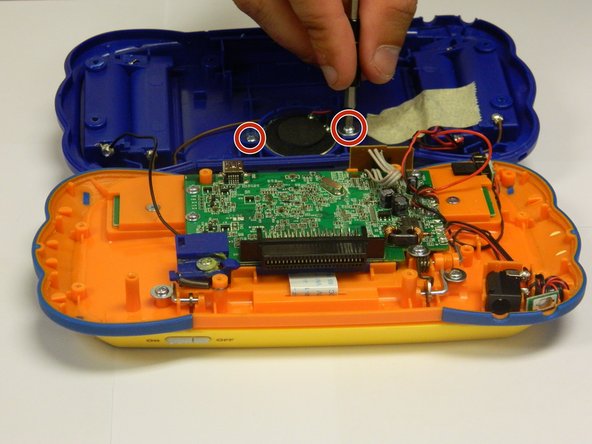
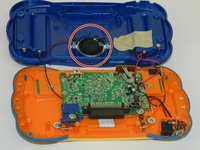
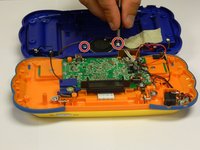
      • The speaker will be attached to the back of the case.

      • Unscrew the two 6.0 mm Philips J0 screws.

      • Careful! The wires are still attached to the back of the case and to the speakers.

      crwdns2952109:0crwdne2952109:0

      crwdns2917038:0crwdne2917038:0

    2. Replacing VTech MobiGo Touch Learning System Speaker: crwdns2935265:05crwdnd2935265:01crwdnd2935265:02crwdne2935265:0 Replacing VTech MobiGo Touch Learning System Speaker: crwdns2935265:05crwdnd2935265:02crwdnd2935265:02crwdne2935265:0
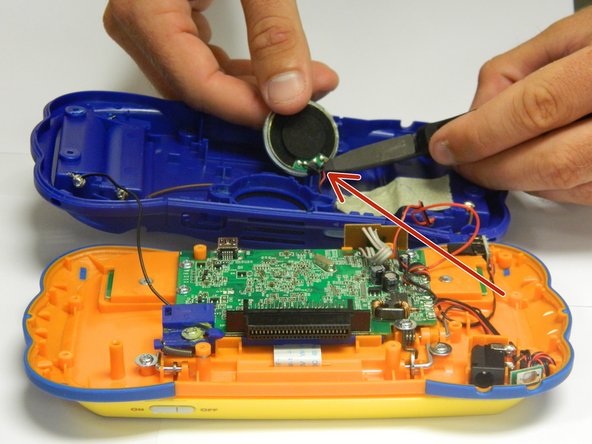
      • Lift the round speaker with a plastic opening tool.

      • Remove the two wires connected to the speaker.

      • You can use wire cutters or regular needle nose pliers to disconnect the wires from the speaker.

      • Once the wires are disconnected, remove the speaker from the back of the case.

      crwdns2952109:0crwdne2952109:0

      crwdns2917038:0crwdne2917038:0

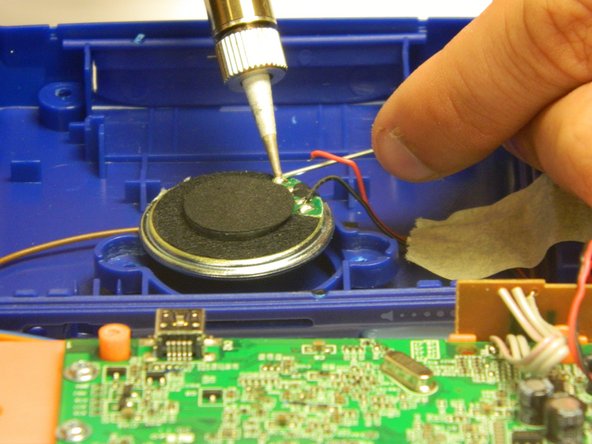
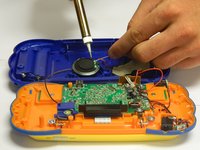
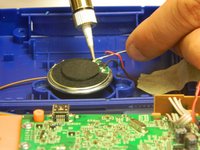
    3. Replacing VTech MobiGo Touch Learning System Speaker: crwdns2935265:06crwdnd2935265:01crwdnd2935265:02crwdne2935265:0 Replacing VTech MobiGo Touch Learning System Speaker: crwdns2935265:06crwdnd2935265:02crwdnd2935265:02crwdne2935265:0
      • Solder the wires to the appropriate spots on the new speaker, making sure that both wires are properly connected.

      • The wires may be hot.

      crwdns2952109:0crwdne2952109:0

      crwdns2917038:0crwdne2917038:0

    4. Replacing VTech MobiGo Touch Learning System Speaker: crwdns2935265:07crwdnd2935265:01crwdnd2935265:02crwdne2935265:0 Replacing VTech MobiGo Touch Learning System Speaker: crwdns2935265:07crwdnd2935265:02crwdnd2935265:02crwdne2935265:0
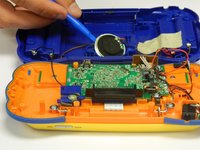
      • Insert the new speaker into the hatch located in the middle part of the panel using a plastic spudger.

      • Make sure the speaker is the right size for the panel.

      • Once the speaker is properly placed, screw in the two 6.0 mm Philips J0 screws.

      • Do not over tighten the screws or the panel will break.

      crwdns2952109:0crwdne2952109:0

      crwdns2917038:0crwdne2917038:0

crwdns2915888:0crwdne2915888:0

To reassemble your case, follow the case instructions in reverse order.

crwdns2935221:0crwdne2935221:0

RBansil

crwdns2935283:008/27/15crwdne2935283:0

221 crwdns2915208:0crwdne2915208:0

crwdns2935297:02crwdne2935297:0

crwdns2935287:0crwdne2935287:0

USF Tampa, Team 8-3, Eyestone Fall 2015 crwdns2935289:0USF Tampa, Team 8-3, Eyestone Fall 2015crwdne2935289:0

USFT-EYESTONE-F15S8G3

crwdns2931471:03crwdne2931471:0

crwdns2935297:072crwdne2935297:0

crwdns2947412:00crwdne2947412:0

crwdns2917038:0crwdne2917038:0

crwdns2936625:0crwdne2936625:0:

crwdns2936751:024crwdne2936751:0 6

crwdns2936753:07crwdne2936753:0 20

crwdns2936753:030crwdne2936753:0 99

crwdns2959996:0crwdne2959996:0 2,467