crwdns2933423:0crwdne2933423:0
crwdns2947577:0crwdnd2947577:0crwdne2947577:0

RedOctane X-Plorer Keys Replacement

crwdns2869540:0crwdne2869540:0: 5K

crwdns2959988:0crwdne2959988:0

crwdns2959990:0crwdne2959990:0
0
crwdns2959992:0crwdne2959992:0
14
crwdns2959994:0crwdne2959994:0
75
crwdns2959996:0crwdne2959996:0
5,021
crwdns2955950:0crwdne2955950:0: 0

crwdns2959998:0crwdne2959998:0

crwdns2960000:0crwdne2960000:0
crwdns2959984:0crwdne2959984:0: 3

crwdns2959974:03crwdne2959974:0

crwdns2959986:0crwdne2959986:0: 0

crwdns2959958:0crwdne2959958:0

crwdns2955944:0crwdne2955944:0: crwdns2931287:015crwdne2931287:0
crwdns2955970:0crwdne2955970:0: crwdns2937799:0crwdne2937799:0
RedOctane X-Plorer Keys Replacement

crwdns2915892:0crwdne2915892:0

crwdns2959928:0crwdne2959928:0 ↓

The guitar keys can wear out over time or stop working completely. This guide demonstrates how to successfully remove the keys to diagnose internal problems.

crwdns2959930:0crwdne2959930:0

crwdns2943215:0crwdne2943215:0

    1. RedOctane X-Plorer Keys Replacement, Rear Case: crwdns2935265:01crwdnd2935265:01crwdnd2935265:02crwdne2935265:0 RedOctane X-Plorer Keys Replacement, Rear Case: crwdns2935265:01crwdnd2935265:02crwdnd2935265:02crwdne2935265:0
      • Remove the strap by pulling it off of the mounts located on the body and neck.

      crwdns2952109:0crwdne2952109:0

      crwdns2917038:0crwdne2917038:0

    2. RedOctane X-Plorer Keys Replacement: crwdns2935265:02crwdnd2935265:01crwdnd2935265:03crwdne2935265:0 RedOctane X-Plorer Keys Replacement: crwdns2935265:02crwdnd2935265:02crwdnd2935265:03crwdne2935265:0 RedOctane X-Plorer Keys Replacement: crwdns2935265:02crwdnd2935265:03crwdnd2935265:03crwdne2935265:0
      • Remove the nine 12mm Phillips #1 screws around the perimeter of the case with a screwdriver.

      • Remove the two 15mm Phillips #1 screws connecting the body panel to the neck panel with a screwdriver.

      • These screws can also be Torx on some models.

      • Pull off the rear case.

      crwdns2952109:0crwdne2952109:0

      crwdns2917038:0crwdne2917038:0

    3. RedOctane X-Plorer Keys Replacement: crwdns2935265:03crwdnd2935265:01crwdnd2935265:03crwdne2935265:0 RedOctane X-Plorer Keys Replacement: crwdns2935265:03crwdnd2935265:02crwdnd2935265:03crwdne2935265:0 RedOctane X-Plorer Keys Replacement: crwdns2935265:03crwdnd2935265:03crwdnd2935265:03crwdne2935265:0
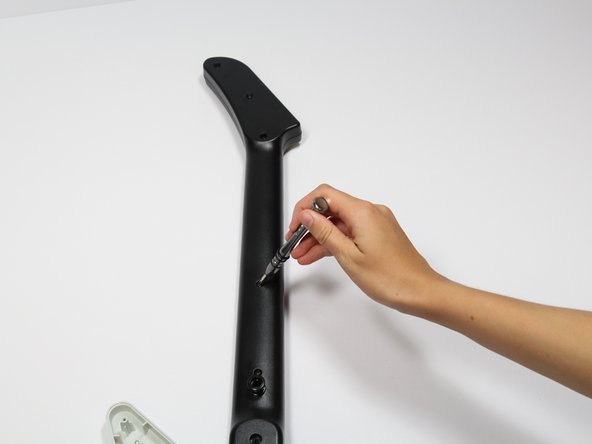
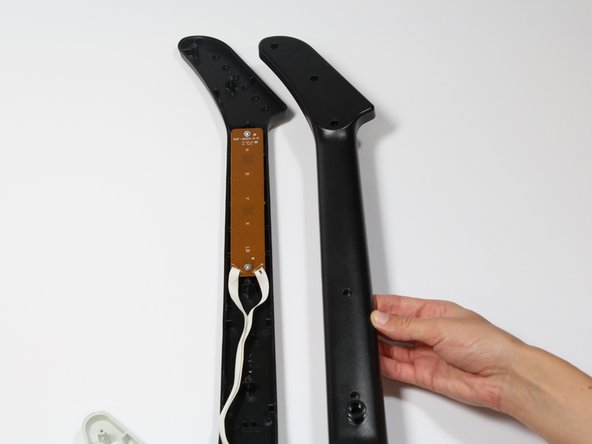
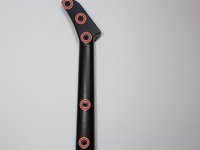
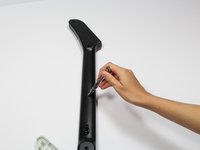
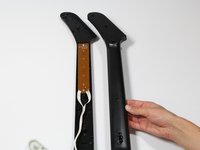
      • Remove the five 12mm Phillips #1 screws along the neck with a screwdriver.

      • Pull off the top shell of the neck to expose the internal features.

      crwdns2952109:0crwdne2952109:0

      crwdns2917038:0crwdne2917038:0

    1. RedOctane X-Plorer Keys Replacement, Keys: crwdns2935265:04crwdnd2935265:01crwdnd2935265:03crwdne2935265:0 RedOctane X-Plorer Keys Replacement, Keys: crwdns2935265:04crwdnd2935265:02crwdnd2935265:03crwdne2935265:0 RedOctane X-Plorer Keys Replacement, Keys: crwdns2935265:04crwdnd2935265:03crwdnd2935265:03crwdne2935265:0
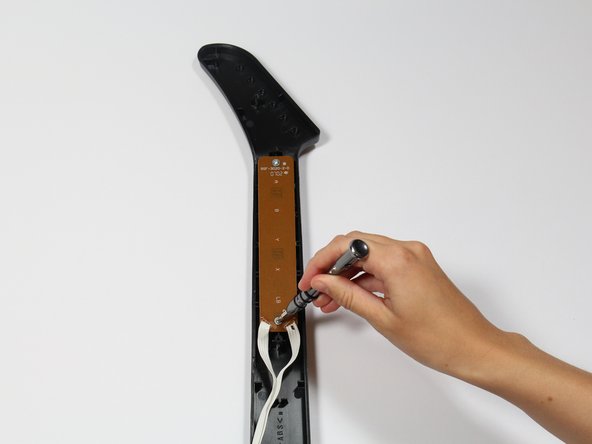
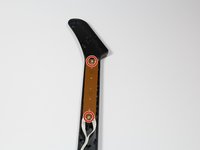
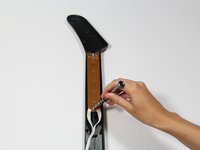
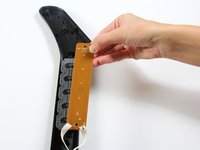
      • Use a screwdriver to remove the 10 mm Phillips #1 screws from the key sensor board.

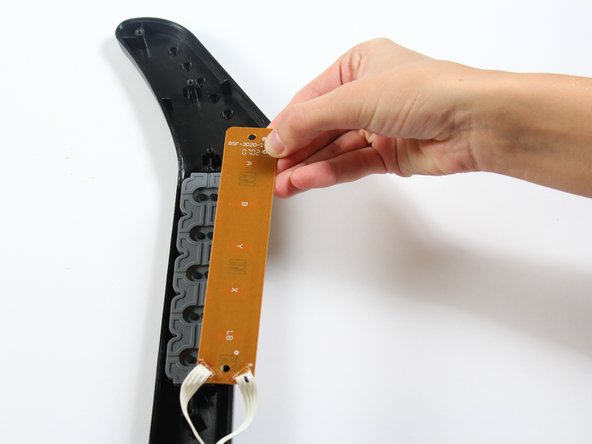
      • Lift up on the key sensor board to remove it from the guitar neck.

      • When using the screwdriver, make sure to avoid puncturing the wires.

      crwdns2952109:0crwdne2952109:0

      crwdns2917038:0crwdne2917038:0

    2. RedOctane X-Plorer Keys Replacement: crwdns2935265:05crwdnd2935265:01crwdnd2935265:01crwdne2935265:0
      • Using your fingers, remove the rubber pad to expose the colored keys.

      crwdns2952109:0crwdne2952109:0

      crwdns2917038:0crwdne2917038:0

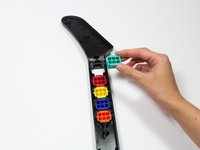
    3. RedOctane X-Plorer Keys Replacement: crwdns2935265:06crwdnd2935265:01crwdnd2935265:02crwdne2935265:0 RedOctane X-Plorer Keys Replacement: crwdns2935265:06crwdnd2935265:02crwdnd2935265:02crwdne2935265:0
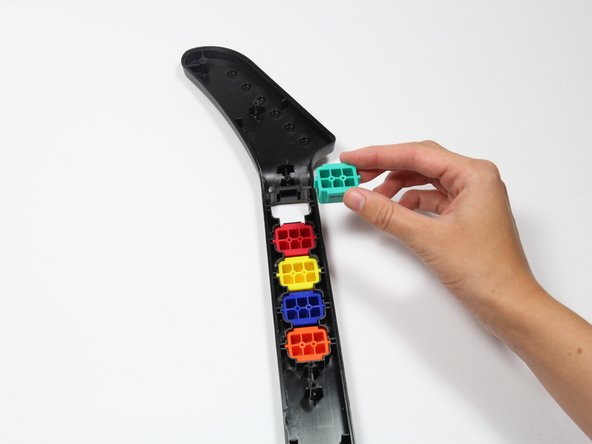
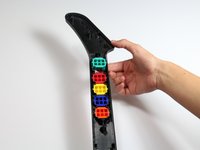
      • Reach one finger under the guitar to push the key out of the casing.

      • Repeat this step for the four remaining keys.

      crwdns2952109:0crwdne2952109:0

      crwdns2917038:0crwdne2917038:0

crwdns2915888:0crwdne2915888:0

To reassemble your device, follow these instructions in reverse order.

crwdns2935221:0crwdne2935221:0

crwdns2935229:03crwdne2935229:0

Ashley Slocum

crwdns2935283:004/18/18crwdne2935283:0

228 crwdns2915208:0crwdne2915208:0

crwdns2935295:0crwdne2935295:0

crwdns2935287:0crwdne2935287:0

Cal Poly, Team S17-G1, Livingston Spring 2018 crwdns2935289:0Cal Poly, Team S17-G1, Livingston Spring 2018crwdne2935289:0

CPSU-LIVINGSTON-S18S17G1

crwdns2931471:03crwdne2931471:0

crwdns2935297:0108crwdne2935297:0

crwdns2947412:00crwdne2947412:0

crwdns2917038:0crwdne2917038:0

crwdns2936625:0crwdne2936625:0:

crwdns2936751:024crwdne2936751:0 0

crwdns2936753:07crwdne2936753:0 14

crwdns2936753:030crwdne2936753:0 75

crwdns2959996:0crwdne2959996:0 5,021