
Razer Huntsman Tournament Edition Keycaps Replacement

crwdns2959932:0crwdnd2959932:0Tony Kuangcrwdnd2959932:0crwdnd2959932:0crwdnd2959932:03crwdnd2959932:0crwdne2959932:0
crwdns2959936:0N'w 21, 2022crwdne2959936:0
crwdns2869540:0crwdne2869540:0: 2K
crwdns2959988:0crwdne2959988:0
- crwdns2959990:0crwdne2959990:0
- 1
- crwdns2959992:0crwdne2959992:0
- 15
- crwdns2959994:0crwdne2959994:0
- 73
- crwdns2959996:0crwdne2959996:0
- 2,020
crwdns2955950:0crwdne2955950:0: 0
crwdns2959998:0crwdne2959998:0
crwdns2960000:0crwdne2960000:0crwdns2959984:0crwdne2959984:0: 2 3
crwdns2959974:02crwdne2959974:0
crwdns2959970:03crwdne2959970:0
crwdns2959986:0crwdne2959986:0: 0 1
crwdns2959958:0crwdne2959958:0
crwdns2959976:01crwdne2959976:0
crwdns2915892:0crwdne2915892:0
crwdns2959928:0crwdne2959928:0 ↓If your keycaps have either cosmetic or physical issues, use this guide to replace them. This guide should take over an hour if you don’t have a key-puller and/or intend on removing all of the keycaps, yet individual keys can be removed in under a minute.
The Razer Huntsman Tournament Edition is a tenkeyless mechanical keyboard. Its keycaps are easily swappable with minimal action required.
There is no prior knowledge needed in order to complete this guide.
crwdns2959930:0crwdne2959930:0
crwdns2943215:0crwdne2943215:0
-
Keycap Pullercrwdns2959944:0crwdne2959944:0crwdns2931591:0Amazoncrwdne2931591:0
(This is an optional tool)

-
-
-
Place the unplugged keyboard on a flat, clean surface appropriate for working on.
 crwdns2952109:0crwdne2952109:0
-
-
-
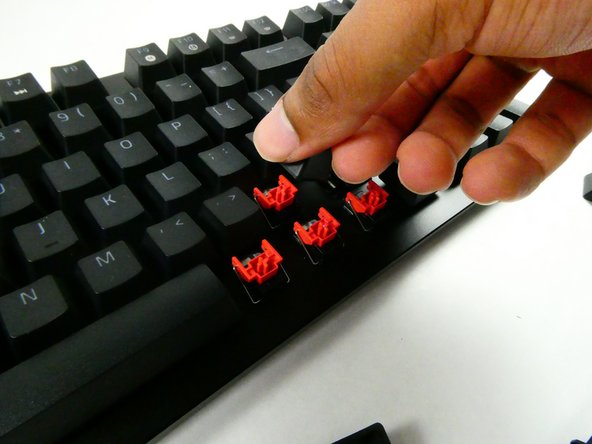
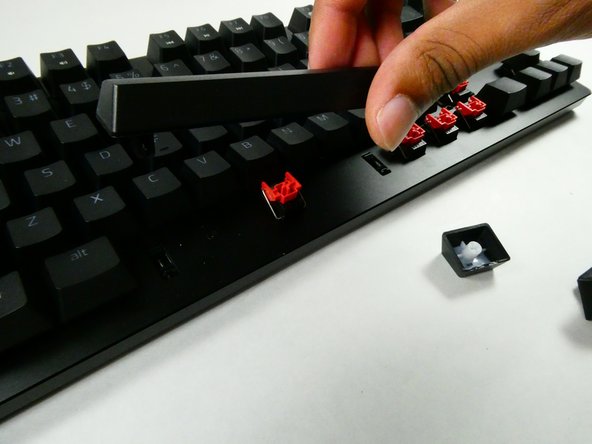
Grip the keycap with your keycap puller.
-
-
-
-
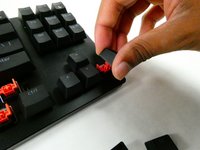
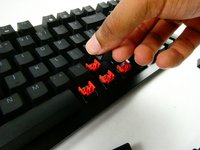
Pull with an upwards force to remove the keycap.
-
-


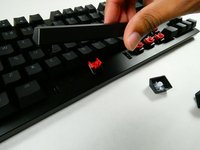
To reassemble your device, follow these instructions in reverse order.
crwdns2935221:0crwdne2935221:0
crwdns2935229:02crwdne2935229:0

crwdns2935287:0crwdne2935287:0

UMass Dartmouth, Team 4-3, Sinclaire Fall 2022 crwdns2935289:0UMass Dartmouth, Team 4-3, Sinclaire Fall 2022crwdne2935289:0
UMASSD-SINCLAIRE-F22S4G3
crwdns2931471:05crwdne2931471:0
crwdns2935297:084crwdne2935297:0
