
Protocol Videodrone AP Propeller Guards Replacement

crwdns2959932:0crwdnd2959932:0Sergecrwdnd2959932:0crwdnd2959932:0crwdne2959932:0
crwdns2959936:0Maw 19, 2021crwdne2959936:0
crwdns2869540:0crwdne2869540:0: 862
crwdns2959988:0crwdne2959988:0
- crwdns2959990:0crwdne2959990:0
- 3
- crwdns2959992:0crwdne2959992:0
- 10
- crwdns2959994:0crwdne2959994:0
- 61
- crwdns2959996:0crwdne2959996:0
- 862
crwdns2955950:0crwdne2955950:0: 1
crwdns2960006:01crwdne2960006:0
crwdns2960000:0crwdne2960000:0crwdns2959984:0crwdne2959984:0: 1 2
crwdns2959972:01crwdne2959972:0
crwdns2959970:02crwdne2959970:0
crwdns2959986:0crwdne2959986:0: 0 1
crwdns2959958:0crwdne2959958:0
crwdns2959976:01crwdne2959976:0
crwdns2869444:0crwdne2869444:0
crwdns2869445:0crwdne2869445:0
crwdns2915892:0crwdne2915892:0
crwdns2959928:0crwdne2959928:0 ↓This guide will show how to replace the propeller guards. You will only need a #0 Philips screwdriver for this guide.
crwdns2959930:0crwdne2959930:0
crwdns2943213:0crwdne2943213:0

crwdns2943215:0crwdne2943215:0

-
-
-
Make sure the drone is powered off.
-
Turn the drone over.
 crwdns2952109:0crwdne2952109:0
-
-
-
-
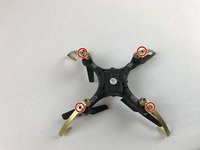
Unscrew the top four screws using a Phillips #0 screwdriver.
-
-
-
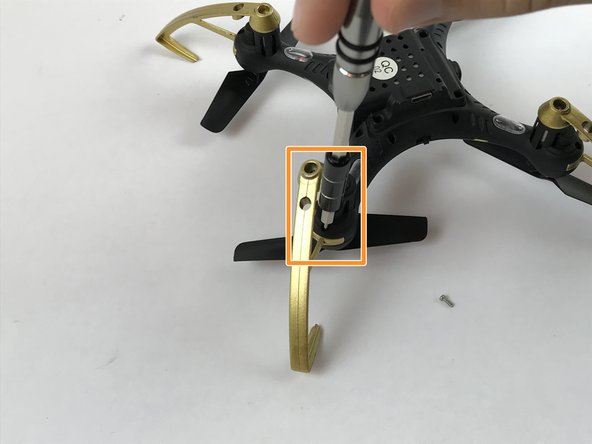
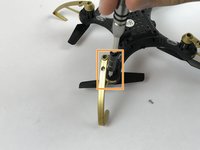
Unscrew the four secondary screws using the Phillips #0 screwdriver.
-
If the screwdriver does not fit in the guard hole, lift and move the guard to the side and unscrew.
-
-


To reassemble your device, follow these instructions in reverse order.
crwdns2935221:0crwdne2935221:0
crwdns2935227:0crwdne2935227:0

crwdns2935287:0crwdne2935287:0

USF Tampa, Team S2-G1, Passmore Fall 2017 crwdns2935289:0USF Tampa, Team S2-G1, Passmore Fall 2017crwdne2935289:0
USFT-PASSMORE-F17S2G1
crwdns2931471:04crwdne2931471:0
crwdns2935297:036crwdne2935297:0
crwdns2947410:01crwdne2947410:0
thank you i didn’t see the small part until i saw this
Mr.RandomRobloxianRoblox 2 - crwdns2934203:0crwdne2934203:0 crwdns2950251:0crwdne2950251:0
