
ProScan PLT7050 Screen Replacement

crwdns2959934:0crwdnd2959934:0Valerie Landguthcrwdnd2959934:0crwdnd2959934:0crwdnd2959934:0crwdne2959934:0
crwdns2959936:0Dzi 14, 2017crwdne2959936:0
crwdns2869540:0crwdne2869540:0: 721
crwdns2959988:0crwdne2959988:0
- crwdns2959990:0crwdne2959990:0
- 3
- crwdns2959992:0crwdne2959992:0
- 24
- crwdns2959994:0crwdne2959994:0
- 97
- crwdns2959996:0crwdne2959996:0
- 721
crwdns2955950:0crwdne2955950:0: 0
crwdns2959998:0crwdne2959998:0
crwdns2960000:0crwdne2960000:0crwdns2959984:0crwdne2959984:0: 0 1
crwdns2959956:0crwdne2959956:0
crwdns2959968:01crwdne2959968:0
crwdns2959986:0crwdne2959986:0: 0 1
crwdns2959958:0crwdne2959958:0
crwdns2959976:01crwdne2959976:0
crwdns2915892:0crwdne2915892:0
crwdns2959928:0crwdne2959928:0 ↓This is the replacement guide for the screen. If the screen is broken , use this guide to replace the screen
crwdns2959930:0crwdne2959930:0
crwdns2943215:0crwdne2943215:0


-
-
-
Make sure device is unplugged and turned off while working on the device.
-
Remove 2 Phillips head, 4.3 mm screws from the bottom side of the tablet with a PH00 screwdriver.
 crwdns2952109:0crwdne2952109:0
-
-
-
Use the plastic opening tools to pry the back of the tablet open.
-
You may need to slide the tool along the sides of the device to get it to open. You might hear some popping noises, it is okay.
-
-
-
-
-
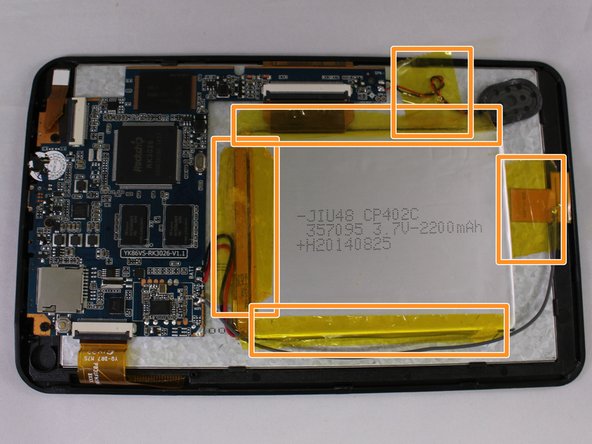
Remove the 3 black pieces of tape from the device.
-
Remove the 5 yellow pieces of tape from the device.
-
-
-
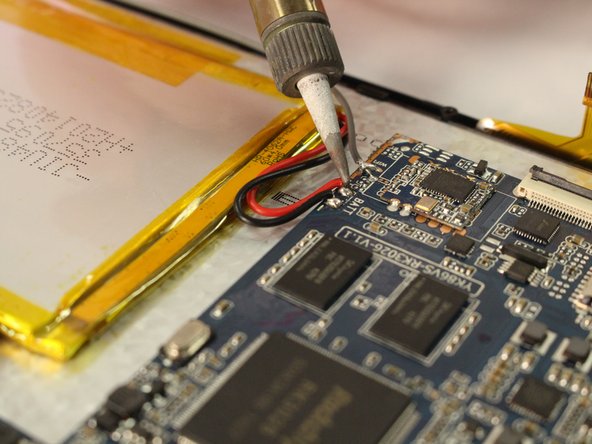
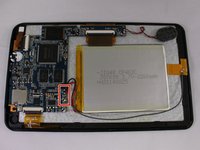
Use the soldering tool to remove the 3 wires from the mother board to the battery (black, red, gray).
-
-
-
-
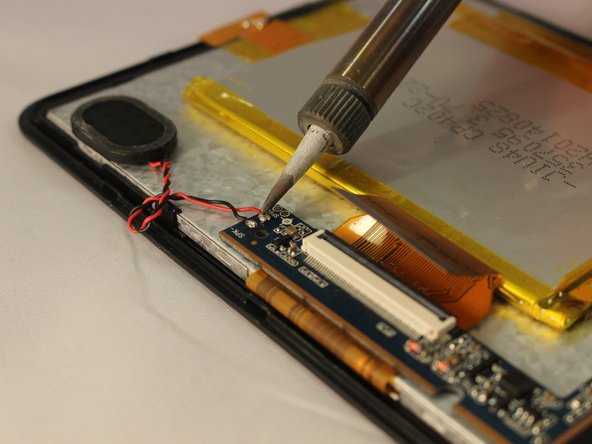
Remove the speaker wires from the motherboard with the soldering tool.
-
-
-
Remove 3 Phillips head, 4.3 mm screws from the bottom side of the tablet with a PH00 screwdriver.
-
-
-
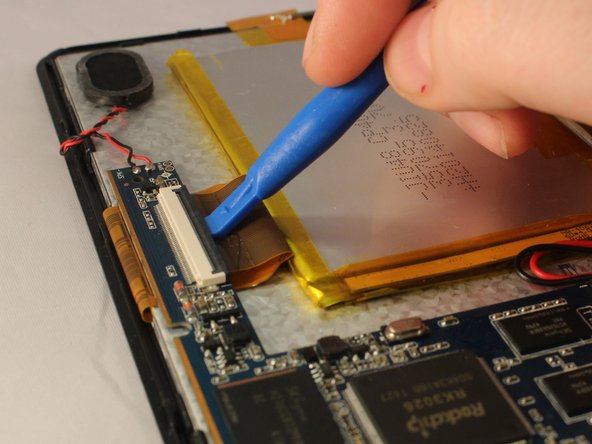
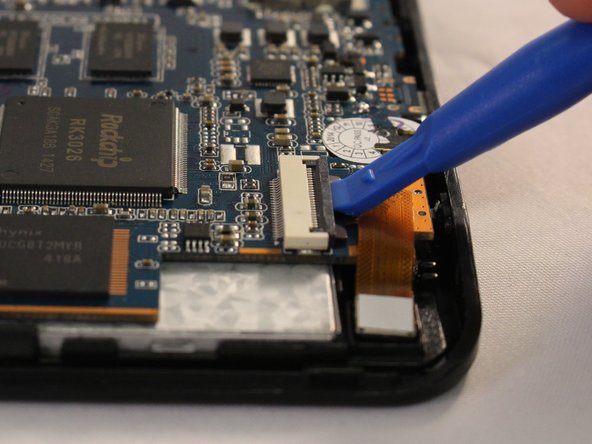
Use the plastic opening tool to pop open all 3 ZIF connector tabs connected to the motherboard.
-
Remove each ribbon from the ZIF connector port.
-
-
-
Lift the motherboard off the device taking care to pull the ports out of the casing.
-
-
-
-
-
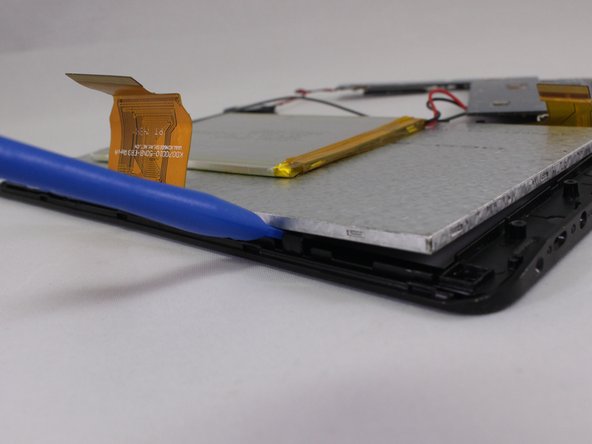
Use one of the plastic opening tools next to one of the black clips on the side of silver screen.
-
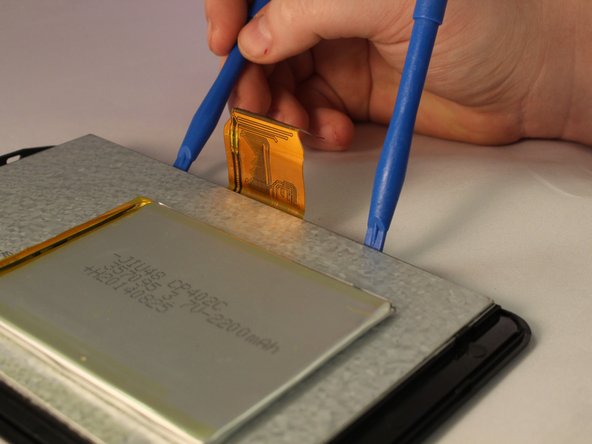
Use the second plastic opening tool to push back the black clip next to the one you have worked on. Push the second plastic opening tool under the screen.
-
-
-
Wiggle the screen and pull it from the casing.
-
-












To reassemble your device, follow these instructions in reverse order.

crwdns2935287:0crwdne2935287:0

Eastern Washington University, Team 1-4, Mathisen Winter 2017 crwdns2935289:0Eastern Washington University, Team 1-4, Mathisen Winter 2017crwdne2935289:0
EWU-MATHISEN-W17S1G4
crwdns2931471:05crwdne2931471:0
crwdns2935297:072crwdne2935297:0
