
PowerA Spectra Infinity Enhanced Motherboard Replacement

crwdns2959934:0crwdnd2959934:0Kevyn Jorgecrwdnd2959934:0crwdnd2959934:0crwdnd2959934:0crwdne2959934:0
crwdns2959936:0Kho 12, 2024crwdne2959936:0
crwdns2869540:0crwdne2869540:0: 789
crwdns2959988:0crwdne2959988:0
- crwdns2959990:0crwdne2959990:0
- 2
- crwdns2959992:0crwdne2959992:0
- 12
- crwdns2959994:0crwdne2959994:0
- 58
- crwdns2959996:0crwdne2959996:0
- 789
crwdns2955950:0crwdne2955950:0: 0
crwdns2959998:0crwdne2959998:0
crwdns2960000:0crwdne2960000:0crwdns2959984:0crwdne2959984:0: 1 2
crwdns2959972:01crwdne2959972:0
crwdns2959970:02crwdne2959970:0
crwdns2959986:0crwdne2959986:0: 0 1
crwdns2959958:0crwdne2959958:0
crwdns2959976:01crwdne2959976:0
crwdns2915892:0crwdne2915892:0
crwdns2959928:0crwdne2959928:0 ↓If your PowerA Spectra Infinity Enhanced (model number 1522360-01) isn't producing clear audio or no audio at all and/or your triggers are not taking inputs, use this guide to replace the motherboard.
You may need to replace the motherboard if you have broken triggers or audio port since they are soldered onto the motherboard. Please ensure that the controller is unplugged before disassembling.
crwdns2959930:0crwdne2959930:0
crwdns2943215:0crwdne2943215:0

-
-
-
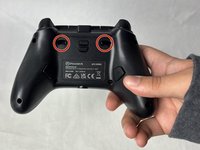
Flip the controller so the back is facing up.
 crwdns2952109:0crwdne2952109:0
-
-
-
Remove the eight 10 mm screws from the back of the controller using a Phillips #0 screwdriver.
-
-
-
Unlock the trigger locks before removing the backplate.
-
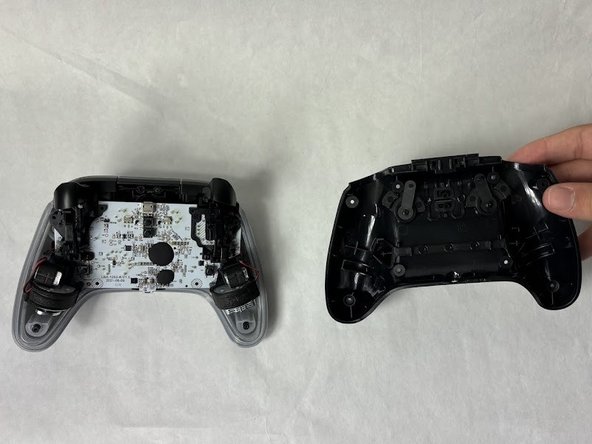
Use your fingers and carefully remove the backplate.
-
-
-
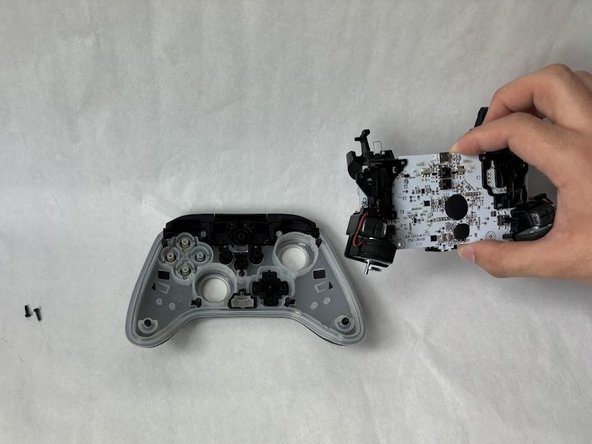
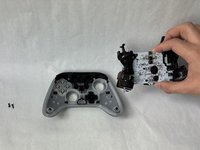
Remove the two 10 mm screws connecting the motherboard to the faceplate using a Phillips #0 screwdriver.
-
-
-
-
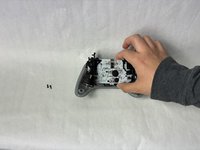
Use your hand to separate the motherboard from the face plate.
-
-




To reassemble your device, follow these instructions in reverse order.
crwdns2935221:0crwdne2935221:0
crwdns2935227:0crwdne2935227:0

crwdns2935287:0crwdne2935287:0

UMass Dartmouth, Team 6-5, Botvin Spring 2024 crwdns2935289:0UMass Dartmouth, Team 6-5, Botvin Spring 2024crwdne2935289:0
UMASSD-BOTVIN-S24S6G5
crwdns2931471:03crwdne2931471:0
crwdns2935297:072crwdne2935297:0
