crwdns2933423:0crwdne2933423:0
crwdns2947577:0crwdnd2947577:0crwdne2947577:0

Power Mac G5 Front Fan Assembly Replacement

crwdns2869540:0crwdne2869540:0: 20K

crwdns2959988:0crwdne2959988:0

crwdns2959990:0crwdne2959990:0
2
crwdns2959992:0crwdne2959992:0
19
crwdns2959994:0crwdne2959994:0
102
crwdns2959996:0crwdne2959996:0
20,250
crwdns2955950:0crwdne2955950:0: 0

crwdns2959998:0crwdne2959998:0

crwdns2960000:0crwdne2960000:0
crwdns2959984:0crwdne2959984:0: 27

crwdns2959974:027crwdne2959974:0

crwdns2959986:0crwdne2959986:0: 11

crwdns2959982:011crwdne2959982:0

crwdns2955944:0crwdne2955944:0: crwdns2931287:05crwdne2931287:0
crwdns2955970:0crwdne2955970:0: crwdns2937585:0crwdne2937585:0
Power Mac G5 Front Fan Assembly Replacement

crwdns2915892:0crwdne2915892:0

crwdns2959928:0crwdne2959928:0 ↓

Use this guide to replace the front fan assembly on your Power Mac G5.

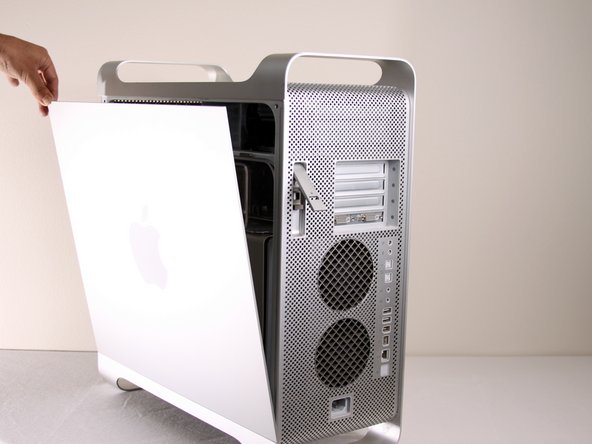
    1. Power Mac G5 Front Fan Assembly Replacement, Side Panel: crwdns2935265:01crwdnd2935265:01crwdnd2935265:01crwdne2935265:0
      • To avoid electrocution, shut down the computer. Do not open the computer or attempt to install any items inside it while the computer is on.

      • To avoid being burned, wait at least 10 minutes to allow the computer's internal components to cool.

      crwdns2952109:0crwdne2952109:0

      crwdns2917038:0crwdne2917038:0

    2. Power Mac G5 Front Fan Assembly Replacement: crwdns2935265:02crwdnd2935265:01crwdnd2935265:01crwdne2935265:0
      • Remove all the cables, including the power cables before opening the unit.

      crwdns2952109:0crwdne2952109:0

      crwdns2917038:0crwdne2917038:0

    3. Power Mac G5 Front Fan Assembly Replacement: crwdns2935265:03crwdnd2935265:01crwdnd2935265:02crwdne2935265:0 Power Mac G5 Front Fan Assembly Replacement: crwdns2935265:03crwdnd2935265:02crwdnd2935265:02crwdne2935265:0
      • Lift the tab to unlock the side panel.

      • The panel should fall out. If the panel does not fall out by itself pull a little from the edges.

      crwdns2952109:0crwdne2952109:0

      crwdns2917038:0crwdne2917038:0

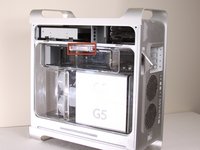
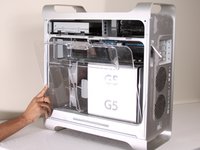
    4. Power Mac G5 Front Fan Assembly Replacement: crwdns2935265:04crwdnd2935265:01crwdnd2935265:03crwdne2935265:0 Power Mac G5 Front Fan Assembly Replacement: crwdns2935265:04crwdnd2935265:02crwdnd2935265:03crwdne2935265:0 Power Mac G5 Front Fan Assembly Replacement: crwdns2935265:04crwdnd2935265:03crwdnd2935265:03crwdne2935265:0
      • Remove the air deflector (the clear plastic cover) by pulling on the handle.

      crwdns2952109:0crwdne2952109:0

      crwdns2917038:0crwdne2917038:0

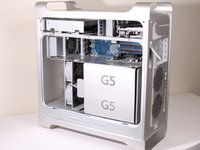
    1. Power Mac G5 Front Fan Assembly Replacement, Front Fan Assembly: crwdns2935265:05crwdnd2935265:01crwdnd2935265:01crwdne2935265:0
      • Locate the front fan assembly.

      crwdns2952109:0crwdne2952109:0

      crwdns2917038:0crwdne2917038:0

    2. Power Mac G5 Front Fan Assembly Replacement: crwdns2935265:06crwdnd2935265:01crwdnd2935265:01crwdne2935265:0
      • Pull the fan assembly out; it should slide out easily.

      crwdns2952109:0crwdne2952109:0

      crwdns2917038:0crwdne2917038:0

crwdns2915888:0crwdne2915888:0

To reassemble your device, follow these instructions in reverse order.

crwdns2935221:0crwdne2935221:0

crwdns2935229:027crwdne2935229:0

crwdns2862417:0crwdne2862417:0

crwdns2935293:0crwdne2935293:0

Adam

crwdns2935283:001/22/10crwdne2935283:0

873 crwdns2915208:0crwdne2915208:0

crwdns2935297:03crwdne2935297:0

crwdns2935287:0crwdne2935287:0

Cal Poly, Team 5-8, Forte Winter 2010 crwdns2935289:0Cal Poly, Team 5-8, Forte Winter 2010crwdne2935289:0

CPSU-FORTE-W10S5G8

crwdns2931471:07crwdne2931471:0

crwdns2935297:0132crwdne2935297:0

crwdns2947412:00crwdne2947412:0

crwdns2917038:0crwdne2917038:0

crwdns2936625:0crwdne2936625:0:

crwdns2936751:024crwdne2936751:0 2

crwdns2936753:07crwdne2936753:0 19

crwdns2936753:030crwdne2936753:0 102

crwdns2959996:0crwdne2959996:0 20,250