crwdns2933423:0crwdne2933423:0
crwdns2947577:0crwdnd2947577:0crwdne2947577:0

Playstation Classic Power Button Replacement

crwdns2869540:0crwdne2869540:0: 4,1 k

crwdns2959988:0crwdne2959988:0

crwdns2959990:0crwdne2959990:0
3
crwdns2959992:0crwdne2959992:0
24
crwdns2959994:0crwdne2959994:0
98
crwdns2959996:0crwdne2959996:0
4 144
crwdns2955950:0crwdne2955950:0: 4

crwdns2960004:04crwdne2960004:0.

crwdns2959984:0crwdne2959984:0: 1

crwdns2959972:01crwdne2959972:0

crwdns2959986:0crwdne2959986:0: 0

crwdns2959958:0crwdne2959958:0

crwdns2955944:0crwdne2955944:0: crwdns2931287:015crwdne2931287:0
crwdns2955970:0crwdne2955970:0: crwdns2937801:0crwdne2937801:0
Playstation Classic Power Button Replacement

crwdns2915892:0crwdne2915892:0

crwdns2959928:0crwdne2959928:0 ↓

Use this guide to replace the power button for the Sony PlayStation Classic (PS Classic).

The PS Classic is a recent remodel of the Sony PlayStation One (PS1) that was first launched in 1994. Both consoles are visually the same with differences in size dimensions, cord/power attachments, and functionality.

The PS Classic is 45% smaller than the PS1 and preloaded with 20 popular games titles such as Final Fantasy VII and Grand Theft Auto. There is no disk drive for this console, as the “Open” button serves as an internal change for titles that originally shipped on multiple disks. The only playable games are the ones preloaded on the console. Unlike the original PS1, the PS Classic is powered through a micro USB port and shipped with with two wired USB controllers and a HDMI cord.

The “Power” button functions to turn the console on and off. This guide will show you how to change and replace the power button as needed.

crwdns2959930:0crwdne2959930:0

crwdns2943215:0crwdne2943215:0

    1. Playstation Classic Power Button Replacement, Motherboard: crwdns2935265:01crwdnd2935265:01crwdnd2935265:01crwdne2935265:0
      • Flip the console so its back is facing up.

      crwdns2952109:0crwdne2952109:0

      crwdns2917038:0crwdne2917038:0

    2. Playstation Classic Power Button Replacement: crwdns2935265:02crwdnd2935265:01crwdnd2935265:01crwdne2935265:0
      • Remove the five 8mm screws using the Phillips #00 screwdriver.

      • Make sure to keep your screws together in a secure location to avoid misplacement.

      crwdns2952109:0crwdne2952109:0

      crwdns2917038:0crwdne2917038:0

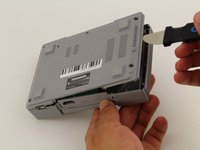
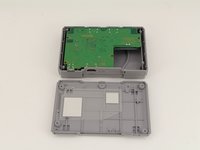
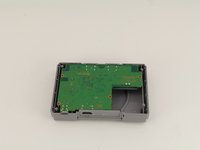
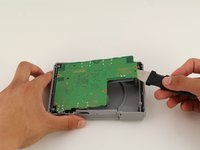
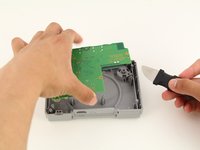
    3. Playstation Classic Power Button Replacement: crwdns2935265:03crwdnd2935265:01crwdnd2935265:03crwdne2935265:0 Playstation Classic Power Button Replacement: crwdns2935265:03crwdnd2935265:02crwdnd2935265:03crwdne2935265:0 Playstation Classic Power Button Replacement: crwdns2935265:03crwdnd2935265:03crwdnd2935265:03crwdne2935265:0
      • Remove the back plate from the rest of the console using your hands or the Jimmy tool.

      crwdns2952109:0crwdne2952109:0

      crwdns2917038:0crwdne2917038:0

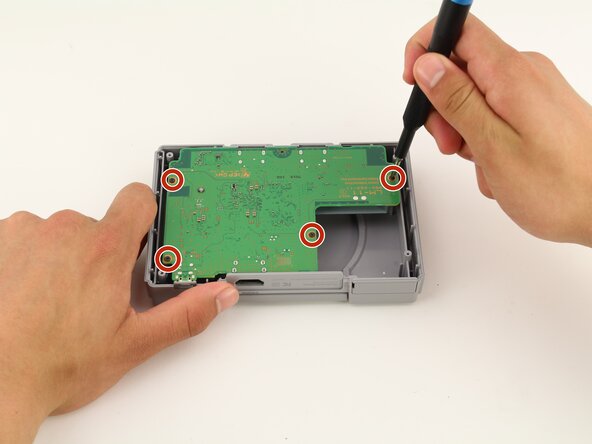
    4. Playstation Classic Power Button Replacement: crwdns2935265:04crwdnd2935265:01crwdnd2935265:01crwdne2935265:0
      • Unscrew the motherboard's four 6mm screws with the Phillips #00 screwdriver.

      • Be careful not to apply too much force. The motherboard is flimsy and easy to break.

      • Keep track of your screws once they are removed.

      crwdns2952109:0crwdne2952109:0

      crwdns2917038:0crwdne2917038:0

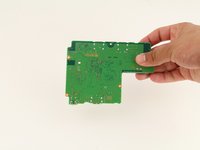
    5. Playstation Classic Power Button Replacement: crwdns2935265:05crwdnd2935265:01crwdnd2935265:03crwdne2935265:0 Playstation Classic Power Button Replacement: crwdns2935265:05crwdnd2935265:02crwdnd2935265:03crwdne2935265:0 Playstation Classic Power Button Replacement: crwdns2935265:05crwdnd2935265:03crwdnd2935265:03crwdne2935265:0
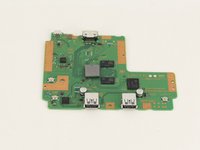
      • Carefully remove the motherboard from the the rest of the console using your hands or the Jimmy tool.

      crwdns2952109:0crwdne2952109:0

      crwdns2917038:0crwdne2917038:0

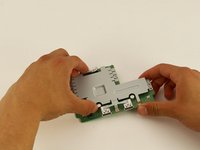
    6. Playstation Classic Power Button Replacement: crwdns2935265:06crwdnd2935265:01crwdnd2935265:03crwdne2935265:0 Playstation Classic Power Button Replacement: crwdns2935265:06crwdnd2935265:02crwdnd2935265:03crwdne2935265:0 Playstation Classic Power Button Replacement: crwdns2935265:06crwdnd2935265:03crwdnd2935265:03crwdne2935265:0
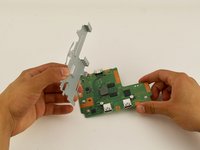
      • The motherboard is connected to its metal protective casing with sticky pads. No tools are required to remove it.

      • Pull the metal casing off the motherboard.

      • Remember to be gentle when handling the motherboard.

      crwdns2952109:0crwdne2952109:0

      crwdns2917038:0crwdne2917038:0

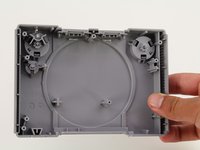
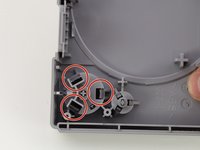
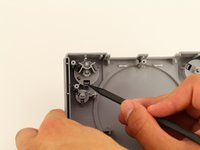
    1. Playstation Classic Power Button Replacement, Power Button: crwdns2935265:07crwdnd2935265:01crwdnd2935265:03crwdne2935265:0 Playstation Classic Power Button Replacement, Power Button: crwdns2935265:07crwdnd2935265:02crwdnd2935265:03crwdne2935265:0 Playstation Classic Power Button Replacement, Power Button: crwdns2935265:07crwdnd2935265:03crwdnd2935265:03crwdne2935265:0
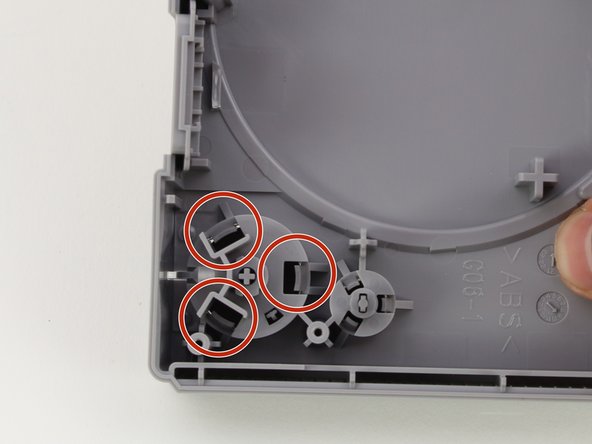
      • After removing the motherboard, position the casing so that the back of the power button is visible.

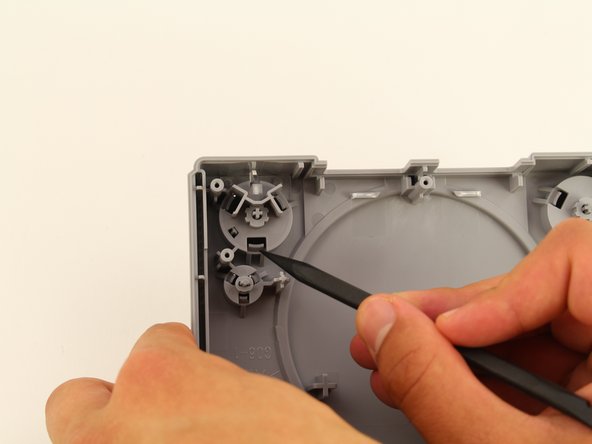
      • Use a spudger to apply pressure inward on the three plastic clips.

      • This will loosen the button enough to remove it from its position.

      crwdns2952109:0crwdne2952109:0

      crwdns2917038:0crwdne2917038:0

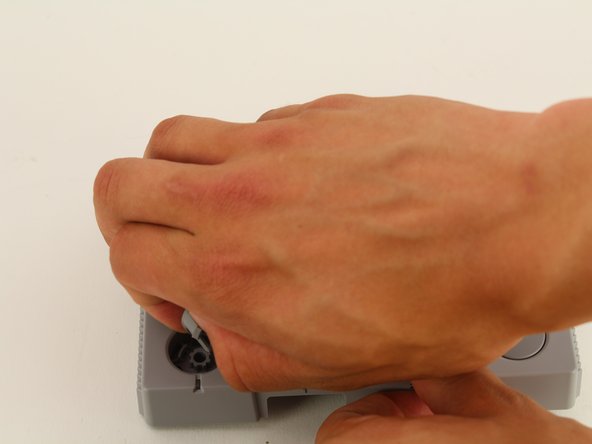
    2. Playstation Classic Power Button Replacement: crwdns2935265:08crwdnd2935265:01crwdnd2935265:03crwdne2935265:0 Playstation Classic Power Button Replacement: crwdns2935265:08crwdnd2935265:02crwdnd2935265:03crwdne2935265:0 Playstation Classic Power Button Replacement: crwdns2935265:08crwdnd2935265:03crwdnd2935265:03crwdne2935265:0
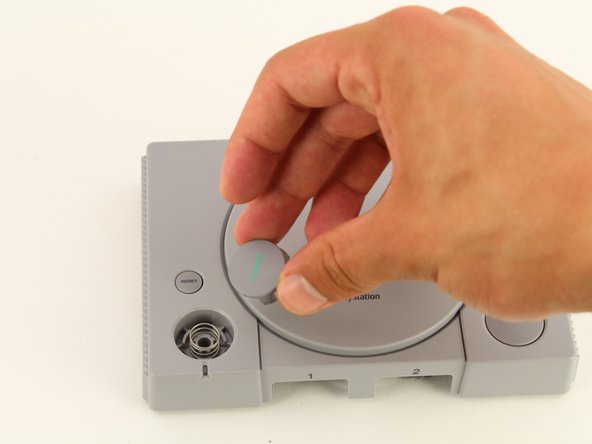
      • Flip the casing to its front and remove the loose button with your hand.

      • Leave the spring in its original position.

      crwdns2952109:0crwdne2952109:0

      crwdns2917038:0crwdne2917038:0

crwdns2915888:0crwdne2915888:0

To reassemble your device, follow these instructions in reverse order.

crwdns2935221:0crwdne2935221:0

crwdns2935227:0crwdne2935227:0

Maxwell Webb

crwdns2935283:004/22/19crwdne2935283:0

709 crwdns2915208:0crwdne2915208:0

crwdns2935297:05crwdne2935297:0

crwdns2935287:0crwdne2935287:0

Cal Poly, Team S2-G8, Maness Spring 2019 crwdns2935289:0Cal Poly, Team S2-G8, Maness Spring 2019crwdne2935289:0

CPSU-MANESS-S19S2G8

crwdns2931471:02crwdne2931471:0

crwdns2935297:060crwdne2935297:0

crwdns2947412:00crwdne2947412:0

crwdns2917038:0crwdne2917038:0

crwdns2936625:0crwdne2936625:0:

crwdns2936751:024crwdne2936751:0 3

crwdns2936753:07crwdne2936753:0 24

crwdns2936753:030crwdne2936753:0 98

crwdns2959996:0crwdne2959996:0 4,144