crwdns2933423:0crwdne2933423:0
crwdns2947577:0crwdnd2947577:0crwdne2947577:0

PlayStation Move USB Port Replacement

crwdns2942213:0crwdne2942213:0

    1. PlayStation Move USB Port Replacement, Case: crwdns2935265:01crwdnd2935265:01crwdnd2935265:02crwdne2935265:0 PlayStation Move USB Port Replacement, Case: crwdns2935265:01crwdnd2935265:02crwdnd2935265:02crwdne2935265:0
      • Turn the controller over and unscrew the four 10mm screws with a PH #00 screwdriver.

      crwdns2952109:0crwdne2952109:0

      crwdns2917038:0crwdne2917038:0

    2. PlayStation Move USB Port Replacement: crwdns2935265:02crwdnd2935265:01crwdnd2935265:03crwdne2935265:0 PlayStation Move USB Port Replacement: crwdns2935265:02crwdnd2935265:02crwdnd2935265:03crwdne2935265:0 PlayStation Move USB Port Replacement: crwdns2935265:02crwdnd2935265:03crwdnd2935265:03crwdne2935265:0
      • Pinch the sides of the back panel to remove it and set it aside.

      crwdns2952109:0crwdne2952109:0

      crwdns2917038:0crwdne2917038:0

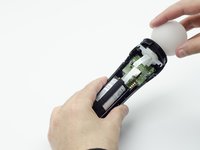
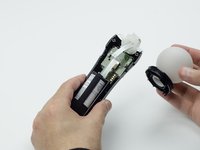
    3. PlayStation Move USB Port Replacement: crwdns2935265:03crwdnd2935265:01crwdnd2935265:02crwdne2935265:0 PlayStation Move USB Port Replacement: crwdns2935265:03crwdnd2935265:02crwdnd2935265:02crwdne2935265:0
      • Hold the base of the controller with one hand and with the other carefully pull up on the white spherical piece to remove it.

      crwdns2952109:0crwdne2952109:0

      crwdns2917038:0crwdne2917038:0

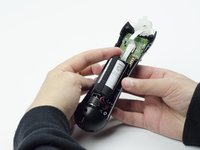
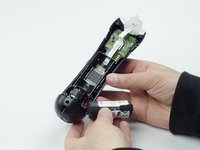
    4. PlayStation Move USB Port Replacement: crwdns2935265:04crwdnd2935265:01crwdnd2935265:02crwdne2935265:0 PlayStation Move USB Port Replacement: crwdns2935265:04crwdnd2935265:02crwdnd2935265:02crwdne2935265:0
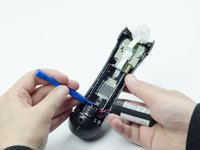
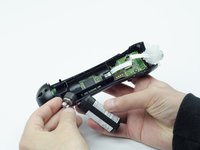
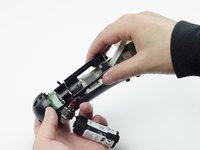
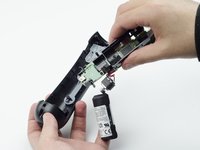
      • Push the Lithium Ion battery from its slot to remove it.

      • Be mindful not to damage the wires or wired components, as the battery will still be attached via its connector.

      crwdns2952109:0crwdne2952109:0

      crwdns2917038:0crwdne2917038:0

    5. PlayStation Move USB Port Replacement: crwdns2935265:05crwdnd2935265:01crwdnd2935265:01crwdne2935265:0
      • Unscrew the 9mm screw in the battery slot with a PH #00 screwdriver.

      crwdns2952109:0crwdne2952109:0

      crwdns2917038:0crwdne2917038:0

    6. PlayStation Move USB Port Replacement: crwdns2935265:06crwdnd2935265:01crwdnd2935265:02crwdne2935265:0 PlayStation Move USB Port Replacement: crwdns2935265:06crwdnd2935265:02crwdnd2935265:02crwdne2935265:0
      • Using a plastic opening tool, carefully pry the rumble motor free.

      crwdns2952109:0crwdne2952109:0

      crwdns2917038:0crwdne2917038:0

    7. PlayStation Move USB Port Replacement: crwdns2935265:07crwdnd2935265:01crwdnd2935265:01crwdne2935265:0
      • Unscrew the 9mm screw behind the rumble motor slot with a PH #00 screwdriver.

      crwdns2952109:0crwdne2952109:0

      crwdns2917038:0crwdne2917038:0

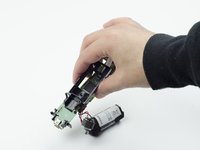
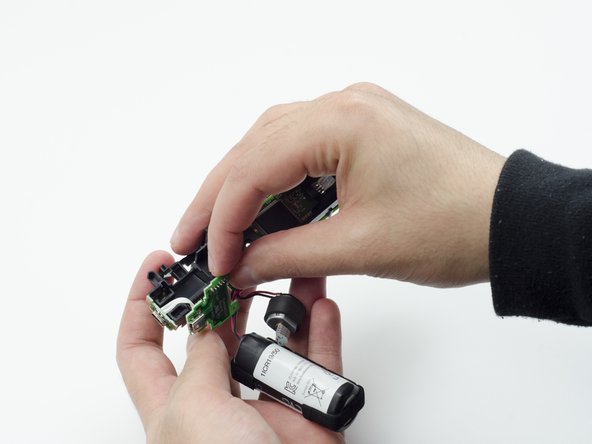
    8. PlayStation Move USB Port Replacement: crwdns2935265:08crwdnd2935265:01crwdnd2935265:03crwdne2935265:0 PlayStation Move USB Port Replacement: crwdns2935265:08crwdnd2935265:02crwdnd2935265:03crwdne2935265:0 PlayStation Move USB Port Replacement: crwdns2935265:08crwdnd2935265:03crwdnd2935265:03crwdne2935265:0
      • Carefully pinch the plastic sides of the battery slot and lift it (along with the circuit board) from the plastic shell of the move controller.

      crwdns2952109:0crwdne2952109:0

      crwdns2917038:0crwdne2917038:0

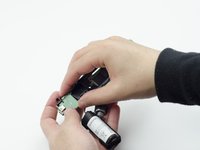
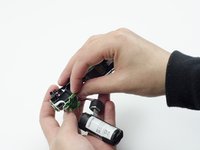
    9. PlayStation Move USB Port Replacement: crwdns2935265:09crwdnd2935265:01crwdnd2935265:02crwdne2935265:0 PlayStation Move USB Port Replacement: crwdns2935265:09crwdnd2935265:02crwdnd2935265:02crwdne2935265:0
      • Using your fingers, carefully pry the square green piece beneath the battery slot free.

      • It is attached via white ribbons which need to be kept intact.

      crwdns2952109:0crwdne2952109:0

      crwdns2917038:0crwdne2917038:0

    10. PlayStation Move USB Port Replacement: crwdns2935265:010crwdnd2935265:01crwdnd2935265:03crwdne2935265:0 PlayStation Move USB Port Replacement: crwdns2935265:010crwdnd2935265:02crwdnd2935265:03crwdne2935265:0 PlayStation Move USB Port Replacement: crwdns2935265:010crwdnd2935265:03crwdnd2935265:03crwdne2935265:0
      • Follow the white ribbon attached to the part you just removed to a smaller, more rectangular piece.

      • Lift the rectangular piece from its slot to free it.

      crwdns2952109:0crwdne2952109:0

      crwdns2917038:0crwdne2917038:0

    11. PlayStation Move USB Port Replacement: crwdns2935265:011crwdnd2935265:01crwdnd2935265:03crwdne2935265:0 PlayStation Move USB Port Replacement: crwdns2935265:011crwdnd2935265:02crwdnd2935265:03crwdne2935265:0 PlayStation Move USB Port Replacement: crwdns2935265:011crwdnd2935265:03crwdnd2935265:03crwdne2935265:0
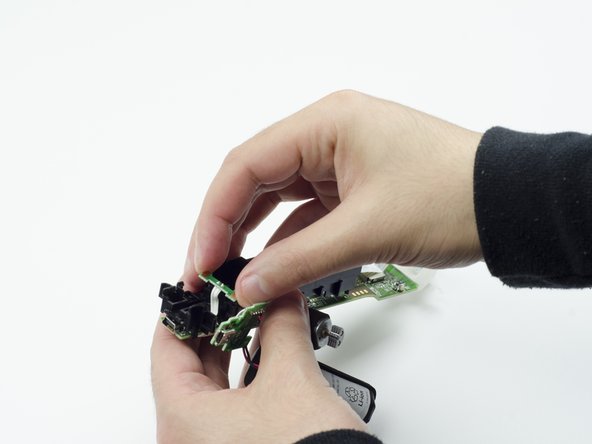
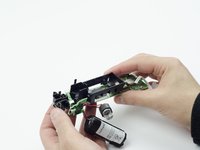
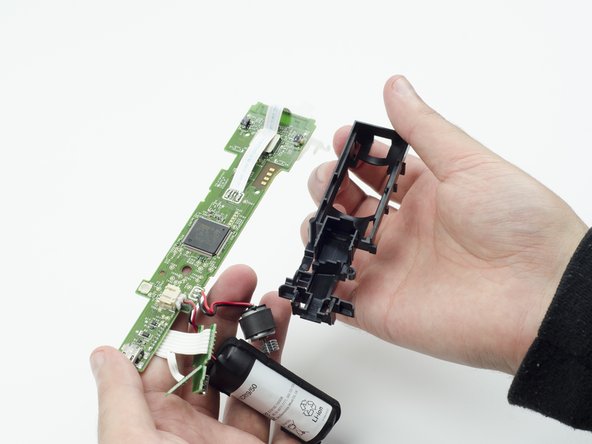
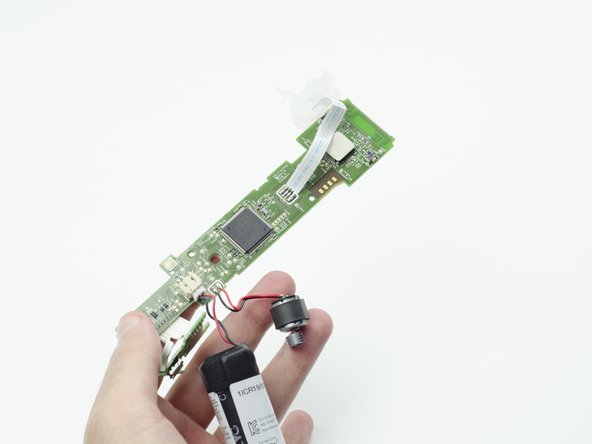
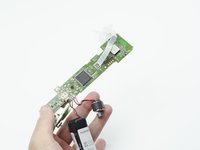
      • Carefully lift the entire circuit board from the black plastic encasing it.

      • Take extra care not to damage any of the wired components.

      crwdns2952109:0crwdne2952109:0

      crwdns2917038:0crwdne2917038:0

    1. PlayStation Move USB Port Replacement, USB Port: crwdns2935265:012crwdnd2935265:01crwdnd2935265:01crwdne2935265:0
      • At the end of the circuit board, you should see a small silver connector port (this is the USB).

      • Using a soldering iron, carefully desolder the port from the board. For help with desoldering, please reference this guide: How To Solder and Desolder Connections

      • In order to reinstall the new USB port, you must solder the new one to the board.

      crwdns2952109:0crwdne2952109:0

      crwdns2917038:0crwdne2917038:0

crwdns2915888:0crwdne2915888:0

To reassemble your device, follow these instructions in reverse order.

crwdns2935221:0crwdne2935221:0

crwdns2935229:02crwdne2935229:0

Sarah Shand

crwdns2935283:002/20/17crwdne2935283:0

1,996 crwdns2915208:0crwdne2915208:0

crwdns2935297:07crwdne2935297:0

crwdns2935287:0crwdne2935287:0

USF Tampa, Team S3-G1, Sullivan Spring 2017 crwdns2935289:0USF Tampa, Team S3-G1, Sullivan Spring 2017crwdne2935289:0

USFT-SULLIVAN-S17S3G1

crwdns2931471:03crwdne2931471:0

crwdns2935297:084crwdne2935297:0

crwdns2947412:00crwdne2947412:0

crwdns2917038:0crwdne2917038:0

crwdns2936625:0crwdne2936625:0:

crwdns2936751:024crwdne2936751:0 5

crwdns2936753:07crwdne2936753:0 38

crwdns2936753:030crwdne2936753:0 71

crwdns2942667:0crwdne2942667:0 3,625