crwdns2933423:0crwdne2933423:0
crwdns2947577:0crwdnd2947577:0crwdne2947577:0

PlayStation Move Rumble Motor Replacement

crwdns2942213:0crwdne2942213:0

  1. PlayStation Move Rumble Motor Replacement, Case: crwdns2935265:01crwdnd2935265:01crwdnd2935265:02crwdne2935265:0 PlayStation Move Rumble Motor Replacement, Case: crwdns2935265:01crwdnd2935265:02crwdnd2935265:02crwdne2935265:0
    • Turn the controller over and unscrew the four 10mm screws with a PH #00 screwdriver.

    crwdns2952109:0crwdne2952109:0
  2. PlayStation Move Rumble Motor Replacement: crwdns2935265:02crwdnd2935265:01crwdnd2935265:03crwdne2935265:0 PlayStation Move Rumble Motor Replacement: crwdns2935265:02crwdnd2935265:02crwdnd2935265:03crwdne2935265:0 PlayStation Move Rumble Motor Replacement: crwdns2935265:02crwdnd2935265:03crwdnd2935265:03crwdne2935265:0
    • Pinch the sides of the back panel to remove it and set it aside.

    crwdns2952109:0crwdne2952109:0
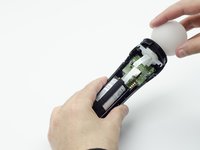
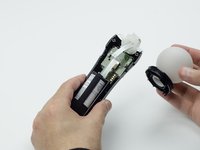
  3. PlayStation Move Rumble Motor Replacement: crwdns2935265:03crwdnd2935265:01crwdnd2935265:02crwdne2935265:0 PlayStation Move Rumble Motor Replacement: crwdns2935265:03crwdnd2935265:02crwdnd2935265:02crwdne2935265:0
    • Hold the base of the controller with one hand and with the other carefully pull up on the white spherical piece to remove it.

    crwdns2952109:0crwdne2952109:0
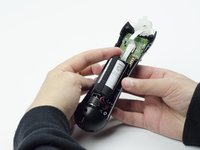
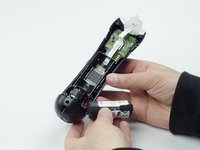
  4. PlayStation Move Rumble Motor Replacement: crwdns2935265:04crwdnd2935265:01crwdnd2935265:02crwdne2935265:0 PlayStation Move Rumble Motor Replacement: crwdns2935265:04crwdnd2935265:02crwdnd2935265:02crwdne2935265:0
    • Push the Lithium Ion battery from its slot to remove it.

    • Be mindful not to damage the wires or wired components, as the battery will still be attached via its connector.

    crwdns2952109:0crwdne2952109:0
  5. PlayStation Move Rumble Motor Replacement: crwdns2935265:05crwdnd2935265:01crwdnd2935265:01crwdne2935265:0
    • Unscrew the 9mm screw in the battery slot with a PH #00 screwdriver.

    crwdns2952109:0crwdne2952109:0
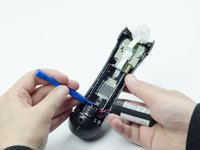
  6. PlayStation Move Rumble Motor Replacement: crwdns2935265:06crwdnd2935265:01crwdnd2935265:02crwdne2935265:0 PlayStation Move Rumble Motor Replacement: crwdns2935265:06crwdnd2935265:02crwdnd2935265:02crwdne2935265:0
    • Using a plastic opening tool, carefully pry the rumble motor free.

    crwdns2952109:0crwdne2952109:0
  7. PlayStation Move Rumble Motor Replacement: crwdns2935265:07crwdnd2935265:01crwdnd2935265:01crwdne2935265:0
    • Unscrew the 9mm screw behind the rumble motor slot with a PH #00 screwdriver.

    crwdns2952109:0crwdne2952109:0
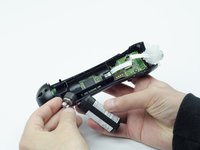
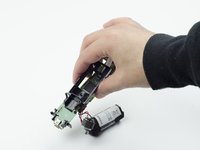
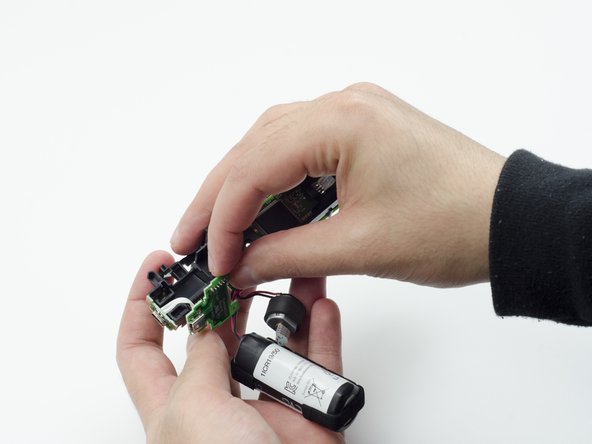
  8. PlayStation Move Rumble Motor Replacement: crwdns2935265:08crwdnd2935265:01crwdnd2935265:03crwdne2935265:0 PlayStation Move Rumble Motor Replacement: crwdns2935265:08crwdnd2935265:02crwdnd2935265:03crwdne2935265:0 PlayStation Move Rumble Motor Replacement: crwdns2935265:08crwdnd2935265:03crwdnd2935265:03crwdne2935265:0
    • Carefully pinch the plastic sides of the battery slot and lift it (along with the circuit board) from the plastic shell of the move controller.

    crwdns2952109:0crwdne2952109:0
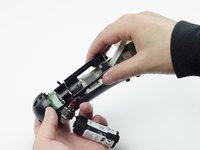
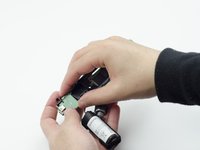
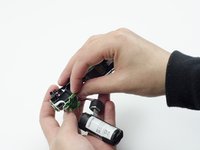
  9. PlayStation Move Rumble Motor Replacement: crwdns2935265:09crwdnd2935265:01crwdnd2935265:02crwdne2935265:0 PlayStation Move Rumble Motor Replacement: crwdns2935265:09crwdnd2935265:02crwdnd2935265:02crwdne2935265:0
    • Using your fingers, carefully pry the square green piece beneath the battery slot free.

    • It is attached via white ribbons which need to be kept intact.

    crwdns2952109:0crwdne2952109:0
  10. PlayStation Move Rumble Motor Replacement: crwdns2935265:010crwdnd2935265:01crwdnd2935265:03crwdne2935265:0 PlayStation Move Rumble Motor Replacement: crwdns2935265:010crwdnd2935265:02crwdnd2935265:03crwdne2935265:0 PlayStation Move Rumble Motor Replacement: crwdns2935265:010crwdnd2935265:03crwdnd2935265:03crwdne2935265:0
    • Follow the white ribbon attached to the part you just removed to a smaller, more rectangular piece.

    • Lift the rectangular piece from its slot to free it.

    crwdns2952109:0crwdne2952109:0
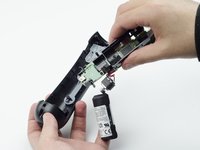
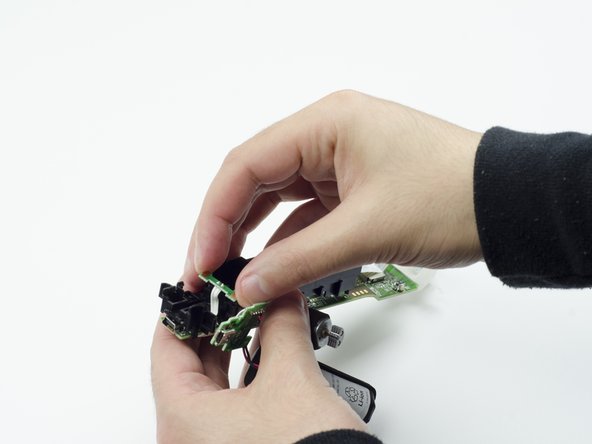
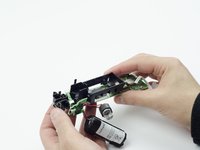
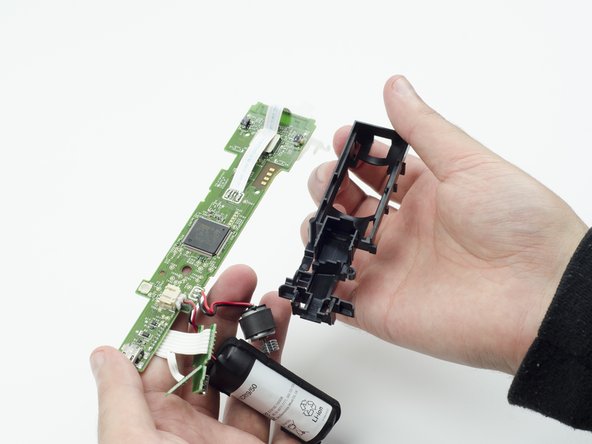
  11. PlayStation Move Rumble Motor Replacement: crwdns2935265:011crwdnd2935265:01crwdnd2935265:03crwdne2935265:0 PlayStation Move Rumble Motor Replacement: crwdns2935265:011crwdnd2935265:02crwdnd2935265:03crwdne2935265:0 PlayStation Move Rumble Motor Replacement: crwdns2935265:011crwdnd2935265:03crwdnd2935265:03crwdne2935265:0
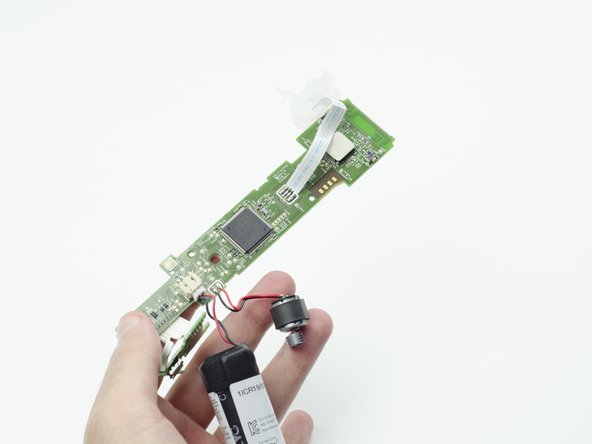
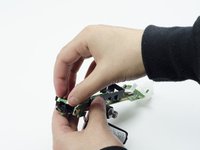
    • Carefully lift the entire circuit board from the black plastic encasing it.

    • Take extra care not to damage any of the wired components.

    crwdns2952109:0crwdne2952109:0
  12. PlayStation Move Rumble Motor Replacement, Rumble Motor: crwdns2935265:012crwdnd2935265:01crwdnd2935265:01crwdne2935265:0
    • Using a soldering iron, carefully desolder the wires from the board. For help with desoldering, please check out this guide: How To Solder and Desolder Connections

    • In order to install the new rumble motor, you must solder the wires of the new motor to the circuit board.

    crwdns2952109:0crwdne2952109:0
crwdns2915888:0crwdne2915888:0

To reassemble your device, follow these instructions in reverse order.

Sarah Shand

crwdns2935283:002/20/17crwdne2935283:0

1 996 crwdns2915208:0crwdne2915208:0

crwdns2935297:07crwdne2935297:0

crwdns2935287:0crwdne2935287:0

USF Tampa, Team S3-G1, Sullivan Spring 2017 crwdns2935289:0USF Tampa, Team S3-G1, Sullivan Spring 2017crwdne2935289:0

USFT-SULLIVAN-S17S3G1

crwdns2931471:03crwdne2931471:0

crwdns2935297:014crwdne2935297:0

crwdns2947410:01crwdne2947410:0

Step 7, there are 2 screws at the top near the white spherical piece holding the PCB on place that also need to be removed before you can lift it out

Steve Massart - crwdns2934203:0crwdne2934203:0 crwdns2950251:0crwdne2950251:0
crwdns2917038:0crwdne2917038:0

crwdns2936625:0crwdne2936625:0:

crwdns2936751:024crwdne2936751:0 3

crwdns2936753:07crwdne2936753:0 10

crwdns2936753:030crwdne2936753:0 65

crwdns2942667:0crwdne2942667:0 2,088