
PlayStation Classic Controller Cord Replacement

crwdns2959932:0crwdnd2959932:0Maxwell Webbcrwdnd2959932:0crwdnd2959932:0crwdnd2959932:04crwdnd2959932:0crwdne2959932:0
crwdns2959936:0Dzi 1, 2026crwdne2959936:0
crwdns2869540:0crwdne2869540:0: 8.6K
crwdns2959988:0crwdne2959988:0
- crwdns2959990:0crwdne2959990:0
- 5
- crwdns2959992:0crwdne2959992:0
- 32
- crwdns2959994:0crwdne2959994:0
- 104
- crwdns2959996:0crwdne2959996:0
- 8,569
crwdns2955950:0crwdne2955950:0: 2
crwdns2960008:02crwdne2960008:0
crwdns2960000:0crwdne2960000:0crwdns2959984:0crwdne2959984:0: 3 4
crwdns2959974:03crwdne2959974:0
crwdns2959970:04crwdne2959970:0
crwdns2959986:0crwdne2959986:0: 0 1
crwdns2959958:0crwdne2959958:0
crwdns2959976:01crwdne2959976:0
crwdns2915892:0crwdne2915892:0
crwdns2959928:0crwdne2959928:0 ↓This guide will demonstrate how to replace the controller cord for a PlayStation Classic Controller. You should only need a Phillips #0 Screwdriver and optionally the Jimmy tool.
crwdns2959930:0crwdne2959930:0
crwdns2943213:0crwdne2943213:0
crwdns2943215:0crwdne2943215:0


-
-
-
Turn the controller over so that the screws are facing up.
 crwdns2952109:0crwdne2952109:0
-
-
-
Use a small Phillips #0 screwdriver to remove the eight Xmm screws.
-
-
-
-
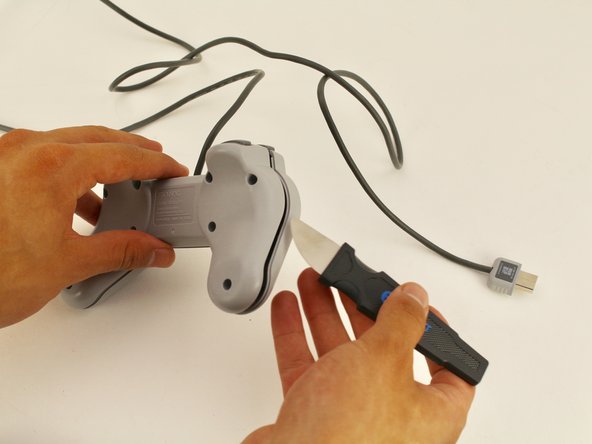
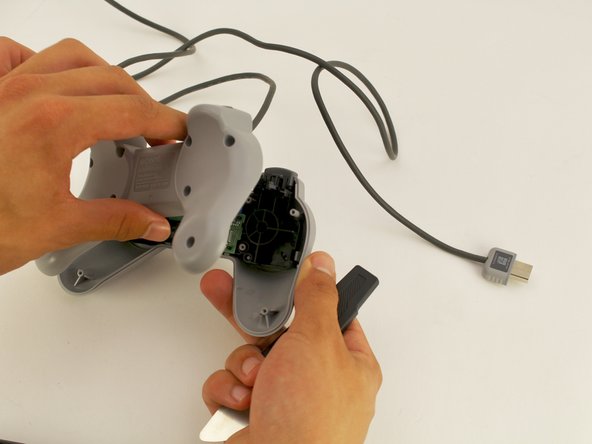
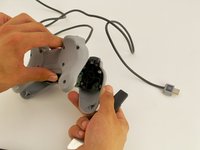
Use the Jimmy tool to take the back part off and get into the controller.
-
-
-
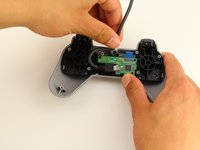
You will notice that the controller cord is plugged into a Micro USB port on the controller motherboard.
-
-
-
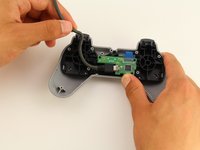
To unplug the cord from the controller motherboard, carefully take the cord out from between the small pegs that it is nestled into.
-
-





To reassemble your device, follow these instructions in reverse order.
crwdns2935221:0crwdne2935221:0
crwdns2935229:03crwdne2935229:0

crwdns2935287:0crwdne2935287:0

Cal Poly, Team S2-G8, Maness Spring 2019 crwdns2935289:0Cal Poly, Team S2-G8, Maness Spring 2019crwdne2935289:0
CPSU-MANESS-S19S2G8
crwdns2931471:02crwdne2931471:0
crwdns2935297:060crwdne2935297:0
crwdns2947412:02crwdne2947412:0
Will this fix the controller being unresponsive?
Jamal Saeed - crwdns2934203:0crwdne2934203:0 crwdns2950251:0crwdne2950251:0
maybe but It depends
Nicebug444 - crwdns2934203:0crwdne2934203:0 crwdns2950251:0crwdne2950251:0
