crwdns2915892:0crwdne2915892:0
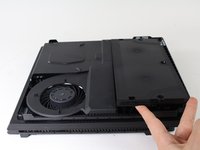
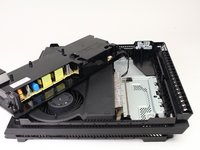
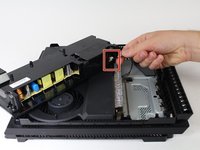
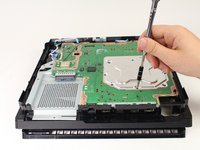
This guide will show the steps necessary to remove the fan from the PlayStation 4 Pro. There are many steps necessary to complete this, as well as some warranty-voiding disassembly required. A majority of the PS4 Pro needs to be disassembled to remove the fan.
crwdns2942213:0crwdne2942213:0
-
-
-
Flip the console upside down.
-
Use your finger to pull and snap off the plastic cover over the hard drive.
 crwdns2952109:0crwdne2952109:0
-
-
-
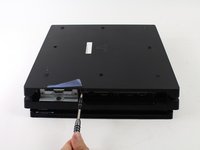
Use a Phillips #1 Screwdriver to remove the single screw securing the hard drive caddy.
-
Pull the hard drive caddy straight out.
-
-
-
-
-
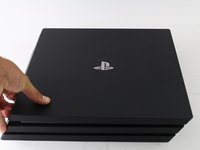
Flip the console right side up.
-
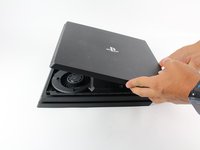
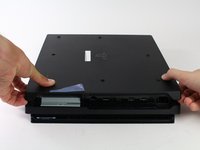
Grip the two corners located at the front of the device.
-
Pull upwards until a loud click is heard.
-
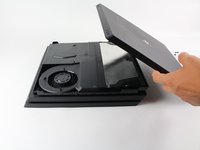
After both corners detach, slide the cover backwards and lift off.
-
-
-
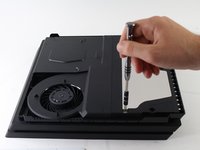
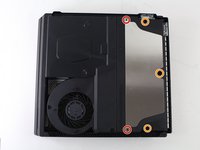
Use a T8 Torx Security screwdriver to remove five screws from the rear of the device.
-
Two 31mm screws.
-
Three 10mm screws for the 7000 models; Two gray 10mm screws (upper and lower screws on the illustration) if the PS4 Pro is a 7100-series model.
-
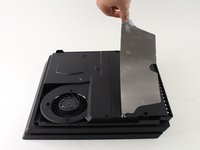
Remove the metal plate by pulling it up.
-
-
-
Flip the console over so the bottom is facing up.
-
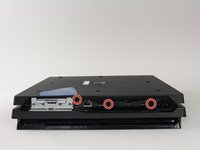
Use a T8 Torx Security screwdriver to remove the three black 7mm screws in the back panel. (7000-series models only); or one 7mm screw (the middle one) with 7100-series models and the warranty sticker to the left.
-
Remove the bottom cover in the same way as the top cover. Grip the cover on both sides and pull up until it clicks. Then slide the cover off; With 7100-series models, pay attention to the two clips that replace the corresponding screws.
-
-
-
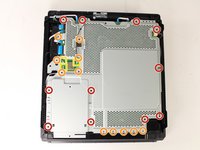
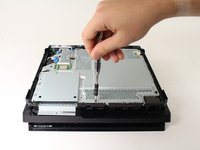
Use a T8 Torx security screwdriver to remove the eleven 10mm silver screws from the metal plate.
-
Use a Phillips #1 screwdriver to remove the eleven 4mm black screws from the metal plate.
-
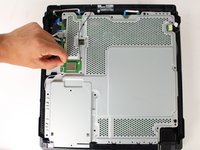
Use a spudger to disconnect the three antenna cables (two black and one white) by prying them straight up from their sockets.
-
-
-
-
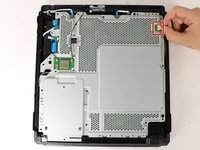
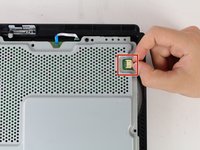
Pull the white fan connector straight out of the yellow mount on the motherboard.
-
-
-
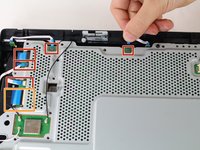
Pull out the five small, blue low profile cables connected to the metal plate.
-
Lift the retaining flap on the ZIF connector of the large ribbon cable.
-
Pull the large ribbon cable from its socket.
-
-
-
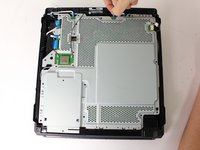
Pull up and remove the metal plate.
-
-
-
Flip the console over to continue working on the top side.
-
Pull up on the power supply unit and set it on the console.
-
Grip the connector behind the power supply and pull straight out.
-
-
-
-
-
Carefully flip the console over so the bottom is facing up.
-
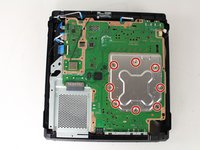
Use a Phillips #1 screwdriver to remove the eight 4mm screws on the metal plate with the X-like symbol.
-
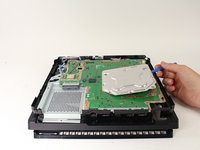
Use a plastic opening tool to remove the metal plate with the X-like shape.
-
-
-
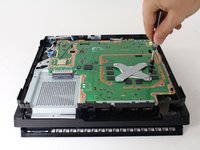
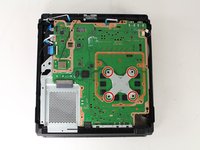
Use a Phillips #1 screwdriver to remove the four 13mm screws on the X-shaped metal plate underneath.
-
Grip the X-shaped retaining bracket and lift straight up.
-
-
-
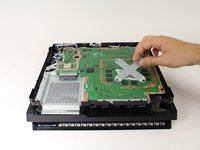
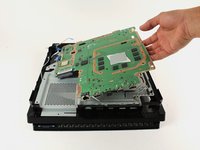
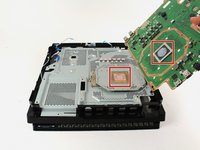
Grip the edge of the motherboard and slowly lift upwards to remove it from the device.
-
-
-
-
-
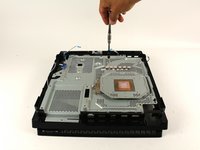
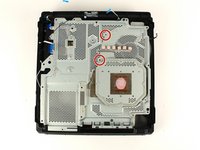
Use a Phillips #1 screwdriver to remove the two 6 mm silver screws from the metal plate.
-
-
-
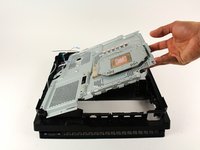
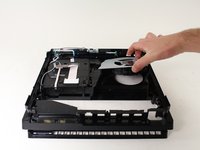
Lift the metal plate that is connected to the heat pipe straight up to remove it.
-
-
-
-
-
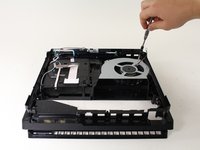
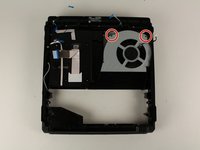
Use a Phillips #0 screwdriver to remove the two 6mm screws on the fan.
-
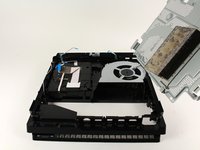
Grab the fan and lift up to remove it.
-
-


























To reassemble your device, follow these instructions in reverse order.
crwdns2935221:0crwdne2935221:0
crwdns2935229:0130crwdne2935229:0

crwdns2935287:0crwdne2935287:0

Cal Poly, Team S21-G5, Livingston Spring 2017 crwdns2935289:0Cal Poly, Team S21-G5, Livingston Spring 2017crwdne2935289:0
CPSU-LIVINGSTON-S17S21G5
crwdns2931471:04crwdne2931471:0
crwdns2935297:084crwdne2935297:0
crwdns2947412:015crwdne2947412:0
Danke für die Anleitung. hat alles super geklappt. Bloß beim letzten Schritt ist die Schraube vom Lüfter nicht oben links sondern unten rechts. Mfg
Camorrista31 - crwdns2934203:0crwdne2934203:0 crwdns2950251:0crwdne2950251:0
Thanks for the guide. Very comprehensive.
Paul Swinglehurst - crwdns2934203:0crwdne2934203:0 crwdns2950251:0crwdne2950251:0
I’m clueless with electronics but my PS4 was on its death throes with overheating. I read this guide and watched the video (coffee break included) and got to work. The only trouble I had was that my husband (he’s a good guy normally) decided to help and used too big pliers and broke the connector between the power supply and PS4. Ok, so 5 days wait for replacement. I replaced the fan, thermal paste, and pads and put it back together (shaking like a leaf in a hurricane). It’s quiet and works thanks to ifixit.com. Thank you so much!
K. Birks - crwdns2934203:0crwdne2934203:0 crwdns2950251:0crwdne2950251:0
This was super helpful! For the power supply, I was trying to pull at the socket the cable was plugged into (same color plastic). I think it would have worked better just wiggling the cable.
Also, T8 worked fine, but putting it back together, I noticed T9 was better fit, so if you have a T9, use that instead. After cleaning and repasting, it’s so much quieter. Thanks!
Phil - crwdns2934203:0crwdne2934203:0 crwdns2950251:0crwdne2950251:0
Great guide. I did have a little difficulty getting the power supply connector removed, but I tried to be patient and eventually got it. Thanks!
JTG - crwdns2934203:0crwdne2934203:0 crwdns2950251:0crwdne2950251:0
