crwdns2933423:0crwdne2933423:0
crwdns2947577:0crwdnd2947577:0crwdne2947577:0

Plantronics CS50 Headset Speaker Replacement

crwdns2942213:0crwdne2942213:0

    1. Plantronics CS50 Headset Speaker Replacement, Battery: crwdns2935265:01crwdnd2935265:01crwdnd2935265:03crwdne2935265:0 Plantronics CS50 Headset Speaker Replacement, Battery: crwdns2935265:01crwdnd2935265:02crwdnd2935265:03crwdne2935265:0 Plantronics CS50 Headset Speaker Replacement, Battery: crwdns2935265:01crwdnd2935265:03crwdnd2935265:03crwdne2935265:0
      • Flip the headset face down.

      • Squeeze both sides of the battery cover.

      • While squeezing, pull the cover up slowly to remove it.

      crwdns2952109:0crwdne2952109:0

      crwdns2917038:0crwdne2917038:0

    2. Plantronics CS50 Headset Speaker Replacement: crwdns2935265:02crwdnd2935265:01crwdnd2935265:03crwdne2935265:0 Plantronics CS50 Headset Speaker Replacement: crwdns2935265:02crwdnd2935265:02crwdnd2935265:03crwdne2935265:0 Plantronics CS50 Headset Speaker Replacement: crwdns2935265:02crwdnd2935265:03crwdnd2935265:03crwdne2935265:0
      • Locate and detatch the white connector that connects the wires of the battery to the wires of the headset.

      crwdns2952109:0crwdne2952109:0

      crwdns2917038:0crwdne2917038:0

    1. Plantronics CS50 Headset Speaker Replacement, Microphone: crwdns2935265:03crwdnd2935265:01crwdnd2935265:02crwdne2935265:0 Plantronics CS50 Headset Speaker Replacement, Microphone: crwdns2935265:03crwdnd2935265:02crwdnd2935265:02crwdne2935265:0
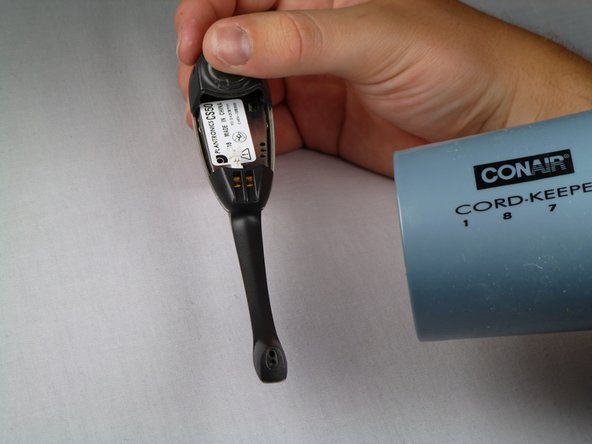
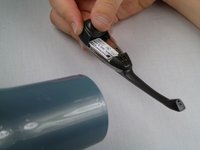
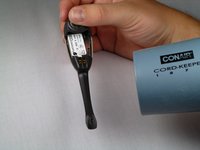
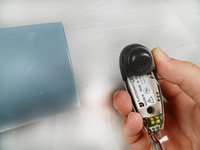
      • Use a hairdryer or heat gun to melt the adhesive along the crevice that joins the black and silver components.

      • Apply additional heat at the tip of the microphone.

      crwdns2952109:0crwdne2952109:0

      crwdns2917038:0crwdne2917038:0

    2. Plantronics CS50 Headset Speaker Replacement: crwdns2935265:04crwdnd2935265:01crwdnd2935265:02crwdne2935265:0 Plantronics CS50 Headset Speaker Replacement: crwdns2935265:04crwdnd2935265:02crwdnd2935265:02crwdne2935265:0
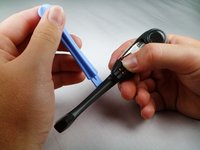
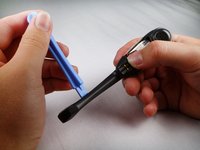
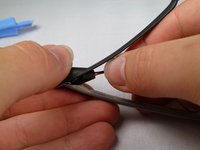
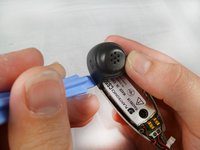
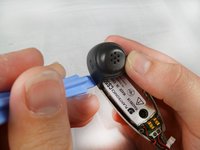
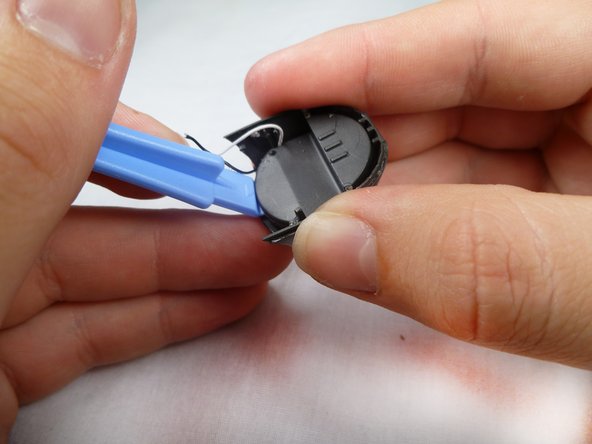
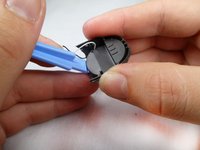
      • After heating the headset, use the plastic opening tool to carefully pry the black cover from the headset.

      • Be aware of the two plastic connectors inside the headset. If the black cover does not come off smoothly, apply additional heat on the connectors.

      crwdns2952109:0crwdne2952109:0

      crwdns2917038:0crwdne2917038:0

    3. Plantronics CS50 Headset Speaker Replacement: crwdns2935265:05crwdnd2935265:01crwdnd2935265:02crwdne2935265:0 Plantronics CS50 Headset Speaker Replacement: crwdns2935265:05crwdnd2935265:02crwdnd2935265:02crwdne2935265:0
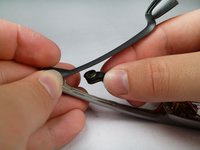
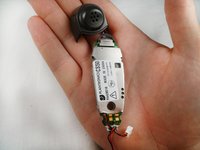
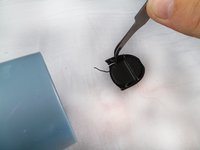
      • Remove the microphone from the tip of the plastic.

      • You will have to lift the microphone straight up because it is held in place by a small piece of plastic.

      crwdns2952109:0crwdne2952109:0

      crwdns2917038:0crwdne2917038:0

    4. Plantronics CS50 Headset Speaker Replacement: crwdns2935265:06crwdnd2935265:01crwdnd2935265:02crwdne2935265:0 Plantronics CS50 Headset Speaker Replacement: crwdns2935265:06crwdnd2935265:02crwdnd2935265:02crwdne2935265:0
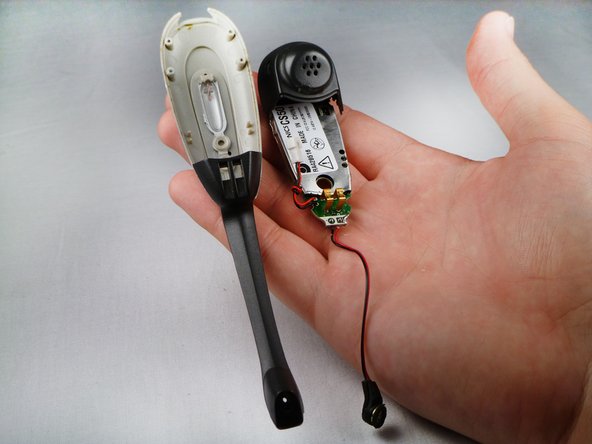
      • Use the heat gun to melt the adhesive connecting the headset face to the speaker casing.

      • Use the plastic opening tool to separate the speaker casing from the headset face.

      • Add extra heat to the sides to melt the adhesive between the plastic connectors.

      crwdns2952109:0crwdne2952109:0

      crwdns2917038:0crwdne2917038:0

    5. Plantronics CS50 Headset Speaker Replacement: crwdns2935265:07crwdnd2935265:01crwdnd2935265:02crwdne2935265:0 Plantronics CS50 Headset Speaker Replacement: crwdns2935265:07crwdnd2935265:02crwdnd2935265:02crwdne2935265:0
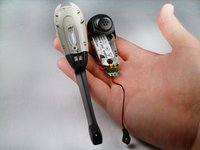
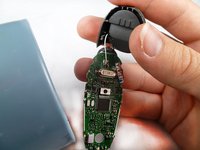
      • Slowly separate the motherboard from the rest of the headset.

      crwdns2952109:0crwdne2952109:0

      crwdns2917038:0crwdne2917038:0

    6. Plantronics CS50 Headset Speaker Replacement: crwdns2935265:08crwdnd2935265:01crwdnd2935265:01crwdne2935265:0
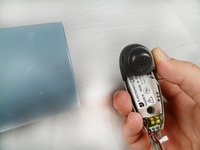
      • Locate the microphone wires on the bottom of the motherboard.

      • Use a hairdryer or heat gun to melt the glue off of the motherboard.

      crwdns2952109:0crwdne2952109:0

      crwdns2917038:0crwdne2917038:0

    7. Plantronics CS50 Headset Speaker Replacement: crwdns2935265:09crwdnd2935265:01crwdnd2935265:01crwdne2935265:0
      • Flip the device over.

      • Use a soldering iron to remove the solder that holds the wires to the motherboard.

      • For help soldering, click here.

      • The microphone piece should be completely detached from the motherboard.

      crwdns2952109:0crwdne2952109:0

      crwdns2917038:0crwdne2917038:0

    1. Plantronics CS50 Headset Speaker Replacement, Motherboard: crwdns2935265:010crwdnd2935265:01crwdnd2935265:03crwdne2935265:0 Plantronics CS50 Headset Speaker Replacement, Motherboard: crwdns2935265:010crwdnd2935265:02crwdnd2935265:03crwdne2935265:0 Plantronics CS50 Headset Speaker Replacement, Motherboard: crwdns2935265:010crwdnd2935265:03crwdnd2935265:03crwdne2935265:0
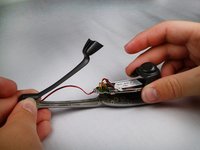
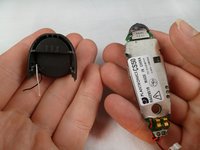
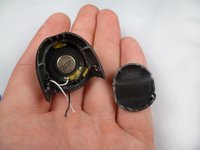
      • Using a blow dryer or a heat gun, heat the crevice to melt the adhesive between the plastic covers.

      • Using a plastic opening tool, prop open the edges.

      • Gently pull the black speaker casing up to remove it.

      crwdns2952109:0crwdne2952109:0

      crwdns2917038:0crwdne2917038:0

    2. Plantronics CS50 Headset Speaker Replacement: crwdns2935265:011crwdnd2935265:01crwdnd2935265:02crwdne2935265:0 Plantronics CS50 Headset Speaker Replacement: crwdns2935265:011crwdnd2935265:02crwdnd2935265:02crwdne2935265:0
      • Use the heat gun or blow dryer to melt the glue that connects the wires to the headset's motherboard.

      • The wires should come off as they are not soldered to the motherboard.

      crwdns2952109:0crwdne2952109:0

      crwdns2917038:0crwdne2917038:0

    1. Plantronics CS50 Headset Speaker Replacement, Speaker: crwdns2935265:012crwdnd2935265:01crwdnd2935265:03crwdne2935265:0 Plantronics CS50 Headset Speaker Replacement, Speaker: crwdns2935265:012crwdnd2935265:02crwdnd2935265:03crwdne2935265:0 Plantronics CS50 Headset Speaker Replacement, Speaker: crwdns2935265:012crwdnd2935265:03crwdnd2935265:03crwdne2935265:0
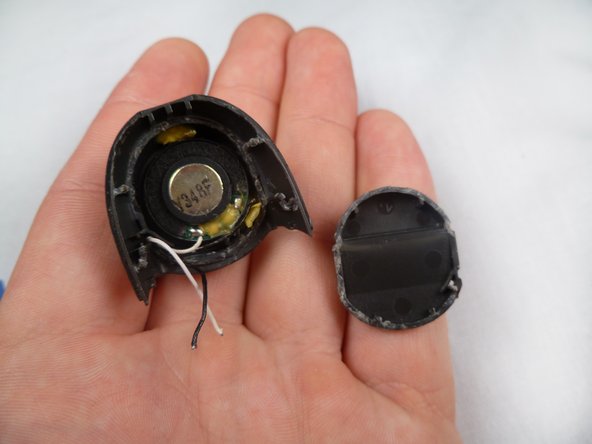
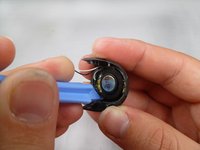
      • Use the heat gun to melt the adhesive that holds the bottom of the casing.

      • Use the plastic opening tool to remove the bottom of the casing.

      crwdns2952109:0crwdne2952109:0

      crwdns2917038:0crwdne2917038:0

    2. Plantronics CS50 Headset Speaker Replacement: crwdns2935265:013crwdnd2935265:01crwdnd2935265:03crwdne2935265:0 Plantronics CS50 Headset Speaker Replacement: crwdns2935265:013crwdnd2935265:02crwdnd2935265:03crwdne2935265:0 Plantronics CS50 Headset Speaker Replacement: crwdns2935265:013crwdnd2935265:03crwdnd2935265:03crwdne2935265:0
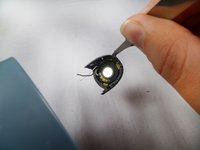
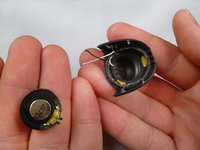
      • Use the blow dryer or heat gun to melt the glue that holds the speaker.

      • Use the plastic opening tool to carefully remove the speaker from its casing.

      crwdns2952109:0crwdne2952109:0

      crwdns2917038:0crwdne2917038:0

crwdns2915888:0crwdne2915888:0

To reassemble your device, follow these instructions in reverse order. Replace the glue and solder where they are needed.

crwdns2935221:0crwdne2935221:0

Yuliya Levitskaya

crwdns2935283:004/09/12crwdne2935283:0

77 crwdns2915208:0crwdne2915208:0

crwdns2935297:02crwdne2935297:0

crwdns2935287:0crwdne2935287:0

Cal Poly, Team 17-29, Amido Spring 2012 crwdns2935289:0Cal Poly, Team 17-29, Amido Spring 2012crwdne2935289:0

CPSU-AMIDO-S12S17G29

crwdns2931471:04crwdne2931471:0

crwdns2935297:083crwdne2935297:0

crwdns2947412:00crwdne2947412:0

crwdns2917038:0crwdne2917038:0

crwdns2936625:0crwdne2936625:0:

crwdns2936751:024crwdne2936751:0 2

crwdns2936753:07crwdne2936753:0 33

crwdns2936753:030crwdne2936753:0 59

crwdns2942667:0crwdne2942667:0 2,446