
Palm Zire 21 Keypad Replacement

crwdns2959932:0crwdnd2959932:0Jeremy Craftcrwdnd2959932:0crwdnd2959932:0crwdnd2959932:05crwdnd2959932:0crwdne2959932:0
crwdns2959936:0Mud 7, 2024crwdne2959936:0
crwdns2869540:0crwdne2869540:0: 697
crwdns2959988:0crwdne2959988:0
- crwdns2959990:0crwdne2959990:0
- 2
- crwdns2959992:0crwdne2959992:0
- 21
- crwdns2959994:0crwdne2959994:0
- 79
- crwdns2959996:0crwdne2959996:0
- 697
crwdns2955950:0crwdne2955950:0: 0
crwdns2959998:0crwdne2959998:0
crwdns2960000:0crwdne2960000:0crwdns2959984:0crwdne2959984:0: 1 2
crwdns2959972:01crwdne2959972:0
crwdns2959970:02crwdne2959970:0
crwdns2959986:0crwdne2959986:0: 0 1
crwdns2959958:0crwdne2959958:0
crwdns2959976:01crwdne2959976:0
crwdns2869446:0crwdne2869446:0
crwdns2869447:0crwdne2869447:0
crwdns2862611:0crwdne2862611:0
crwdns2862612:0crwdne2862612:0
crwdns2915892:0crwdne2915892:0
crwdns2959928:0crwdne2959928:0 ↓Use this guide to replace the keypad on a Palm Zire 21.
crwdns2959930:0crwdne2959930:0
crwdns2943215:0crwdne2943215:0

-
-
-
Remove the two 0.8 mm screws located on the back of the device.
 crwdns2952109:0crwdne2952109:0
-
-
crwdns2935267:0crwdne2935267:0Tweezers$4.99
-
Using tweezers, or something similar flip up the tab, releasing the wires located under the flap.
-
-
-
-
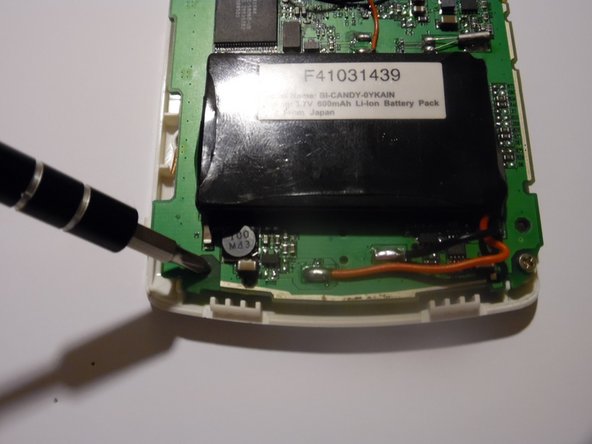
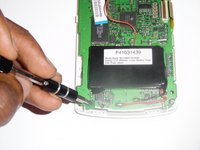
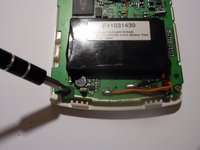
Remove the two screws located at the bottom of the mothership, using a Philips head screwdriver.
-
-
-
Carefully remove the mother board by lifting up, exposing the keypad.
-
-
-
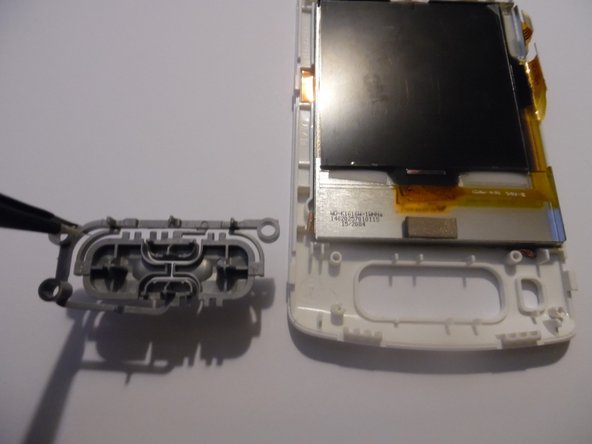
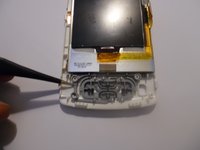
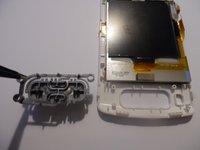
Using tweezers, or something similar remove the keypad from the device and replace with a new one.
-
-




To reassemble your device, follow these instructions in reverse order.
crwdns2935221:0crwdne2935221:0
crwdns2935227:0crwdne2935227:0

crwdns2935287:0crwdne2935287:0

USF Sarasota-Manatee, Team 1-1, Stewart Fall 2014 crwdns2935289:0USF Sarasota-Manatee, Team 1-1, Stewart Fall 2014crwdne2935289:0
USFSM-STEWART-F14S1G1
crwdns2931471:03crwdne2931471:0
crwdns2935297:072crwdne2935297:0
