crwdns2933423:0crwdne2933423:0
crwdns2947577:0crwdnd2947577:0crwdne2947577:0

Palm Treo 650 LCD Screen Replacement

crwdns2942213:0crwdne2942213:0

    1. Palm Treo 650 LCD Screen Replacement, Battery and Stylus: crwdns2935265:01crwdnd2935265:01crwdnd2935265:01crwdne2935265:0
      • Position the phone so the screen faces down.

      • Remove the stylus found on the back of the phone.

      crwdns2952109:0crwdne2952109:0

      crwdns2917038:0crwdne2917038:0

    2. Palm Treo 650 LCD Screen Replacement: crwdns2935265:02crwdnd2935265:01crwdnd2935265:01crwdne2935265:0
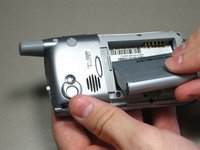
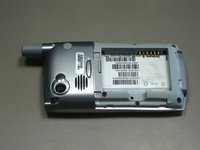
      • Hold the button in the middle of the phone's back to remove the battery cover.

      • Slide the cover down to remove it, and set the cover aside.

      crwdns2952109:0crwdne2952109:0

      crwdns2917038:0crwdne2917038:0

    3. Palm Treo 650 LCD Screen Replacement: crwdns2935265:03crwdnd2935265:01crwdnd2935265:02crwdne2935265:0 Palm Treo 650 LCD Screen Replacement: crwdns2935265:03crwdnd2935265:02crwdnd2935265:02crwdne2935265:0
      • Lift the edge of the battery, separating contact points, and pull out as pictured.

      crwdns2952109:0crwdne2952109:0

      crwdns2917038:0crwdne2917038:0

    1. Palm Treo 650 LCD Screen Replacement, Case: crwdns2935265:04crwdnd2935265:01crwdnd2935265:01crwdne2935265:0
      • Remove the round, rubber cover to expose a screw that will be removed in the next step.

      crwdns2952109:0crwdne2952109:0

      crwdns2917038:0crwdne2917038:0

    2. Palm Treo 650 LCD Screen Replacement: crwdns2935265:05crwdnd2935265:01crwdnd2935265:02crwdne2935265:0 Palm Treo 650 LCD Screen Replacement: crwdns2935265:05crwdnd2935265:02crwdnd2935265:02crwdne2935265:0
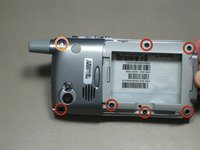
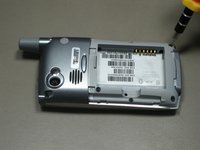
      • Remove the six 6.9 mm screws as pictured with a T5 Torx screwdriver.

      • Remove the single 9.8 mm screw next to the antenna on the back plate, using a Phillips #00 screwdriver.

      crwdns2952109:0crwdne2952109:0

      crwdns2917038:0crwdne2917038:0

    3. Palm Treo 650 LCD Screen Replacement: crwdns2935265:06crwdnd2935265:01crwdnd2935265:01crwdne2935265:0
      • Pull the antenna outward to remove the antenna from the body of the phone.

      crwdns2952109:0crwdne2952109:0

      crwdns2917038:0crwdne2917038:0

    4. Palm Treo 650 LCD Screen Replacement: crwdns2935265:07crwdnd2935265:01crwdnd2935265:02crwdne2935265:0 Palm Treo 650 LCD Screen Replacement: crwdns2935265:07crwdnd2935265:02crwdnd2935265:02crwdne2935265:0
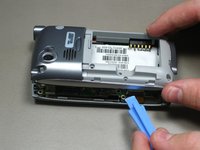
      • Pry the back cover off using an iFixit opening tool.

      • Several small clips on the inside attach to the back cover.

      crwdns2952109:0crwdne2952109:0

      crwdns2917038:0crwdne2917038:0

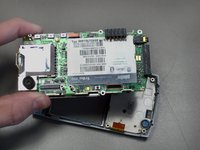
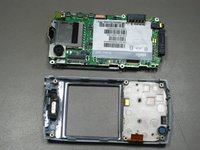
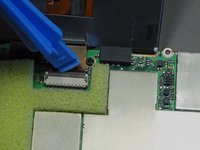
    1. Palm Treo 650 LCD Screen Replacement, Motherboard: crwdns2935265:08crwdnd2935265:01crwdnd2935265:03crwdne2935265:0 Palm Treo 650 LCD Screen Replacement, Motherboard: crwdns2935265:08crwdnd2935265:02crwdnd2935265:03crwdne2935265:0 Palm Treo 650 LCD Screen Replacement, Motherboard: crwdns2935265:08crwdnd2935265:03crwdnd2935265:03crwdne2935265:0
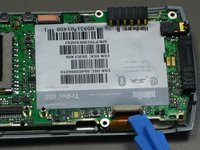
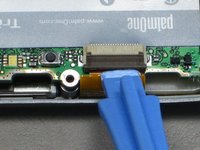
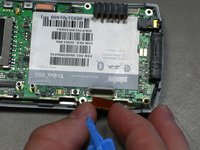
      • Disconnect the ribbon cable before removing the motherboard.

      • Unclip the gray tab.

      • Pull out the orange ribbon cable.

      crwdns2952109:0crwdne2952109:0

      crwdns2917038:0crwdne2917038:0

    2. Palm Treo 650 LCD Screen Replacement: crwdns2935265:09crwdnd2935265:01crwdnd2935265:02crwdne2935265:0 Palm Treo 650 LCD Screen Replacement: crwdns2935265:09crwdnd2935265:02crwdnd2935265:02crwdne2935265:0
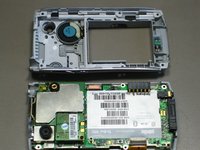
      • Pull off the motherboard.

      crwdns2952109:0crwdne2952109:0

      crwdns2917038:0crwdne2917038:0

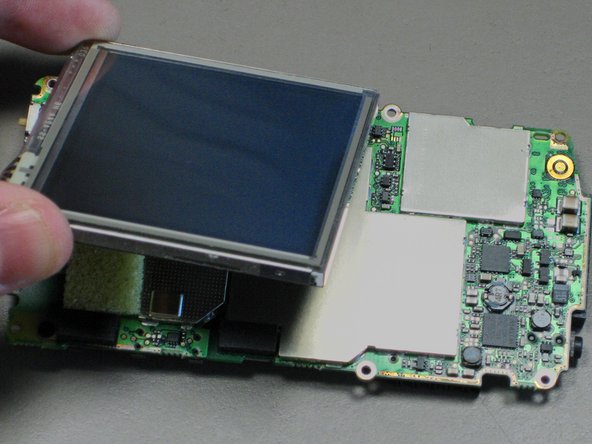
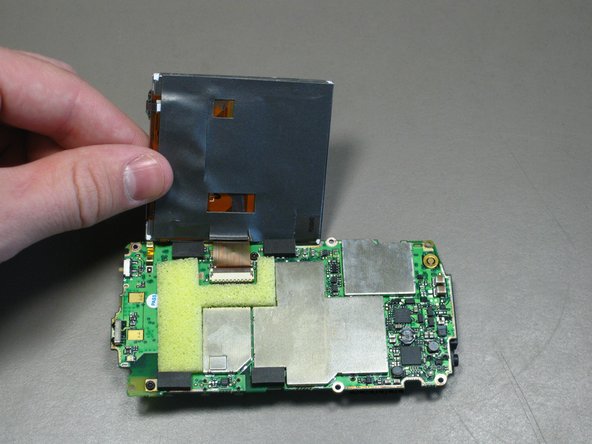
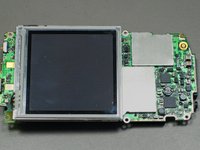
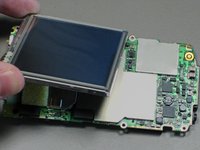
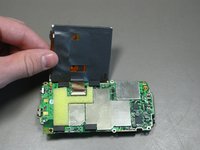
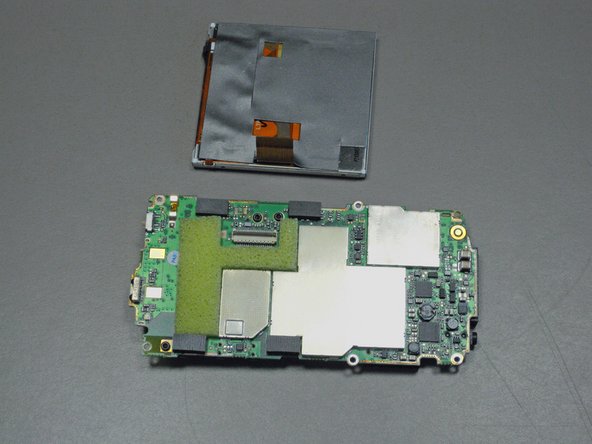
    1. Palm Treo 650 LCD Screen Replacement, LCD Screen: crwdns2935265:010crwdnd2935265:01crwdnd2935265:03crwdne2935265:0 Palm Treo 650 LCD Screen Replacement, LCD Screen: crwdns2935265:010crwdnd2935265:02crwdnd2935265:03crwdne2935265:0 Palm Treo 650 LCD Screen Replacement, LCD Screen: crwdns2935265:010crwdnd2935265:03crwdnd2935265:03crwdne2935265:0
      • Lift up the LCD screen so that the ribbon strip connecting it to the motherboard can be accessed.

      • Only lift the screen high enough to access the ribbon cable.

      crwdns2952109:0crwdne2952109:0

      crwdns2917038:0crwdne2917038:0

    2. Palm Treo 650 LCD Screen Replacement: crwdns2935265:011crwdnd2935265:01crwdnd2935265:02crwdne2935265:0 Palm Treo 650 LCD Screen Replacement: crwdns2935265:011crwdnd2935265:02crwdnd2935265:02crwdne2935265:0
      • Unclip the gray tab.

      • Pull out the orange ribbon strip.

      • Remove the LCD screen.

      crwdns2952109:0crwdne2952109:0

      crwdns2917038:0crwdne2917038:0

crwdns2915888:0crwdne2915888:0

To reassemble your device, follow these instructions in reverse order.

crwdns2935221:0crwdne2935221:0

crwdns2935229:04crwdne2935229:0

cgood

crwdns2935283:010/28/09crwdne2935283:0

134 crwdns2915208:0crwdne2915208:0

crwdns2935297:07crwdne2935297:0

crwdns2935287:0crwdne2935287:0

Cal Poly, Team 19-3, Maness Fall 2009 crwdns2935289:0Cal Poly, Team 19-3, Maness Fall 2009crwdne2935289:0

CPSU-MANESS-F09S19G3

crwdns2931471:04crwdne2931471:0

crwdns2935297:0108crwdne2935297:0

crwdns2947412:00crwdne2947412:0

crwdns2917038:0crwdne2917038:0

crwdns2936625:0crwdne2936625:0:

crwdns2936751:024crwdne2936751:0 2

crwdns2936753:07crwdne2936753:0 18

crwdns2936753:030crwdne2936753:0 70

crwdns2942667:0crwdne2942667:0 5,676