crwdns2933423:0crwdne2933423:0
crwdns2947577:0crwdnd2947577:0crwdne2947577:0

Palm Treo 600 Screen Replacement

crwdns2942213:0crwdne2942213:0

    1. Palm Treo 600 Screen Replacement, Back Case: crwdns2935265:01crwdnd2935265:01crwdnd2935265:01crwdne2935265:0
      • On the back of the device, locate the 3 rubber plugs, and use a plastic spudger to remove them.

      crwdns2952109:0crwdne2952109:0

      crwdns2917038:0crwdne2917038:0

    2. Palm Treo 600 Screen Replacement: crwdns2935265:02crwdnd2935265:01crwdnd2935265:02crwdne2935265:0 Palm Treo 600 Screen Replacement: crwdns2935265:02crwdnd2935265:02crwdnd2935265:02crwdne2935265:0
      • Use the T6 Torx Screwdriver to remove all 4 screws.

      • You have to first remove the Stylus to access the 4th screw.

      crwdns2952109:0crwdne2952109:0

      crwdns2917038:0crwdne2917038:0

    3. Palm Treo 600 Screen Replacement: crwdns2935265:03crwdnd2935265:01crwdnd2935265:02crwdne2935265:0 Palm Treo 600 Screen Replacement: crwdns2935265:03crwdnd2935265:02crwdnd2935265:02crwdne2935265:0
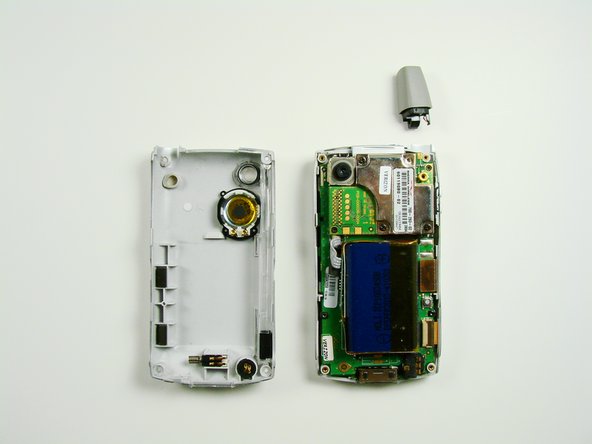
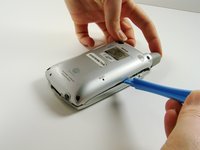
      • Using a plastic opening tool, carefully separate the front and back cases.

      • Note: The antenna will detach from the phone.

      crwdns2952109:0crwdne2952109:0

      crwdns2917038:0crwdne2917038:0

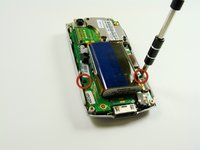
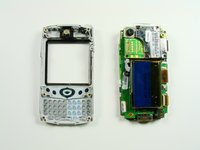
    1. Palm Treo 600 Screen Replacement, Front Case: crwdns2935265:04crwdnd2935265:01crwdnd2935265:02crwdne2935265:0 Palm Treo 600 Screen Replacement, Front Case: crwdns2935265:04crwdnd2935265:02crwdnd2935265:02crwdne2935265:0
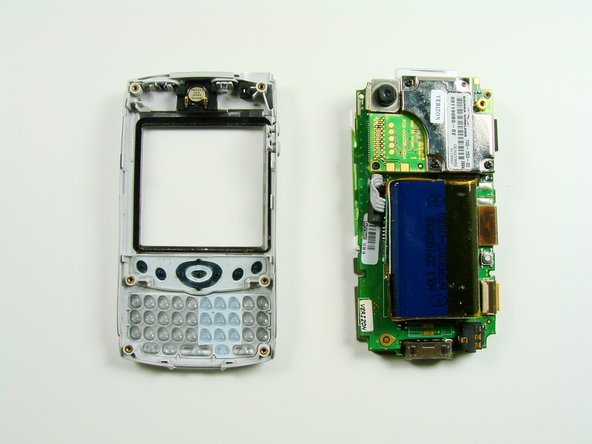
      • Using a T6 Torx Screwdriver, remove the two screws.

      • The motherboard will now be loose from the front case.

      crwdns2952109:0crwdne2952109:0

      crwdns2917038:0crwdne2917038:0

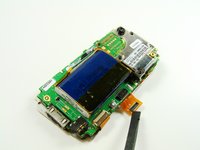
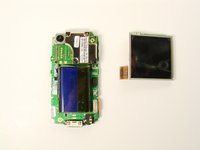
    1. Palm Treo 600 Screen Replacement, Screen: crwdns2935265:05crwdnd2935265:01crwdnd2935265:01crwdne2935265:0
      • The screen is connected to the phone with an orange data cable.

      • Slide the spudger as close to the connection as possible.

      • Gently pull the spudger up and the cable should come out of the socket.

      crwdns2952109:0crwdne2952109:0

      crwdns2917038:0crwdne2917038:0

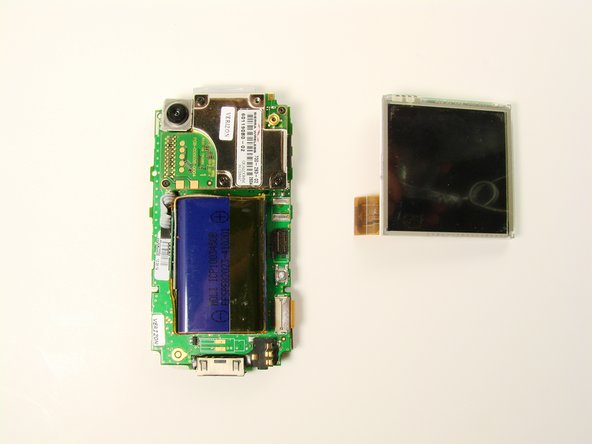
    2. Palm Treo 600 Screen Replacement: crwdns2935265:06crwdnd2935265:01crwdnd2935265:02crwdne2935265:0 Palm Treo 600 Screen Replacement: crwdns2935265:06crwdnd2935265:02crwdnd2935265:02crwdne2935265:0
      • Once the cable is unplugged, you can remove the screen from the body.

      crwdns2952109:0crwdne2952109:0

      crwdns2917038:0crwdne2917038:0

crwdns2915888:0crwdne2915888:0

To reassemble your device, follow these instructions in reverse order.

crwdns2935221:0crwdne2935221:0

Clement Poisson

crwdns2935283:001/26/10crwdne2935283:0

24 crwdns2915208:0crwdne2915208:0

crwdns2935297:07crwdne2935297:0

crwdns2935287:0crwdne2935287:0

Cal Poly, Team 13-23, Maness Winter 2010 crwdns2935289:0Cal Poly, Team 13-23, Maness Winter 2010crwdne2935289:0

CPSU-MANESS-W10S13G23

crwdns2931471:04crwdne2931471:0

crwdns2935297:096crwdne2935297:0

crwdns2947412:00crwdne2947412:0

crwdns2917038:0crwdne2917038:0

crwdns2936625:0crwdne2936625:0:

crwdns2936751:024crwdne2936751:0 0

crwdns2936753:07crwdne2936753:0 4

crwdns2936753:030crwdne2936753:0 20

crwdns2942667:0crwdne2942667:0 2,534