
PDP Rematch Cable Replacement

crwdns2959932:0crwdnd2959932:0Sydney Fostercrwdnd2959932:0crwdnd2959932:0crwdnd2959932:02crwdnd2959932:0crwdne2959932:0
crwdns2959936:0Kho 18, 2024crwdne2959936:0
crwdns2869540:0crwdne2869540:0: 877
crwdns2959988:0crwdne2959988:0
- crwdns2959990:0crwdne2959990:0
- 2
- crwdns2959992:0crwdne2959992:0
- 18
- crwdns2959994:0crwdne2959994:0
- 77
- crwdns2959996:0crwdne2959996:0
- 877
crwdns2955950:0crwdne2955950:0: 1
crwdns2960006:01crwdne2960006:0
crwdns2960000:0crwdne2960000:0crwdns2959984:0crwdne2959984:0: 0 1
crwdns2959956:0crwdne2959956:0
crwdns2959968:01crwdne2959968:0
crwdns2959986:0crwdne2959986:0: 0 1
crwdns2959958:0crwdne2959958:0
crwdns2959976:01crwdne2959976:0
crwdns2862603:0crwdne2862603:0
crwdns2862604:0crwdne2862604:0
crwdns2890100:0crwdne2890100:0
crwdns2944378:0crwdne2944378:0
crwdns2915892:0crwdne2915892:0
crwdns2959928:0crwdne2959928:0 ↓Disconnection of the cable from the motherboard could result in freezing, restarting, or powering off completely. If this occurs when you are trying to play your game, then using this guide to replace the cable buttons for the PDP Rematch Controller, model number 500-134-1 will help solve your problem.
crwdns2959930:0crwdne2959930:0
crwdns2943215:0crwdne2943215:0


-
-
-
Grip one side of the controller firmly.
-
Insert an opening pick into the crease between the faceplate and the body of the controller.
-
Once the pick creates a gap in the crease, gently insert another pick into a different section of the crease.
-
Carefully move the picks along the controller's crease line until you hear a popping sound.
-
Gently lift off the faceplate by hand.
 crwdns2952109:0crwdne2952109:0
-
-
-
Remove the 8 mm screws from the hard cover using a JIS #00 screwdriver.
-
-
-
-
Gently lift off the hard cover with your hand; it should not need much force.
-
-
-
-
-
Remove the two screws on the motherboard with a JIS #000 screwdriver.
-
Gently flip the motherboard up to see the other side.
-
-
-
Remove the cable from its plug on the motherboard.
-
-
-
Then, insert the Male Pitch Terminal Pin into the Female Terminal Pin.
-
-


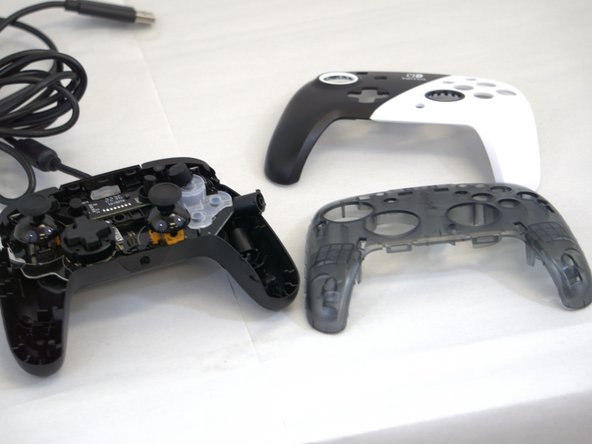
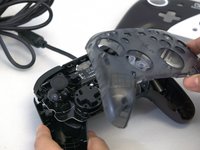
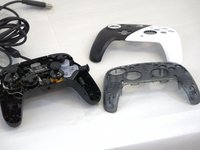


To reassemble your device, follow these instructions in reverse order.

crwdns2935287:0crwdne2935287:0

Tennessee Tech University, Team 1-3, Pickering Spring 2024 crwdns2935289:0Tennessee Tech University, Team 1-3, Pickering Spring 2024crwdne2935289:0
TNTECH-PICKERING-S24S1G3
crwdns2931471:04crwdne2931471:0
crwdns2935297:060crwdne2935297:0
crwdns2947410:01crwdne2947410:0
Where do I buy the replacement cord from?
Keithy Bruce - crwdns2934203:0crwdne2934203:0 crwdns2950251:0crwdne2950251:0
