crwdns2933423:0crwdne2933423:0
crwdns2947577:0crwdnd2947577:0crwdne2947577:0

Olympus Stylus 410 LCD Screen Replacement

crwdns2942213:0crwdne2942213:0

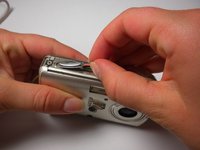
    1. Olympus Stylus 410 LCD Screen Replacement, Slider: crwdns2935265:01crwdnd2935265:01crwdnd2935265:01crwdne2935265:0
      • Locate the 2 screws on the bottom of the slider.

      • Remove both screws with a #00 Phillips screwdriver.

      crwdns2952109:0crwdne2952109:0

      crwdns2917038:0crwdne2917038:0

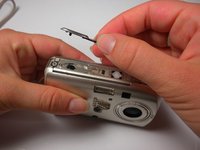
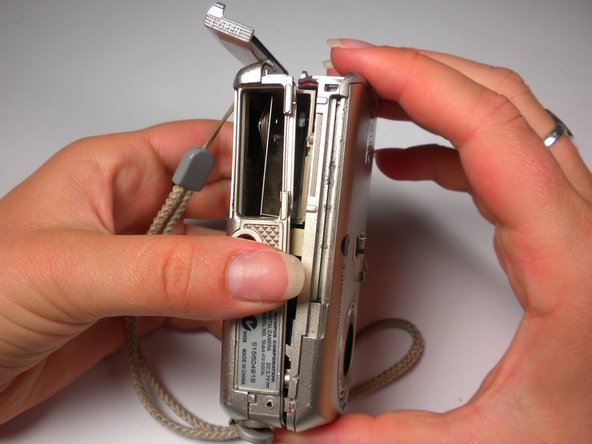
    2. Olympus Stylus 410 LCD Screen Replacement: crwdns2935265:02crwdnd2935265:01crwdnd2935265:01crwdne2935265:0
      • Gently pull on the bottom of the slider until it comes off the lower track.

      • There is a little piece that connects the slider to the track. Be sure not to lose this as it is needed to put the slider back on.

      crwdns2952109:0crwdne2952109:0

      crwdns2917038:0crwdne2917038:0

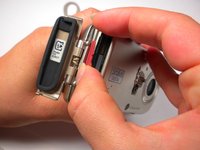
    3. Olympus Stylus 410 LCD Screen Replacement: crwdns2935265:03crwdnd2935265:01crwdnd2935265:01crwdne2935265:0
      • Lift the slider up until it comes off the upper track.

      crwdns2952109:0crwdne2952109:0

      crwdns2917038:0crwdne2917038:0

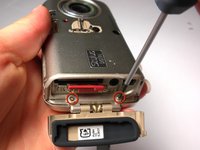
    4. Olympus Stylus 410 LCD Screen Replacement: crwdns2935265:04crwdnd2935265:01crwdnd2935265:01crwdne2935265:0
      • The slider should now be free from the body of the camera.

      crwdns2952109:0crwdne2952109:0

      crwdns2917038:0crwdne2917038:0

    1. Olympus Stylus 410 LCD Screen Replacement, Outer Case: crwdns2935265:05crwdnd2935265:01crwdnd2935265:03crwdne2935265:0 Olympus Stylus 410 LCD Screen Replacement, Outer Case: crwdns2935265:05crwdnd2935265:02crwdnd2935265:03crwdne2935265:0 Olympus Stylus 410 LCD Screen Replacement, Outer Case: crwdns2935265:05crwdnd2935265:03crwdnd2935265:03crwdne2935265:0
      • Locate the 3 screws on the outer metal band and remove them with a #00 Phillips screwdriver.

      crwdns2952109:0crwdne2952109:0

      crwdns2917038:0crwdne2917038:0

    2. Olympus Stylus 410 LCD Screen Replacement: crwdns2935265:06crwdnd2935265:01crwdnd2935265:02crwdne2935265:0 Olympus Stylus 410 LCD Screen Replacement: crwdns2935265:06crwdnd2935265:02crwdnd2935265:02crwdne2935265:0
      • Use the spudger to peel off the outer metal band, starting from the bottom of the camera.

      • The metal band it attached to the camera with glue in addition to screws. Be careful not to bend the band when removing it from the camera.

      crwdns2952109:0crwdne2952109:0

      crwdns2917038:0crwdne2917038:0

    3. Olympus Stylus 410 LCD Screen Replacement: crwdns2935265:07crwdnd2935265:01crwdnd2935265:02crwdne2935265:0 Olympus Stylus 410 LCD Screen Replacement: crwdns2935265:07crwdnd2935265:02crwdnd2935265:02crwdne2935265:0
      • The shutter button can now be removed. It is not connected to the camera and can be lifted off.

      crwdns2952109:0crwdne2952109:0

      crwdns2917038:0crwdne2917038:0

    4. Olympus Stylus 410 LCD Screen Replacement: crwdns2935265:08crwdnd2935265:01crwdnd2935265:02crwdne2935265:0 Olympus Stylus 410 LCD Screen Replacement: crwdns2935265:08crwdnd2935265:02crwdnd2935265:02crwdne2935265:0
      • Remove the memory card.

      • Locate and remove the 2 screws using a #00 Phillips screwdriver.

      crwdns2952109:0crwdne2952109:0

      crwdns2917038:0crwdne2917038:0

    5. Olympus Stylus 410 LCD Screen Replacement: crwdns2935265:09crwdnd2935265:01crwdnd2935265:03crwdne2935265:0 Olympus Stylus 410 LCD Screen Replacement: crwdns2935265:09crwdnd2935265:02crwdnd2935265:03crwdne2935265:0 Olympus Stylus 410 LCD Screen Replacement: crwdns2935265:09crwdnd2935265:03crwdnd2935265:03crwdne2935265:0
      • Use a spudger around the edge of the case to loosen it.

      • Carefully wiggle the back case off. This may require a fair amount of force.

      crwdns2952109:0crwdne2952109:0

      crwdns2917038:0crwdne2917038:0

    6. Olympus Stylus 410 LCD Screen Replacement: crwdns2935265:010crwdnd2935265:01crwdnd2935265:01crwdne2935265:0
      • Locate the 3 internal screws holding on the front of the case. Remove them with a #00 Phillips screwdriver.

      crwdns2952109:0crwdne2952109:0

      crwdns2917038:0crwdne2917038:0

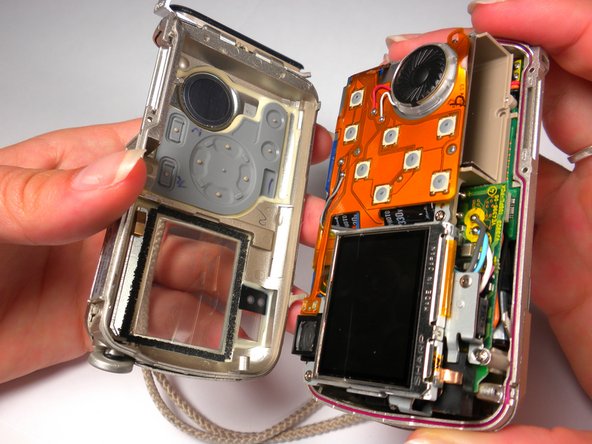
    7. Olympus Stylus 410 LCD Screen Replacement: crwdns2935265:011crwdnd2935265:01crwdnd2935265:02crwdne2935265:0 Olympus Stylus 410 LCD Screen Replacement: crwdns2935265:011crwdnd2935265:02crwdnd2935265:02crwdne2935265:0
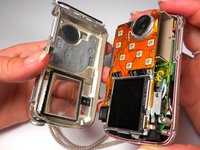
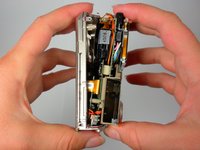
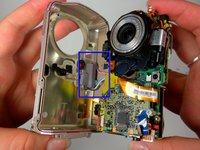
      • While grasping the interior and the front case, gently pull until they start to come apart. Some light wiggling may be required.

      • Be careful not to completely pull the front case off because it will still be connected with wires.

      crwdns2952109:0crwdne2952109:0

      crwdns2917038:0crwdne2917038:0

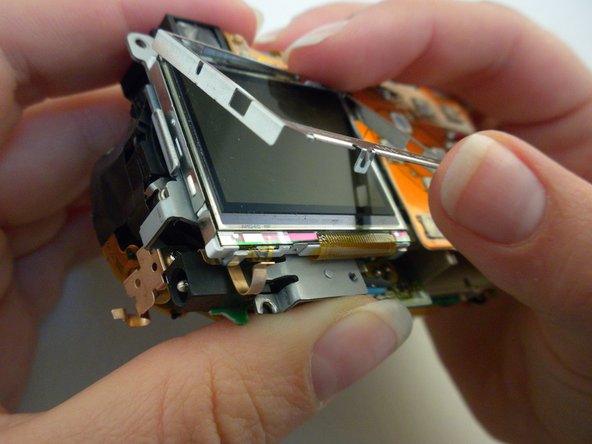
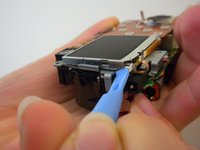
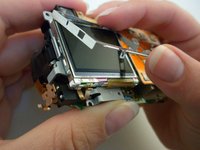
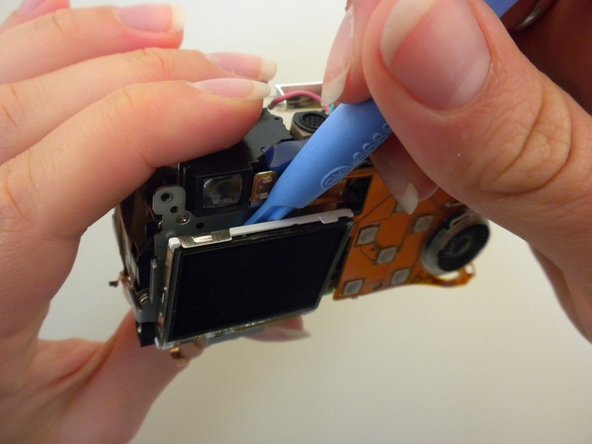
    1. Olympus Stylus 410 LCD Screen Replacement, LCD Screen: crwdns2935265:012crwdnd2935265:01crwdnd2935265:03crwdne2935265:0 Olympus Stylus 410 LCD Screen Replacement, LCD Screen: crwdns2935265:012crwdnd2935265:02crwdnd2935265:03crwdne2935265:0 Olympus Stylus 410 LCD Screen Replacement, LCD Screen: crwdns2935265:012crwdnd2935265:03crwdnd2935265:03crwdne2935265:0
      • Remove the metal frame from the LCD screen using an opening tool.

      crwdns2952109:0crwdne2952109:0

      crwdns2917038:0crwdne2917038:0

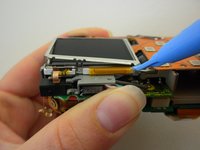
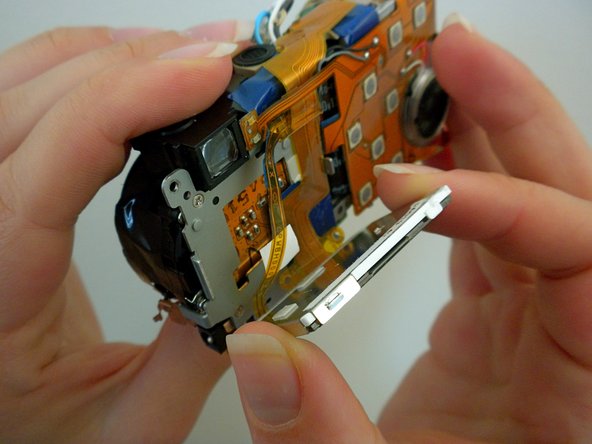
    2. Olympus Stylus 410 LCD Screen Replacement: crwdns2935265:013crwdnd2935265:01crwdnd2935265:03crwdne2935265:0 Olympus Stylus 410 LCD Screen Replacement: crwdns2935265:013crwdnd2935265:02crwdnd2935265:03crwdne2935265:0 Olympus Stylus 410 LCD Screen Replacement: crwdns2935265:013crwdnd2935265:03crwdnd2935265:03crwdne2935265:0
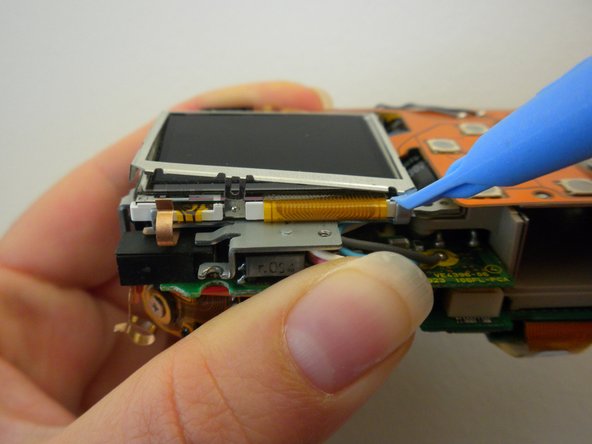
      • Pry off the LCD screen from the top using an opening tool.

      • Do not pull the screen completely off because it will still be held on by two ribbon cables.

      crwdns2952109:0crwdne2952109:0

      crwdns2917038:0crwdne2917038:0

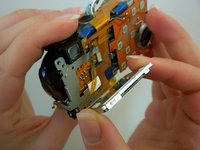
    3. Olympus Stylus 410 LCD Screen Replacement: crwdns2935265:014crwdnd2935265:01crwdnd2935265:01crwdne2935265:0
      • This is what the camera will look like now that the LCD screen is removed.

      crwdns2952109:0crwdne2952109:0

      crwdns2917038:0crwdne2917038:0

crwdns2915888:0crwdne2915888:0

To reassemble your device, follow these instructions in reverse order.

crwdns2935221:0crwdne2935221:0

Rory Aronson

crwdns2935283:004/15/10crwdne2935283:0

82 crwdns2915208:0crwdne2915208:0

crwdns2935297:06crwdne2935297:0

crwdns2935287:0crwdne2935287:0

Cal Poly, Team 6-13, Maness Spring 2010 crwdns2935289:0Cal Poly, Team 6-13, Maness Spring 2010crwdne2935289:0

CPSU-MANESS-S10S6G13

crwdns2931471:05crwdne2931471:0

crwdns2935297:018crwdne2935297:0

crwdns2947412:00crwdne2947412:0

crwdns2917038:0crwdne2917038:0

crwdns2936625:0crwdne2936625:0:

crwdns2936751:024crwdne2936751:0 1

crwdns2936753:07crwdne2936753:0 7

crwdns2936753:030crwdne2936753:0 44

crwdns2942667:0crwdne2942667:0 4,722