crwdns2933423:0crwdne2933423:0
crwdns2947577:0crwdnd2947577:0crwdne2947577:0

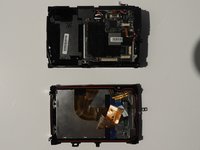
Olympus Stylus 1030 SW Camera Disassembly

crwdns2942213:0crwdne2942213:0

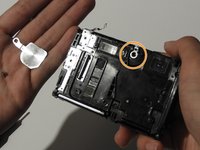
    1. Olympus Stylus 1030 SW Camera Disassembly, Olympus Stylus 1030 SW Camera Disassembly: crwdns2935265:01crwdnd2935265:01crwdnd2935265:03crwdne2935265:0 Olympus Stylus 1030 SW Camera Disassembly, Olympus Stylus 1030 SW Camera Disassembly: crwdns2935265:01crwdnd2935265:02crwdnd2935265:03crwdne2935265:0 Olympus Stylus 1030 SW Camera Disassembly, Olympus Stylus 1030 SW Camera Disassembly: crwdns2935265:01crwdnd2935265:03crwdnd2935265:03crwdne2935265:0
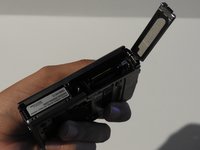
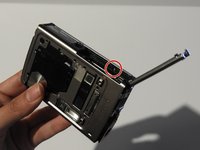
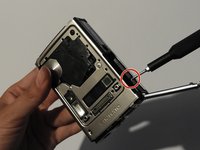
      • Using the iFixit Opening Tool, pry off the plastic part of the lens.

      • Using the T6 Torx screwdriver, unscrew the three screws.

      crwdns2952109:0crwdne2952109:0

      crwdns2917038:0crwdne2917038:0

    2. Olympus Stylus 1030 SW Camera Disassembly: crwdns2935265:02crwdnd2935265:01crwdnd2935265:03crwdne2935265:0 Olympus Stylus 1030 SW Camera Disassembly: crwdns2935265:02crwdnd2935265:02crwdnd2935265:03crwdne2935265:0 Olympus Stylus 1030 SW Camera Disassembly: crwdns2935265:02crwdnd2935265:03crwdnd2935265:03crwdne2935265:0
      crwdns2935267:0crwdne2935267:0
      Tweezers
      $4.99
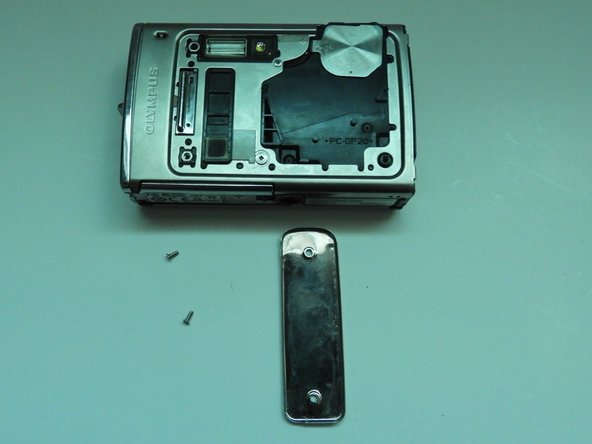
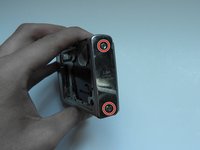
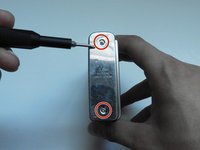
      • Using the Phillips #00 screwdriver, unscrew the three screws.

      • Carefully swivel the metal cover out towards you.

      • Using tweezers, remove the metal washer.

      crwdns2952109:0crwdne2952109:0

      crwdns2917038:0crwdne2917038:0

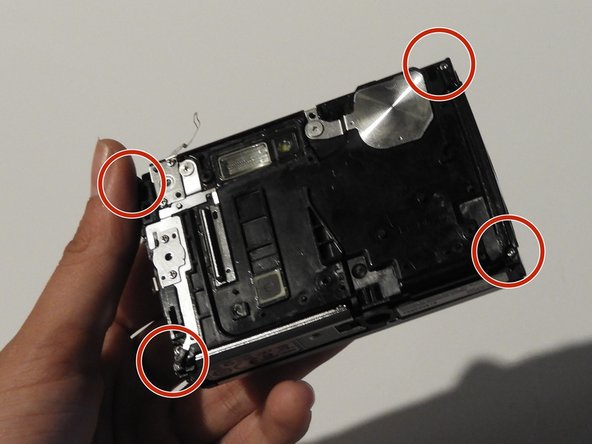
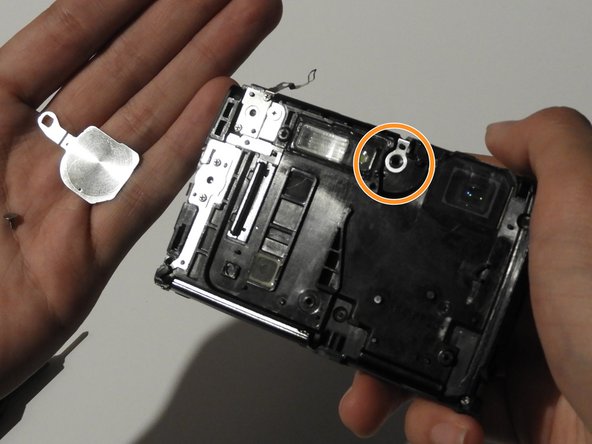
    3. Olympus Stylus 1030 SW Camera Disassembly: crwdns2935265:03crwdnd2935265:01crwdnd2935265:02crwdne2935265:0 Olympus Stylus 1030 SW Camera Disassembly: crwdns2935265:03crwdnd2935265:02crwdnd2935265:02crwdne2935265:0
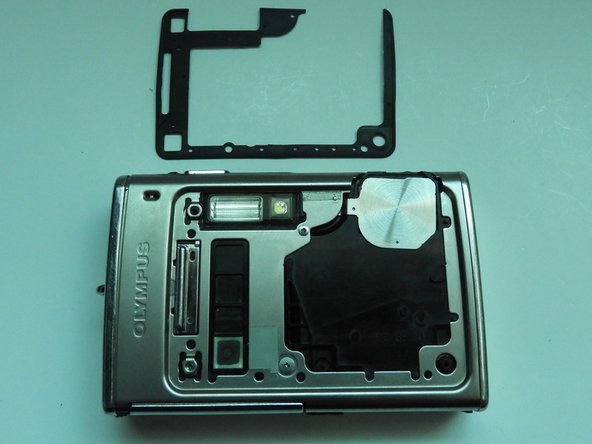
      • Using the tweezers, slowly peel off the plate.

      crwdns2952109:0crwdne2952109:0

      crwdns2917038:0crwdne2917038:0

    4. Olympus Stylus 1030 SW Camera Disassembly: crwdns2935265:04crwdnd2935265:01crwdnd2935265:03crwdne2935265:0 Olympus Stylus 1030 SW Camera Disassembly: crwdns2935265:04crwdnd2935265:02crwdnd2935265:03crwdne2935265:0 Olympus Stylus 1030 SW Camera Disassembly: crwdns2935265:04crwdnd2935265:03crwdnd2935265:03crwdne2935265:0
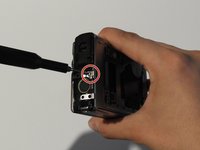
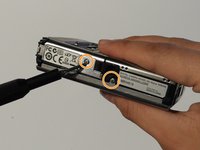
      • Using the Phillips #00 screwdriver, unscrew the two screws on the side of the camera.

      crwdns2952109:0crwdne2952109:0

      crwdns2917038:0crwdne2917038:0

    5. Olympus Stylus 1030 SW Camera Disassembly: crwdns2935265:05crwdnd2935265:01crwdnd2935265:03crwdne2935265:0 Olympus Stylus 1030 SW Camera Disassembly: crwdns2935265:05crwdnd2935265:02crwdnd2935265:03crwdne2935265:0 Olympus Stylus 1030 SW Camera Disassembly: crwdns2935265:05crwdnd2935265:03crwdnd2935265:03crwdne2935265:0
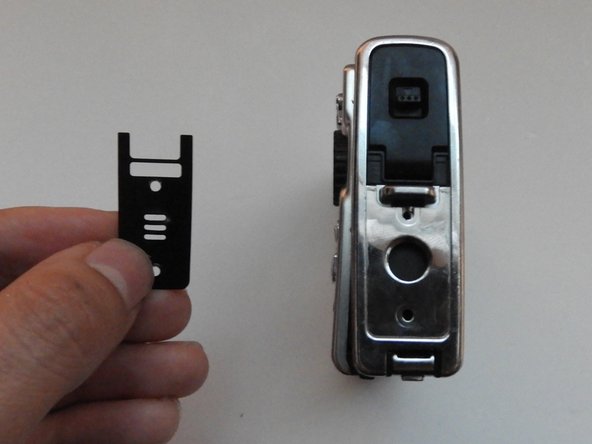
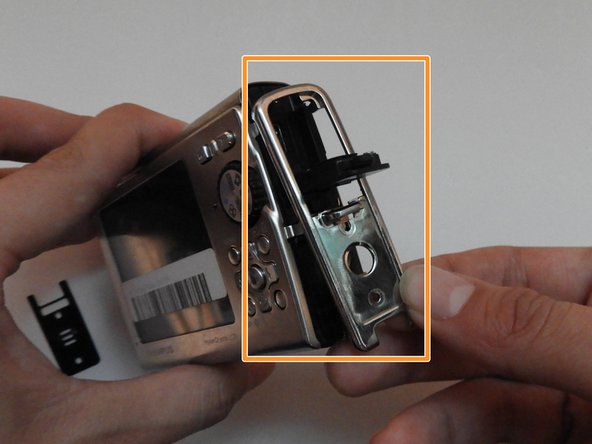
      • On the opposite side, use the Phillips #00 screwdriver to unscrew both screws.

      • Take out the speaker plate.

      • Open the multi-connector cover and slide off the side panel.

      crwdns2952109:0crwdne2952109:0

      crwdns2917038:0crwdne2917038:0

    6. Olympus Stylus 1030 SW Camera Disassembly: crwdns2935265:06crwdnd2935265:01crwdnd2935265:03crwdne2935265:0 Olympus Stylus 1030 SW Camera Disassembly: crwdns2935265:06crwdnd2935265:02crwdnd2935265:03crwdne2935265:0 Olympus Stylus 1030 SW Camera Disassembly: crwdns2935265:06crwdnd2935265:03crwdnd2935265:03crwdne2935265:0
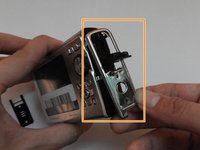
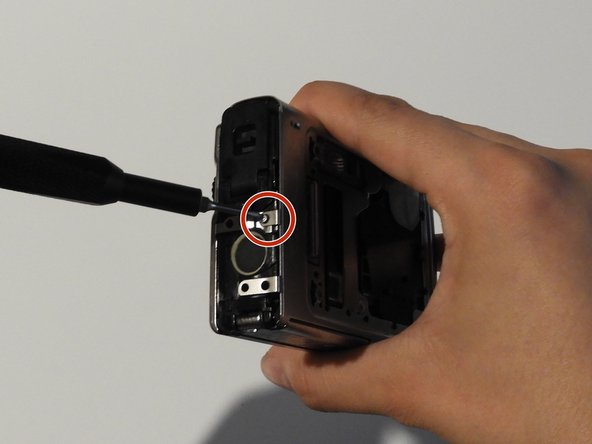
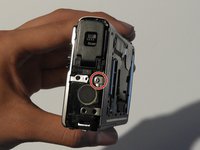
      • Using the Phillips #00 screwdriver, unscrew the screw above the speaker.

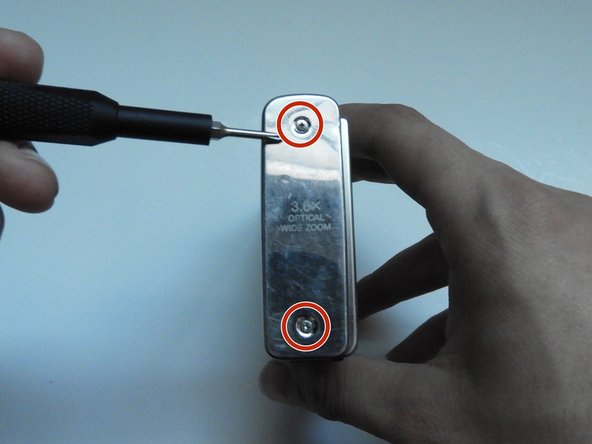
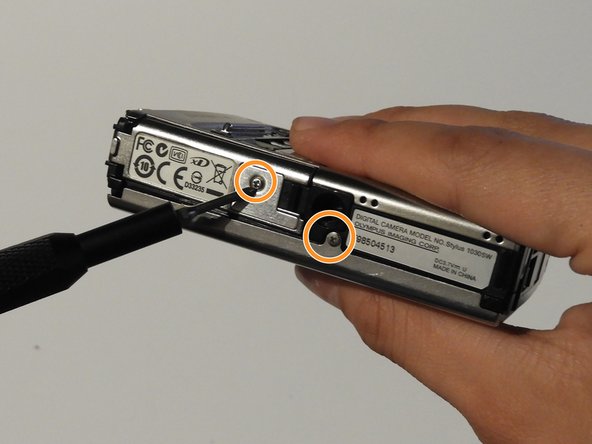
      • On the bottom side of the camera, unscrew the two screws.

      crwdns2952109:0crwdne2952109:0

      crwdns2917038:0crwdne2917038:0

    7. Olympus Stylus 1030 SW Camera Disassembly: crwdns2935265:07crwdnd2935265:01crwdnd2935265:03crwdne2935265:0 Olympus Stylus 1030 SW Camera Disassembly: crwdns2935265:07crwdnd2935265:02crwdnd2935265:03crwdne2935265:0 Olympus Stylus 1030 SW Camera Disassembly: crwdns2935265:07crwdnd2935265:03crwdnd2935265:03crwdne2935265:0
      • Open the battery compartment cover.

      • Use the Phillips #00 screwdriver to unscrew the screw in the battery compartment.

      crwdns2952109:0crwdne2952109:0

      crwdns2917038:0crwdne2917038:0

    8. Olympus Stylus 1030 SW Camera Disassembly: crwdns2935265:08crwdnd2935265:01crwdnd2935265:03crwdne2935265:0 Olympus Stylus 1030 SW Camera Disassembly: crwdns2935265:08crwdnd2935265:02crwdnd2935265:03crwdne2935265:0 Olympus Stylus 1030 SW Camera Disassembly: crwdns2935265:08crwdnd2935265:03crwdnd2935265:03crwdne2935265:0
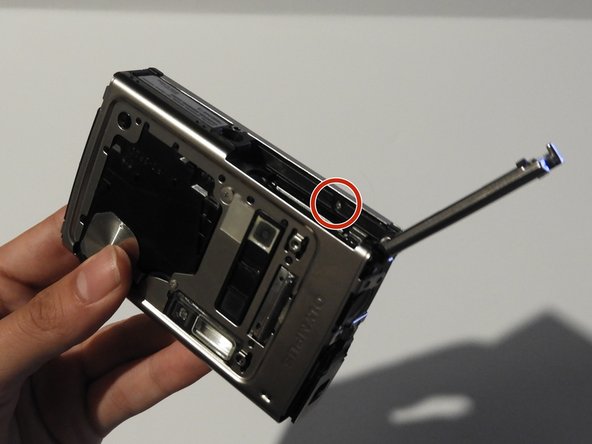
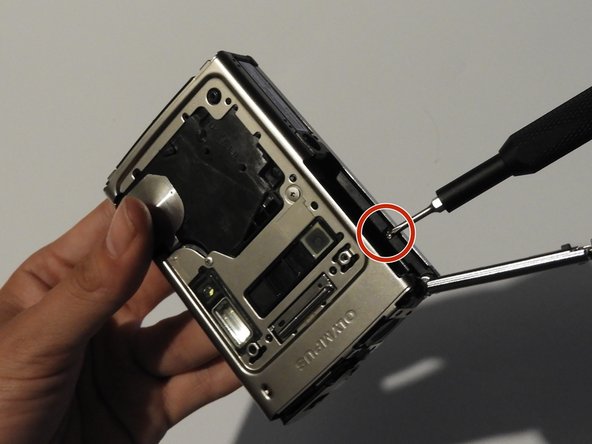
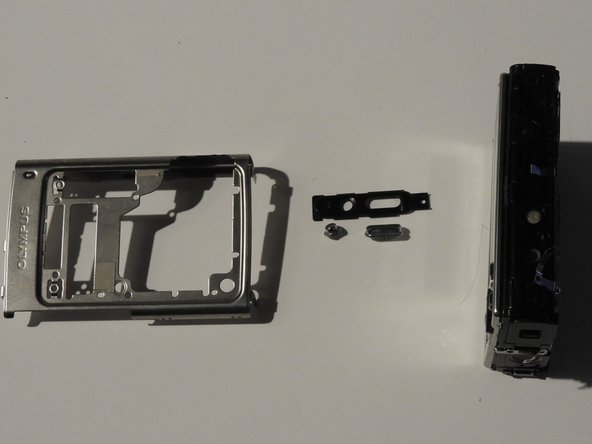
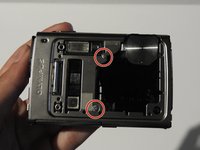
      • On the front of the camera, unscrew the two screws shown.

      • Gently pull on the side until the camera is separated from the back panel.

      • Remove the shutter and power button.

      crwdns2952109:0crwdne2952109:0

      crwdns2917038:0crwdne2917038:0

    9. Olympus Stylus 1030 SW Camera Disassembly: crwdns2935265:09crwdnd2935265:01crwdnd2935265:03crwdne2935265:0 Olympus Stylus 1030 SW Camera Disassembly: crwdns2935265:09crwdnd2935265:02crwdnd2935265:03crwdne2935265:0 Olympus Stylus 1030 SW Camera Disassembly: crwdns2935265:09crwdnd2935265:03crwdnd2935265:03crwdne2935265:0
      • Use the Phillips #00 screwdriver to unscrew the four screws on the front of the camera.

      • Unscrew the shutter using the Phillips #00 screwdriver.

      crwdns2952109:0crwdne2952109:0

      crwdns2917038:0crwdne2917038:0

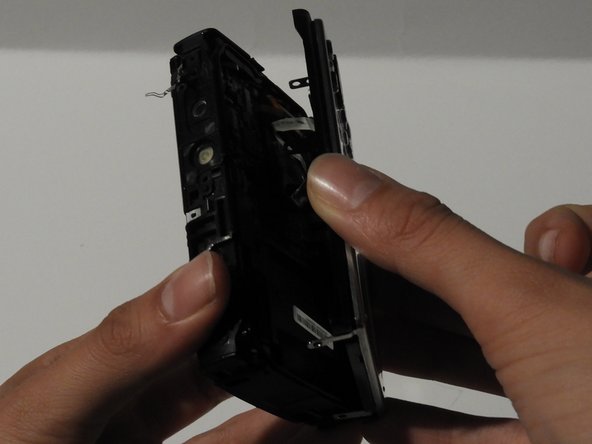
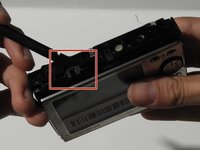
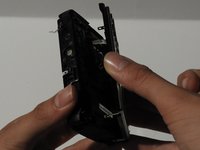
    10. Olympus Stylus 1030 SW Camera Disassembly: crwdns2935265:010crwdnd2935265:01crwdnd2935265:02crwdne2935265:0 Olympus Stylus 1030 SW Camera Disassembly: crwdns2935265:010crwdnd2935265:02crwdnd2935265:02crwdne2935265:0
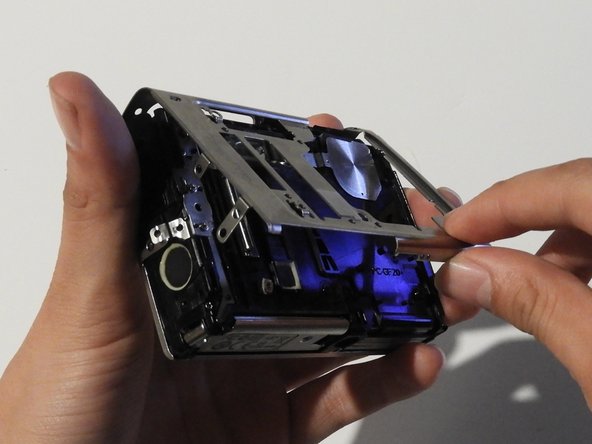
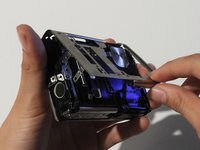
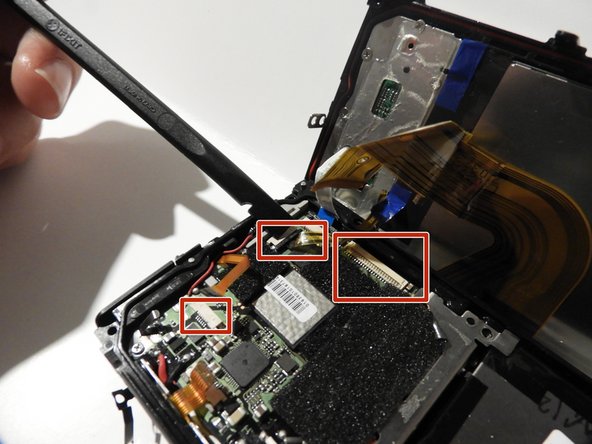
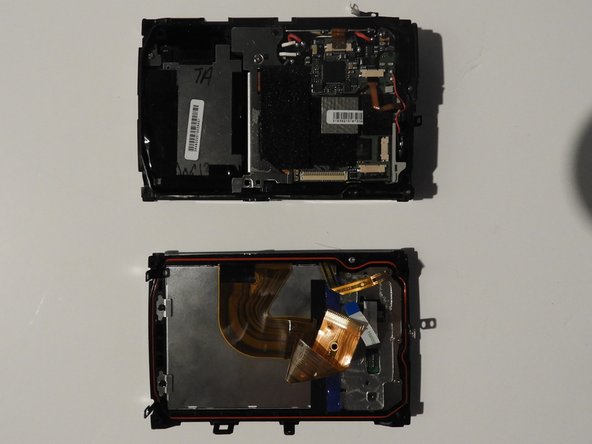
      • Release the top holding using a spudger.

      • Slowly and carefully separate the front and back of the camera, exposing the electrical ribbons.

      crwdns2952109:0crwdne2952109:0

      crwdns2917038:0crwdne2917038:0

    11. Olympus Stylus 1030 SW Camera Disassembly: crwdns2935265:011crwdnd2935265:01crwdnd2935265:03crwdne2935265:0 Olympus Stylus 1030 SW Camera Disassembly: crwdns2935265:011crwdnd2935265:02crwdnd2935265:03crwdne2935265:0 Olympus Stylus 1030 SW Camera Disassembly: crwdns2935265:011crwdnd2935265:03crwdnd2935265:03crwdne2935265:0
      • Using the spudger and tweezers if needed, remove the ribbons from the computer chips.

      crwdns2952109:0crwdne2952109:0

      crwdns2917038:0crwdne2917038:0

crwdns2915888:0crwdne2915888:0

To reassemble your device, follow these instructions in reverse order.

crwdns2935221:0crwdne2935221:0

crwdns2935227:0crwdne2935227:0

Shanmei Zheng

crwdns2935283:002/17/14crwdne2935283:0

331 crwdns2915208:0crwdne2915208:0

crwdns2935297:03crwdne2935297:0

crwdns2935287:0crwdne2935287:0

University of Illinois Urbana-Champaign, Team 1-2, Scrogum Spring 2014 crwdns2935289:0University of Illinois Urbana-Champaign, Team 1-2, Scrogum Spring 2014crwdne2935289:0

UICU-SCROGUM-S14S1G2

crwdns2931471:05crwdne2931471:0

crwdns2935297:010crwdne2935297:0

crwdns2947412:00crwdne2947412:0

crwdns2917038:0crwdne2917038:0

crwdns2936625:0crwdne2936625:0:

crwdns2936751:024crwdne2936751:0 2

crwdns2936753:07crwdne2936753:0 6

crwdns2936753:030crwdne2936753:0 38

crwdns2942667:0crwdne2942667:0 3,507