
Olympus D590 Lens Replacement

crwdns2959932:0crwdnd2959932:0Joshuacrwdnd2959932:0crwdnd2959932:0crwdnd2959932:010crwdnd2959932:0crwdne2959932:0
crwdns2959936:0Nhl 11, 2023crwdne2959936:0
crwdns2869540:0crwdne2869540:0: 3.1천
crwdns2959988:0crwdne2959988:0
- crwdns2959990:0crwdne2959990:0
- 0
- crwdns2959992:0crwdne2959992:0
- 12
- crwdns2959994:0crwdne2959994:0
- 53
- crwdns2959996:0crwdne2959996:0
- 3,085
crwdns2955950:0crwdne2955950:0: 0
crwdns2959998:0crwdne2959998:0
crwdns2960000:0crwdne2960000:0crwdns2959984:0crwdne2959984:0: 0 1
crwdns2959956:0crwdne2959956:0
crwdns2959968:01crwdne2959968:0
crwdns2959986:0crwdne2959986:0: 1 2
crwdns2959980:01crwdne2959980:0
crwdns2959978:02crwdne2959978:0
crwdns2869444:0crwdne2869444:0
crwdns2869445:0crwdne2869445:0
crwdns2869446:0crwdne2869446:0
crwdns2869447:0crwdne2869447:0
crwdns2862611:0crwdne2862611:0
crwdns2862612:0crwdne2862612:0
crwdns2862633:0crwdne2862633:0
crwdns2862634:0crwdne2862634:0
crwdns2862635:0crwdne2862635:0
crwdns2862636:0crwdne2862636:0
crwdns2915892:0crwdne2915892:0
crwdns2959928:0crwdne2959928:0 ↓This guide shows how to replace the camera lens and surrounding mechanisms (including the motor) on an Olympus D590.
crwdns2959930:0crwdne2959930:0
crwdns2943215:0crwdne2943215:0


-
-
-
Remove five baseplate screws using a Phillips #00 screwdriver.
 crwdns2952109:0crwdne2952109:0
-
-
crwdns2935267:0crwdne2935267:0Tweezers$4.99
-
Press and slide the battery cover retainer clip to the left. Use tweezers to lift the battery cover away.
-
-
-
Remove the single screw from the battery housing using a Phillips #00 screwdriver.
-
-
-
Using tweezers, lift the rubber plate to expose the ports.
-
-
-
Remove two screws from the ports using a Phillips #00 screwdriver.
-
-
-
Use a spudger to pry the faceplate away from the rest of the camera.
-
-
-
To avoid disconnection of the connector line to the motherboard, use caution when pulling faceplate away from camera case.
-
-
-
-
-
Using a Phillips #00 screwdriver, remove three screws fastened to the camera backplate edge.
-
-
-
Using a Phillips #00 screwdriver, remove the two camera flash screws secured to either side of bulb housing component.
-
-
-
Using an iFixit opening tool, pry the backplate from the camera internal housing component.
-
-
-
Pull the backplate away from the camera internal housing component.
-
-
-
-
-
Remove one screw Phillips #00 from the right side of the LCD screen camera internal housing component.
-
-
-
To check that all screws are removed from the exterior side panel, gradually slide and lift no more than 3cm away from the camera internal component body.
-
-
crwdns2935267:0crwdne2935267:0Tweezers$4.99
-
View the front of the camera internal housing component.
-
Using tweezers, detach the gray connector and blue wiring tape.
-
-
-
View the top of the camera internal housing component.
-
Using tweezers, gently lift the black tape exposing all connector wires.
-
-
-
-
View the bottom of the camera internal housing component.
-
Use tweezers to gently wiggle, pull, and detach tape from the surface of the camera internal housing component.
-
-
-
View the front of the camera internal housing component.
-
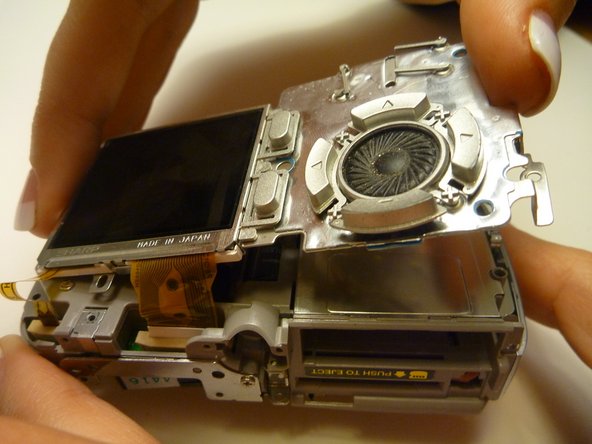
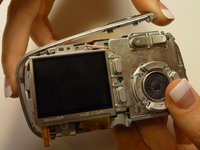
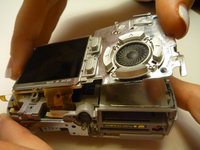
Using tweezers, gently lift the speaker, cautiously maneuvering the wire away from the side of the internal housing component toward the front of the camera internal housing component.
-
-
-
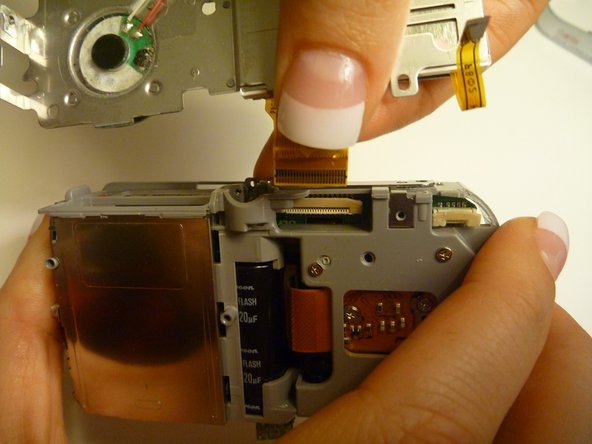
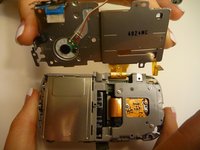
Gently lift the LCD screen away from the camera internal housing component hinging the thick yellow wiring tape attached to the camera internal housing component.
-
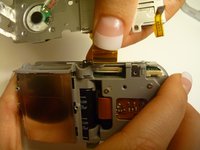
Use a forefinger and thumb to gently pull the thick yellow wiring tape out of the camera internal housing component.
-
-
-
-
-
Flip the camera so you are looking at the back.
-
Looking at the back of the camera, remove the 3 screws behind the camera lens.
-
-
-
Flip the camera so that the front lens is facing up.
-
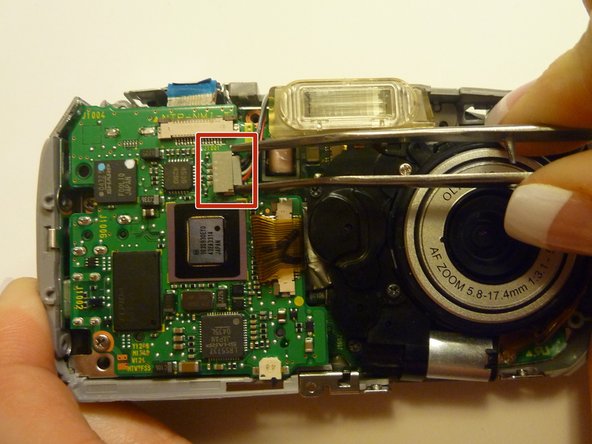
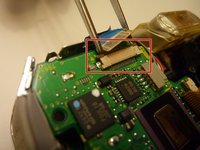
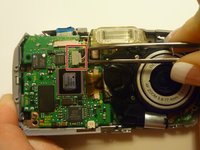
Disconnect the lens from the logic board.
-
-
-
Flip the camera back over so that the back of the camera is facing you, and the lens in facing away.
-
Disconnect the wire that connects the logic board to the lens assembly.
-
-
-
Flip the camera back around so that the front is facing you.
-
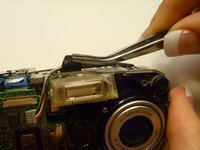
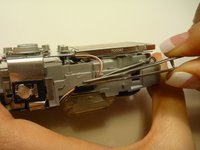
Carefully lift the lens assembly out of the camera.
-
-





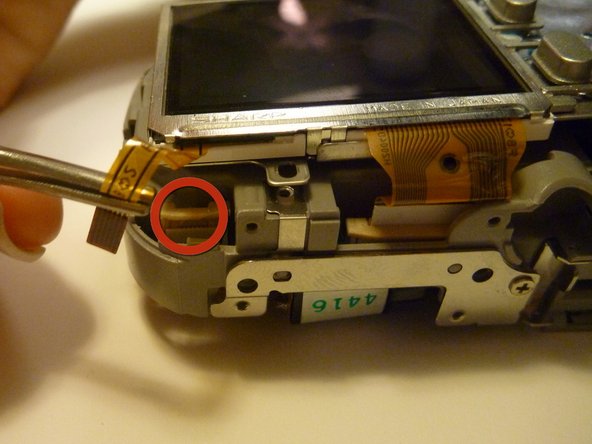


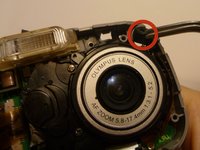
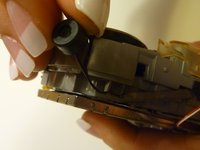
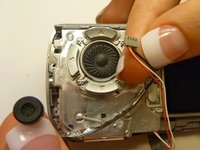



To reassemble your device, follow these instructions in reverse order.

crwdns2935287:0crwdne2935287:0

Cal Poly, Team 28-23, Regan Spring 2010 crwdns2935289:0Cal Poly, Team 28-23, Regan Spring 2010crwdne2935289:0
CPSU-REGAN-S10S28G23
crwdns2931471:04crwdne2931471:0
crwdns2935297:084crwdne2935297:0
