crwdns2933423:0crwdne2933423:0
crwdns2947577:0crwdnd2947577:0crwdne2947577:0

Oculus Rift Development Kit 2 Display Screen Replacement

crwdns2869540:0crwdne2869540:0: 3.5K

crwdns2959988:0crwdne2959988:0

crwdns2959990:0crwdne2959990:0
5
crwdns2959992:0crwdne2959992:0
19
crwdns2959994:0crwdne2959994:0
82
crwdns2959996:0crwdne2959996:0
3,515
crwdns2955950:0crwdne2955950:0: 3

crwdns2960002:01crwdne2960002:0, crwdns2960008:02crwdne2960008:0

crwdns2960000:0crwdne2960000:0
crwdns2959984:0crwdne2959984:0: 4

crwdns2959974:04crwdne2959974:0

crwdns2959986:0crwdne2959986:0: 0

crwdns2959958:0crwdne2959958:0

crwdns2955944:0crwdne2955944:0: crwdns2931287:030crwdne2931287:0
crwdns2955970:0crwdne2955970:0: crwdns2937803:0crwdne2937803:0
Oculus Rift Development Kit 2 Display Screen Replacement

crwdns2915892:0crwdne2915892:0

crwdns2959928:0crwdne2959928:0 ↓

If there are cracks or mars in the video display, the display screen may be broken.

crwdns2959930:0crwdne2959930:0

crwdns2943215:0crwdne2943215:0

    1. Oculus Rift Development Kit 2 Display Screen Replacement, Eye Relief Adjustment Screw: crwdns2935265:01crwdnd2935265:01crwdnd2935265:03crwdne2935265:0 Oculus Rift Development Kit 2 Display Screen Replacement, Eye Relief Adjustment Screw: crwdns2935265:01crwdnd2935265:02crwdnd2935265:03crwdne2935265:0 Oculus Rift Development Kit 2 Display Screen Replacement, Eye Relief Adjustment Screw: crwdns2935265:01crwdnd2935265:03crwdnd2935265:03crwdne2935265:0
      • Remove front cover plate.

      • Unplug the USB and HDMI cables from the Oculus Rift DK2.

      crwdns2952109:0crwdne2952109:0

      crwdns2917038:0crwdne2917038:0

    2. Oculus Rift Development Kit 2 Display Screen Replacement: crwdns2935265:02crwdnd2935265:01crwdnd2935265:03crwdne2935265:0 Oculus Rift Development Kit 2 Display Screen Replacement: crwdns2935265:02crwdnd2935265:02crwdnd2935265:03crwdne2935265:0 Oculus Rift Development Kit 2 Display Screen Replacement: crwdns2935265:02crwdnd2935265:03crwdnd2935265:03crwdne2935265:0
      • Remove the four 3/8" Phillips #0 screws from the inner portion of the headset.

      crwdns2952109:0crwdne2952109:0

      crwdns2917038:0crwdne2917038:0

    3. Oculus Rift Development Kit 2 Display Screen Replacement: crwdns2935265:03crwdnd2935265:01crwdnd2935265:02crwdne2935265:0 Oculus Rift Development Kit 2 Display Screen Replacement: crwdns2935265:03crwdnd2935265:02crwdnd2935265:02crwdne2935265:0
      • With the screws removed, gently pull the headband frame apart from the headset.

      crwdns2952109:0crwdne2952109:0

      crwdns2917038:0crwdne2917038:0

    1. Oculus Rift Development Kit 2 Display Screen Replacement, Remove Lens: crwdns2935265:04crwdnd2935265:01crwdnd2935265:02crwdne2935265:0 Oculus Rift Development Kit 2 Display Screen Replacement, Remove Lens: crwdns2935265:04crwdnd2935265:02crwdnd2935265:02crwdne2935265:0
      • With the Oculus facing up, twist the right lens clockwise and lift it out. Repeat for the left lens twisting counterclockwise instead.

      crwdns2952109:0crwdne2952109:0

      crwdns2917038:0crwdne2917038:0

    1. Oculus Rift Development Kit 2 Display Screen Replacement, Headset Motherboard: crwdns2935265:05crwdnd2935265:01crwdnd2935265:01crwdne2935265:0
      crwdns2935267:0crwdne2935267:0
      Tweezers
      $4.99
      • Using tweezers, carefully lift the four rubber plugs as shown. They are a bit snug and you may need to jiggle them free with the tweezers.

      crwdns2952109:0crwdne2952109:0

      crwdns2917038:0crwdne2917038:0

    2. Oculus Rift Development Kit 2 Display Screen Replacement: crwdns2935265:06crwdnd2935265:01crwdnd2935265:01crwdne2935265:0
      • Remove the four 3/8" screws attaching the eyewear enclosure to the front casing.

      • Read the next step before removing the faceplate!

      crwdns2952109:0crwdne2952109:0

      crwdns2917038:0crwdne2917038:0

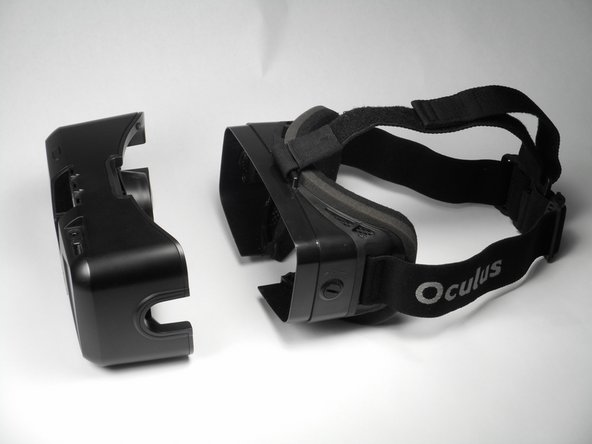
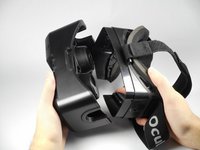
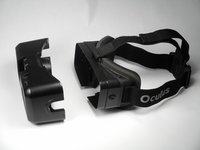
    3. Oculus Rift Development Kit 2 Display Screen Replacement: crwdns2935265:07crwdnd2935265:01crwdnd2935265:02crwdne2935265:0 Oculus Rift Development Kit 2 Display Screen Replacement: crwdns2935265:07crwdnd2935265:02crwdnd2935265:02crwdne2935265:0
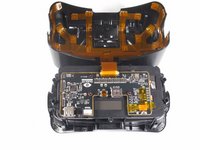
      • Carefully separate the faceplate and the cover. Gently rest the cover plate on top of the faceplate as shown in the pictures.

      • Do not use excessive force when separating these two pieces. There is a delicate ribbon cable connected to each.

      crwdns2952109:0crwdne2952109:0

      crwdns2917038:0crwdne2917038:0

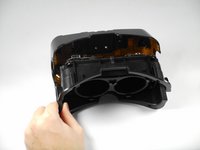
    4. Oculus Rift Development Kit 2 Display Screen Replacement: crwdns2935265:08crwdnd2935265:01crwdnd2935265:02crwdne2935265:0 Oculus Rift Development Kit 2 Display Screen Replacement: crwdns2935265:08crwdnd2935265:02crwdnd2935265:02crwdne2935265:0
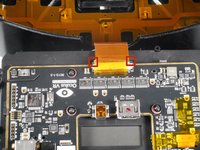
      • Gently pull out the small side tabs on the ribbon cable connector as shown to release the cable.

      • Push the tabs away from you, with the headset oriented as pictured. Carefully slide the ribbon cable out.

      • The headset should now be two separate pieces.

      crwdns2952109:0crwdne2952109:0

      crwdns2917038:0crwdne2917038:0

    5. Oculus Rift Development Kit 2 Display Screen Replacement: crwdns2935265:09crwdnd2935265:01crwdnd2935265:03crwdne2935265:0 Oculus Rift Development Kit 2 Display Screen Replacement: crwdns2935265:09crwdnd2935265:02crwdnd2935265:03crwdne2935265:0 Oculus Rift Development Kit 2 Display Screen Replacement: crwdns2935265:09crwdnd2935265:03crwdnd2935265:03crwdne2935265:0
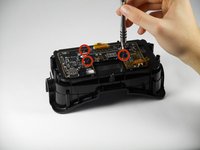
      • Unscrew the three 1/4" Phillips #00 screws as pictured and use the tweezers to lift them out.

      crwdns2952109:0crwdne2952109:0

      crwdns2917038:0crwdne2917038:0

    6. Oculus Rift Development Kit 2 Display Screen Replacement: crwdns2935265:010crwdnd2935265:01crwdnd2935265:01crwdne2935265:0
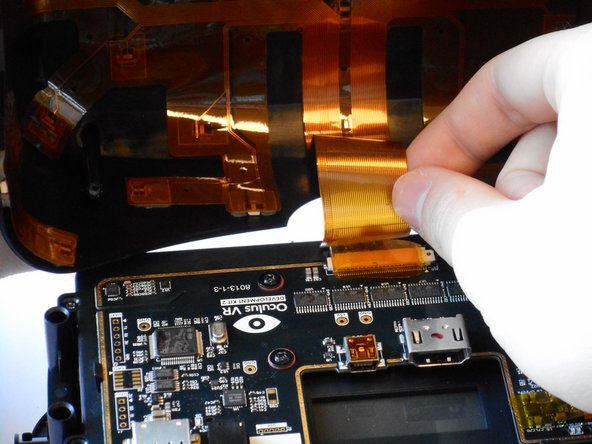
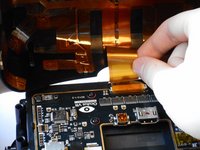
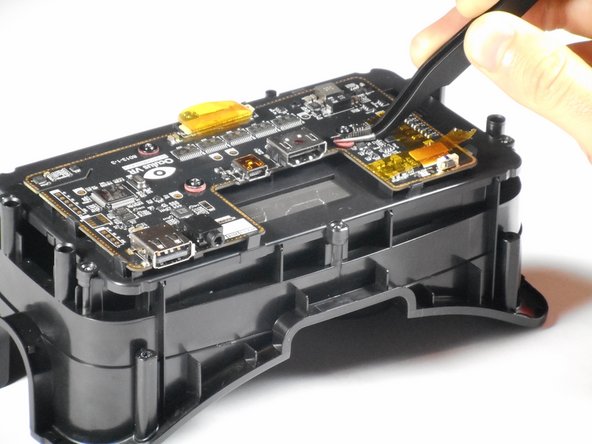
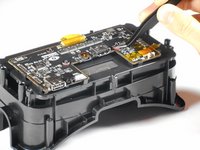
      • Lift the tape and gently pry up the video data ribbon cable using the plastic opening tool as shown.

      crwdns2952109:0crwdne2952109:0

      crwdns2917038:0crwdne2917038:0

    7. Oculus Rift Development Kit 2 Display Screen Replacement: crwdns2935265:011crwdnd2935265:01crwdnd2935265:03crwdne2935265:0 Oculus Rift Development Kit 2 Display Screen Replacement: crwdns2935265:011crwdnd2935265:02crwdnd2935265:03crwdne2935265:0 Oculus Rift Development Kit 2 Display Screen Replacement: crwdns2935265:011crwdnd2935265:03crwdnd2935265:03crwdne2935265:0
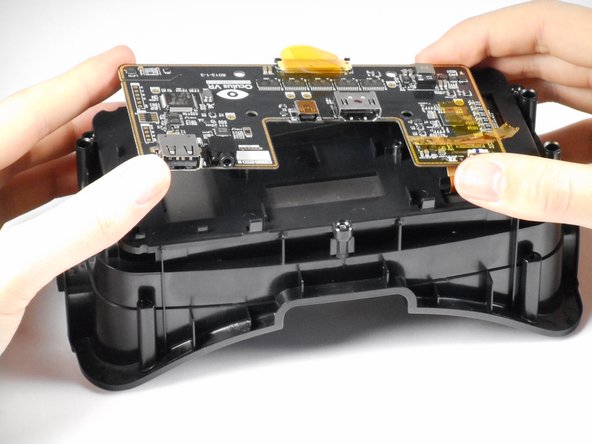
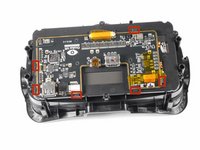
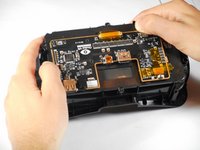
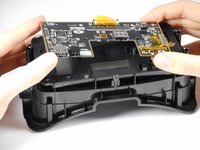
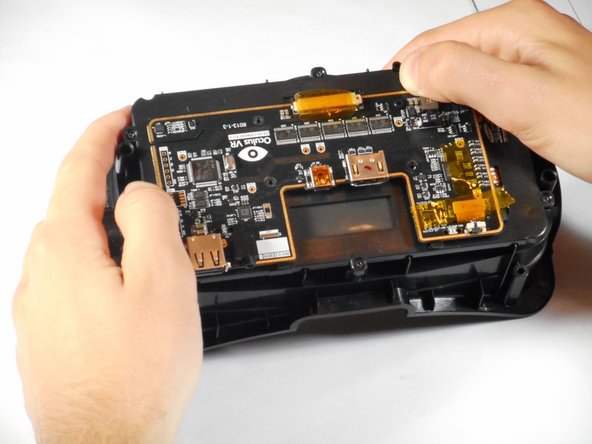
      • Gently pry back the motherboard clips to release the motherboard. The motherboard should now lift free.

      crwdns2952109:0crwdne2952109:0

      crwdns2917038:0crwdne2917038:0

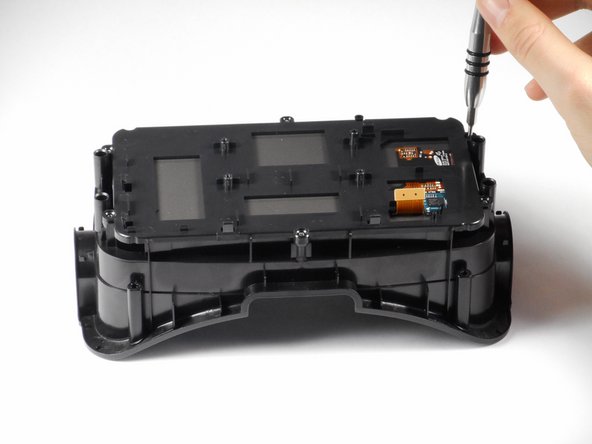
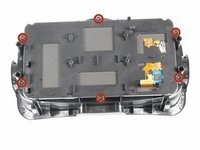
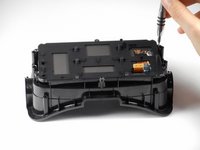
    1. Oculus Rift Development Kit 2 Display Screen Replacement, Display Screen: crwdns2935265:012crwdnd2935265:01crwdnd2935265:03crwdne2935265:0 Oculus Rift Development Kit 2 Display Screen Replacement, Display Screen: crwdns2935265:012crwdnd2935265:02crwdnd2935265:03crwdne2935265:0 Oculus Rift Development Kit 2 Display Screen Replacement, Display Screen: crwdns2935265:012crwdnd2935265:03crwdnd2935265:03crwdne2935265:0
      • Remove the six 1/4" Phillips #1 screws as shown. There should be two on each short side, and one on each long side.

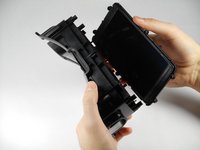
      • Gently lift the plastic screen holder and display screen away from the remaining piece of the faceplate.

      crwdns2952109:0crwdne2952109:0

      crwdns2917038:0crwdne2917038:0

crwdns2915888:0crwdne2915888:0

To reassemble your device, follow these instructions in reverse order.

crwdns2935221:0crwdne2935221:0

crwdns2935229:04crwdne2935229:0

Adam

crwdns2935283:001/20/15crwdne2935283:0

661 crwdns2915208:0crwdne2915208:0

crwdns2935297:04crwdne2935297:0

crwdns2935287:0crwdne2935287:0

Cal Poly, Team 18-5, Maness Winter 2015 crwdns2935289:0Cal Poly, Team 18-5, Maness Winter 2015crwdne2935289:0

CPSU-MANESS-W15S18G5

crwdns2931471:04crwdne2931471:0

crwdns2935297:072crwdne2935297:0

crwdns2947412:02crwdne2947412:0

It's possible to use the Samsung Galaxy Note 4 screen?

Lauro Adriano Freitas - crwdns2934203:0crwdne2934203:0 crwdns2950251:0crwdne2950251:0

possible to use the Samsung Galaxy Note 4 screen?

moldovancasyan19 - crwdns2934203:0crwdne2934203:0 crwdns2950251:0crwdne2950251:0
crwdns2917038:0crwdne2917038:0

crwdns2936625:0crwdne2936625:0:

crwdns2936751:024crwdne2936751:0 5

crwdns2936753:07crwdne2936753:0 19

crwdns2936753:030crwdne2936753:0 82

crwdns2959996:0crwdne2959996:0 3,515