
Oculus Rift CV1 Remote Button Replacement

crwdns2959932:0crwdnd2959932:0Christian Perrycrwdnd2959932:0crwdnd2959932:0crwdnd2959932:04crwdnd2959932:0crwdne2959932:0
crwdns2959936:0Kul 8, 2019crwdne2959936:0
crwdns2869540:0crwdne2869540:0: 1.5K
crwdns2959988:0crwdne2959988:0
- crwdns2959990:0crwdne2959990:0
- 1
- crwdns2959992:0crwdne2959992:0
- 13
- crwdns2959994:0crwdne2959994:0
- 69
- crwdns2959996:0crwdne2959996:0
- 1,501
crwdns2955950:0crwdne2955950:0: 0
crwdns2959998:0crwdne2959998:0
crwdns2960000:0crwdne2960000:0crwdns2959984:0crwdne2959984:0: 0 1
crwdns2959956:0crwdne2959956:0
crwdns2959968:01crwdne2959968:0
crwdns2959986:0crwdne2959986:0: 0 1
crwdns2959958:0crwdne2959958:0
crwdns2959976:01crwdne2959976:0
crwdns2862591:0crwdne2862591:0
crwdns2862592:0crwdne2862592:0
crwdns2915892:0crwdne2915892:0
crwdns2959928:0crwdne2959928:0 ↓The purpose of this guide is to provide information on replacing the buttons on your Oculus Rift CV1 remote. You can learn more about the Oculus Rift CV1 on the device page. You will need a Phillips #000 screwdriver for this replacement. Ensure buttons are cleaned with an electronics safe cleaner before reassembly to prevent the buttons from sticking.
crwdns2959930:0crwdne2959930:0
crwdns2943215:0crwdne2943215:0

-
-
-
Remove the back panel by firmly sliding it towards the strap.
 crwdns2952109:0crwdne2952109:0
-
-
-
Push down on the tab under the battery.
-
Firmly slide the battery away from you. The battery should unlatch from its previous position.
-
Once the battery is removed, release the tab.
-
-
-
-
-
-
Remove the four 4mm Phillips #000 screws from the back of the remote.
-
-
-
Gently lift the wrist strap to split the back panel into two.
-
-
-
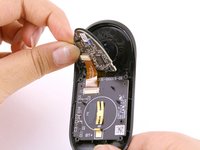
Gently peel off the top of the control board.
-
-
-
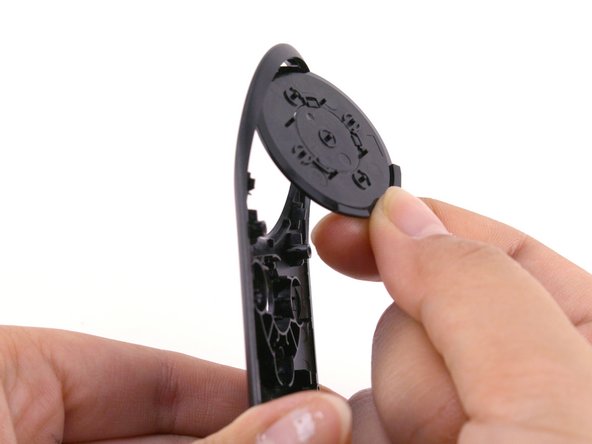
Pull the old buttons off and replace them with the new ones.
-
-



To reassemble your device, follow these instructions in reverse order.

crwdns2935287:0crwdne2935287:0

Cal Poly, Team S18-G4, White Winter 2019 crwdns2935289:0Cal Poly, Team S18-G4, White Winter 2019crwdne2935289:0
CPSU-WHITE-W19S18G4
crwdns2931471:03crwdne2931471:0
crwdns2935297:060crwdne2935297:0
