crwdns2933423:0crwdne2933423:0
crwdns2947577:0crwdnd2947577:0crwdne2947577:0

ORFELD EV-660-S222 Battery LED Board Replacement

crwdns2942213:0crwdne2942213:0

    1. ORFELD EV-660-S222 Battery LED Board Replacement, Battery LED Board: crwdns2935265:01crwdnd2935265:01crwdnd2935265:01crwdne2935265:0
      • Separate the dust cover and the motor from the vacuum body by pressing the eject button.

      crwdns2952109:0crwdne2952109:0

      crwdns2917038:0crwdne2917038:0

    2. ORFELD EV-660-S222 Battery LED Board Replacement: crwdns2935265:02crwdnd2935265:01crwdnd2935265:02crwdne2935265:0 ORFELD EV-660-S222 Battery LED Board Replacement: crwdns2935265:02crwdnd2935265:02crwdnd2935265:02crwdne2935265:0
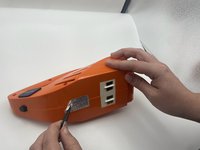
      • Place the vacuum on its side, with the screws facing towards you.

      • Remove the 11.5 mm screws using a Phillips #1 screwdriver.

      crwdns2952109:0crwdne2952109:0

      crwdns2917038:0crwdne2917038:0

    3. ORFELD EV-660-S222 Battery LED Board Replacement: crwdns2935265:03crwdnd2935265:01crwdnd2935265:02crwdne2935265:0 ORFELD EV-660-S222 Battery LED Board Replacement: crwdns2935265:03crwdnd2935265:02crwdnd2935265:02crwdne2935265:0
      crwdns2935267:0crwdne2935267:0
      Tweezers
      $4.99
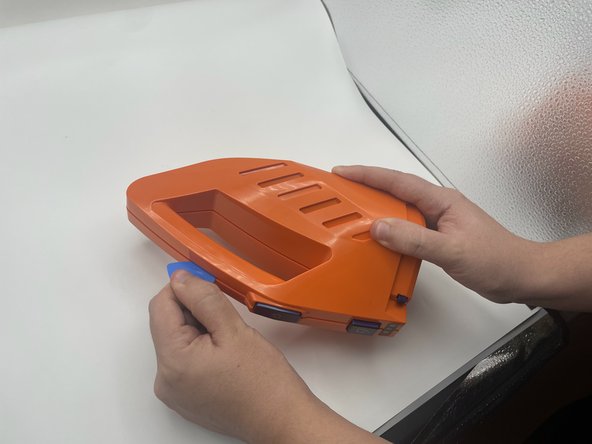
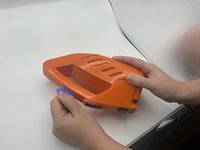
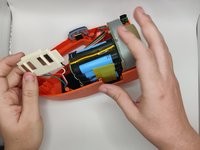
      • Using tweezers, remove the sticker connecting the two halves.

      • Use the opening pick to gently separate the top half and the bottom half of the vacuum.

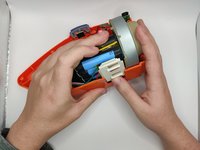
      • Press the blue buttons near the sides of the battery LEDs to remove the top half.

      crwdns2952109:0crwdne2952109:0

      crwdns2917038:0crwdne2917038:0

    4. ORFELD EV-660-S222 Battery LED Board Replacement: crwdns2935265:04crwdnd2935265:01crwdnd2935265:02crwdne2935265:0 ORFELD EV-660-S222 Battery LED Board Replacement: crwdns2935265:04crwdnd2935265:02crwdnd2935265:02crwdne2935265:0
      • Slide out the charging port.

      crwdns2952109:0crwdne2952109:0

      crwdns2917038:0crwdne2917038:0

    5. ORFELD EV-660-S222 Battery LED Board Replacement: crwdns2935265:05crwdnd2935265:01crwdnd2935265:01crwdne2935265:0
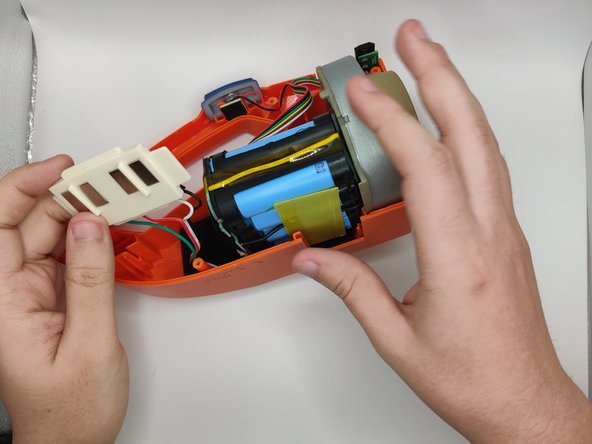
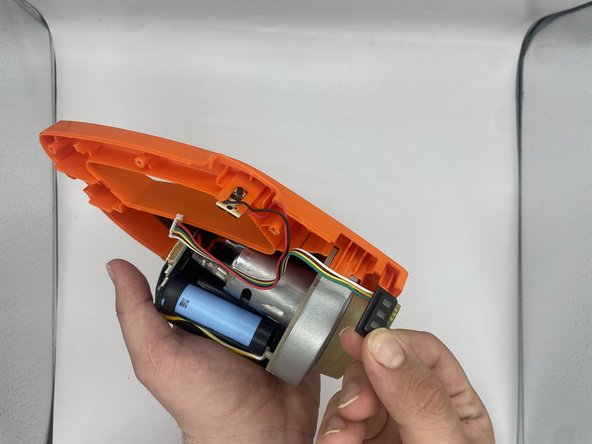
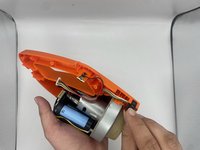
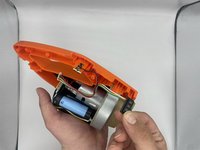
      • Lift the battery slightly to reveal the pin connectors.

      • Gently disconnect the six-pin connector that connects to the power button and battery LEDs.

      crwdns2952109:0crwdne2952109:0

      crwdns2917038:0crwdne2917038:0

    6. ORFELD EV-660-S222 Battery LED Board Replacement: crwdns2935265:06crwdnd2935265:01crwdnd2935265:03crwdne2935265:0 ORFELD EV-660-S222 Battery LED Board Replacement: crwdns2935265:06crwdnd2935265:02crwdnd2935265:03crwdne2935265:0 ORFELD EV-660-S222 Battery LED Board Replacement: crwdns2935265:06crwdnd2935265:03crwdnd2935265:03crwdne2935265:0
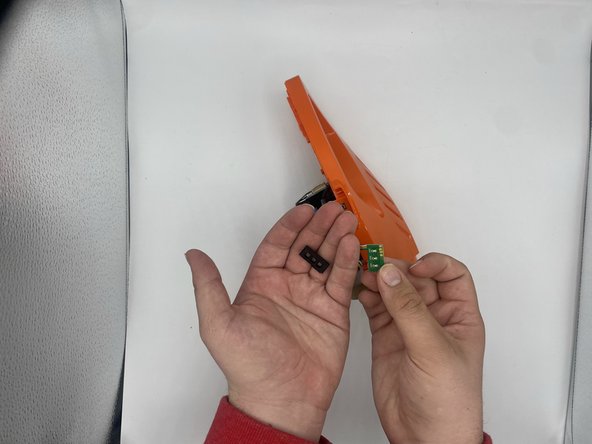
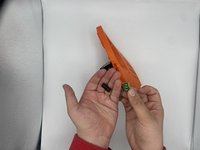
      • Slide out the battery LEDs from the compartment.

      • Remove the plastic LED cover from the LED board.

      crwdns2952109:0crwdne2952109:0

      crwdns2917038:0crwdne2917038:0

    7. ORFELD EV-660-S222 Battery LED Board Replacement: crwdns2935265:07crwdnd2935265:01crwdnd2935265:01crwdne2935265:0
      • Desolder the LED board from the wires.

      crwdns2952109:0crwdne2952109:0

      crwdns2917038:0crwdne2917038:0

crwdns2915888:0crwdne2915888:0

To reassemble your device, follow these instructions in reverse order.

crwdns2935221:0crwdne2935221:0

Sarthak Shrestha

crwdns2935283:009/12/23crwdne2935283:0

462 crwdns2915208:0crwdne2915208:0

crwdns2935297:03crwdne2935297:0

crwdns2935287:0crwdne2935287:0

University of North Texas, Team 2-4, Harold Fall 2023 crwdns2935289:0University of North Texas, Team 2-4, Harold Fall 2023crwdne2935289:0

UNT-HAROLD-F23S2G4

crwdns2931471:04crwdne2931471:0

crwdns2935297:010crwdne2935297:0

crwdns2947412:00crwdne2947412:0

crwdns2917038:0crwdne2917038:0

crwdns2936625:0crwdne2936625:0:

crwdns2936751:024crwdne2936751:0 3

crwdns2936753:07crwdne2936753:0 12

crwdns2936753:030crwdne2936753:0 39

crwdns2942667:0crwdne2942667:0 1,146