crwdns2933423:0crwdne2933423:0
crwdns2947577:0crwdnd2947577:0crwdne2947577:0

Nokia C2-01 Dissasembly

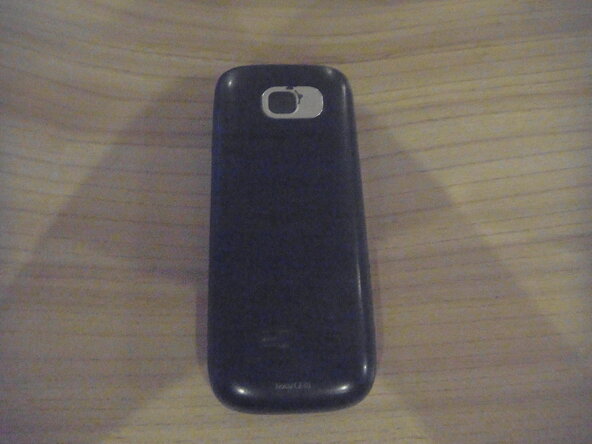
    1. Nokia C2-01 Dissasembly, Nokia C2-01: crwdns2935265:01crwdnd2935265:01crwdnd2935265:03crwdne2935265:0 Nokia C2-01 Dissasembly, Nokia C2-01: crwdns2935265:01crwdnd2935265:02crwdnd2935265:03crwdne2935265:0 Nokia C2-01 Dissasembly, Nokia C2-01: crwdns2935265:01crwdnd2935265:03crwdnd2935265:03crwdne2935265:0
      • Remove back cover by sliding downwards.

      • Remove battery and sim card (if applicable).

      crwdns2952109:0crwdne2952109:0

      crwdns2917038:0crwdne2917038:0

    2. Nokia C2-01 Dissasembly: crwdns2935265:02crwdnd2935265:01crwdnd2935265:01crwdne2935265:0
      • Remove two 5mm-long screws on the left and right using a T6 Torx screwdriver.

      crwdns2952109:0crwdne2952109:0

      crwdns2917038:0crwdne2917038:0

    3. Nokia C2-01 Dissasembly, Remove front cover: crwdns2935265:03crwdnd2935265:01crwdnd2935265:01crwdne2935265:0
      • Flip phone over to front.

      • Insert opening pick underneath headphone jack and pry around edge of phone until front cover pops off.

      crwdns2952109:0crwdne2952109:0

      crwdns2917038:0crwdne2917038:0

    4. Nokia C2-01 Dissasembly: crwdns2935265:04crwdnd2935265:01crwdnd2935265:02crwdne2935265:0 Nokia C2-01 Dissasembly: crwdns2935265:04crwdnd2935265:02crwdnd2935265:02crwdne2935265:0
      • Remove four 5mm-long screws in the corners of the motherboard using a Torx T6 screwdriver.

      • Be careful not to touch the LCD screen!

      crwdns2952109:0crwdne2952109:0

      crwdns2917038:0crwdne2917038:0

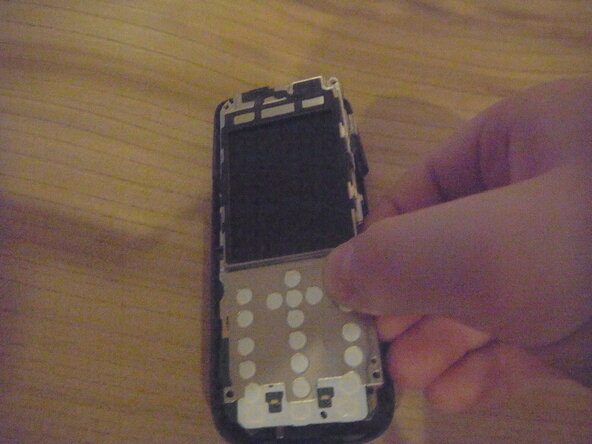
    5. Nokia C2-01 Dissasembly, Seperate the motherboard: crwdns2935265:05crwdnd2935265:01crwdnd2935265:03crwdne2935265:0 Nokia C2-01 Dissasembly, Seperate the motherboard: crwdns2935265:05crwdnd2935265:02crwdnd2935265:03crwdne2935265:0 Nokia C2-01 Dissasembly, Seperate the motherboard: crwdns2935265:05crwdnd2935265:03crwdnd2935265:03crwdne2935265:0
      • Pull one plastic clip out of the way and gently lift and pull the motherboard out of the housing.

      crwdns2952109:0crwdne2952109:0

      crwdns2917038:0crwdne2917038:0

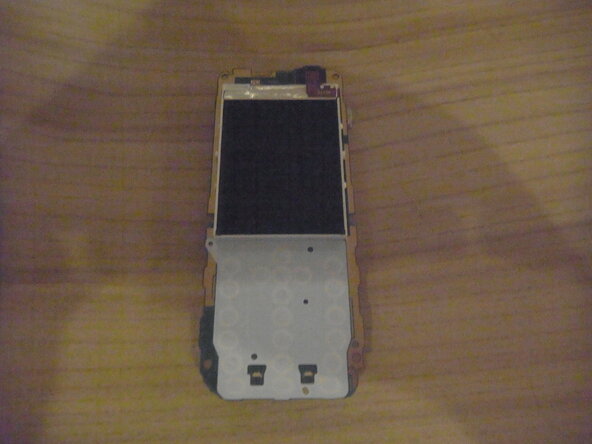
    6. Nokia C2-01 Dissasembly, Remove Screen Bracket: crwdns2935265:06crwdnd2935265:01crwdnd2935265:03crwdne2935265:0 Nokia C2-01 Dissasembly, Remove Screen Bracket: crwdns2935265:06crwdnd2935265:02crwdnd2935265:03crwdne2935265:0 Nokia C2-01 Dissasembly, Remove Screen Bracket: crwdns2935265:06crwdnd2935265:03crwdnd2935265:03crwdne2935265:0
      • Flip phone over and use Spudger to move metal clips out of the way.

      • Flip phone back over and remove metal screen housing.

      crwdns2952109:0crwdne2952109:0

      crwdns2917038:0crwdne2917038:0

    7. Nokia C2-01 Dissasembly, Remove screen: crwdns2935265:07crwdnd2935265:01crwdnd2935265:02crwdne2935265:0 Nokia C2-01 Dissasembly, Remove screen: crwdns2935265:07crwdnd2935265:02crwdnd2935265:02crwdne2935265:0
      • Use Spudger to lift the screen cable, and remove screen.

      crwdns2952109:0crwdne2952109:0

      crwdns2917038:0crwdne2917038:0

crwdns2935217:0crwdne2935217:0

crwdns2935221:0crwdne2935221:0

Jonathan Vacek

crwdns2935283:012/27/25crwdne2935283:0

145 crwdns2915208:0crwdne2915208:0

crwdns2935295:0crwdne2935295:0

crwdns2947412:00crwdne2947412:0

crwdns2917038:0crwdne2917038:0

crwdns2936625:0crwdne2936625:0:

crwdns2936751:024crwdne2936751:0 0

crwdns2936753:07crwdne2936753:0 19

crwdns2936753:030crwdne2936753:0 48

crwdns2942667:0crwdne2942667:0 206