
Nokia 6590i SIM Card Replacement

crwdns2959932:0crwdnd2959932:0Colby Lesliecrwdnd2959932:0crwdnd2959932:0crwdnd2959932:02crwdnd2959932:0crwdne2959932:0
crwdns2959936:0Yan 19, 2016crwdne2959936:0
crwdns2869540:0crwdne2869540:0: 1.4K
crwdns2959988:0crwdne2959988:0
- crwdns2959990:0crwdne2959990:0
- 2
- crwdns2959992:0crwdne2959992:0
- 12
- crwdns2959994:0crwdne2959994:0
- 36
- crwdns2959996:0crwdne2959996:0
- 1,377
crwdns2955950:0crwdne2955950:0: 0
crwdns2959998:0crwdne2959998:0
crwdns2960000:0crwdne2960000:0crwdns2959984:0crwdne2959984:0: 0 1
crwdns2959956:0crwdne2959956:0
crwdns2959968:01crwdne2959968:0
crwdns2959986:0crwdne2959986:0: 0 1
crwdns2959958:0crwdne2959958:0
crwdns2959976:01crwdne2959976:0
crwdns2869444:0crwdne2869444:0
crwdns2869445:0crwdne2869445:0
crwdns2915892:0crwdne2915892:0
crwdns2959928:0crwdne2959928:0 ↓This guide will show you how to remove the phone's SIM card
-
-
-
Press the button on the bottom of the rear cover.
-
Keep the button pressed while pulling the cover downward to remove the back cover.
-
Lift the cover off.
 crwdns2952109:0crwdne2952109:0
-
-
-
Push the battery down from the top and pull it out.
-
-
-
-
-
Open the small door covering The SIM card by pulling down from the top
-
-
-
-
Lift the SIM card out of the phone
-
-

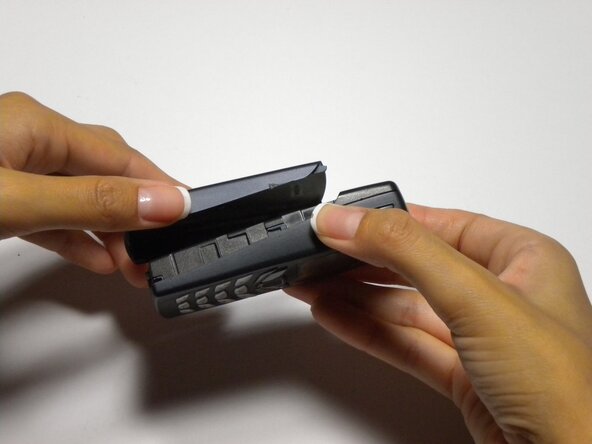


To reassemble your device, follow these instructions in reverse order.

crwdns2935287:0crwdne2935287:0

Cal Poly, Team 22-3, Maness Fall 2010 crwdns2935289:0Cal Poly, Team 22-3, Maness Fall 2010crwdne2935289:0
CPSU-MANESS-F10S22G3
crwdns2931471:04crwdne2931471:0
crwdns2935297:084crwdne2935297:0
