
Nokia 6590i Battery Replacement

crwdns2959932:0crwdnd2959932:0Colby Lesliecrwdnd2959932:0crwdnd2959932:0crwdnd2959932:08crwdnd2959932:0crwdne2959932:0
crwdns2959936:0Kho 25, 2025crwdne2959936:0
crwdns2869540:0crwdne2869540:0: 1,2 B
crwdns2959988:0crwdne2959988:0
- crwdns2959990:0crwdne2959990:0
- 0
- crwdns2959992:0crwdne2959992:0
- 4
- crwdns2959994:0crwdne2959994:0
- 29
- crwdns2959996:0crwdne2959996:0
- 1.158
crwdns2955950:0crwdne2955950:0: 0
crwdns2959998:0crwdne2959998:0
crwdns2960000:0crwdne2960000:0crwdns2959984:0crwdne2959984:0: 1 2
crwdns2959972:01crwdne2959972:0
crwdns2959970:02crwdne2959970:0
crwdns2959986:0crwdne2959986:0: 0 1
crwdns2959958:0crwdne2959958:0
crwdns2959976:01crwdne2959976:0
crwdns2869444:0crwdne2869444:0
crwdns2869445:0crwdne2869445:0
crwdns2915892:0crwdne2915892:0
crwdns2959928:0crwdne2959928:0 ↓The Nokia 6590i was released in 2002, so the battery health may be running low. This means your battery may need to be replaced. Please be cautious while replacing the battery in your Nokia 6590i, as to not further damage the device. During the replacement process, if you notice any scratches or unusual markings in the battery port, please consult a professional and halt the battery replacement.
A punctured battery may lead to a serious fire hazard. Please be careful, and follow this guide to not ruin the battery and/or phone.
Completely power off your Nokia 6590i before starting your replacement.
crwdns2959930:0crwdne2959930:0
crwdns2943213:0crwdne2943213:0
-
-
-
Press the button on the bottom of the rear cover.
-
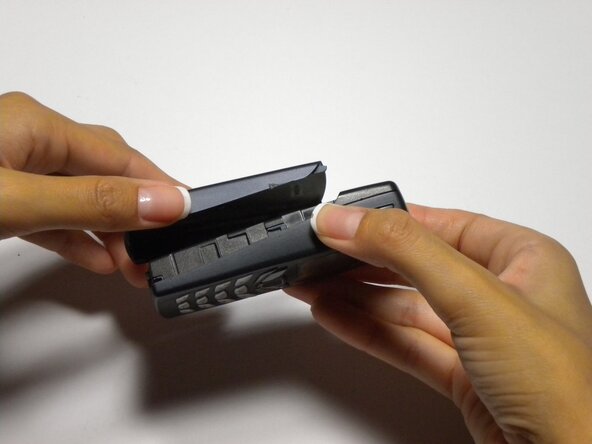
Keep the button pressed while pulling the cover downward to remove the back cover.
-
Lift the cover off.
 crwdns2952109:0crwdne2952109:0
-
-
-
Push the battery down from the top and pull it out.
-
-
-



To reassemble your device, follow these instructions in reverse order.
crwdns2935221:0crwdne2935221:0
crwdns2935227:0crwdne2935227:0

crwdns2935287:0crwdne2935287:0

Cal Poly, Team 22-3, Maness Fall 2010 crwdns2935289:0Cal Poly, Team 22-3, Maness Fall 2010crwdne2935289:0
CPSU-MANESS-F10S22G3
crwdns2931471:04crwdne2931471:0
crwdns2935297:084crwdne2935297:0
