crwdns2933423:0crwdne2933423:0
crwdns2947577:0crwdnd2947577:0crwdne2947577:0

Nintendo Wii Wi-Fi Board Replacement

crwdns2942213:0crwdne2942213:0

    1. Nintendo Wii Wi-Fi Board Replacement, Faceplate: crwdns2935265:01crwdnd2935265:01crwdnd2935265:02crwdne2935265:0 Nintendo Wii Wi-Fi Board Replacement, Faceplate: crwdns2935265:01crwdnd2935265:02crwdnd2935265:02crwdne2935265:0
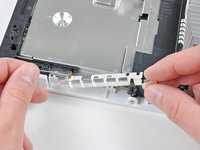
      • Use a metal spudger to remove the white plastic screw covers stuck to the lower case near the front of the Wii.

      crwdns2952109:0crwdne2952109:0

      crwdns2917038:0crwdne2917038:0

    2. Nintendo Wii Wi-Fi Board Replacement: crwdns2935265:02crwdnd2935265:01crwdnd2935265:01crwdne2935265:0
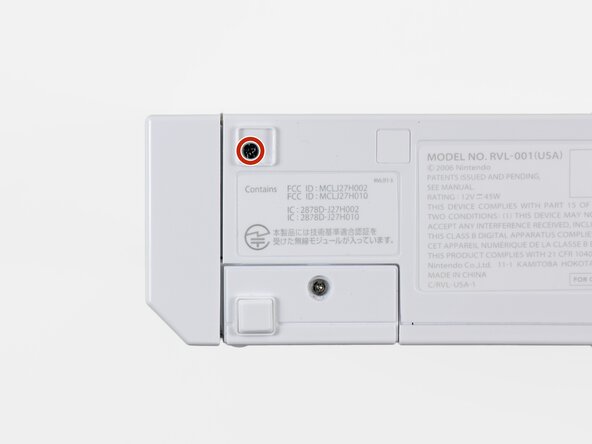
      • Remove the two 8.3 mm Tri-Point screws hidden under the covers you just removed.

      crwdns2952109:0crwdne2952109:0

      crwdns2917038:0crwdne2917038:0

    3. Nintendo Wii Wi-Fi Board Replacement: crwdns2935265:03crwdnd2935265:01crwdnd2935265:01crwdne2935265:0
      • Remove the single 5.9 mm Phillips screw under the controller port door nearest the faceplate.

      crwdns2952109:0crwdne2952109:0

      crwdns2917038:0crwdne2917038:0

    4. Nintendo Wii Wi-Fi Board Replacement: crwdns2935265:04crwdnd2935265:01crwdnd2935265:01crwdne2935265:0
      • Use a metal spudger to remove the rubber foot stuck to the side of the Wii near the DVD drive opening.

      crwdns2952109:0crwdne2952109:0

      crwdns2917038:0crwdne2917038:0

    5. Nintendo Wii Wi-Fi Board Replacement: crwdns2935265:05crwdnd2935265:01crwdnd2935265:01crwdne2935265:0
      • Remove the single 5.9 mm Phillips screw hidden under the foot you just removed.

      crwdns2952109:0crwdne2952109:0

      crwdns2917038:0crwdne2917038:0

    6. Nintendo Wii Wi-Fi Board Replacement: crwdns2935265:06crwdnd2935265:01crwdnd2935265:02crwdne2935265:0 Nintendo Wii Wi-Fi Board Replacement: crwdns2935265:06crwdnd2935265:02crwdnd2935265:02crwdne2935265:0
      crwdns2935267:0crwdne2935267:0
      Tweezers
      $4.99
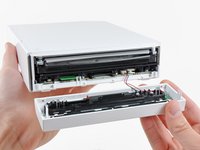
      • Carefully pull the faceplate away from the front of the Wii.

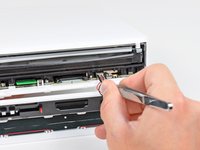
      • Use a pair of tweezers to disconnect the LED cable's plastic connector from the motherboard.

      • Remove the faceplate.

      crwdns2952109:0crwdne2952109:0

      crwdns2917038:0crwdne2917038:0

    1. Nintendo Wii Wi-Fi Board Replacement, Outer Case: crwdns2935265:07crwdnd2935265:01crwdnd2935265:03crwdne2935265:0 Nintendo Wii Wi-Fi Board Replacement, Outer Case: crwdns2935265:07crwdnd2935265:02crwdnd2935265:03crwdne2935265:0 Nintendo Wii Wi-Fi Board Replacement, Outer Case: crwdns2935265:07crwdnd2935265:03crwdnd2935265:03crwdne2935265:0
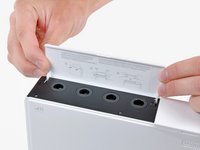
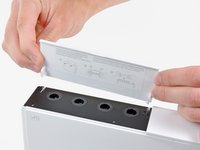
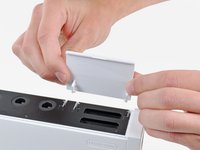
      • Open the controller port cover until it is perpendicular to the black controller port bezel.

      • Pull the controller port cover straight up to release it from the outer case.

      • Repeat this procedure for the memory card port cover.

      crwdns2952109:0crwdne2952109:0

      crwdns2917038:0crwdne2917038:0

    2. Nintendo Wii Wi-Fi Board Replacement: crwdns2935265:08crwdnd2935265:01crwdnd2935265:02crwdne2935265:0 Nintendo Wii Wi-Fi Board Replacement: crwdns2935265:08crwdnd2935265:02crwdnd2935265:02crwdne2935265:0
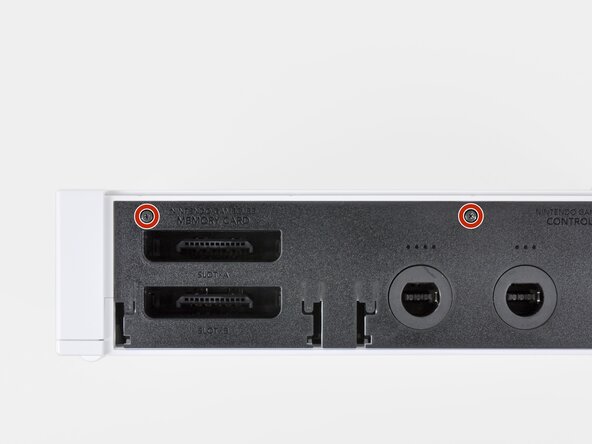
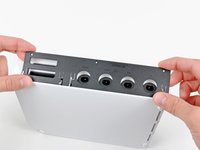
      • Remove the two remaining 4.1 mm Phillips screws along the top edge of the black plastic controller port bezel.

      • Lift the bezel from the long edge furthest away from the controller ports and remove it from the Wii.

      crwdns2952109:0crwdne2952109:0

      crwdns2917038:0crwdne2917038:0

    3. Nintendo Wii Wi-Fi Board Replacement: crwdns2935265:09crwdnd2935265:01crwdnd2935265:01crwdne2935265:0
      • Remove the two 5 mm Phillips screws above the controller ports.

      crwdns2952109:0crwdne2952109:0

      crwdns2917038:0crwdne2917038:0

    4. Nintendo Wii Wi-Fi Board Replacement: crwdns2935265:010crwdnd2935265:01crwdnd2935265:01crwdne2935265:0
      • Use a metal spudger to remove the three highlighted screw covers stuck to the side of the Wii.

      crwdns2952109:0crwdne2952109:0

      crwdns2917038:0crwdne2917038:0

    5. Nintendo Wii Wi-Fi Board Replacement: crwdns2935265:011crwdnd2935265:01crwdnd2935265:01crwdne2935265:0
      • Remove the following screws:

      • Two 5 mm Phillips screws

      • One 8.2 mm Tri-Point screw

      crwdns2952109:0crwdne2952109:0

      crwdns2917038:0crwdne2917038:0

    6. Nintendo Wii Wi-Fi Board Replacement: crwdns2935265:012crwdnd2935265:01crwdnd2935265:01crwdne2935265:0
      • Use a metal spudger to remove the two rubber feet stuck to the bottom face of the Wii near the rear ports.

      crwdns2952109:0crwdne2952109:0

      crwdns2917038:0crwdne2917038:0

    7. Nintendo Wii Wi-Fi Board Replacement: crwdns2935265:013crwdnd2935265:01crwdnd2935265:01crwdne2935265:0
      crwdns2935267:0crwdne2935267:0
      iFixit Precision 4 mm Screwdriver Bit
      $2.99
      • Remove the two 8.2 mm Tri-Point screws hidden under the feet you just removed.

      • You may use a 4 mm hex nut driver to extend your bit into the recesses and reach the screws.

      crwdns2952109:0crwdne2952109:0

      crwdns2917038:0crwdne2917038:0

    8. Nintendo Wii Wi-Fi Board Replacement: crwdns2935265:014crwdnd2935265:01crwdnd2935265:01crwdne2935265:0
      • Lift the outer case straight up off the body of the Wii.

      crwdns2952109:0crwdne2952109:0

      crwdns2917038:0crwdne2917038:0

    1. Nintendo Wii Wi-Fi Board Replacement, DVD Drive: crwdns2935265:015crwdnd2935265:01crwdnd2935265:02crwdne2935265:0 Nintendo Wii Wi-Fi Board Replacement, DVD Drive: crwdns2935265:015crwdnd2935265:02crwdnd2935265:02crwdne2935265:0
      • Remove the small Phillips screw securing the battery door to the bottom panel.

      • This screw is captive to the battery door.

      • Pull the battery door out of the Wii.

      • The system time will be reset once you remove the battery door.

      • This is a good time to change the CR2032 battery if it hasn't been changed recently.

      crwdns2952109:0crwdne2952109:0

      crwdns2917038:0crwdne2917038:0

    2. Nintendo Wii Wi-Fi Board Replacement: crwdns2935265:016crwdnd2935265:01crwdnd2935265:01crwdne2935265:0
      • Remove the 8.2 mm Tri-Point screw that was hidden beneath the battery door.

      crwdns2952109:0crwdne2952109:0

      crwdns2917038:0crwdne2917038:0

    3. Nintendo Wii Wi-Fi Board Replacement: crwdns2935265:017crwdnd2935265:01crwdnd2935265:01crwdne2935265:0
      • Remove the two 8.2 mm Tri-Point screws securing the DVD drive shield near the controller ports.

      crwdns2952109:0crwdne2952109:0

      crwdns2917038:0crwdne2917038:0

    4. Nintendo Wii Wi-Fi Board Replacement: crwdns2935265:018crwdnd2935265:01crwdnd2935265:01crwdne2935265:0
      • Be cautious as you remove the DVD shield, the edges are sharp and could cut you

      • Lift the DVD drive shield upward and remove it from the Wii.

      crwdns2952109:0crwdne2952109:0

      crwdns2917038:0crwdne2917038:0

    5. Nintendo Wii Wi-Fi Board Replacement: crwdns2935265:019crwdnd2935265:01crwdnd2935265:01crwdne2935265:0
      • Remove the four 9 mm Phillips screws securing the DVD drive to the bottom panel.

      crwdns2952109:0crwdne2952109:0

      crwdns2917038:0crwdne2917038:0

    6. Nintendo Wii Wi-Fi Board Replacement: crwdns2935265:020crwdnd2935265:01crwdnd2935265:01crwdne2935265:0
      • Lift the side of the DVD drive opposite the controller ports enough to access the cables on its bottom face.

      • Carefully pull the DVD drive power cable out from under the plastic shroud near the heat sink.

      crwdns2952109:0crwdne2952109:0

      crwdns2917038:0crwdne2917038:0

    7. Nintendo Wii Wi-Fi Board Replacement: crwdns2935265:021crwdnd2935265:01crwdnd2935265:01crwdne2935265:0
      • Pull the DVD drive power cable away from its socket on the DVD drive.

      crwdns2952109:0crwdne2952109:0

      crwdns2917038:0crwdne2917038:0

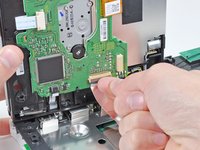
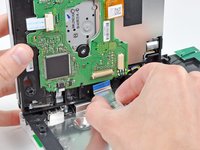
    8. Nintendo Wii Wi-Fi Board Replacement: crwdns2935265:022crwdnd2935265:01crwdnd2935265:02crwdne2935265:0 Nintendo Wii Wi-Fi Board Replacement: crwdns2935265:022crwdnd2935265:02crwdnd2935265:02crwdne2935265:0
      • Use your fingernail to flip up the retaining flap on the DVD drive ribbon cable socket.

      • Be sure you are prying up on the retaining flap, not the socket itself.

      • Pull the DVD drive ribbon cable out of its socket.

      • Remove the DVD drive from the Wii.

      crwdns2952109:0crwdne2952109:0

      crwdns2917038:0crwdne2917038:0

    1. Nintendo Wii Wi-Fi Board Replacement, Motherboard Cover: crwdns2935265:023crwdnd2935265:01crwdnd2935265:01crwdne2935265:0
      crwdns2935267:0crwdne2935267:0
      Tweezers
      $4.99
      • Use a pair of tweezers to lift the fan connector up and out of its socket on the logic board.

      • Be sure your tweezers are clamped down on the fan connector, not the socket on the motherboard.

      crwdns2952109:0crwdne2952109:0

      crwdns2917038:0crwdne2917038:0

    2. Nintendo Wii Wi-Fi Board Replacement: crwdns2935265:024crwdnd2935265:01crwdnd2935265:02crwdne2935265:0 Nintendo Wii Wi-Fi Board Replacement: crwdns2935265:024crwdnd2935265:02crwdnd2935265:02crwdne2935265:0
      • Remove the two 10 mm Phillips screws securing the fan to the fan shroud.

      • Remove the fan from the Wii.

      crwdns2952109:0crwdne2952109:0

      crwdns2917038:0crwdne2917038:0

    3. Nintendo Wii Wi-Fi Board Replacement: crwdns2935265:025crwdnd2935265:01crwdnd2935265:02crwdne2935265:0 Nintendo Wii Wi-Fi Board Replacement: crwdns2935265:025crwdnd2935265:02crwdnd2935265:02crwdne2935265:0
      • Use the tip of a spudger or another fine-pointed tool to carefully pry one of the black plastic retaining fingers attached to the fan shroud away from the Wi-Fi antenna board.

      • Lift the Wi-Fi antenna out of the fan shroud.

      crwdns2952109:0crwdne2952109:0

      crwdns2917038:0crwdne2917038:0

    4. Nintendo Wii Wi-Fi Board Replacement: crwdns2935265:026crwdnd2935265:01crwdnd2935265:01crwdne2935265:0
      • Remove the single 10 mm Phillips screw securing the second Wi-Fi antenna to the top of the fan shroud.

      crwdns2952109:0crwdne2952109:0

      crwdns2917038:0crwdne2917038:0

    5. Nintendo Wii Wi-Fi Board Replacement: crwdns2935265:027crwdnd2935265:01crwdnd2935265:01crwdne2935265:0
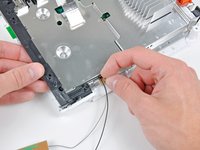
      • Remove the two pieces of tape securing the second Wi-Fi antenna cable to the plastic bracket near the heat sink.

      crwdns2952109:0crwdne2952109:0

      crwdns2917038:0crwdne2917038:0

    6. Nintendo Wii Wi-Fi Board Replacement: crwdns2935265:028crwdnd2935265:01crwdnd2935265:01crwdne2935265:0
      • Carefully de-route both antennas from the frame of the Wii and lay them aside.

      crwdns2952109:0crwdne2952109:0

      crwdns2917038:0crwdne2917038:0

    7. Nintendo Wii Wi-Fi Board Replacement: crwdns2935265:029crwdnd2935265:01crwdnd2935265:02crwdne2935265:0 Nintendo Wii Wi-Fi Board Replacement: crwdns2935265:029crwdnd2935265:02crwdnd2935265:02crwdne2935265:0
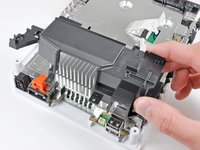
      • Remove the three 10 mm Phillips screws securing the fan shroud to the Wii.

      • Lift the fan shroud off the heat sink and remove it from the Wii.

      crwdns2952109:0crwdne2952109:0

      crwdns2917038:0crwdne2917038:0

    8. Nintendo Wii Wi-Fi Board Replacement: crwdns2935265:030crwdnd2935265:01crwdnd2935265:03crwdne2935265:0 Nintendo Wii Wi-Fi Board Replacement: crwdns2935265:030crwdnd2935265:02crwdnd2935265:03crwdne2935265:0 Nintendo Wii Wi-Fi Board Replacement: crwdns2935265:030crwdnd2935265:03crwdnd2935265:03crwdne2935265:0
      • Remove the following six screws securing the EMI fingers to the bottom panel:

      • Four 7 mm Phillips screws

      • Two 11.3 mm Phillips screws

      • Remove both sets of EMI fingers from the Wii.

      crwdns2952109:0crwdne2952109:0

      crwdns2917038:0crwdne2917038:0

    9. Nintendo Wii Wi-Fi Board Replacement: crwdns2935265:031crwdnd2935265:01crwdnd2935265:02crwdne2935265:0 Nintendo Wii Wi-Fi Board Replacement: crwdns2935265:031crwdnd2935265:02crwdnd2935265:02crwdne2935265:0
      • Remove the following three screws:

      • One 7 mm Phillips screw

      • Two 10 mm Phillips screws

      • Lift the bracket out of the Wii.

      crwdns2952109:0crwdne2952109:0

      crwdns2917038:0crwdne2917038:0

    10. Nintendo Wii Wi-Fi Board Replacement: crwdns2935265:032crwdnd2935265:01crwdnd2935265:03crwdne2935265:0 Nintendo Wii Wi-Fi Board Replacement: crwdns2935265:032crwdnd2935265:02crwdnd2935265:03crwdne2935265:0 Nintendo Wii Wi-Fi Board Replacement: crwdns2935265:032crwdnd2935265:03crwdnd2935265:03crwdne2935265:0
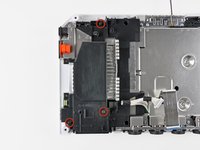
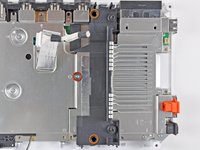
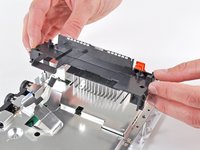
      • Remove the three 10 mm Phillips screws securing the black bracket to the bottom panel near the front of the Wii.

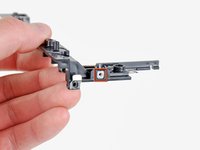
      • Slightly lift the bracket and use your other hand to pull the retaining clip away from where the Wi-Fi antennas enter the motherboard sheild.

      • Remove the bracket from the Wii.

      • Be sure not to lose the small square nut loosely held by the black plastic bracket.

      crwdns2952109:0crwdne2952109:0

      crwdns2917038:0crwdne2917038:0

    11. Nintendo Wii Wi-Fi Board Replacement: crwdns2935265:033crwdnd2935265:01crwdnd2935265:01crwdne2935265:0
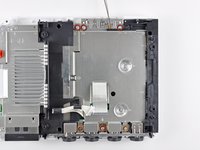
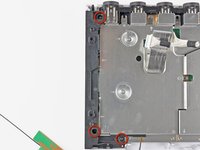
      • Remove the nine remaining 7 mm Phillips screws securing the motherboard cover to the bottom panel.

      crwdns2952109:0crwdne2952109:0

      crwdns2917038:0crwdne2917038:0

    12. Nintendo Wii Wi-Fi Board Replacement: crwdns2935265:034crwdnd2935265:01crwdnd2935265:01crwdne2935265:0
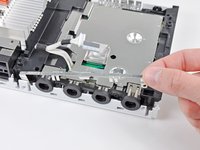
      • Carefully lift the motherboard cover off the motherboard, minding any cables that may get caught.

      • On some models, a thermal pad for the wireless chip is attached to the underside of the motherboard cover. Be sure to replace it when reassembling.

      crwdns2952109:0crwdne2952109:0

      crwdns2917038:0crwdne2917038:0

    1. Nintendo Wii Wi-Fi Board Replacement, Wi-Fi Antennas: crwdns2935265:035crwdnd2935265:01crwdnd2935265:01crwdne2935265:0
      • Lift the side of the Wi-Fi board furthest away from the heat sink and lift it out of its socket on the motherboard, being careful not to put too much sideways force on the connector.

      crwdns2952109:0crwdne2952109:0

      crwdns2917038:0crwdne2917038:0

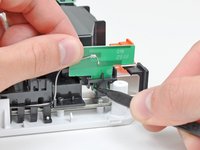
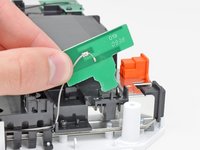
    2. Nintendo Wii Wi-Fi Board Replacement: crwdns2935265:036crwdnd2935265:01crwdnd2935265:01crwdne2935265:0
      • Use the flat end of a spudger to pry both antenna connectors off their sockets on the Wi-Fi board.

      crwdns2952109:0crwdne2952109:0

      crwdns2917038:0crwdne2917038:0

    1. Nintendo Wii Wi-Fi Board Replacement, Wi-Fi Board: crwdns2935265:037crwdnd2935265:01crwdnd2935265:01crwdne2935265:0
      • Wi-Fi board remains.

      crwdns2952109:0crwdne2952109:0

      crwdns2917038:0crwdne2917038:0

crwdns2915888:0crwdne2915888:0

To reassemble your device, follow these instructions in reverse order.

crwdns2935221:0crwdne2935221:0

crwdns2935229:010crwdne2935229:0

crwdns2947412:05crwdne2947412:0

I really love the great step by step manuals.

Daniel Rourke - crwdns2934203:0crwdne2934203:0 crwdns2950251:0crwdne2950251:0

The final photo appears to be the Bluetooth board and NOT the WiFi board (which matches the board seen on the Bluetooth replacement how-to: Nintendo Wii Bluetooth Board Replacement). The ifixit purchase page for the correct image for the WiFi board can be seen here: Nintendo Wii Wi-Fi Board

CliffyPop - crwdns2934203:0crwdne2934203:0 crwdns2950251:0crwdne2950251:0

The Bluetooth card and the wifi card have the same the look amd even the model numbers match except fonthe the last digit. The wifi card will be

Model:JH27H003 = wifi card

Model:JH27H002 = Bluetooth.

I have both cards in front of me taken out of my broken nintendo wii as I write this. And incase anyone is unsure you can measure them to confirm. Wifi card is 1 1/2 in and the bluetooth is 1 inch. Hope this helps anyone that might have difficulties with them like i did till I dod a brief Google search.

***NOTE: Im just giving an examples of the ones that I pulled from mine there are other ones that Nintendo used so be sure to make sure that you pull it out and see the outline of where the Wi-Fi adapter was it's the exact size it should be on the outline

Richard Denny - crwdns2934203:0crwdne2934203:0 crwdns2950251:0crwdne2950251:0

very nice but how do you know if this board is not working? I have 5 wii systems with many remotes and they all do the same thing. remote control shows hand for two seconds then goes blank. kman10kman@gmail.com

Lawrence Kaminski - crwdns2934203:0crwdne2934203:0 crwdns2950251:0crwdne2950251:0

Have 4 wii systems all doing the same thing looks like sync is connecting but hand disappears after a few seconds is the wifi board going bad or is it something else?

Lawrence Kaminski - crwdns2934203:0crwdne2934203:0 crwdns2950251:0crwdne2950251:0

crwdns2917038:0crwdne2917038:0

crwdns2936625:0crwdne2936625:0:

crwdns2936751:024crwdne2936751:0 10

crwdns2936753:07crwdne2936753:0 76

crwdns2936753:030crwdne2936753:0 328

crwdns2942667:0crwdne2942667:0 35,387