crwdns2915892:0crwdne2915892:0
Use this guide to install a new DVD Drive for a Nintendo Wii U.
crwdns2942213:0crwdne2942213:0
-
-
-
With the bottom of the console facing up, remove the following 6 screws hidden underneath the white square stickers:
-
Three 5.1mm Phillips #000 screws
-
Two 6.1mm Tri-wing Y0 screws
-
One 13.2mm Tri-wing Y1 screw
 crwdns2952109:0crwdne2952109:0
-
-
-
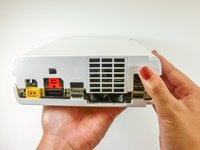
Rotate the console 180 degrees so that the exhaust vents are facing you.
-
Remove the two 7.1mm Phillips #00 screws.
-
-
-
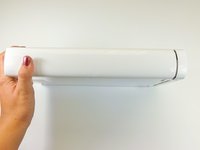
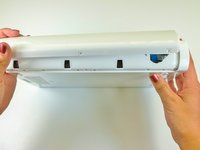
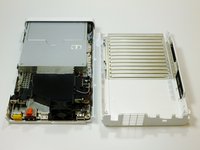
On the side opposite of the exhaust vents, slide the cover faceplate towards the back of the console and pull upwards to release it.
-
-
-
On the bottom of the console beneath the previously removed faceplate, remove the three 13.2mm Tri-wing Y1 screws.
-
-
-
-
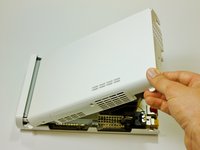
On the back of the console, lift up and release the main top cover.
-
-
-
-
-
Rotate the device so that the front plate is facing you.
-
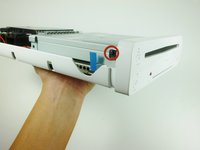
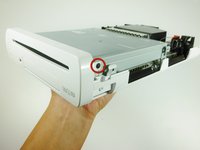
On each side of the console, remove the 3.5mm Phillips #0 screw connecting the DVD drive to the faceplate.
-
-
-
Rotate the device so that the front plate is on the right side and the ribbon cable is visible.
-
The ribbon cable is connected to the system by a latch which holds in the blue tab. Flip this latch up to unlock it.
-
Lift up on the blue tab to release the ribbon cable.
-
-
-
Remove the front faceplate.
-
-
-
-
-
On each side of the DVD drive, remove the two 4.6mm Phillips #0 mounting screws.
-
-
-
Rotate the device so that the disc drive slot is visible.
-
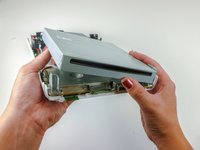
Lift the disc drive out of the mount and turn over to the right so it lies like a book.
-
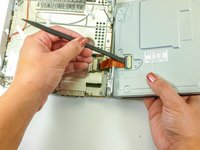
Use a spudger to release the ribbon cable.
-
-
-
Remove the disc drive.
-
-









To reassemble your device, follow these instructions in reverse order.
crwdns2935221:0crwdne2935221:0
crwdns2935229:061crwdne2935229:0

crwdns2935287:0crwdne2935287:0

Cal Poly, Team 17-20, Forte Winter 2013 crwdns2935289:0Cal Poly, Team 17-20, Forte Winter 2013crwdne2935289:0
CPSU-FORTE-W13S17G20
crwdns2931471:05crwdne2931471:0
crwdns2935297:096crwdne2935297:0
crwdns2947412:049crwdne2947412:0
I've done with twice with two different drives ordered on Ebay, and keep getting the same error code (160-1402). Is the place I'm buying from selling bad drives, or is there something else that needs to be done after? It goes back to working when I put my old one back in, so I know I'm physically doing it correctly.
Brad Senatore - crwdns2934203:0crwdne2934203:0 crwdns2950251:0crwdne2950251:0
Update : For anybody else having this problem, you have to change out the logic board from your old drive to the new one. Pain in the neck, but works!
Brad Senatore - crwdns2934203:0crwdne2934203:0 crwdns2950251:0crwdne2950251:0
What do you mean by change out the logic board?
gingindua - crwdns2934203:0crwdne2934203:0 crwdns2950251:0crwdne2950251:0
the logic board is inside the disk drive. Remove it and replace it into the new disk drive. This is the same on the Xbox and Playstation
rehrnsberger - crwdns2934203:0crwdne2934203:0 crwdns2950251:0crwdne2950251:0
Did an update it failed rebooted and now get a 160-1402. With the DVD drive cover off the Spindle isnt moving. Suspect Drive would seem 160-XXXX is DVD Drive related Errors
Ben Uwins - crwdns2934203:0crwdne2934203:0 crwdns2950251:0crwdne2950251:0
