crwdns2915892:0crwdne2915892:0
If your Gameboy Pocket is not powering on properly, there are a number of things you can try. One of the easiest methods is to clean out any corrosion there may be in the battery terminals, which could be interfering with the battery connection.
This guide will walk you through the removal and cleaning of the shell-side battery terminal (the one not attached to the motherboard) to get your Gameboy powering on without a hitch.
Before beginning this guide, make sure your Gameboy is powered off.
crwdns2942213:0crwdne2942213:0
-
-
-
Remove the battery cover and batteries.
 crwdns2952109:0crwdne2952109:0
-
-
-
Remove the six 8mm screws using a Y1 Tri-point screwdriver.
-
-
-
Separate the front and back side of the Gameboy by gently pulling them apart.
-
-
-
-
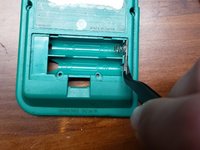
Using a flathead screwdriver (or flat piece of plastic), nudge in the clip holding the shell-side battery terminal in place to release it from the shell.
-
-
crwdns2935267:0crwdne2935267:0Tweezers$4.99
-
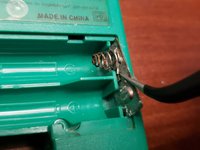
Using a pair of tweezers, remove the battery terminal from the shell.
-
-
-
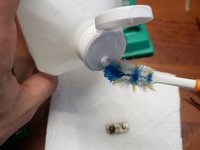
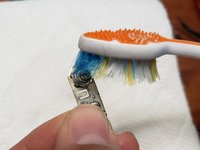
Add isopropyl alcohol to a toothbrush.
-
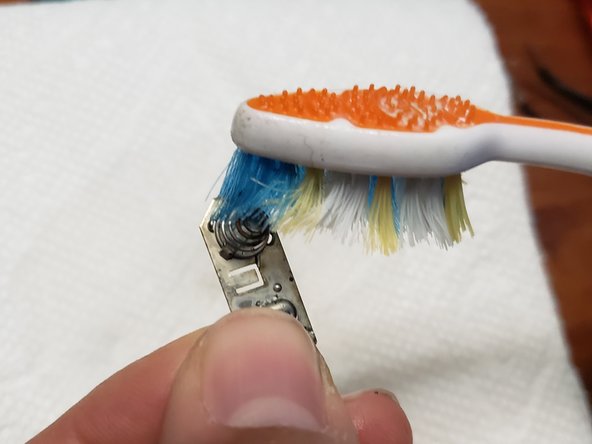
Scrub the terminal where the corrosion is to remove as much as possible. If most of the corrosion is removed, skip to step 10.
-
-
-
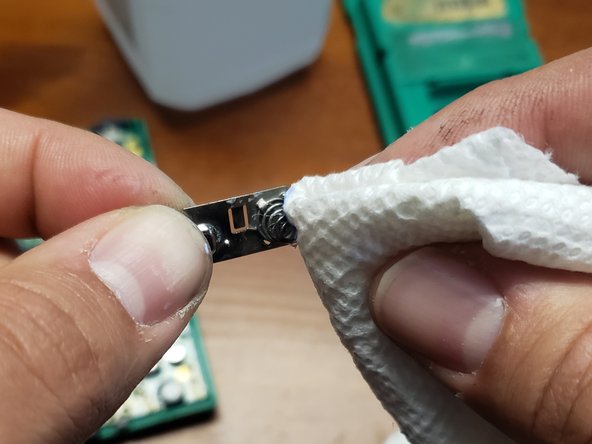
Use the steel wool to remove as much corrosion as possible.
-
-
-
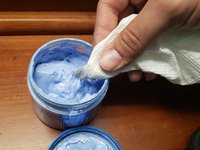
Add metal polish to a paper towel.
-
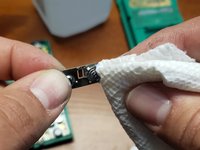
Polish the battery terminal to remove the remainder of the corrosion.
-
-





To reassemble your device, follow these instructions in reverse order.
crwdns2935221:0crwdne2935221:0
crwdns2935229:010crwdne2935229:0

crwdns2935287:0crwdne2935287:0

UMass Dartmouth, Team S1-G24, Riel Spring 2021 crwdns2935289:0UMass Dartmouth, Team S1-G24, Riel Spring 2021crwdne2935289:0
UMASSD-RIEL-S21S1G24
crwdns2934841:01crwdne2934841:0
crwdns2935297:012crwdne2935297:0
crwdns2947412:04crwdne2947412:0
Thank you for the guide! Resurrected a Gameboy Pocket today that has graphical glitches on the boot screen and sometimes crashed mid-game when a cartridge could load. This process seems to have completely remediated that.
I only needed to complete through step 6 to get clean shiny contacts in my case.
sacratoy - crwdns2934203:0crwdne2934203:0 crwdns2950251:0crwdne2950251:0
Much better than the usual battery replacement guides! Most of those are practically useless as they do little more than say, “replace the batteries,” which is pretty much self-evident, and noting, “clean any corrosion,” without explaining how to do that!
Wolf Naegeli - crwdns2934203:0crwdne2934203:0 crwdns2950251:0crwdne2950251:0
Is there a corresponding guide for cleaning the sections of the battery terminal which are fixed to the board, i.e. not shell-side?
Samuel Bradley - crwdns2934203:0crwdne2934203:0 crwdns2950251:0crwdne2950251:0
This worked for me (without the need for steel wool/polish). Thank you!
Ray F - crwdns2934203:0crwdne2934203:0 crwdns2950251:0crwdne2950251:0
