
Nextbook NX008HD8G Battery Replacement

crwdns2959932:0crwdnd2959932:0Philip Gaicrwdnd2959932:0crwdnd2959932:0crwdnd2959932:02crwdnd2959932:0crwdne2959932:0
crwdns2959936:0N'w 21, 2015crwdne2959936:0
crwdns2869540:0crwdne2869540:0: 7K
crwdns2959988:0crwdne2959988:0
- crwdns2959990:0crwdne2959990:0
- 2
- crwdns2959992:0crwdne2959992:0
- 25
- crwdns2959994:0crwdne2959994:0
- 99
- crwdns2959996:0crwdne2959996:0
- 6,994
crwdns2955950:0crwdne2955950:0: 5
crwdns2960004:02crwdne2960004:0, crwdns2960008:03crwdne2960008:0
crwdns2960000:0crwdne2960000:0crwdns2959984:0crwdne2959984:0: 4 5
crwdns2959974:04crwdne2959974:0
crwdns2959970:05crwdne2959970:0
crwdns2959986:0crwdne2959986:0: 1 2
crwdns2959980:01crwdne2959980:0
crwdns2959978:02crwdne2959978:0
crwdns2915892:0crwdne2915892:0
crwdns2959928:0crwdne2959928:0 ↓Use this guide to replace a malfunctioning battery. This replacement guide requires a Soldering Iron, it would be very helpful to heat the iron up before starting this guide, this process can take 3-4 minutes. You should refer to iFixit's soldering guide to help with the desoldering/soldering process.
crwdns2959930:0crwdne2959930:0
crwdns2943215:0crwdne2943215:0
-
Spudger4.9
-


-
-
-
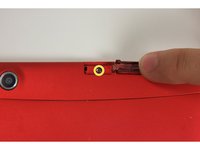
Using your finger, open the plastic tab to the right of the rear-facing camera.
-
Wedge your fingernail in between the back panel and the plastic tab and pull the plastic tab towards your body.
 crwdns2952109:0crwdne2952109:0
-
-
-
Using your finger, remove the SD card by pressing down on top of it (toward the bottom of the device) until you hear a clicking sound.
-
Once the card pops out, use your finger to pull the card completely out of the SD card slot.
-
-
-
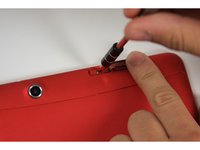
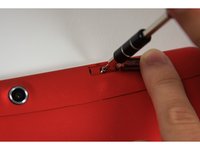
Remove the 5 mm screw using the Phillips PH00 bit in the iFixit metal Screwdriver.
-
-
-
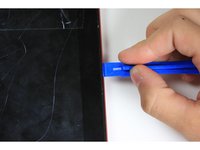
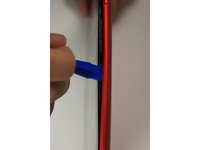
Use the plastic opening tool to separate the back panel by carefully sliding the narrow end of the tool between the front glass and back panel.
-
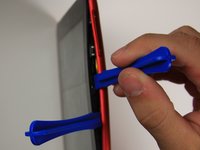
Use a second plastic opening tool to help pry the front glass from the back panel.
-
-
-
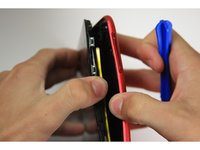
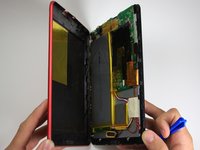
Use your hands to completely separate the rest of the front glass from the back panel.
-
-
-
-
-
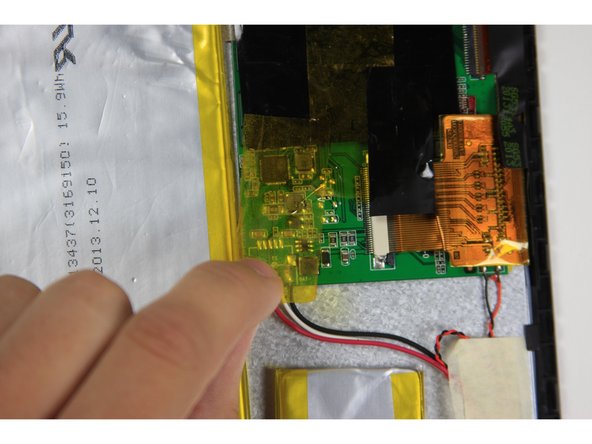
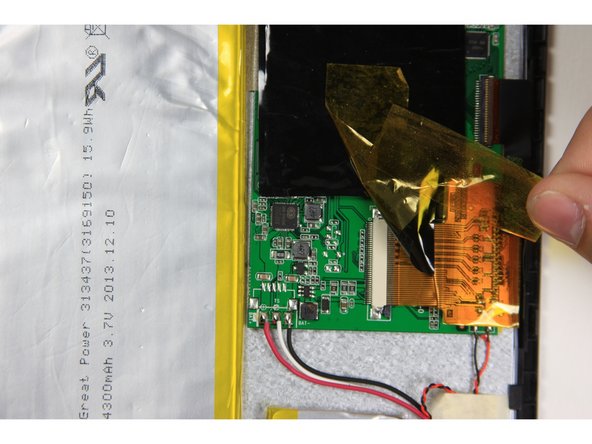
Remove yellow tape with a black edge that covers the red, white and black wires.
-
-
-
Remove the white masking tape covering the red white and black wires.
-
-
-
-
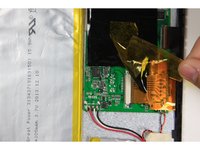
Desolder the red, white and black wires on the left side of the motherboard.
-
-
-
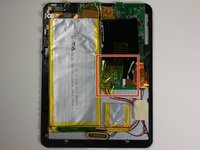
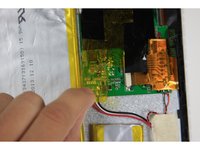
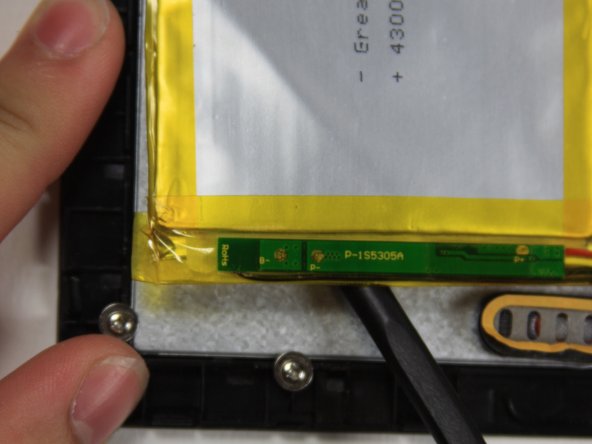
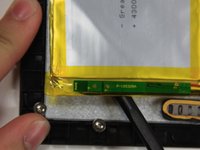
Use the flat end of the spudger to carefully separate the smaller, silver battery square from the digitizer.
-
-
-
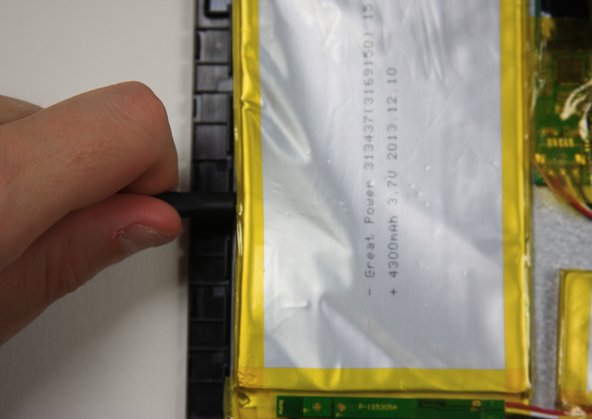
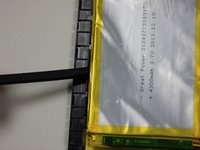
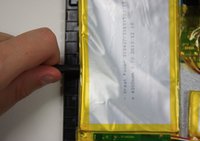
Use the flat end of the spudger to carefully separate the large battery from the digitizer.
-
-









To reassemble your device, follow these instructions in reverse order.
crwdns2935221:0crwdne2935221:0
crwdns2935229:04crwdne2935229:0

crwdns2935287:0crwdne2935287:0

Baylor, Team 10-15, Williams Fall 2015 crwdns2935289:0Baylor, Team 10-15, Williams Fall 2015crwdne2935289:0
BU-WILLIAMS-F15S10G15
crwdns2931471:03crwdne2931471:0
crwdns2935297:048crwdne2935297:0
crwdns2947412:03crwdne2947412:0
Clear & concise. Nice job! Even I could follow it!! ;-)
intessol - crwdns2934203:0crwdne2934203:0 crwdns2950251:0crwdne2950251:0
Excellent guide, easy to follow, very concise, very good photographs. Thank you
ken fukushima - crwdns2934203:0crwdne2934203:0 crwdns2950251:0crwdne2950251:0
Donde puedo encontrar una batería
Lauraelena - crwdns2934203:0crwdne2934203:0 crwdns2950251:0crwdne2950251:0
