
NexiGo NS32 Battery Replacement

crwdns2959932:0crwdnd2959932:0Matthew Nguyencrwdnd2959932:0crwdnd2959932:0crwdnd2959932:04crwdnd2959932:0crwdne2959932:0
crwdns2959936:0Maw 2, 2024crwdne2959936:0
crwdns2869540:0crwdne2869540:0: 570
crwdns2959988:0crwdne2959988:0
- crwdns2959990:0crwdne2959990:0
- 1
- crwdns2959992:0crwdne2959992:0
- 13
- crwdns2959994:0crwdne2959994:0
- 65
- crwdns2959996:0crwdne2959996:0
- 570
crwdns2955950:0crwdne2955950:0: 2
crwdns2960002:01crwdne2960002:0, crwdns2960006:01crwdne2960006:0
crwdns2960000:0crwdne2960000:0crwdns2959984:0crwdne2959984:0: 0 1
crwdns2959956:0crwdne2959956:0
crwdns2959968:01crwdne2959968:0
crwdns2959986:0crwdne2959986:0: 0 1
crwdns2959958:0crwdne2959958:0
crwdns2959976:01crwdne2959976:0
crwdns2862591:0crwdne2862591:0
crwdns2862592:0crwdne2862592:0
crwdns2915892:0crwdne2915892:0
crwdns2959928:0crwdne2959928:0 ↓This is a guide on how to replace the battery from inside the NexiGo NS32. There are 5 specific steps in this guide that describe how to take the battery out of the controller. Be careful not to damage any of the internal components.
crwdns2959930:0crwdne2959930:0
crwdns2943215:0crwdne2943215:0


-
-
-
Orient the controller so that it is face down.
 crwdns2952109:0crwdne2952109:0
-
-
-
Remove the eight 9 mm Phillips screws that secure the rear case.
-
-
-
-
Lift the rear case up and off.
-
-
-
-
-
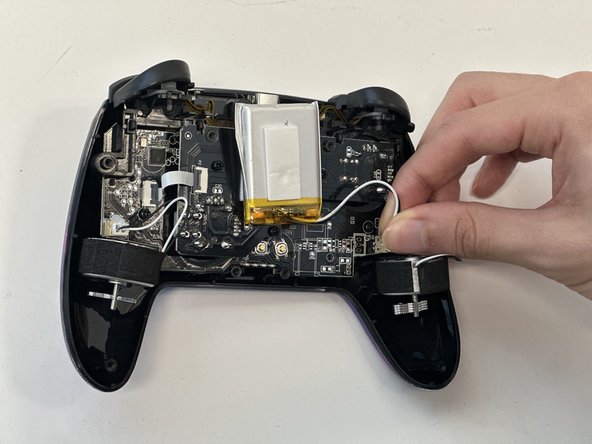
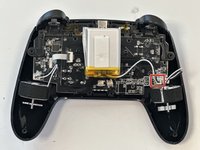
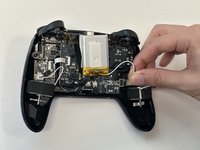
Grip the white battery connector and pull it directly out of its motherboard socket.
-
-
-
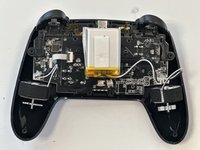
Lift the battery up and out.
-
-




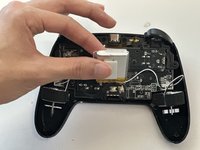
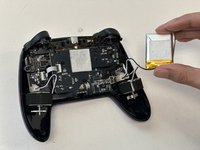
To reassemble your device, follow these instructions in reverse order.

crwdns2935287:0crwdne2935287:0

Austin Community College, Team 18-3, Watkins Spring 2024 crwdns2935289:0Austin Community College, Team 18-3, Watkins Spring 2024crwdne2935289:0
AUSTINCC-WATKINS-S24S18G3
crwdns2931471:04crwdne2931471:0
crwdns2935297:072crwdne2935297:0
crwdns2947410:01crwdne2947410:0
Do you know what model battery I would need to buy to replace the original?
Jack Dunne - crwdns2934203:0crwdne2934203:0 crwdns2950251:0crwdne2950251:0
