crwdns2933423:0crwdne2933423:0
crwdns2947577:0crwdnd2947577:0crwdne2947577:0

Neo3Do Wire Replacement

crwdns2942213:0crwdne2942213:0

    1. Neo3Do Wire Replacement, Back Panel: crwdns2935265:01crwdnd2935265:01crwdnd2935265:03crwdne2935265:0 Neo3Do Wire Replacement, Back Panel: crwdns2935265:01crwdnd2935265:02crwdnd2935265:03crwdne2935265:0 Neo3Do Wire Replacement, Back Panel: crwdns2935265:01crwdnd2935265:03crwdnd2935265:03crwdne2935265:0
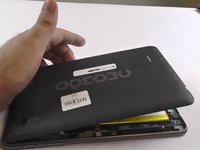
      • Turn the Neo3DO face down so that the logo is facing toward you.

      • Insert the plastic opening tool between the metal frame and the plastic back panel, as shown.

      crwdns2952109:0crwdne2952109:0

      crwdns2917038:0crwdne2917038:0

    2. Neo3Do Wire Replacement: crwdns2935265:02crwdnd2935265:01crwdnd2935265:02crwdne2935265:0 Neo3Do Wire Replacement: crwdns2935265:02crwdnd2935265:02crwdnd2935265:02crwdne2935265:0
      • Gently pry the back panel upwards.

      • Ensure the tool does not slip into the device and damage the internals.

      crwdns2952109:0crwdne2952109:0

      crwdns2917038:0crwdne2917038:0

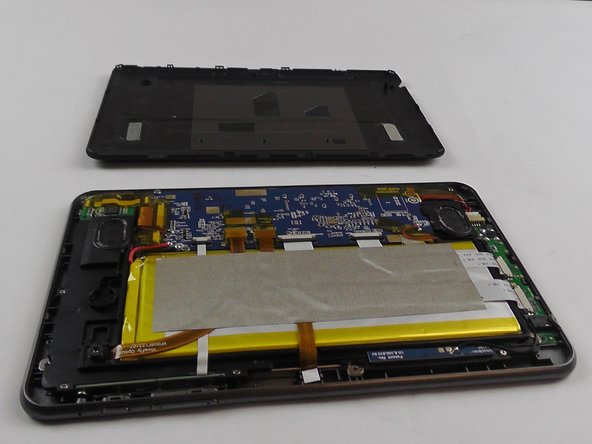
    3. Neo3Do Wire Replacement: crwdns2935265:03crwdnd2935265:01crwdnd2935265:02crwdne2935265:0 Neo3Do Wire Replacement: crwdns2935265:03crwdnd2935265:02crwdnd2935265:02crwdne2935265:0
      • Once the back panel has been pried away from the bottom and sides of the Neo3DO, lift the back panel up and away from the tablet.

      crwdns2952109:0crwdne2952109:0

      crwdns2917038:0crwdne2917038:0

    4. Neo3Do Wire Replacement: crwdns2935265:04crwdnd2935265:01crwdnd2935265:01crwdne2935265:0
      • When replacing the back panel, place the top edge of the back panel against the top edge of the Neo3DO, as shown.

      • The top edge of the device is the edge closest to the camera. The top of the back panel is the side with the hole for the camera.

      crwdns2952109:0crwdne2952109:0

      crwdns2917038:0crwdne2917038:0

    1. Neo3Do Wire Replacement, Wire: crwdns2935265:05crwdnd2935265:01crwdnd2935265:03crwdne2935265:0 Neo3Do Wire Replacement, Wire: crwdns2935265:05crwdnd2935265:02crwdnd2935265:03crwdne2935265:0 Neo3Do Wire Replacement, Wire: crwdns2935265:05crwdnd2935265:03crwdnd2935265:03crwdne2935265:0
      crwdns2935267:0crwdne2935267:0
      Tweezers
      $4.99
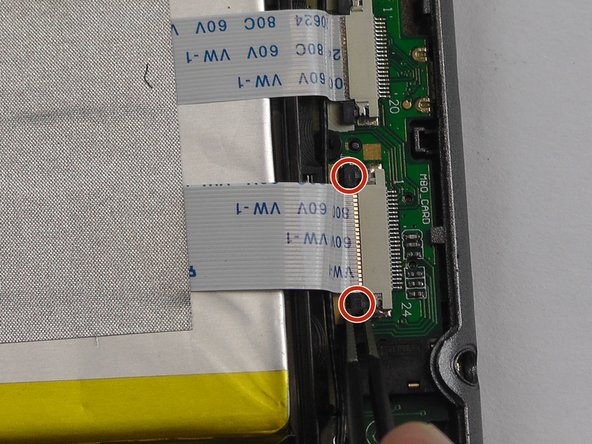
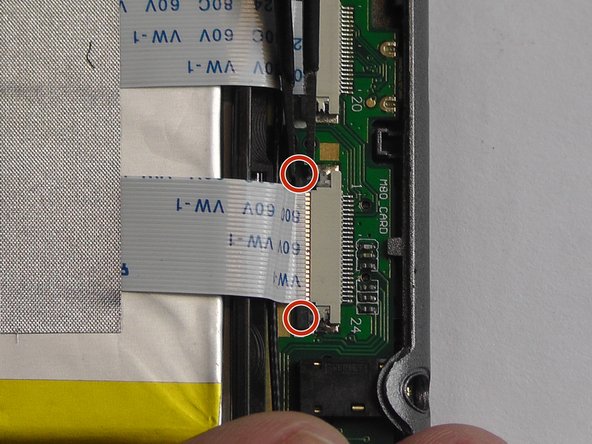
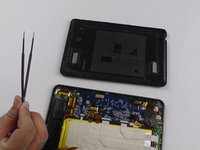
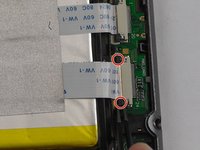
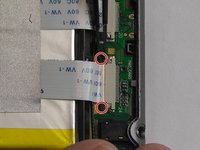
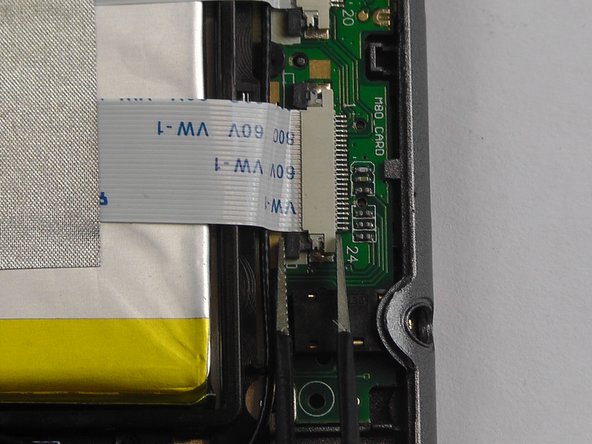
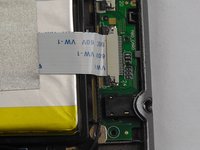
      • Starting with an open back panel, take your tweezers and use them to pull back the black tabs on the connector.

      crwdns2952109:0crwdne2952109:0

      crwdns2917038:0crwdne2917038:0

    2. Neo3Do Wire Replacement: crwdns2935265:06crwdnd2935265:01crwdnd2935265:01crwdne2935265:0
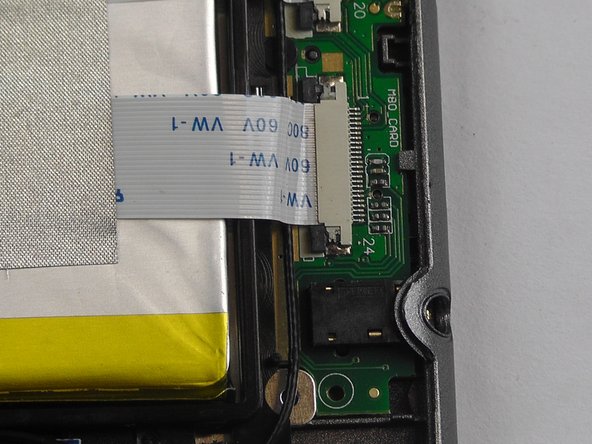
      • Pull the wire completely from the socket.

      • Check the metallic parts for signs of damage or corrosion. If either exists, you might need to replace the battery entirely.

      crwdns2952109:0crwdne2952109:0

      crwdns2917038:0crwdne2917038:0

    3. Neo3Do Wire Replacement: crwdns2935265:07crwdnd2935265:01crwdnd2935265:01crwdne2935265:0
      • Re-insert the wire into the socket.

      crwdns2952109:0crwdne2952109:0

      crwdns2917038:0crwdne2917038:0

    4. Neo3Do Wire Replacement: crwdns2935265:08crwdnd2935265:01crwdnd2935265:03crwdne2935265:0 Neo3Do Wire Replacement: crwdns2935265:08crwdnd2935265:02crwdnd2935265:03crwdne2935265:0 Neo3Do Wire Replacement: crwdns2935265:08crwdnd2935265:03crwdnd2935265:03crwdne2935265:0
      • Using the tweezers, push the black tabs back in.

      crwdns2952109:0crwdne2952109:0

      crwdns2917038:0crwdne2917038:0

crwdns2915888:0crwdne2915888:0

To reassemble your device, follow these instructions in reverse order.

crwdns2935221:0crwdne2935221:0

crwdns2935227:0crwdne2935227:0

Michael Whitehead

crwdns2935283:009/26/16crwdne2935283:0

201 crwdns2915208:0crwdne2915208:0

crwdns2935297:02crwdne2935297:0

crwdns2935287:0crwdne2935287:0

USF Tampa, Team 14-3, Eyestone Fall 2016 crwdns2935289:0USF Tampa, Team 14-3, Eyestone Fall 2016crwdne2935289:0

USFT-EYESTONE-F16S14G3

crwdns2931471:03crwdne2931471:0

crwdns2935297:072crwdne2935297:0

crwdns2947412:00crwdne2947412:0

crwdns2917038:0crwdne2917038:0

crwdns2936625:0crwdne2936625:0:

crwdns2936751:024crwdne2936751:0 0

crwdns2936753:07crwdne2936753:0 2

crwdns2936753:030crwdne2936753:0 17

crwdns2942667:0crwdne2942667:0 422