crwdns2933423:0crwdne2933423:0
crwdns2947577:0crwdnd2947577:0crwdne2947577:0

NEC LCD1770NX Power Input Replacement

crwdns2942213:0crwdne2942213:0

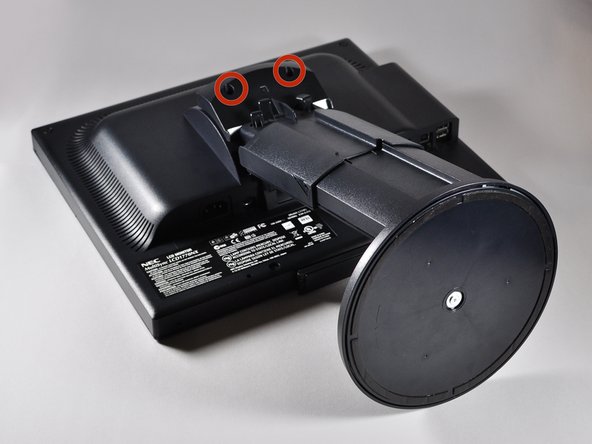
    1. NEC LCD1770NX Power Input Replacement, Stand: crwdns2935265:01crwdnd2935265:01crwdnd2935265:02crwdne2935265:0 NEC LCD1770NX Power Input Replacement, Stand: crwdns2935265:01crwdnd2935265:02crwdnd2935265:02crwdne2935265:0
      • Place the monitor face down on a clean, flat surface.

      crwdns2952109:0crwdne2952109:0

      crwdns2917038:0crwdne2917038:0

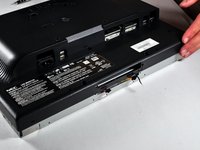
    2. NEC LCD1770NX Power Input Replacement: crwdns2935265:02crwdnd2935265:01crwdnd2935265:02crwdne2935265:0 NEC LCD1770NX Power Input Replacement: crwdns2935265:02crwdnd2935265:02crwdnd2935265:02crwdne2935265:0
      • Firmly remove the back panel of the stand by pulling it up and away from the monitor.

      crwdns2952109:0crwdne2952109:0

      crwdns2917038:0crwdne2917038:0

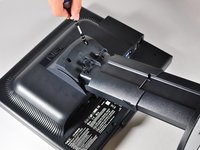
    3. NEC LCD1770NX Power Input Replacement: crwdns2935265:03crwdnd2935265:01crwdnd2935265:02crwdne2935265:0 NEC LCD1770NX Power Input Replacement: crwdns2935265:03crwdnd2935265:02crwdnd2935265:02crwdne2935265:0
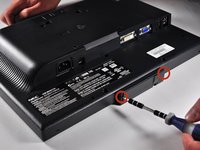
      • Unscrew the two 6mm Phillips PH2 screws to detach the stand enclosure from the stand.

      crwdns2952109:0crwdne2952109:0

      crwdns2917038:0crwdne2917038:0

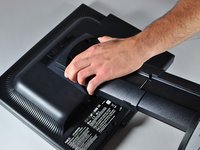
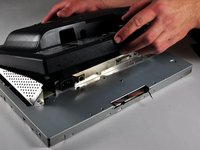
    4. NEC LCD1770NX Power Input Replacement: crwdns2935265:04crwdnd2935265:01crwdnd2935265:02crwdne2935265:0 NEC LCD1770NX Power Input Replacement: crwdns2935265:04crwdnd2935265:02crwdnd2935265:02crwdne2935265:0
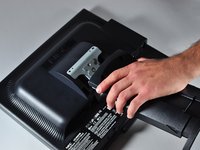
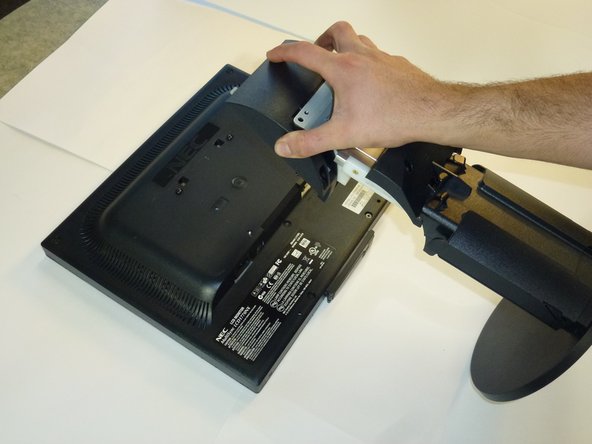
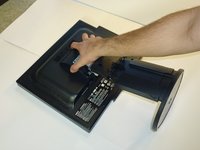
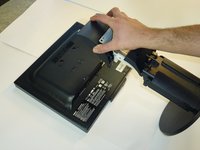
      • Firmly grasp the stand enclosure with your hand and slide it to base of stand.

      crwdns2952109:0crwdne2952109:0

      crwdns2917038:0crwdne2917038:0

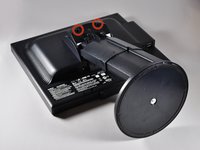
    5. NEC LCD1770NX Power Input Replacement: crwdns2935265:05crwdnd2935265:01crwdnd2935265:01crwdne2935265:0
      • Unscrew the two 14.5mm Phillips PH2 screws holding the stand to the monitor.

      crwdns2952109:0crwdne2952109:0

      crwdns2917038:0crwdne2917038:0

    6. NEC LCD1770NX Power Input Replacement: crwdns2935265:06crwdnd2935265:01crwdnd2935265:02crwdne2935265:0 NEC LCD1770NX Power Input Replacement: crwdns2935265:06crwdnd2935265:02crwdnd2935265:02crwdne2935265:0
      • Lift the the stand straight up to remove it.

      crwdns2952109:0crwdne2952109:0

      crwdns2917038:0crwdne2917038:0

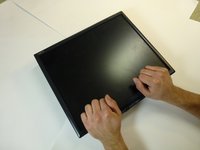
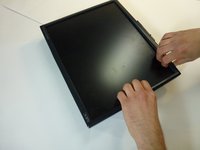
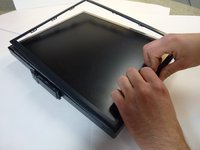
    1. NEC LCD1770NX Power Input Replacement, Monitor Enclosure: crwdns2935265:07crwdnd2935265:01crwdnd2935265:03crwdne2935265:0 NEC LCD1770NX Power Input Replacement, Monitor Enclosure: crwdns2935265:07crwdnd2935265:02crwdnd2935265:03crwdne2935265:0 NEC LCD1770NX Power Input Replacement, Monitor Enclosure: crwdns2935265:07crwdnd2935265:03crwdnd2935265:03crwdne2935265:0
      • Place the monitor screen face up.

      • Pull the frame off by placing your fingers on the inside of the frame and pulling out and up, the frame should snap off.

      • Continue your way around the screen.

      crwdns2952109:0crwdne2952109:0

      crwdns2917038:0crwdne2917038:0

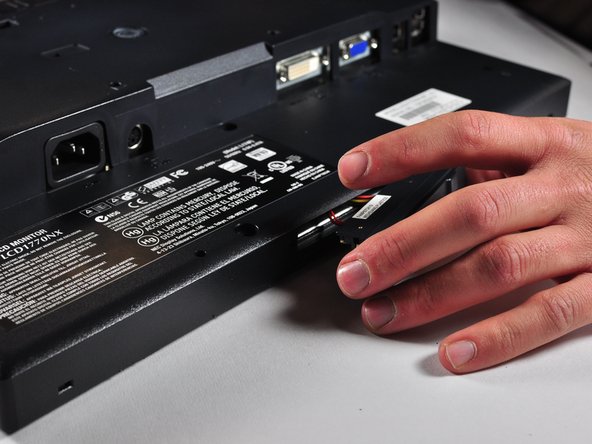
    2. NEC LCD1770NX Power Input Replacement: crwdns2935265:08crwdnd2935265:01crwdnd2935265:03crwdne2935265:0 NEC LCD1770NX Power Input Replacement: crwdns2935265:08crwdnd2935265:02crwdnd2935265:03crwdne2935265:0 NEC LCD1770NX Power Input Replacement: crwdns2935265:08crwdnd2935265:03crwdnd2935265:03crwdne2935265:0
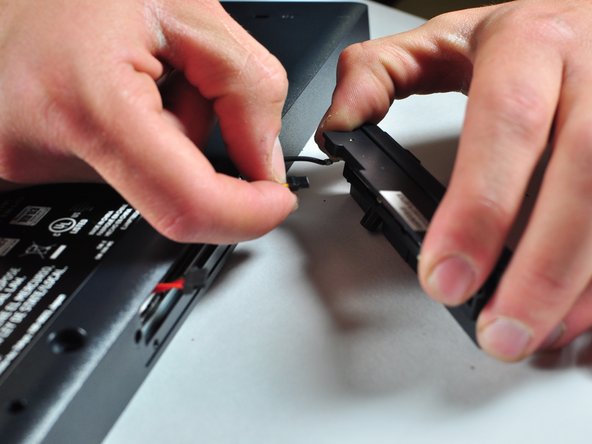
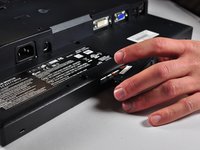
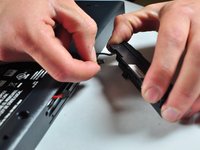
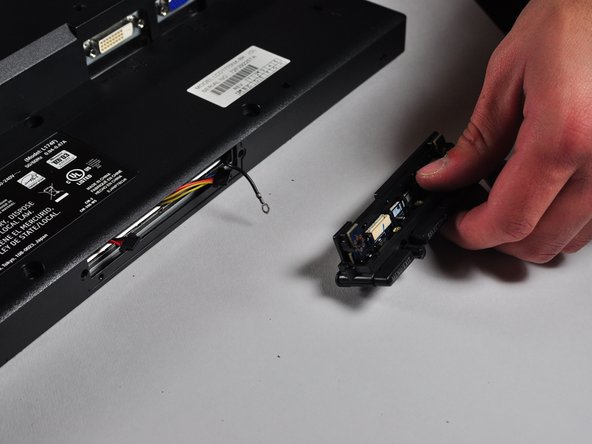
      • Unscrew the two 7mm screws from the bottom of the button assembly.

      • Do not pull the button assembly out too quickly or with too much force! Damage to the wires can occur.

      • Pull the button assembly out a few inches and unplug the colored cables.

      crwdns2952109:0crwdne2952109:0

      crwdns2917038:0crwdne2917038:0

    3. NEC LCD1770NX Power Input Replacement: crwdns2935265:09crwdnd2935265:01crwdnd2935265:02crwdne2935265:0 NEC LCD1770NX Power Input Replacement: crwdns2935265:09crwdnd2935265:02crwdnd2935265:02crwdne2935265:0
      • Unscrew the gold colored 7mm Phillips PH000 screw holding the button assembly to the monitor.

      • Remove the button assembly from the monitor.

      crwdns2952109:0crwdne2952109:0

      crwdns2917038:0crwdne2917038:0

    4. NEC LCD1770NX Power Input Replacement: crwdns2935265:010crwdnd2935265:01crwdnd2935265:01crwdne2935265:0
      • With the monitor face-down, unscrew the 5 7mm Phillips PH2 screws around the outside of the enclosure.

      crwdns2952109:0crwdne2952109:0

      crwdns2917038:0crwdne2917038:0

    5. NEC LCD1770NX Power Input Replacement: crwdns2935265:011crwdnd2935265:01crwdnd2935265:03crwdne2935265:0 NEC LCD1770NX Power Input Replacement: crwdns2935265:011crwdnd2935265:02crwdnd2935265:03crwdne2935265:0 NEC LCD1770NX Power Input Replacement: crwdns2935265:011crwdnd2935265:03crwdnd2935265:03crwdne2935265:0
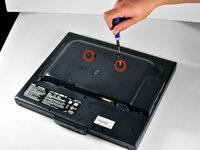
      • Unscrew the 2 14.5mm Phillips PH2 screws located on the raised center of the enclosure.

      • Carefully pull the enclosure off the monitor.

      crwdns2952109:0crwdne2952109:0

      crwdns2917038:0crwdne2917038:0

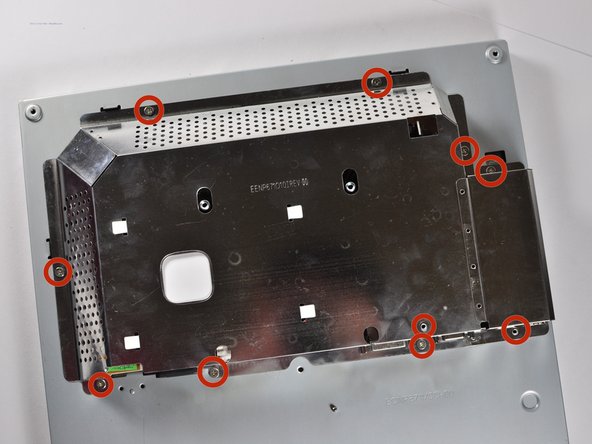
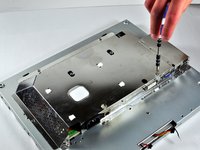
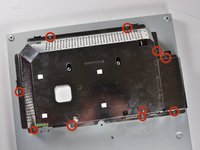
    6. NEC LCD1770NX Power Input Replacement: crwdns2935265:012crwdnd2935265:01crwdnd2935265:02crwdne2935265:0 NEC LCD1770NX Power Input Replacement: crwdns2935265:012crwdnd2935265:02crwdnd2935265:02crwdne2935265:0
      • Unscrew the 10 5mm Philips PH2 screws holding the metal casing to the monitor.

      crwdns2952109:0crwdne2952109:0

      crwdns2917038:0crwdne2917038:0

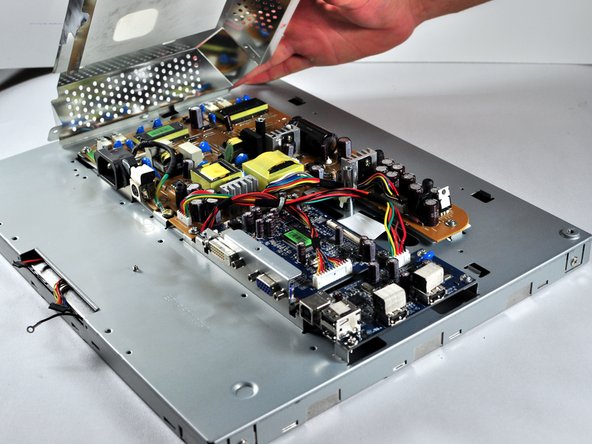
    7. NEC LCD1770NX Power Input Replacement: crwdns2935265:013crwdnd2935265:01crwdnd2935265:02crwdne2935265:0 NEC LCD1770NX Power Input Replacement: crwdns2935265:013crwdnd2935265:02crwdnd2935265:02crwdne2935265:0
      • Pull the the metal casing off of the monitor to reveal the motherboards.

      crwdns2952109:0crwdne2952109:0

      crwdns2917038:0crwdne2917038:0

    1. NEC LCD1770NX Power Input Replacement, Power Circuit Board: crwdns2935265:014crwdnd2935265:01crwdnd2935265:03crwdne2935265:0 NEC LCD1770NX Power Input Replacement, Power Circuit Board: crwdns2935265:014crwdnd2935265:02crwdnd2935265:03crwdne2935265:0 NEC LCD1770NX Power Input Replacement, Power Circuit Board: crwdns2935265:014crwdnd2935265:03crwdnd2935265:03crwdne2935265:0
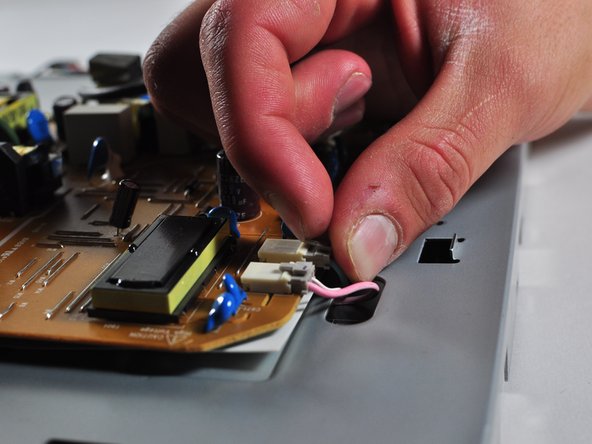
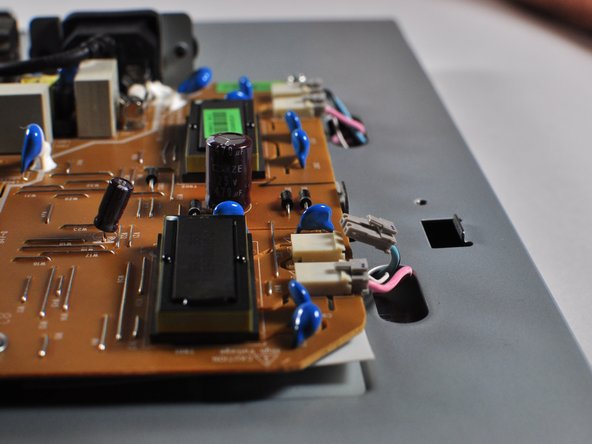
      • Make a note or use a pen to mark which plugs correspond to which colors. (Pink or Blue)

      • Remove the four plugs on the brown circuit board by pulling up on the tabs and wiggling them out. You could also use a spudger to help you lift little clips holding them in.

      crwdns2952109:0crwdne2952109:0

      crwdns2917038:0crwdne2917038:0

    2. NEC LCD1770NX Power Input Replacement: crwdns2935265:015crwdnd2935265:01crwdnd2935265:03crwdne2935265:0 NEC LCD1770NX Power Input Replacement: crwdns2935265:015crwdnd2935265:02crwdnd2935265:03crwdne2935265:0 NEC LCD1770NX Power Input Replacement: crwdns2935265:015crwdnd2935265:03crwdnd2935265:03crwdne2935265:0
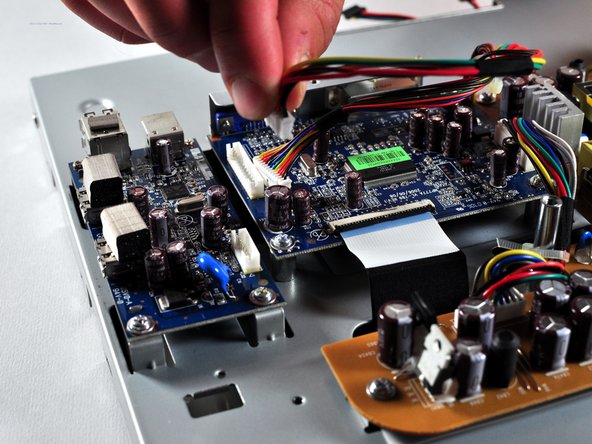
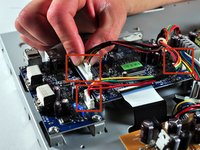
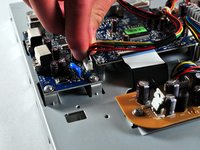
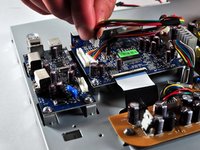
      • Locate the several multi-wire connectors on the board.

      • These connect several parts of each board together and consist of several different colors of wires. There is also a zip-tie holding the two sets of wires together that you can cut if it is getting in your way.

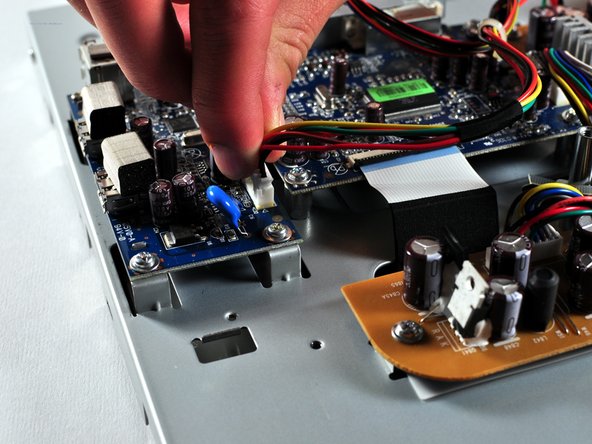
      • Disconnect the three plastic connectors from the blue colored boards by pulling them up while wiggling them.

      • Some force is necessary, it may also help to use the Large Needle Nose Pliers.

      crwdns2952109:0crwdne2952109:0

      crwdns2917038:0crwdne2917038:0

    3. NEC LCD1770NX Power Input Replacement: crwdns2935265:016crwdnd2935265:01crwdnd2935265:01crwdne2935265:0
      crwdns2935267:0crwdne2935267:0
      Phillips #1 Screwdriver
      $5.49
      • Locate the large black power plug.

      • Using a Phillips #1 Screwdriver, unscrew the two 8mm colts holding the black tabs to the metal frame.

      crwdns2952109:0crwdne2952109:0

      crwdns2917038:0crwdne2917038:0

    4. NEC LCD1770NX Power Input Replacement: crwdns2935265:017crwdnd2935265:01crwdnd2935265:01crwdne2935265:0
      • Locate and remove the gold colored 10mm Philips screw located near the black power plug. It holds in a wire that connects to the power plug.

      crwdns2952109:0crwdne2952109:0

      crwdns2917038:0crwdne2917038:0

    5. NEC LCD1770NX Power Input Replacement: crwdns2935265:018crwdnd2935265:01crwdnd2935265:02crwdne2935265:0 NEC LCD1770NX Power Input Replacement: crwdns2935265:018crwdnd2935265:02crwdnd2935265:02crwdne2935265:0
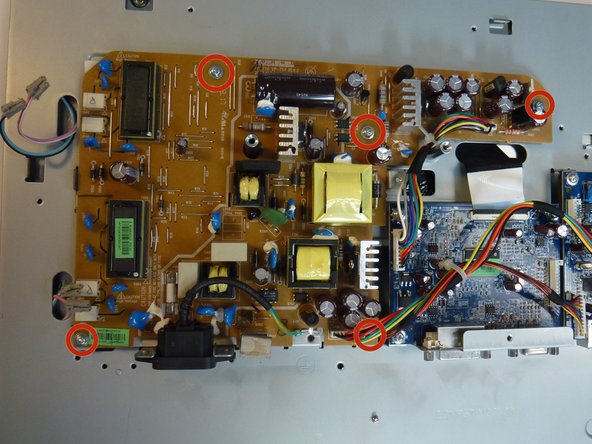
      • Remove 5 8mm Phillip1 screws, with a Philips 1 screwdriver, located in various places on the board.

      crwdns2952109:0crwdne2952109:0

      crwdns2917038:0crwdne2917038:0

    6. NEC LCD1770NX Power Input Replacement: crwdns2935265:019crwdnd2935265:01crwdnd2935265:02crwdne2935265:0 NEC LCD1770NX Power Input Replacement: crwdns2935265:019crwdnd2935265:02crwdnd2935265:02crwdne2935265:0
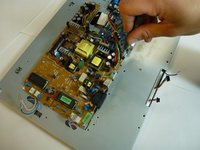
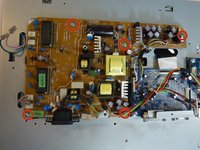
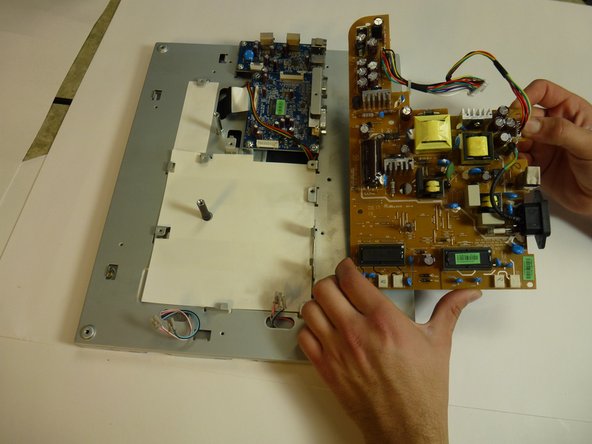
      • Lift the brown power supply board off of the frame and set it aside.

      crwdns2952109:0crwdne2952109:0

      crwdns2917038:0crwdne2917038:0

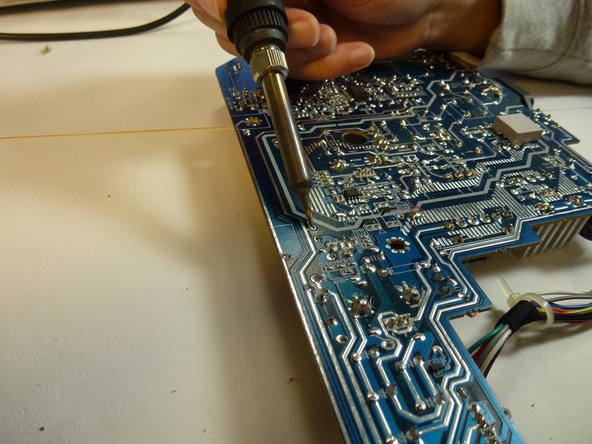
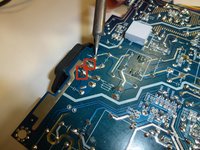
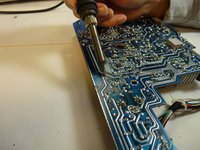
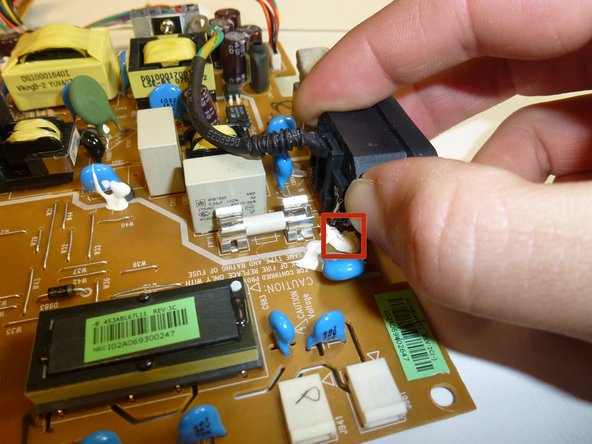
    1. NEC LCD1770NX Power Input Replacement, Power Input: crwdns2935265:020crwdnd2935265:01crwdnd2935265:02crwdne2935265:0 NEC LCD1770NX Power Input Replacement, Power Input: crwdns2935265:020crwdnd2935265:02crwdnd2935265:02crwdne2935265:0
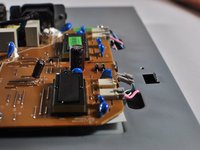
      • Remove the solder from the three joints attached to the power input.

      crwdns2952109:0crwdne2952109:0

      crwdns2917038:0crwdne2917038:0

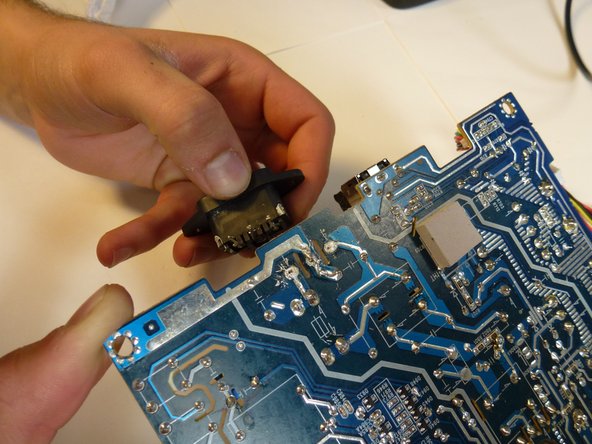
    2. NEC LCD1770NX Power Input Replacement: crwdns2935265:021crwdnd2935265:01crwdnd2935265:03crwdne2935265:0 NEC LCD1770NX Power Input Replacement: crwdns2935265:021crwdnd2935265:02crwdnd2935265:03crwdne2935265:0 NEC LCD1770NX Power Input Replacement: crwdns2935265:021crwdnd2935265:03crwdnd2935265:03crwdne2935265:0
      • Grab hold of the power supply jack and remove it from the power supply board.

      • A little force and a wiggling action may be needed to remove the power supply jack from the glue.

      crwdns2952109:0crwdne2952109:0

      crwdns2917038:0crwdne2917038:0

crwdns2915888:0crwdne2915888:0

To reassemble your device, follow these instructions in reverse order.

crwdns2935221:0crwdne2935221:0

crwdns2935227:0crwdne2935227:0

Charlie Mohr

crwdns2935283:010/21/13crwdne2935283:0

359 crwdns2915208:0crwdne2915208:0

crwdns2935297:03crwdne2935297:0

crwdns2935287:0crwdne2935287:0

Cal Poly, Team 11-36, Amido Fall 2013 crwdns2935289:0Cal Poly, Team 11-36, Amido Fall 2013crwdne2935289:0

CPSU-AMIDO-F13S11G36

crwdns2931471:05crwdne2931471:0

crwdns2935297:084crwdne2935297:0

crwdns2947412:00crwdne2947412:0

crwdns2917038:0crwdne2917038:0

crwdns2936625:0crwdne2936625:0:

crwdns2936751:024crwdne2936751:0 1

crwdns2936753:07crwdne2936753:0 7

crwdns2936753:030crwdne2936753:0 27

crwdns2942667:0crwdne2942667:0 2,398