crwdns2933423:0crwdne2933423:0
crwdns2947577:0crwdnd2947577:0crwdne2947577:0

Motorola V60s Button Key Pad Replacement

crwdns2942213:0crwdne2942213:0

    1. Motorola V60s Button Key Pad Replacement, Battery: crwdns2935265:01crwdnd2935265:01crwdnd2935265:03crwdne2935265:0 Motorola V60s Button Key Pad Replacement, Battery: crwdns2935265:01crwdnd2935265:02crwdnd2935265:03crwdne2935265:0 Motorola V60s Button Key Pad Replacement, Battery: crwdns2935265:01crwdnd2935265:03crwdnd2935265:03crwdne2935265:0
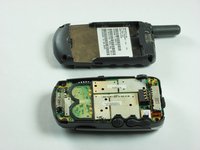
      • Push in release lever towards top of phone, then use blue spudger to pry case off.

      • After case is removed from the back of the phone, you can simply use your hands to take it the rest of the way off.

      • Set cover aside in a safe location.

      crwdns2952109:0crwdne2952109:0

      crwdns2917038:0crwdne2917038:0

    2. Motorola V60s Button Key Pad Replacement: crwdns2935265:02crwdnd2935265:01crwdnd2935265:02crwdne2935265:0 Motorola V60s Button Key Pad Replacement: crwdns2935265:02crwdnd2935265:02crwdnd2935265:02crwdne2935265:0
      • Carefully grab battery towards bottom of phone.

      • Lift from bottom and take out of phone, set aside in a safe location.

      crwdns2952109:0crwdne2952109:0

      crwdns2917038:0crwdne2917038:0

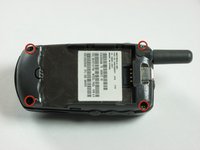
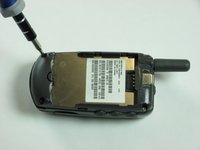
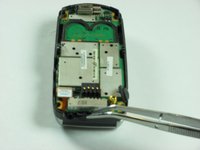
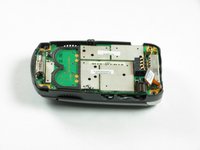
    1. Motorola V60s Button Key Pad Replacement, Motherboard: crwdns2935265:03crwdnd2935265:01crwdnd2935265:02crwdne2935265:0 Motorola V60s Button Key Pad Replacement, Motherboard: crwdns2935265:03crwdnd2935265:02crwdnd2935265:02crwdne2935265:0
      • Remove the four corner screws with a T6 screwdriver.

      • The two top screws are short and silver. The two bottom screws are black and long.

      crwdns2952109:0crwdne2952109:0

      crwdns2917038:0crwdne2917038:0

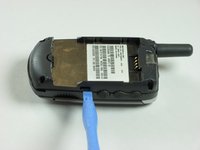
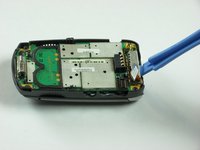
    2. Motorola V60s Button Key Pad Replacement: crwdns2935265:04crwdnd2935265:01crwdnd2935265:03crwdne2935265:0 Motorola V60s Button Key Pad Replacement: crwdns2935265:04crwdnd2935265:02crwdnd2935265:03crwdne2935265:0 Motorola V60s Button Key Pad Replacement: crwdns2935265:04crwdnd2935265:03crwdnd2935265:03crwdne2935265:0
      • Use a spudger to gently pry off back chassis. Wedge the spudger in crevice between back panel and phone and lift.

      crwdns2952109:0crwdne2952109:0

      crwdns2917038:0crwdne2917038:0

    3. Motorola V60s Button Key Pad Replacement: crwdns2935265:05crwdnd2935265:01crwdnd2935265:03crwdne2935265:0 Motorola V60s Button Key Pad Replacement: crwdns2935265:05crwdnd2935265:02crwdnd2935265:03crwdne2935265:0 Motorola V60s Button Key Pad Replacement: crwdns2935265:05crwdnd2935265:03crwdnd2935265:03crwdne2935265:0
      • Starting from left side of phone, remove side buttons and place aside.

      • There are three buttons. One on each side, and the top.

      • Return phone to starting orientation when done.

      crwdns2952109:0crwdne2952109:0

      crwdns2917038:0crwdne2917038:0

    4. Motorola V60s Button Key Pad Replacement: crwdns2935265:06crwdnd2935265:01crwdnd2935265:03crwdne2935265:0 Motorola V60s Button Key Pad Replacement: crwdns2935265:06crwdnd2935265:02crwdnd2935265:03crwdne2935265:0 Motorola V60s Button Key Pad Replacement: crwdns2935265:06crwdnd2935265:03crwdnd2935265:03crwdne2935265:0
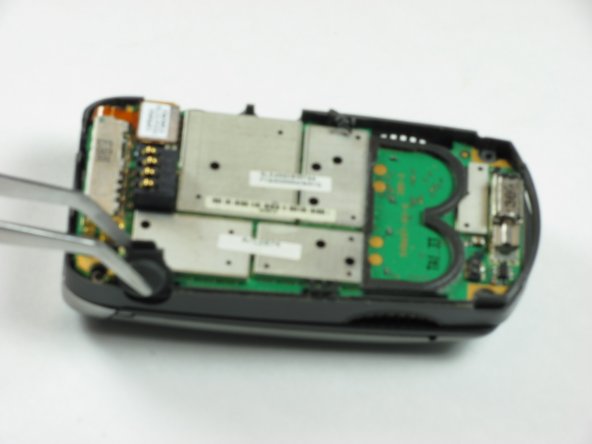
      • Gently remove orange ribbon cable by prying up with spudger.

      crwdns2952109:0crwdne2952109:0

      crwdns2917038:0crwdne2917038:0

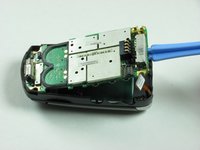
    5. Motorola V60s Button Key Pad Replacement: crwdns2935265:07crwdnd2935265:01crwdnd2935265:02crwdne2935265:0 Motorola V60s Button Key Pad Replacement: crwdns2935265:07crwdnd2935265:02crwdnd2935265:02crwdne2935265:0
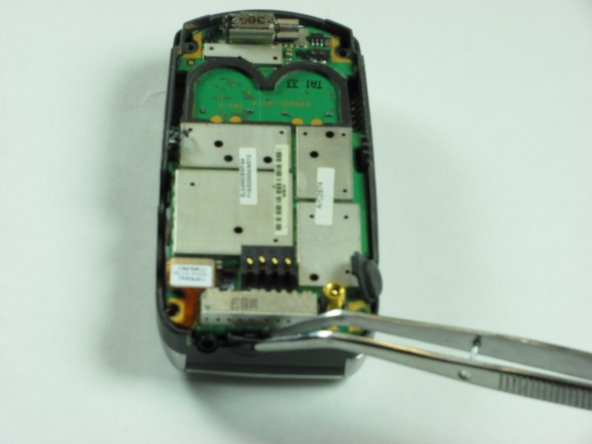
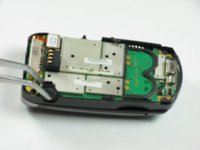
      • Use a spudger to pry up logic board by wedging in between logic board and chassis and lifting.

      • Orange ribbon cable is fragile and can be broken.

      crwdns2952109:0crwdne2952109:0

      crwdns2917038:0crwdne2917038:0

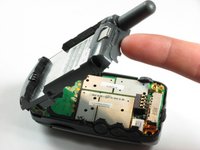
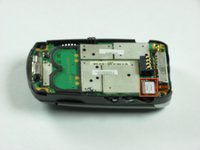
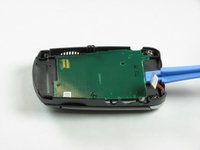
    1. Motorola V60s Button Key Pad Replacement, Button Key Board: crwdns2935265:08crwdnd2935265:01crwdnd2935265:02crwdne2935265:0 Motorola V60s Button Key Pad Replacement, Button Key Board: crwdns2935265:08crwdnd2935265:02crwdnd2935265:02crwdne2935265:0
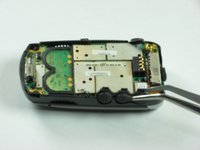
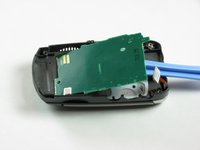
      • Insert an opening tool under the button board and gently lift.

      crwdns2952109:0crwdne2952109:0

      crwdns2917038:0crwdne2917038:0

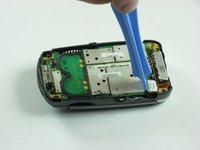
    1. Motorola V60s Button Key Pad Replacement, Button Key Pad: crwdns2935265:09crwdnd2935265:01crwdnd2935265:02crwdne2935265:0 Motorola V60s Button Key Pad Replacement, Button Key Pad: crwdns2935265:09crwdnd2935265:02crwdnd2935265:02crwdne2935265:0
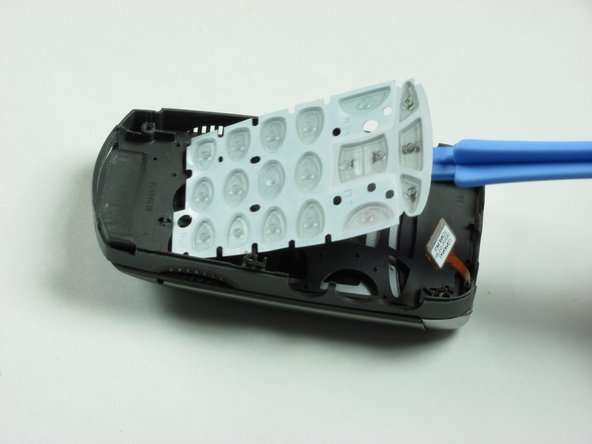
      • Life button keypad with spudger and set aside.

      crwdns2952109:0crwdne2952109:0

      crwdns2917038:0crwdne2917038:0

crwdns2915888:0crwdne2915888:0

To reassemble your device, follow these instructions in reverse order.

crwdns2935221:0crwdne2935221:0

Eric Freeman

crwdns2935283:001/26/10crwdne2935283:0

12 crwdns2915208:0crwdne2915208:0

crwdns2935297:07crwdne2935297:0

crwdns2935287:0crwdne2935287:0

Cal Poly, Team 8-48, Regan Winter 2010 crwdns2935289:0Cal Poly, Team 8-48, Regan Winter 2010crwdne2935289:0

CPSU-REGAN-W10S8G48

crwdns2931471:04crwdne2931471:0

crwdns2935297:084crwdne2935297:0

crwdns2947412:00crwdne2947412:0

crwdns2917038:0crwdne2917038:0

crwdns2936625:0crwdne2936625:0:

crwdns2936751:024crwdne2936751:0 2

crwdns2936753:07crwdne2936753:0 5

crwdns2936753:030crwdne2936753:0 21

crwdns2942667:0crwdne2942667:0 3,343