crwdns2933423:0crwdne2933423:0
crwdns2947577:0crwdnd2947577:0crwdne2947577:0

Motorola V276 Flex Cable Replacement

crwdns2942213:0crwdne2942213:0

    1. Motorola V276 Flex Cable Replacement, Battery: crwdns2935265:01crwdnd2935265:01crwdnd2935265:01crwdne2935265:0
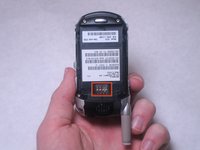
      • Locate the silver button on the back of the phone, near the bottom.

      • Depress the silver button with one hand and slide the back cover of the phone away from the antenna.

      • The back cover should slide off easily.

      crwdns2952109:0crwdne2952109:0

      crwdns2917038:0crwdne2917038:0

    2. Motorola V276 Flex Cable Replacement: crwdns2935265:02crwdnd2935265:01crwdnd2935265:01crwdne2935265:0
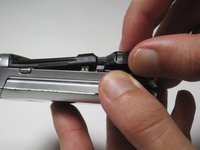
      • Insert a plastic spudger near one corner of the battery (preferably one furthest from the phone's antenna).

      • Gently pry the battery up and away from the phone. The battery should easily raise out of its place.

      • Now that the battery is exposed, use your fingers to remove the it from the phone.

      crwdns2952109:0crwdne2952109:0

      crwdns2917038:0crwdne2917038:0

    3. Motorola V276 Flex Cable Replacement: crwdns2935265:03crwdnd2935265:01crwdnd2935265:02crwdne2935265:0 Motorola V276 Flex Cable Replacement: crwdns2935265:03crwdnd2935265:02crwdnd2935265:02crwdne2935265:0
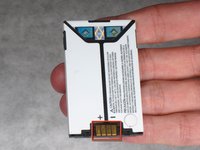
      • Note the metal connections on the phone, which are now exposed with the battery removed.

      • There are corresponding metal connectors on the replacement battery.

      • When you install the battery, be sure both connectors are matched up. Otherwise, your battery will be unable to supply power to your phone.

      crwdns2952109:0crwdne2952109:0

      crwdns2917038:0crwdne2917038:0

    1. Motorola V276 Flex Cable Replacement, Motherboard: crwdns2935265:04crwdnd2935265:01crwdnd2935265:01crwdne2935265:0
      • Use a spudger to remove the rubber plug from the upper left corner of the back of the phone.

      crwdns2952109:0crwdne2952109:0

      crwdns2917038:0crwdne2917038:0

    2. Motorola V276 Flex Cable Replacement: crwdns2935265:05crwdnd2935265:01crwdnd2935265:01crwdne2935265:0
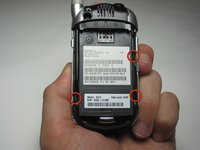
      • Use a Torx T6 screwdriver to remove the 4 screws that secure the back plate of the phone.

      crwdns2952109:0crwdne2952109:0

      crwdns2917038:0crwdne2917038:0

    3. Motorola V276 Flex Cable Replacement: crwdns2935265:06crwdnd2935265:01crwdnd2935265:03crwdne2935265:0 Motorola V276 Flex Cable Replacement: crwdns2935265:06crwdnd2935265:02crwdnd2935265:03crwdne2935265:0 Motorola V276 Flex Cable Replacement: crwdns2935265:06crwdnd2935265:03crwdnd2935265:03crwdne2935265:0
      • Three tabs will hold the back plastic plate in.

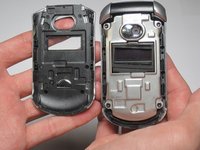
      • To remove the back plate, pull the tabs towards the outside of the phone and lift the plate up simultaneously

      • Be careful when removing the back plate; don't put too much stress on the back plate or the plastic may snap

      crwdns2952109:0crwdne2952109:0

      crwdns2917038:0crwdne2917038:0

    4. Motorola V276 Flex Cable Replacement: crwdns2935265:07crwdnd2935265:01crwdnd2935265:03crwdne2935265:0 Motorola V276 Flex Cable Replacement: crwdns2935265:07crwdnd2935265:02crwdnd2935265:03crwdne2935265:0 Motorola V276 Flex Cable Replacement: crwdns2935265:07crwdnd2935265:03crwdnd2935265:03crwdne2935265:0
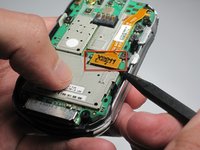
      • Use a spudger to remove the ribbon cable from the motherboard.

      • Be delicate while removing the ribbon cable because it is slightly fragile and it is necessary for the phone to function

      crwdns2952109:0crwdne2952109:0

      crwdns2917038:0crwdne2917038:0

    5. Motorola V276 Flex Cable Replacement: crwdns2935265:08crwdnd2935265:01crwdnd2935265:01crwdne2935265:0
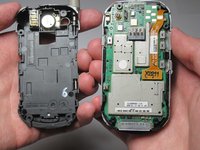
      • Gently peel back the motherboard from the main part of the phone.

      crwdns2952109:0crwdne2952109:0

      crwdns2917038:0crwdne2917038:0

    1. Motorola V276 Flex Cable Replacement, Flex Cable: crwdns2935265:09crwdnd2935265:01crwdnd2935265:01crwdne2935265:0
      • Remove the keypad from the bottom half of the phone.

      crwdns2952109:0crwdne2952109:0

      crwdns2917038:0crwdne2917038:0

    2. Motorola V276 Flex Cable Replacement: crwdns2935265:010crwdnd2935265:01crwdnd2935265:02crwdne2935265:0 Motorola V276 Flex Cable Replacement: crwdns2935265:010crwdnd2935265:02crwdnd2935265:02crwdne2935265:0
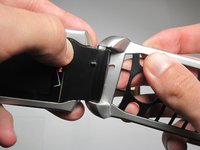
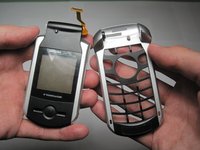
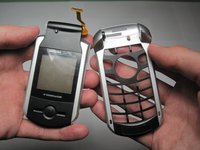
      • Detach the bottom half of the phone by pulling out on the bottom half and pulling up on the top half.

      • A small amount of force is necessary to pull the two pieces apart, but be careful because the plastic may break.

      crwdns2952109:0crwdne2952109:0

      crwdns2917038:0crwdne2917038:0

    3. Motorola V276 Flex Cable Replacement: crwdns2935265:011crwdnd2935265:01crwdnd2935265:02crwdne2935265:0 Motorola V276 Flex Cable Replacement: crwdns2935265:011crwdnd2935265:02crwdnd2935265:02crwdne2935265:0
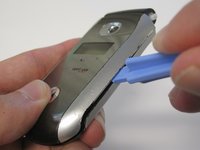
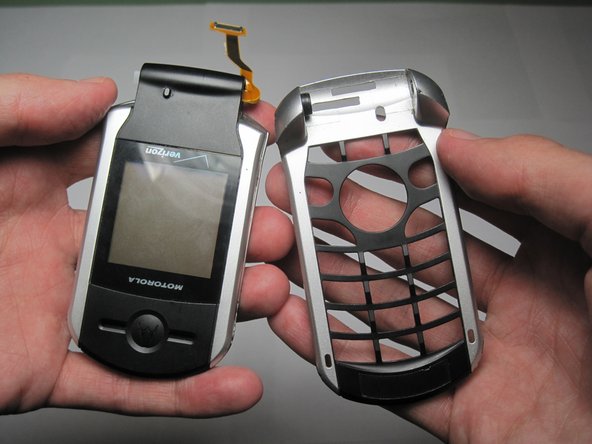
      • Use a plastic opening tool to remove the front cover of the phone.

      crwdns2952109:0crwdne2952109:0

      crwdns2917038:0crwdne2917038:0

    4. Motorola V276 Flex Cable Replacement: crwdns2935265:012crwdnd2935265:01crwdnd2935265:02crwdne2935265:0 Motorola V276 Flex Cable Replacement: crwdns2935265:012crwdnd2935265:02crwdnd2935265:02crwdne2935265:0
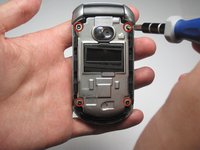
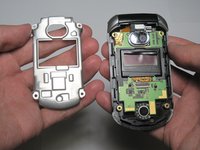
      • Remove the four screws holding in the metal cover.

      crwdns2952109:0crwdne2952109:0

      crwdns2917038:0crwdne2917038:0

    5. Motorola V276 Flex Cable Replacement: crwdns2935265:013crwdnd2935265:01crwdnd2935265:01crwdne2935265:0
      • Use a spudger to remove the plastic protector case around the camera.

      crwdns2952109:0crwdne2952109:0

      crwdns2917038:0crwdne2917038:0

    6. Motorola V276 Flex Cable Replacement: crwdns2935265:014crwdnd2935265:01crwdnd2935265:01crwdne2935265:0
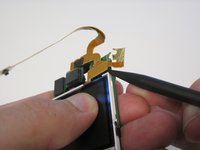
      • Use a plastic opening tool to peel off the gold tape that holds the flex cable in place.

      crwdns2952109:0crwdne2952109:0

      crwdns2917038:0crwdne2917038:0

    7. Motorola V276 Flex Cable Replacement: crwdns2935265:015crwdnd2935265:01crwdnd2935265:01crwdne2935265:0
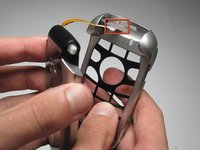
      • Slide the ribbon cable through the tiny slit located in the hole on the side of the frame.

      crwdns2952109:0crwdne2952109:0

      crwdns2917038:0crwdne2917038:0

    8. Motorola V276 Flex Cable Replacement: crwdns2935265:016crwdnd2935265:01crwdnd2935265:02crwdne2935265:0 Motorola V276 Flex Cable Replacement: crwdns2935265:016crwdnd2935265:02crwdnd2935265:02crwdne2935265:0
      • Slide the ribbon cable through the rectangular hole in the bottom half of the frame.

      crwdns2952109:0crwdne2952109:0

      crwdns2917038:0crwdne2917038:0

    9. Motorola V276 Flex Cable Replacement: crwdns2935265:017crwdnd2935265:01crwdnd2935265:01crwdne2935265:0
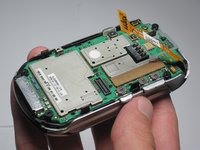
      • Remove the ribbon cable and the motherboard (still connected) from the frame of the phone.

      crwdns2952109:0crwdne2952109:0

      crwdns2917038:0crwdne2917038:0

    10. Motorola V276 Flex Cable Replacement: crwdns2935265:018crwdnd2935265:01crwdnd2935265:02crwdne2935265:0 Motorola V276 Flex Cable Replacement: crwdns2935265:018crwdnd2935265:02crwdnd2935265:02crwdne2935265:0
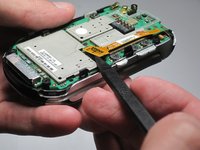
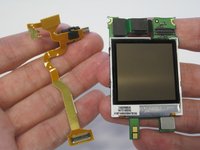
      • Use a spudger to detach the ribbon cable from the motherboard.

      crwdns2952109:0crwdne2952109:0

      crwdns2917038:0crwdne2917038:0

crwdns2915888:0crwdne2915888:0

To reassemble your device, follow these instructions in reverse order.

crwdns2935221:0crwdne2935221:0

Jonathan Cheung

crwdns2935283:004/11/10crwdne2935283:0

1 crwdns2915208:0crwdne2915208:0

crwdns2935297:03crwdne2935297:0

crwdns2935287:0crwdne2935287:0

Cal Poly, Team 27-96, Amido Spring 2010 crwdns2935289:0Cal Poly, Team 27-96, Amido Spring 2010crwdne2935289:0

CPSU-AMIDO-S10S27G96

crwdns2931471:04crwdne2931471:0

crwdns2935297:0132crwdne2935297:0

crwdns2947412:00crwdne2947412:0

crwdns2917038:0crwdne2917038:0

crwdns2936625:0crwdne2936625:0:

crwdns2936751:024crwdne2936751:0 0

crwdns2936753:07crwdne2936753:0 2

crwdns2936753:030crwdne2936753:0 10

crwdns2942667:0crwdne2942667:0 1,817