crwdns2933423:0crwdne2933423:0
crwdns2947577:0crwdnd2947577:0crwdne2947577:0

Motorola MC5590 LCD Screen Replacement

crwdns2942213:0crwdne2942213:0

    1. Motorola MC5590 LCD Screen Replacement, Battery: crwdns2935265:01crwdnd2935265:01crwdnd2935265:01crwdne2935265:0
      • Push in the battery release button.

      crwdns2952109:0crwdne2952109:0

      crwdns2917038:0crwdne2917038:0

    2. Motorola MC5590 LCD Screen Replacement: crwdns2935265:02crwdnd2935265:01crwdnd2935265:01crwdne2935265:0
      • Pull out battery.

      crwdns2952109:0crwdne2952109:0

      crwdns2917038:0crwdne2917038:0

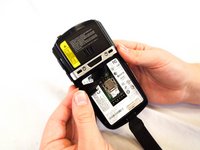
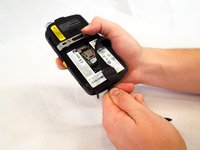
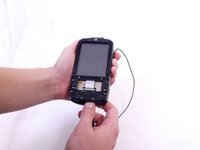
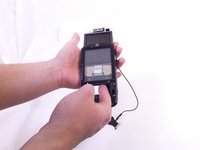
    1. Motorola MC5590 LCD Screen Replacement, Keyboard: crwdns2935265:03crwdnd2935265:01crwdnd2935265:02crwdne2935265:0 Motorola MC5590 LCD Screen Replacement, Keyboard: crwdns2935265:03crwdnd2935265:02crwdnd2935265:02crwdne2935265:0
      • Remove the two rubber plugs on the top of the device by pushing them up and out of the phone.

      crwdns2952109:0crwdne2952109:0

      crwdns2917038:0crwdne2917038:0

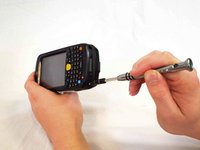
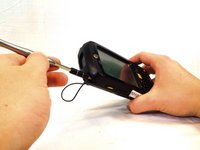
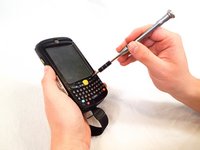
    2. Motorola MC5590 LCD Screen Replacement: crwdns2935265:04crwdnd2935265:01crwdnd2935265:03crwdne2935265:0 Motorola MC5590 LCD Screen Replacement: crwdns2935265:04crwdnd2935265:02crwdnd2935265:03crwdne2935265:0 Motorola MC5590 LCD Screen Replacement: crwdns2935265:04crwdnd2935265:03crwdnd2935265:03crwdne2935265:0
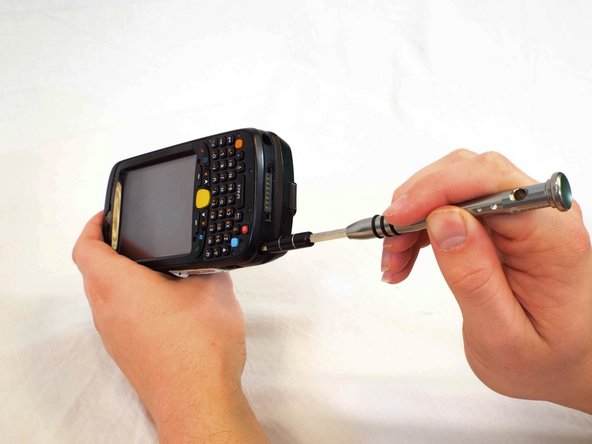
      • Remove the four 1cm Phillips #0 screws from the top and bottom of the phone.

      crwdns2952109:0crwdne2952109:0

      crwdns2917038:0crwdne2917038:0

    3. Motorola MC5590 LCD Screen Replacement: crwdns2935265:05crwdnd2935265:01crwdnd2935265:01crwdne2935265:0
      • Use a plastic opening tool to remove the keyboard cover by prying up on its perimeter.

      crwdns2952109:0crwdne2952109:0

      crwdns2917038:0crwdne2917038:0

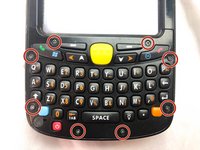
    4. Motorola MC5590 LCD Screen Replacement: crwdns2935265:06crwdnd2935265:01crwdnd2935265:02crwdne2935265:0 Motorola MC5590 LCD Screen Replacement: crwdns2935265:06crwdnd2935265:02crwdnd2935265:02crwdne2935265:0
      • Remove the eight 4mm Phillips #00 screws from the keyboard cover.

      crwdns2952109:0crwdne2952109:0

      crwdns2917038:0crwdne2917038:0

    5. Motorola MC5590 LCD Screen Replacement: crwdns2935265:07crwdnd2935265:01crwdnd2935265:01crwdne2935265:0
      • Remove the keyboard cover.

      crwdns2952109:0crwdne2952109:0

      crwdns2917038:0crwdne2917038:0

    6. Motorola MC5590 LCD Screen Replacement: crwdns2935265:08crwdnd2935265:01crwdnd2935265:03crwdne2935265:0 Motorola MC5590 LCD Screen Replacement: crwdns2935265:08crwdnd2935265:02crwdnd2935265:03crwdne2935265:0 Motorola MC5590 LCD Screen Replacement: crwdns2935265:08crwdnd2935265:03crwdnd2935265:03crwdne2935265:0
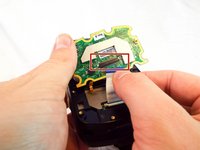
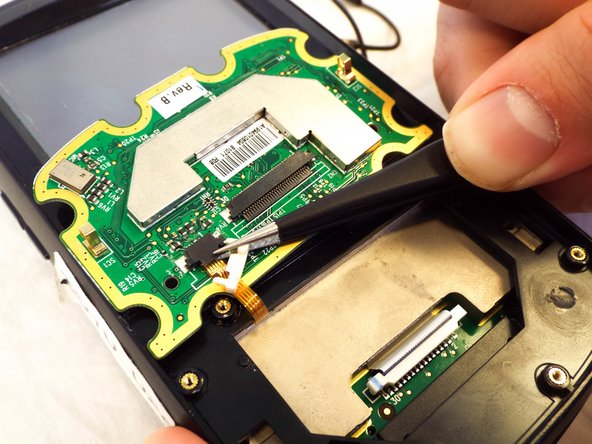
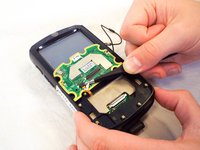
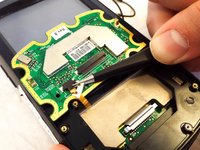
      • Use a spudger to flip up the retaining flap on the keyboard ribbon cable ZIF socket.

      • Pull the ribbon cable out of the socket.

      crwdns2952109:0crwdne2952109:0

      crwdns2917038:0crwdne2917038:0

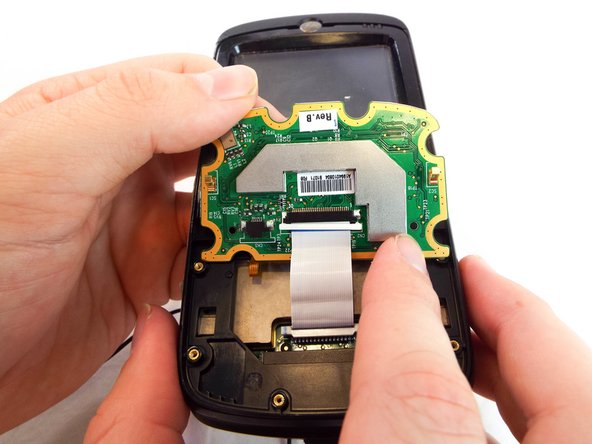
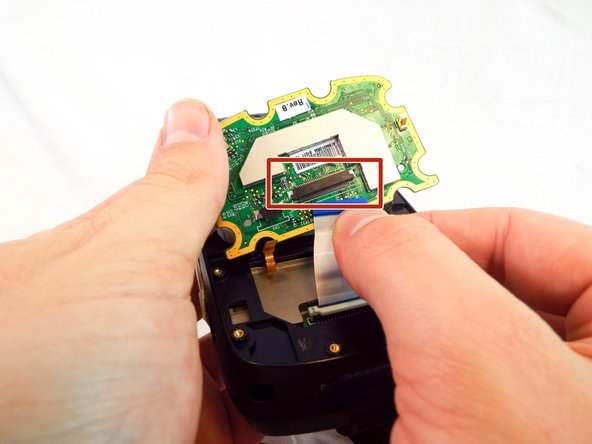
    7. Motorola MC5590 LCD Screen Replacement: crwdns2935265:09crwdnd2935265:01crwdnd2935265:02crwdne2935265:0 Motorola MC5590 LCD Screen Replacement: crwdns2935265:09crwdnd2935265:02crwdnd2935265:02crwdne2935265:0
      • Use a spudger to flip up the retaining flap on the display ribbon cable ZIF socket.

      • Remove the keyboard from the device.

      crwdns2952109:0crwdne2952109:0

      crwdns2917038:0crwdne2917038:0

    1. Motorola MC5590 LCD Screen Replacement, Speaker: crwdns2935265:010crwdnd2935265:01crwdnd2935265:02crwdne2935265:0 Motorola MC5590 LCD Screen Replacement, Speaker: crwdns2935265:010crwdnd2935265:02crwdnd2935265:02crwdne2935265:0
      • Pull the black rubber tabs up gently and remove them.

      crwdns2952109:0crwdne2952109:0

      crwdns2917038:0crwdne2917038:0

    2. Motorola MC5590 LCD Screen Replacement: crwdns2935265:011crwdnd2935265:01crwdnd2935265:02crwdne2935265:0 Motorola MC5590 LCD Screen Replacement: crwdns2935265:011crwdnd2935265:02crwdnd2935265:02crwdne2935265:0
      • Using your finger, or spudger, push the motherboard out from the bottom.

      crwdns2952109:0crwdne2952109:0

      crwdns2917038:0crwdne2917038:0

    3. Motorola MC5590 LCD Screen Replacement: crwdns2935265:012crwdnd2935265:01crwdnd2935265:02crwdne2935265:0 Motorola MC5590 LCD Screen Replacement: crwdns2935265:012crwdnd2935265:02crwdnd2935265:02crwdne2935265:0
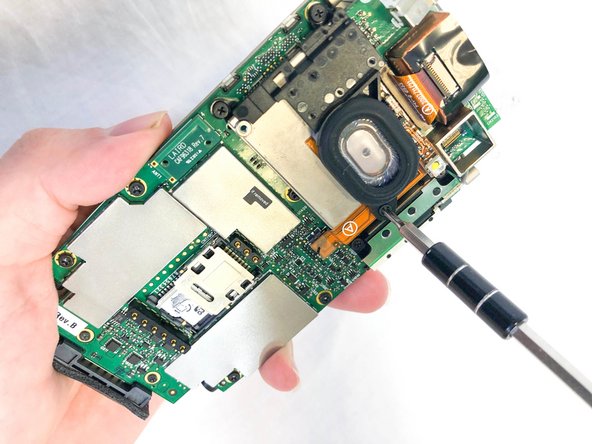
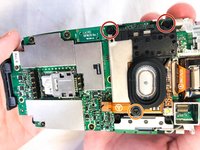
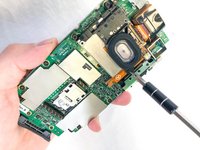
      • Remove the three Phillips #00 screws from the motherboard:

      • Two 3mm screws.

      • One 1mm screw.

      crwdns2952109:0crwdne2952109:0

      crwdns2917038:0crwdne2917038:0

    4. Motorola MC5590 LCD Screen Replacement: crwdns2935265:013crwdnd2935265:01crwdnd2935265:02crwdne2935265:0 Motorola MC5590 LCD Screen Replacement: crwdns2935265:013crwdnd2935265:02crwdnd2935265:02crwdne2935265:0
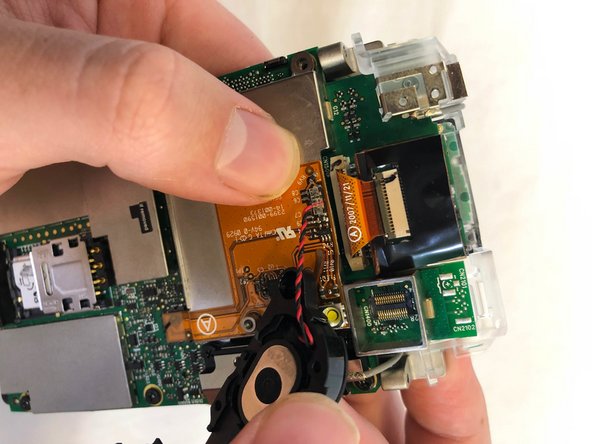
      • Disconnect the speaker from the motherboard.

      crwdns2952109:0crwdne2952109:0

      crwdns2917038:0crwdne2917038:0

    1. Motorola MC5590 LCD Screen Replacement, LCD Screen: crwdns2935265:014crwdnd2935265:01crwdnd2935265:03crwdne2935265:0 Motorola MC5590 LCD Screen Replacement, LCD Screen: crwdns2935265:014crwdnd2935265:02crwdnd2935265:03crwdne2935265:0 Motorola MC5590 LCD Screen Replacement, LCD Screen: crwdns2935265:014crwdnd2935265:03crwdnd2935265:03crwdne2935265:0
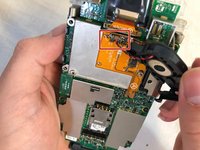
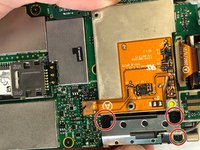
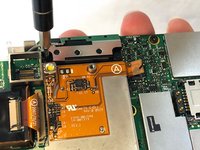
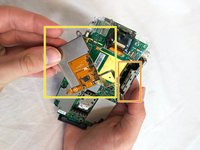
      • Remove the the 3mm Phillips #00 screws from the flex cable cover and antenna.

      • Remove the antenna.

      • Remove the flex cable cover.

      crwdns2952109:0crwdne2952109:0

      crwdns2917038:0crwdne2917038:0

    2. Motorola MC5590 LCD Screen Replacement: crwdns2935265:015crwdnd2935265:01crwdnd2935265:02crwdne2935265:0 Motorola MC5590 LCD Screen Replacement: crwdns2935265:015crwdnd2935265:02crwdnd2935265:02crwdne2935265:0
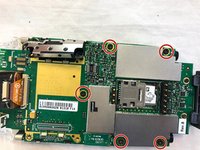
      • Remove the five 3mm Phillips #00 screws from the motherboard.

      crwdns2952109:0crwdne2952109:0

      crwdns2917038:0crwdne2917038:0

    3. Motorola MC5590 LCD Screen Replacement: crwdns2935265:016crwdnd2935265:01crwdnd2935265:02crwdne2935265:0 Motorola MC5590 LCD Screen Replacement: crwdns2935265:016crwdnd2935265:02crwdnd2935265:02crwdne2935265:0
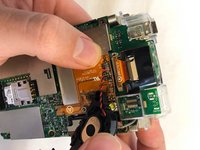
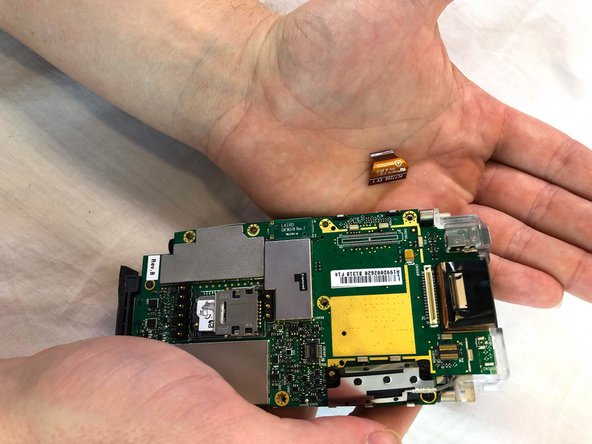
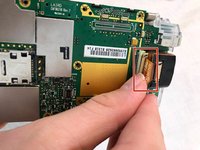
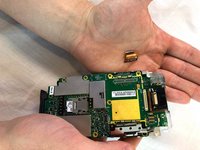
      • Remove the scanner ribbon cable by pulling straight up and out.

      crwdns2952109:0crwdne2952109:0

      crwdns2917038:0crwdne2917038:0

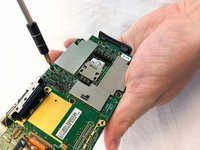
    4. Motorola MC5590 LCD Screen Replacement: crwdns2935265:017crwdnd2935265:01crwdnd2935265:02crwdne2935265:0 Motorola MC5590 LCD Screen Replacement: crwdns2935265:017crwdnd2935265:02crwdnd2935265:02crwdne2935265:0
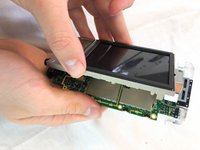
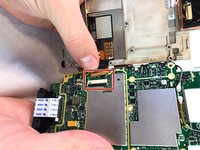
      • Flip open the motherboard and the LCD screen.

      • Open the LCD connector and remove the cable.

      • Pull the LCD Screen and its metal bracket apart.

      crwdns2952109:0crwdne2952109:0

      crwdns2917038:0crwdne2917038:0

crwdns2915888:0crwdne2915888:0

To reassemble your device, follow these instructions in reverse order.

crwdns2935221:0crwdne2935221:0

Tyler Jean

crwdns2935283:002/22/18crwdne2935283:0

555 crwdns2915208:0crwdne2915208:0

crwdns2935297:05crwdne2935297:0

crwdns2935287:0crwdne2935287:0

USF Tampa, Team S1-G6, Cagle Spring 2018 crwdns2935289:0USF Tampa, Team S1-G6, Cagle Spring 2018crwdne2935289:0

USFT-CAGLE-S18S1G6

crwdns2931471:04crwdne2931471:0

crwdns2935297:072crwdne2935297:0

crwdns2947412:00crwdne2947412:0

crwdns2917038:0crwdne2917038:0

crwdns2936625:0crwdne2936625:0:

crwdns2936751:024crwdne2936751:0 1

crwdns2936753:07crwdne2936753:0 6

crwdns2936753:030crwdne2936753:0 27

crwdns2942667:0crwdne2942667:0 1,122